
Introducció
Thank you for choosing the Audiobox 32" Smart LED HDTV. This television is designed for versatile use, offering Full HD 1080p resolution and smart features powered by webOS Hub and ThinQ AI. Its AC/DC 12V compatibility makes it ideal for both home environments and mobile setups such as RVs, campers, and trucks. This manual provides essential information for proper setup, operation, and maintenance of your device.
Què hi ha a la caixa
Please verify that all items are present before proceeding with the setup:
- 32" Smart LED HDTV
- Cable d'alimentació CA
- DC Car Adaptor (for 12V use)
- Comandament a distància de Smart TV
- Manual d'instruccions (aquest document)
Configuració
1. Desembalatge i col·locació
Carefully remove the TV from its packaging. Place the TV on a stable, flat surface or mount it securely using a compatible VESA mount (not included). Ensure adequate ventilation around the TV.

Image: The Audiobox 32-inch Smart LED HDTV positioned in an RV, demonstrating its suitability for mobile and off-grid environments. The TV is shown on a table, ready for use.
2. Connexió d'alimentació
Your TV supports both standard AC power and 12V DC power.
- Alimentació CA: Connect the provided AC power cord to the TV's AC input and then to a standard wall outlet.
- Alimentació de 12 V CC: For RVs, campers, or off-grid setups, use the provided DC car adaptor. Connect the adaptor to the TV's 12V DC input and then to a compatible 12V power source.
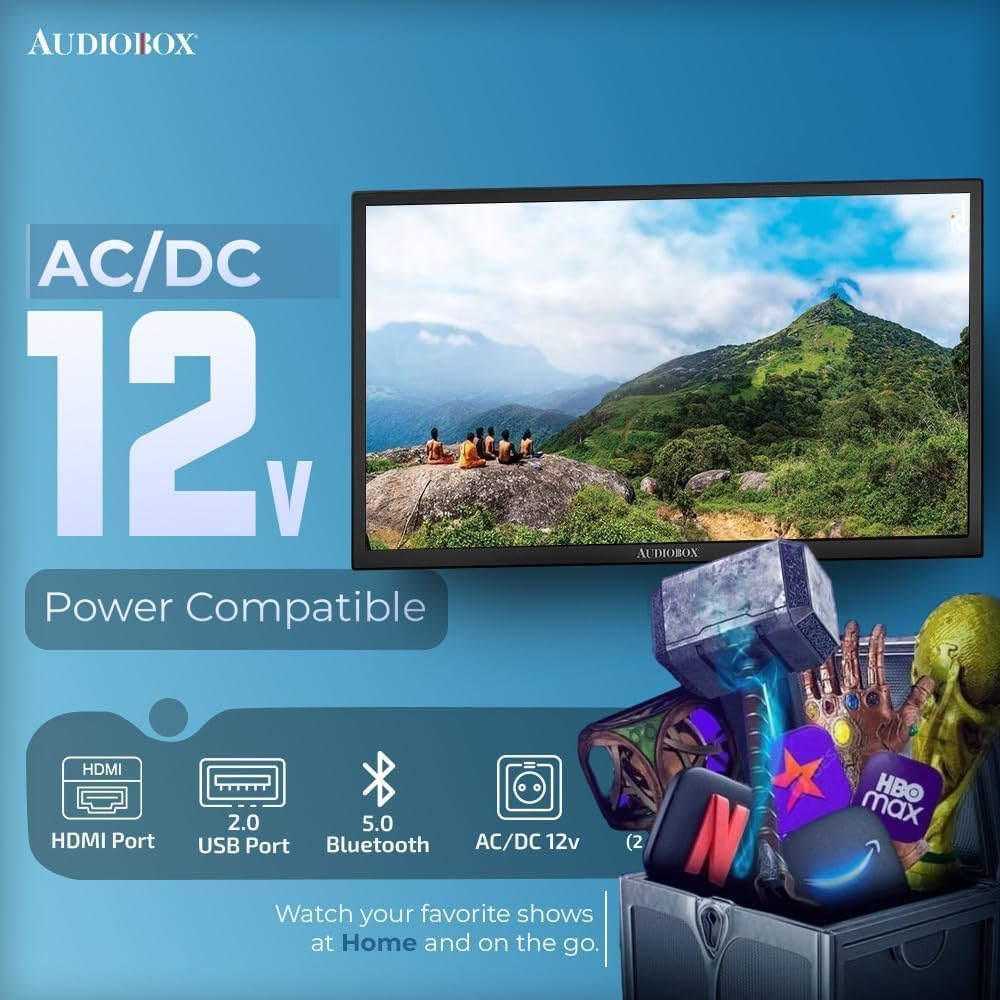
Image: A graphic illustrating the AC/DC 12V power compatibility of the Audiobox TV, highlighting its flexibility for various power sources.
3. Configuració inicial i connexió de xarxa
Upon first power-on, the TV will guide you through the initial setup process. This includes language selection, time zone, and network connection. Connect to your home or mobile Wi-Fi network using the dual-band WiFi feature for access to smart TV functionalities.
En funcionament
1. Using the Smart TV Remote
The included Smart TV Remote allows for intuitive control of your television. It features an arrow pad for navigation, a scroll wheel, and dedicated buttons for popular streaming services. Voice control is also supported for enhanced convenience.

Image: A user holding the Audiobox Smart TV Magic Remote, which features voice control and Bluetooth connectivity for easy operation.
2. webOS Hub and ThinQ AI
Your Audiobox TV is powered by webOS Hub, providing access to a wide range of streaming applications like Netflix, Hulu, and YouTube. ThinQ AI enhances your viewing experience by learning your preferences and offering personalized content recommendations.
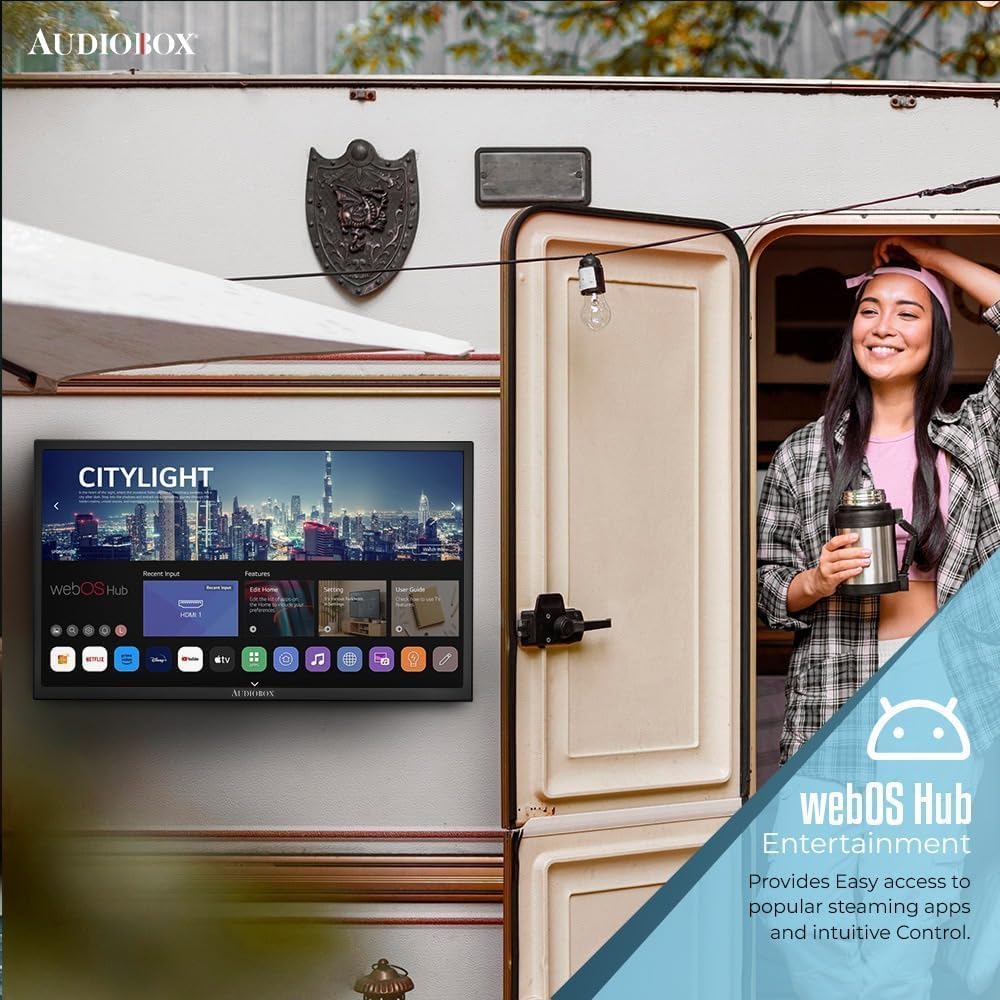
Image: The Audiobox TV screen displaying the webOS Hub interface, showing various streaming app icons and navigation options.
3. Opcions de connectivitat
The TV offers multiple connectivity options for various devices:
- ARC HDMI: Connect external audio systems or other HDMI-compatible devices.
- USB: Reprodueix contingut multimèdia files de dispositius d'emmagatzematge USB.
- LAN: Per a una connexió a Internet per cable.
- Bluetooth 5.0: Connect wireless headphones, soundbars, or other Bluetooth accessories.
- WiFi de doble banda: Connect to 2.4GHz or 5GHz wireless networks.
- RF IN: Connect an antenna for over-the-air channels.
- Entrada AV: Per a dispositius més antics que utilitzen vídeo compost i àudio estèreo.
- Sortida òptica: For digital audio output to compatible sound systems.

Imatge: Una imatge detallada view of the Audiobox TV's rear panel, showcasing the various input and output ports including USB, HDMI, AV, LAN, RF, and DC 12V.
Manteniment
1. Neteja del televisor
Before cleaning, ensure the TV is powered off and unplugged. Use a soft, dry cloth to wipe the screen and exterior. For stubborn marks, lightly dampen the cloth with water. Avoid using harsh chemicals, abrasive cleaners, or direct spraying of liquids onto the TV.
2. Actualitzacions de programari
El teu webOS Hub TV may receive periodic software updates to improve performance and add new features. Ensure your TV is connected to the internet to receive these updates automatically or check for them manually through the TV's settings menu.
Resolució de problemes
Si teniu problemes amb el televisor, consulteu els problemes i solucions més comuns següents:
- Sense energia: Ensure the power cord (AC or DC) is securely connected to both the TV and the power source. Try a different outlet.
- Sense imatge/so: Check the input source selection. Ensure external devices are powered on and connected correctly. For no sound, check volume levels and mute settings.
- Problemes de connexió de xarxa: Verify your Wi-Fi password. Restart your router and the TV. If using a wired connection, ensure the LAN cable is properly connected.
- El comandament a distància no respon: Substituïu les piles del comandament a distància. Assegureu-vos que no hi hagi cap obstacle entre el comandament a distància i el televisor.
Per a problemes persistents, consulteu la secció d'assistència.
Especificacions
| Característica | Especificació |
|---|---|
| Marca | Caixa d'àudio |
| Nom del model | TV-3250S |
| Mida de la pantalla | 32 polzades |
| Resolució | 1080p Full HD |
| Sistema operatiu | webOS Hub |
| Tecnologia d'IA | ThinQ AI |
| Connectivitat | Dual-Band WiFi (2.4GHz / 5GHz), Bluetooth 5.1, HDMI (ARC), USB 2.0, LAN, RF (antenna), CVBS, Audio L/R, Optical Out |
| Compatibilitat de potència | AC Power, DC 12V |
| Pes de l'article | 7.9 lliures |
| Dimensions del producte | 7 x 28.8 x 18.6 polzades |
| Serveis d'Internet compatibles | Netflix, Hulu, YouTube, and more via webOS Hub |
Informació de la garantia
Your Audiobox TV-3250S is covered by a manufacturer's warranty. Please refer to the warranty card included with your purchase for specific terms, conditions, and duration. Keep your proof of purchase for warranty claims.
Suport
For technical assistance, troubleshooting beyond this manual, or warranty inquiries, please contact Audiobox customer support. Visit the official Audiobox weblloc web per obtenir informació de contacte i recursos addicionals.