
1. Introducció
Thank you for choosing the Redragon K709 HE Rapid Trigger Gaming Keyboard. This manual provides essential information for setting up, operating, and maintaining your new keyboard. Please read it thoroughly to ensure optimal performance and longevity of your device.
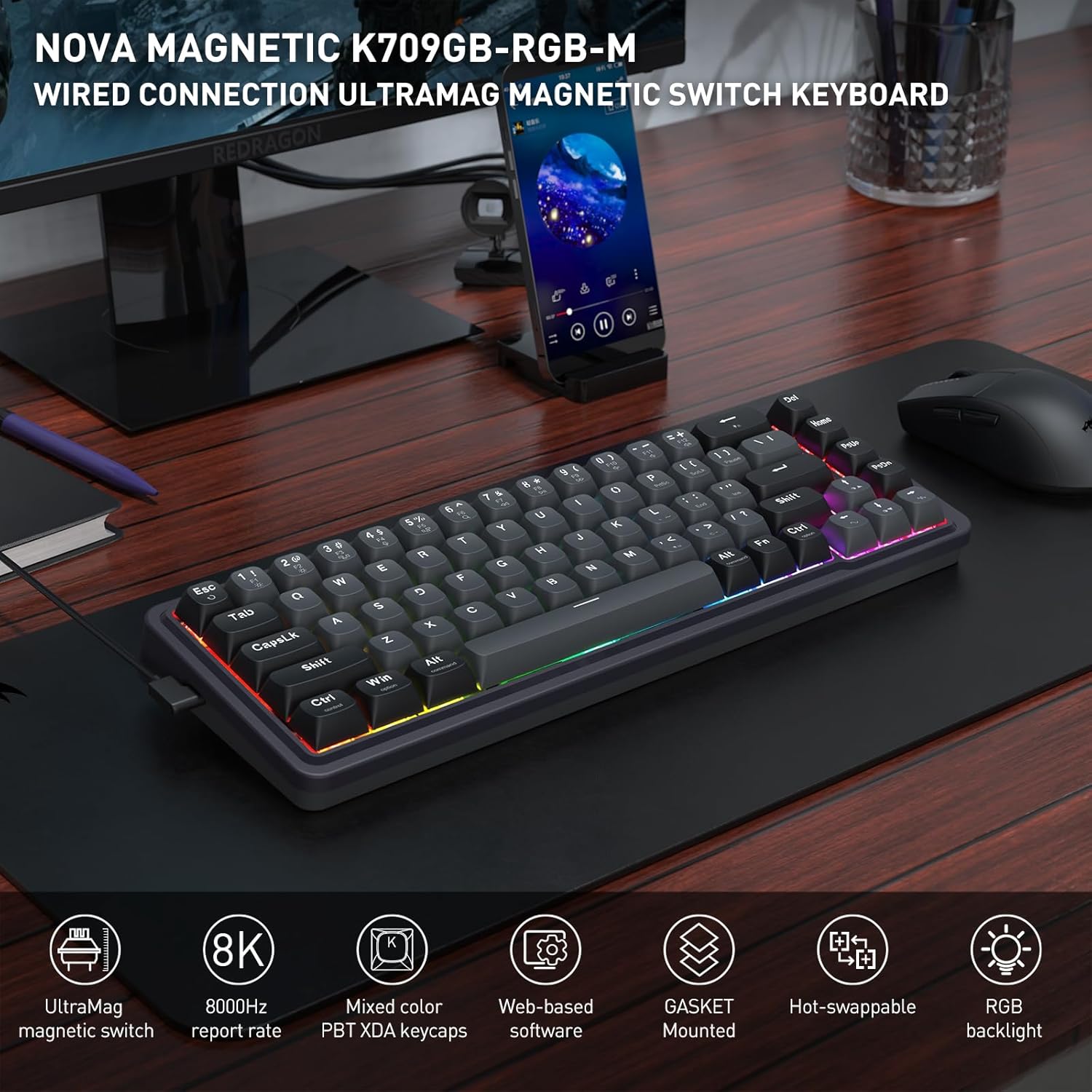
Image: The Redragon K709 HE keyboard, showcasing its compact design and RGB backlighting, positioned on a desk alongside a monitor and mouse.
2. Guia de configuració
2.1 Contingut del paquet
- Redragon K709 HE Rapid Trigger Gaming Keyboard
- Cable USB-A a USB-C desmuntable
- Extractor de tecles
- Tirador de commutació
- Spare UltraMag Magnetic Switches (if included)
- Manual d'usuari

Image: The Redragon K709 HE keyboard displayed with its included accessories: a detachable USB-C cable, keycap puller, switch puller, and spare switches.
2.2 Connexió del teclat
- Connecteu l'extrem USB-C del cable proporcionat al port USB-C del teclat.
- Connecteu l'extrem USB-A del cable a un port USB disponible de l'ordinador.
- El sistema operatiu reconeixerà automàticament el teclat.
2.3 Instal·lació del programari (opcional però recomanada)
For advanced customization, including Rapid Trigger settings and key remapping, it is recommended to use the Redragon software. The K709 HE supports both a standard desktop client (Windows-exclusive) and web-based driver support.
- Usuaris de Windows: Download the desktop client from the official Redragon weblloc.
- Other Operating Systems: Accedeix al web-based driver directly via your browser by visiting the Redragon website. This allows access to all software features without a dedicated installation.

Image: A computer screen displaying the Redragon web-based software interface, used for configuring keyboard settings and features.
3. Instruccions de funcionament
3.1 UltraMag Magnetic Switches
The K709 HE features next-generation UltraMag magnetic switches with a dual-module floating structure. These switches offer precise and smooth keystrokes due to their full-POM construction and enclosed base design.
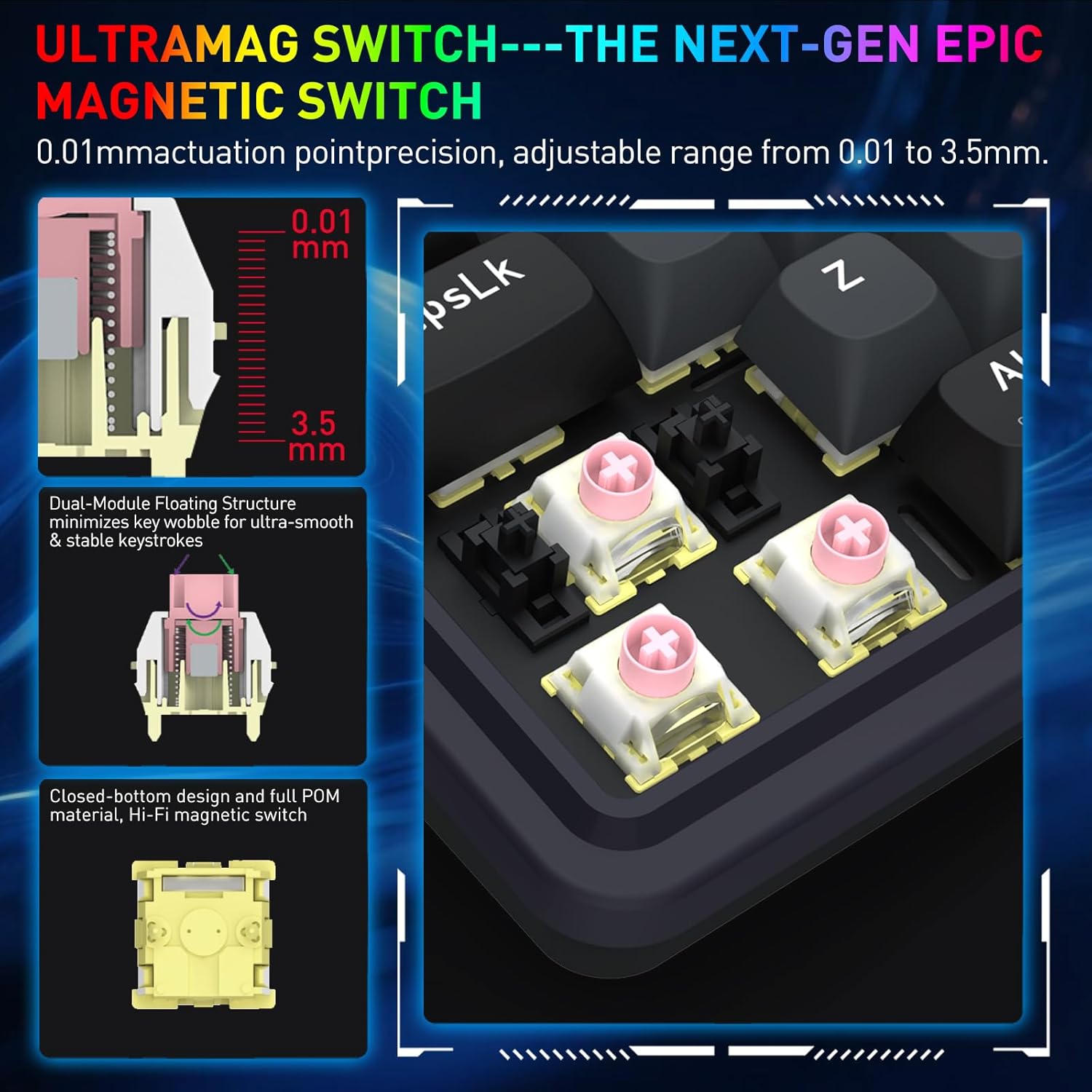
Image: A detailed diagram showing the internal components of the UltraMag magnetic switch, highlighting its dual-module floating structure and adjustable actuation points from 0.01mm to 3.5mm.
3.2 Rapid Trigger Technology
Rapid Trigger technology allows for dynamic activation and deactivation of keys based on movement, not just a fixed actuation point. This feature is highly beneficial for competitive gaming.
- Ajust del punt d'actuació: Using the software, the actuation point can be precisely adjusted between 0.1mm and 3.4mm. This allows for fine-tuning key sensitivity to your preference.
- Dynamic Activation/Deactivation: Keys activate upon initial press and deactivate immediately upon release, enabling faster repeated inputs and precise control in games.

Imatge: Visual examples showing how Rapid Trigger technology enhances gameplay in titles such as Valorant for accurate movement, CS:GO for precise peeking, Apex Legends for advanced movement, and osu! for improved note accuracy.
3.3 8K Hyper-Polling
The K709 HE features an 8,000Hz hyper-polling rate, meaning it reports inputs to your computer up to 8,000 times per second. This results in an ultra-low latency of approximately 0.125ms, ensuring your actions are registered almost instantaneously.
3.4 Soroll Dampening
The keyboard incorporates a 5-layer noise dampening system to reduce hollow sounds and provide a more satisfying typing and gaming experience. This includes:
- 3.5mm PO foam
- IXPE switch foam
- PET sound pad
- Bottom socket foam
- Silicone bottom pad
- Junta de silicona

Image: An exploded diagram of the K709 HE keyboard, illustrating the various layers including keycaps, UltraMag switches, top cover, TPR gasket, positioning plate, latex foam pad, IXPE switch pad, sound acting pad, PCBA, EVA noise absorbing foam, silicone bottom pad, and bottom case.
3.5 Team Wipe Engine (PRCS Technology)
This feature utilizes revolutionary PRCS technology with 4 modes, designed to optimize gaming performance by eliminating redundant inputs and ensuring clean, precise actions.
4. Manteniment
4.1 Neteja del teclat
- Feu servir un drap suau i sense borrissol per netejar la superfície del teclat.
- Per a la pols i les restes entre les tecles, feu servir aire comprimit.
- To clean under the keycaps, use the provided keycap puller to carefully remove them. Clean the switches and plate with a soft brush or compressed air. Reattach keycaps by pressing them firmly onto the switches.
4.2 Commutadors intercanviables en calent
The K709 HE features a hot-swappable PCB, allowing you to easily replace individual switches without soldering. This is useful for customization or replacing a faulty switch.
- Use the provided keycap puller to remove the keycap from the desired switch.
- Use the provided switch puller to gently grip the top and bottom clips of the switch. Pull the switch straight up to remove it from the PCB.
- Align the pins of the new switch with the holes on the PCB. Press the new switch firmly until it clicks into place. Ensure the pins are not bent.
- Torneu a col·locar la tapa de les tecles.
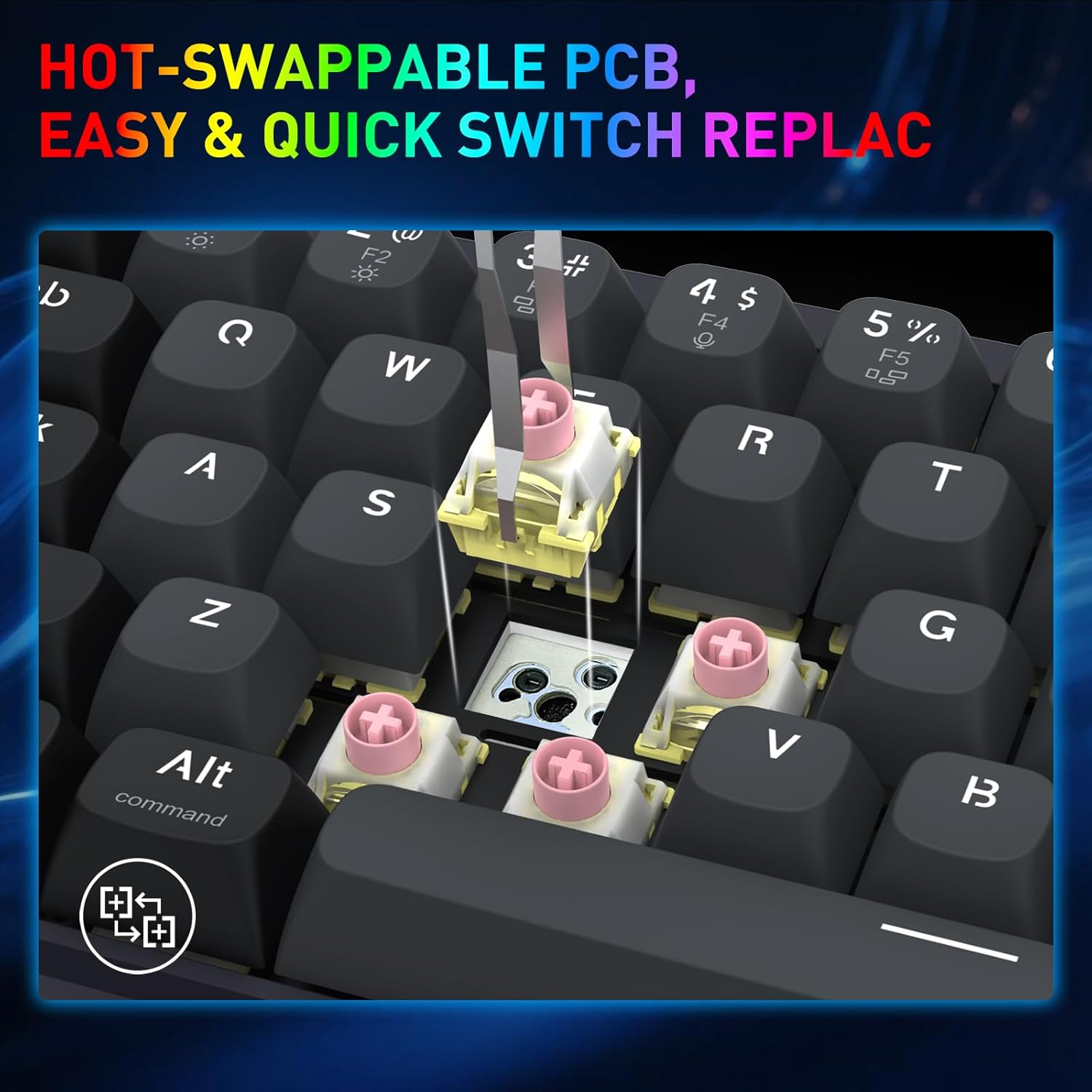
Image: A close-up shot demonstrating the process of removing a hot-swappable switch from the keyboard's PCB using a switch puller.
5. Solució De Problemes
- El teclat no respon:
- Assegureu-vos que el cable USB estigui connectat correctament tant al teclat com a l'ordinador.
- Prova de connectar el teclat a un port USB diferent de l'ordinador.
- Prova el teclat en un altre ordinador per descartar problemes específics del sistema.
- Tecles específiques que no funcionen:
- Carefully remove the keycap and switch for the non-functional key using the provided tools.
- Inspect the switch for any visible damage or debris.
- If you have spare switches, try replacing the faulty switch.
- Problemes amb la il·luminació RGB:
- Check the keyboard's lighting settings via the Redragon software.
- Ensure no conflicting software or drivers are interfering with the lighting control.
- Rapid Trigger not functioning as expected:
- Verify that Rapid Trigger is enabled and configured correctly within the Redragon software.
- Adjust the actuation point settings to find your preferred sensitivity.
6. Especificacions
| Marca | Redragon |
| Nom del model | Nova (K709 HE) |
| Tecnologia de connectivitat | USB-C (amb cable) |
| Descripció del teclat | 68 Keys HE UltraMag Magnetic Switch Rapid Trigger Gaming Keyboard |
| Nombre de claus | 68 |
| Mechanical Keyboard Switch Model | Redragon UltraMag Magnetic Switch |
| Tipus de canvi | Lineal |
| Punt d'actuació | Adjustable 0.1mm - 3.4mm |
| Taxa de votació | 8,000Hz (8K Hyper-Polling) |
| Característiques especials | 5-Layer Noise Dampening, 68 keys Compact, Mixed PBT Keycaps, Rapid Trigger, UltraMag Magnetic Switch |
| Il·luminació del teclat | RGB |
| Dispositius compatibles | PC |
| Material | Plàstic |
| Color | Serene Gray |
7. Informació de la garantia
The Redragon K709 HE Rapid Trigger Gaming Keyboard comes with a Garantia limitada d'1 any des de la data de compra. Aquesta garantia cobreix els defectes de fabricació i la mà d'obra en condicions d'ús normal. No cobreix els danys causats per un mal ús, accidents, modificacions no autoritzades o desastres naturals.
Conserveu el vostre comprovant de compra per a reclamacions de garantia.
8. Suport
For further assistance, technical support, or to download the latest software and drivers, please visit the official Redragon weblloc:
You may also contact Redragon customer service through the contact information provided on their weblloc.


