
1. Producte acabatview
The AJAZZ AJ139 V2 MC is a versatile tri-mode gaming mouse designed for precision and responsiveness. It features a PAW3311 sensor for accurate tracking, a 1000Hz return rate for smooth performance, and a long-lasting 500mAh battery. Its compact and lightweight design makes it suitable for extended use and portability.
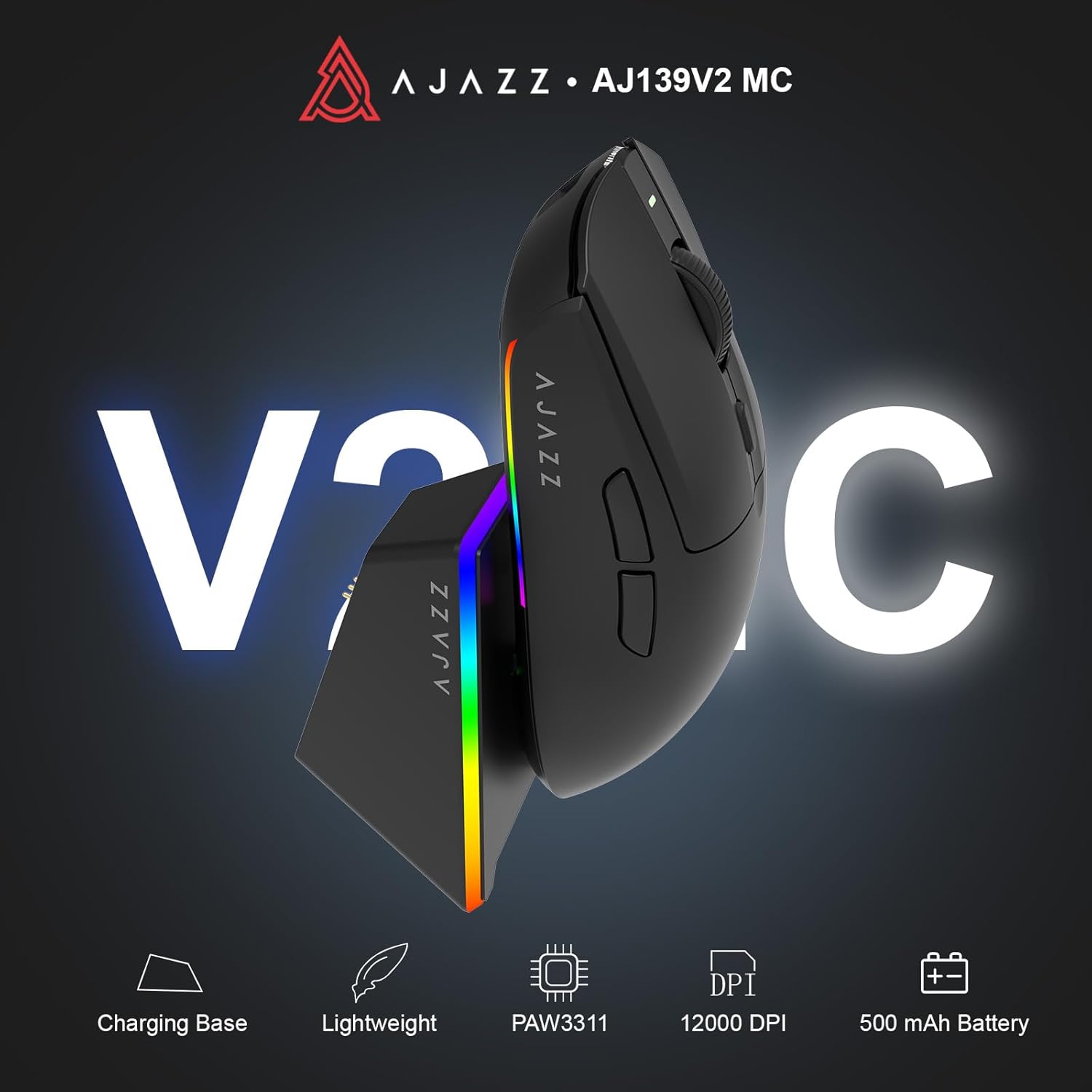
Figure 1.1: AJAZZ AJ139 V2 MC Gaming Mouse and Charging Dock.
Vídeo 1.1: Un overview of the AJAZZ AJ139 V2 MC Gaming Mouse, highlighting its features and design.
2. Contingut del paquet
Assegureu-vos que tots els elements siguin presents al paquet:
- AJAZZ AJ139 V2 MC Gaming Mouse
- Base de càrrega
- Cable de càrrega USB-C
- Receptor USB 2.4G (dongle)
- Manual d'usuari
3. Característiques clau
- PAW3311 Sensor Technology: Equipped with the PAW3311 sensor, this mouse ensures precise tracking and accurate cursor control for optimal performance.
- High 1000Hz Return Rate: Experience smooth and responsive performance with a 1000Hz return rate, enhancing your gaming or work experience.
- Bateria de llarga durada de 500 mAh: The integrated 500mAh battery provides extended power, ensuring uninterrupted use for prolonged periods.
- Connectivitat trimodal: Supports versatile connectivity options including Wired, 2.4G Wireless, and Bluetooth, adapting to various devices and setups.
- Disseny compacte i lleuger: Weighing approximately 66 grams, the mouse features a compact design for easy portability and comfortable use during long sessions.
- Il·luminació RGB personalitzable: Features integrated RGB lighting for personalized aesthetics.
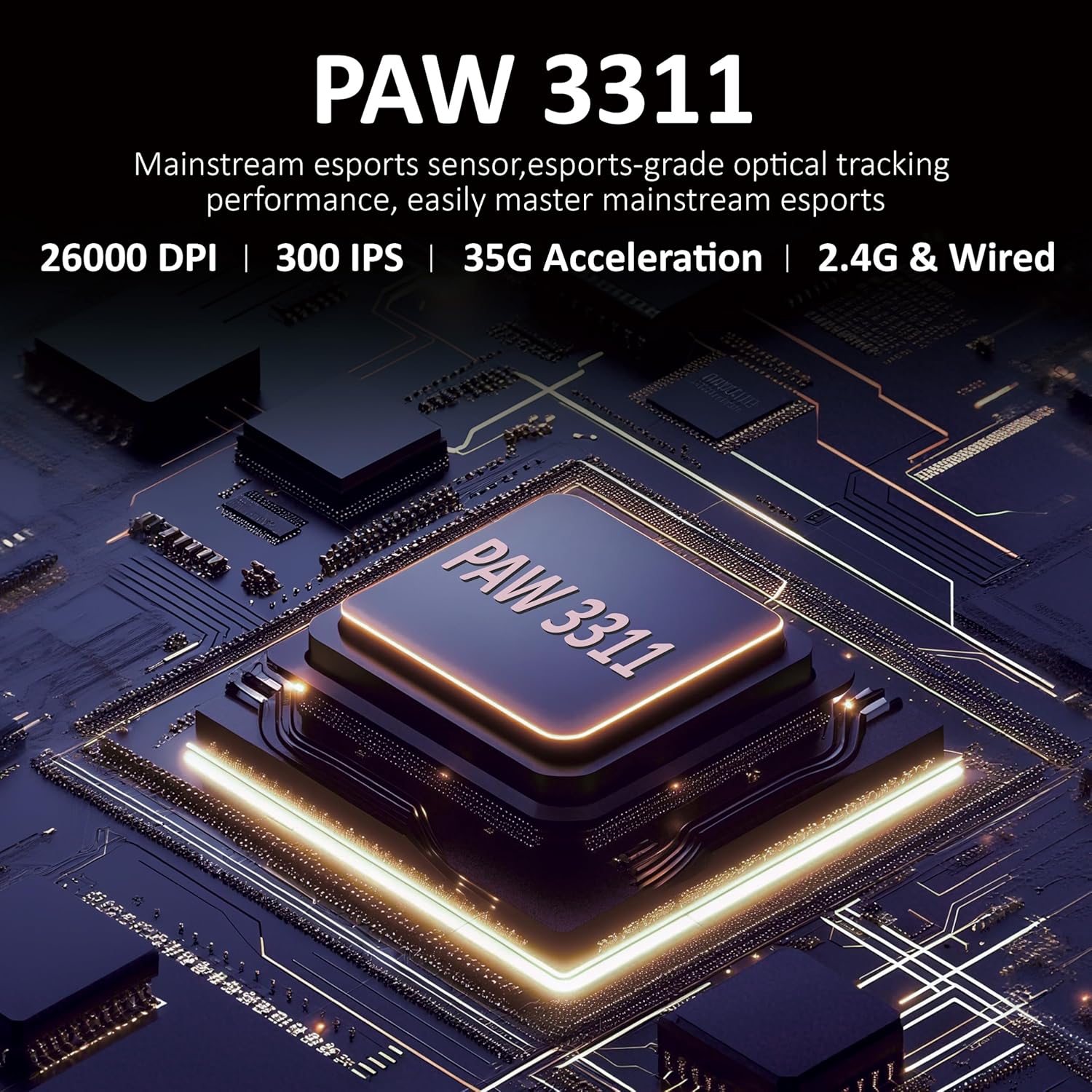
Figura 3.1: Detallada view of the PAW3311 sensor technology.
Video 3.1: Demonstration of the mouse's 500mAh battery life.

Figure 3.2: The lightweight design of the AJAZZ AJ139 V2 MC mouse.
4. Guia de configuració
4.1. Connectar el ratolí
The AJAZZ AJ139 V2 MC offers three connection modes:
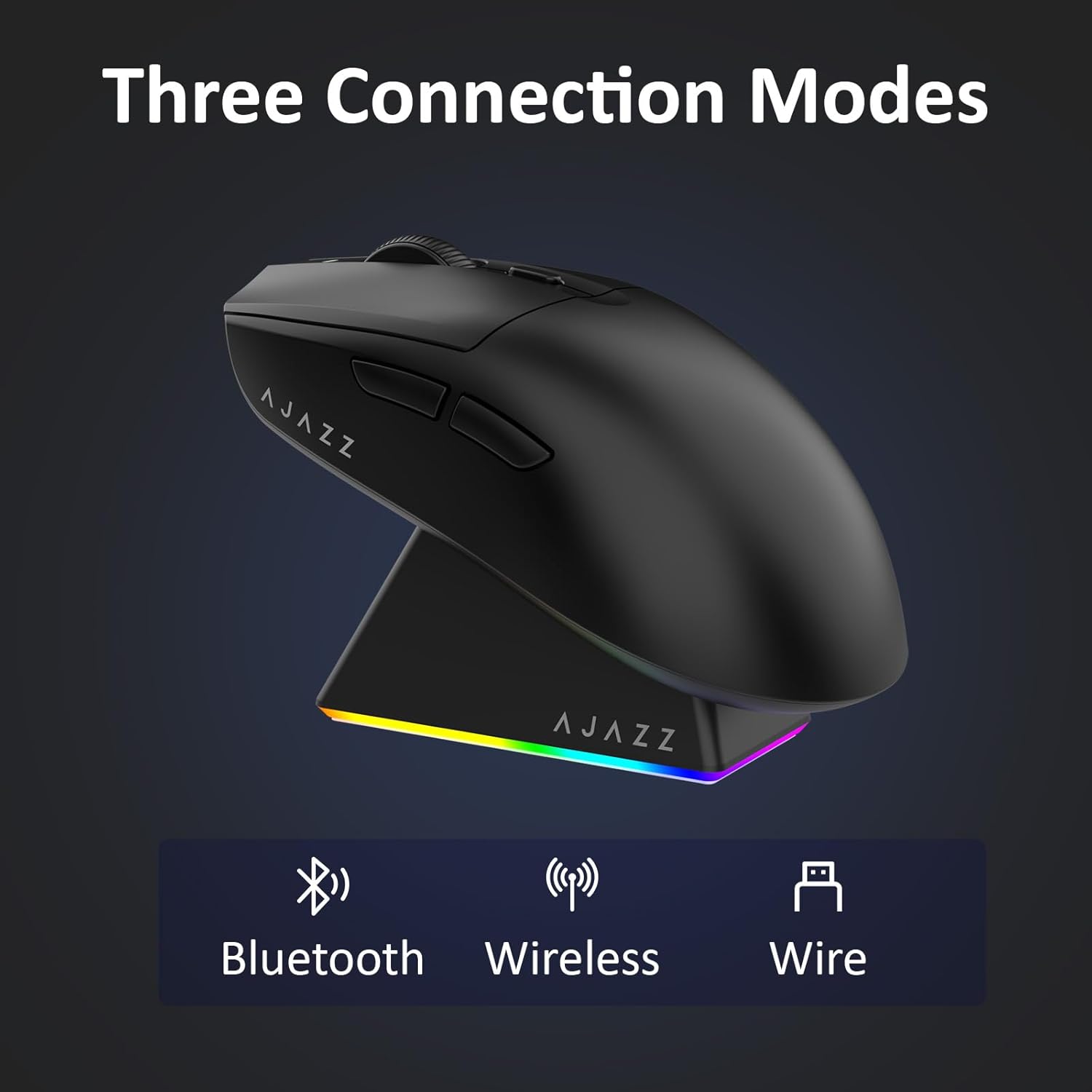
Figure 4.1: Visual representation of the three connection modes.
- Mode sense fil 2.4G:
- Localitzeu el receptor USB de 2.4 G que es troba al compartiment de la part inferior del ratolí.
- Connecteu el receptor USB a un port USB disponible de l'ordinador.
- Slide the switch on the bottom of the mouse to the '2.4G' position. The mouse will automatically connect.
- Mode Bluetooth:
- Feu lliscar l'interruptor de la part inferior del ratolí a la posició "BT".
- On your device, open Bluetooth settings and search for new devices.
- Select 'AJAZZ AJ139 V2 MC' from the list to pair.
- Mode per cable:
- Connect the USB-C charging cable to the mouse and the other end to your computer's USB port.
- The mouse will function as a wired device and charge simultaneously.
4.2. Càrrega del ratolí
The mouse can be charged using the included charging dock or directly via the USB-C cable.
- Ús de la base de càrrega:
- Connect the USB-C charging cable to the charging dock and then to a power source (e.g., computer USB port, USB wall adapter).
- Place the mouse onto the charging dock, aligning the magnetic contacts. The RGB lighting on the dock and mouse will indicate charging status.
- Càrrega directa per USB-C:
- Connect the USB-C charging cable directly to the mouse and a power source.
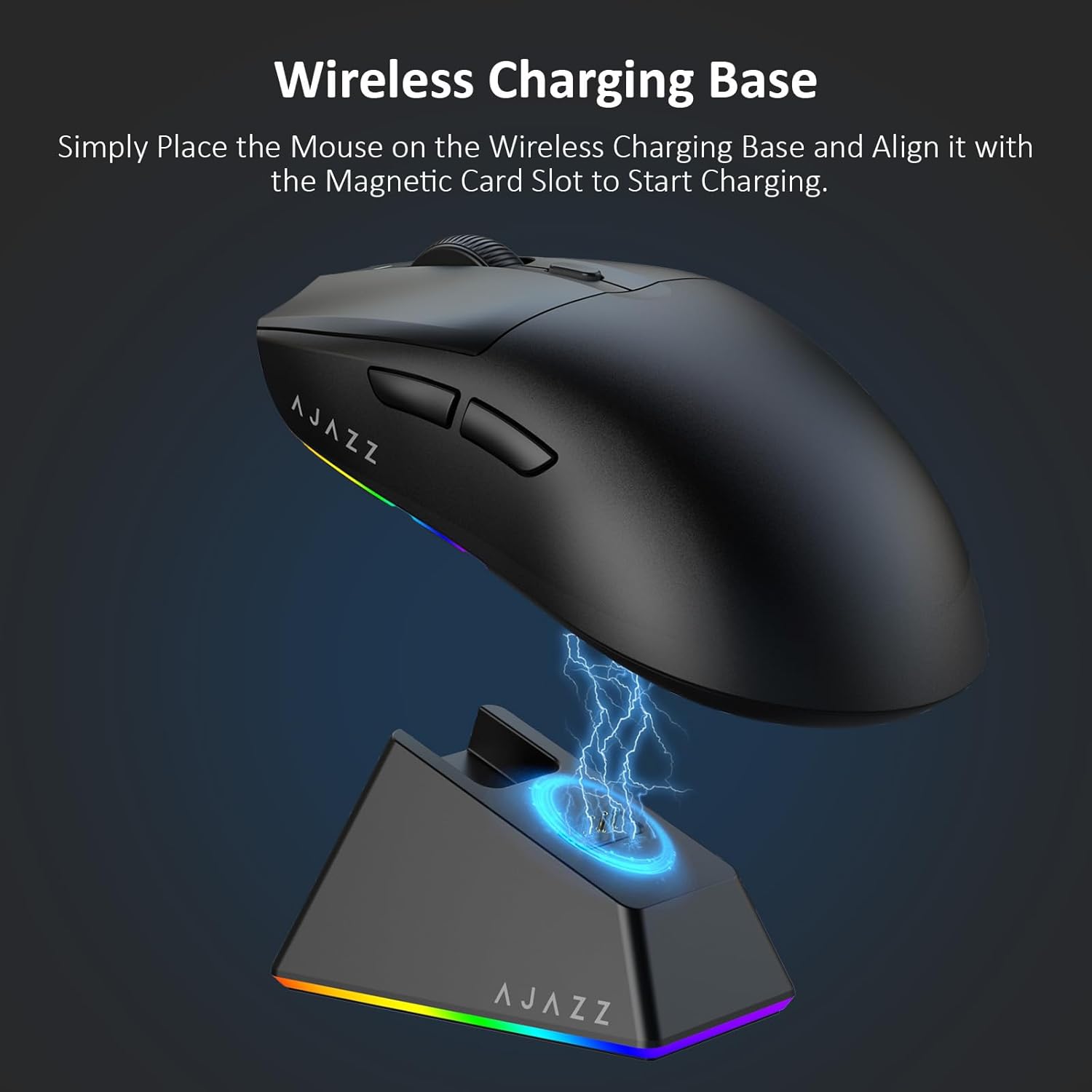
Figure 4.2: The mouse being charged on its wireless charging base.
5. Instruccions de funcionament
5.1. Ajust de DPI
The mouse features a dedicated DPI adjustment button on its underside, allowing you to cycle through different sensitivity levels. Press the button to change the DPI setting to suit your preference.
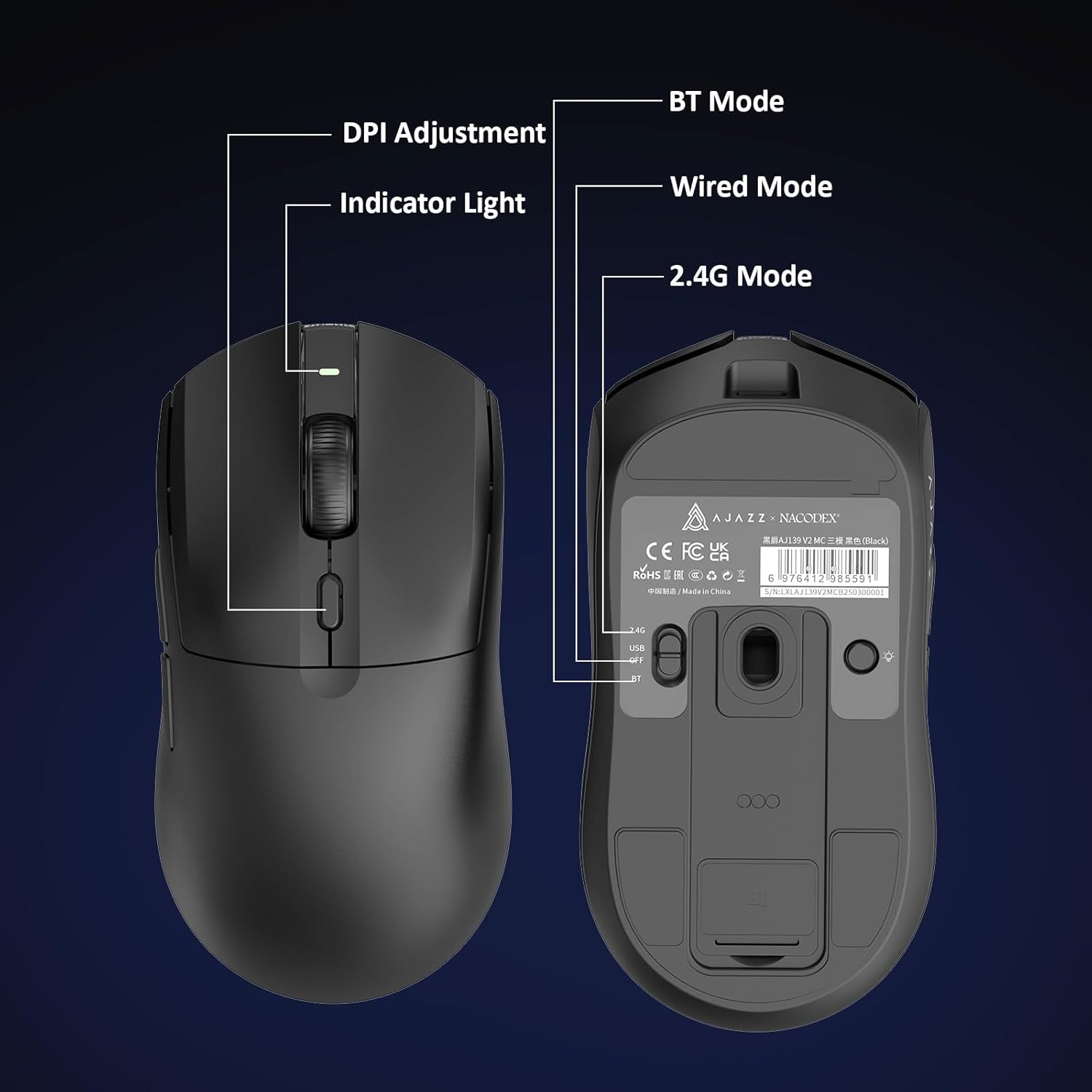
Figure 5.1: Location of the DPI adjustment button and connection mode switch on the mouse underside.
5.2. Funcions del botó
The mouse is equipped with 6 programmable buttons:
- Botó de clic esquerre
- Botó de clic dret
- Roda de desplaçament (clicable)
- DPI Adjustment Button (on underside)
- Two Side Buttons (typically for forward/backward navigation)
For advanced customization of button functions and macros, please refer to the official AJAZZ software (downloadable from the manufacturer's weblloc).
5.3. Control de la il·luminació RGB
The mouse and charging dock feature customizable RGB lighting. Specific controls for lighting modes and colors are typically managed through the official AJAZZ software. A dedicated light button on the underside of the mouse allows for basic cycling or turning off the lighting.
6. Manteniment
- Neteja: Feu servir un drap suau i sec per netejar la superfície del ratolí. Per a la brutícia persistent, feu un drap lleugerament sec.amp es pot utilitzar un drap, assegurant-se que no entri humitat als components interns.
- Cura del sensor: Mantingueu el sensor òptic de la part inferior del ratolí net i lliure de pols o restes per mantenir la precisió del seguiment.
- Longevitat de la bateria: Per allargar la durada de la bateria, eviteu descarregar completament el ratolí amb freqüència. Carregueu-lo quan l'indicador de bateria estigui baix.
7. Solució De Problemes
| Problema | Possible solució |
|---|---|
| Mouse not responding in 2.4G Wireless mode. | Ensure the 2.4G USB receiver is securely plugged into a USB port and the mouse switch is set to '2.4G'. Try a different USB port. |
| Mouse not pairing via Bluetooth. | Ensure the mouse switch is set to 'BT' and your device's Bluetooth is enabled and discoverable. Try unpairing and re-pairing the device. |
| El ratolí no carrega. | Verify the USB-C cable is properly connected to both the dock/mouse and the power source. Ensure the mouse is correctly seated on the charging dock's magnetic contacts. |
| Inconsistent tracking or cursor movement. | Clean the optical sensor on the underside of the mouse. Ensure you are using the mouse on a suitable surface (e.g., a mouse pad). |
| La il·luminació RGB no funciona. | Check the mouse's software settings for lighting control. Ensure the mouse has sufficient battery charge. |
8. Especificacions tècniques
| Característica | Especificació |
|---|---|
| Marca | AJAZZ |
| Nom del model | Aj139 V2 MC |
| Color | V2 MC Black |
| Tecnologia de connectivitat | Bluetooth, USB, 2.4G Wireless |
| Tecnologia de detecció de moviment | Òptic (sensor PAW3311) |
| Mouse Maximum Sensitivity | 12000 Dots per Inch (DPI) |
| Taxa de retorn | 1000 Hz |
| Capacitat de la bateria | 500 mAh |
| Quantitat de botons | 6 |
| Orientació de la mà | D'acord |
| Dispositius compatibles | Ordinador d'escriptori |
| Sistema operatiu | Windows |
| Interval | 10 metres |
| Pes de l'article | 4 unces (aprox. 113 grams) |
| Dimensions de l'article L x A | 5" de llargada x 2.5" d'amplada (aprox. 12.7 cm x 6.35 cm) |
| Característica d'embelliment | Il·luminació RGB |
| Material de tancament | Plàstic |
| Acabar | Mat |
9. Garantia i Suport
This product comes with a standard manufacturer's warranty. For detailed warranty information, please refer to the official AJAZZ weblloc o poseu-vos en contacte amb el vostre distribuïdor.
For technical support, troubleshooting assistance, or any product-related inquiries, please visit the AJAZZ official support page or contact their customer service team.
Recursos en línia:
AJAZZ Official Store