
1. Introducció
This manual provides detailed instructions for the setup, operation, maintenance, and troubleshooting of your Muddy Pro Cam 20 MP Trail Camera. Please read this manual thoroughly before using the camera to ensure proper function and longevity of the device. The Muddy Pro Cam 20 MP is designed for capturing high-resolution images and videos of wildlife with its 20MP sensor and 720p video capabilities.

Figura 1: Frontal view of the Muddy Pro Cam 20 MP Trail Camera.
2. Contingut del paquet
Verifiqueu que tots els elements que s'enumeren a continuació s'inclouen al vostre paquet:
- Muddy Pro Cam 20 Megapixel Trail Camera with Video Function
3. Característiques clau
- Imatges d'alta resolució: 20MP camera with 850nm LEDs for clear day and night captures. Supports 20MP, 8MP, and 4MP resolution images.
- Vídeo d'alta definició: Captures 720p videos at 30 frames per second (FPS).
- Velocitat de disparador ràpida: 0.5-second trigger speed to capture quick movements.
- Versatile Burst Mode: Captures 1 to 3 images per triggering event.
- Extensive Detection Range: 80-foot detection range for broad coverage.
- Font d'alimentació: Operates on eight AA batteries.
- Seguretat: Integrated Python lock latch for theft deterrence.
4. Configuració
4.1. Instal·lació de la bateria
- Open the camera housing latch.
- Localitzeu el compartiment de la bateria.
- Insert eight (8) AA batteries, ensuring correct polarity (+/-) as indicated inside the compartment.
- Tanqueu el compartiment de la bateria de manera segura.
4.2. Instal·lació de la targeta SD
- Amb la càmera apagada, localitzeu la ranura per a la targeta SD.
- Insert a standard SD card (up to 32GB, not included) into the slot with the metal contacts facing down, until it clicks into place.
- To remove, press the SD card gently to release it.
4.3. Muntatge de la càmera
The camera can be mounted using the included strap or a compatible mounting accessory.
- Seleccioneu un lloc adequat, com ara un arbre o un pal, i assegureu-vos que hi hagi espai lliure. view de la zona desitjada.
- Passeu la corretja de muntatge per les ranures de la part posterior de la càmera.
- Securely fasten the strap around the mounting surface.
- Adjust the camera angle to optimize the field of view and detection zone.
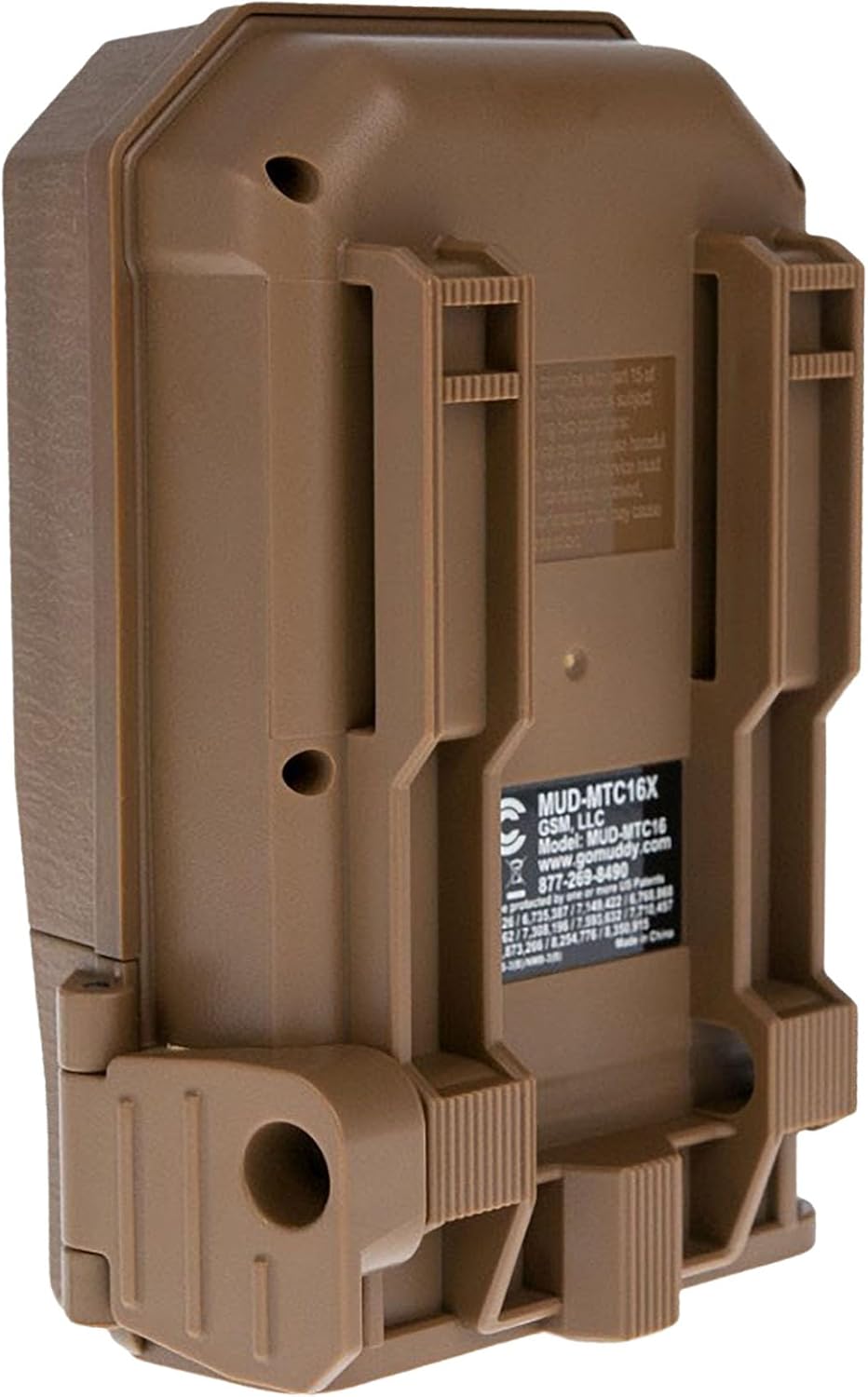
Figura 2: Esquena view of the camera showing mounting slots and product label.
5. Instruccions de funcionament
5.1. Encès / apagat
- To power on, slide the power switch to the 'ON' position. The camera will perform a self-check.
- Per apagar-lo, feu lliscar l'interruptor d'alimentació a la posició "OFF".
5.2. Navegació del menú
Use the navigation buttons (Up, Down, Left, Right, OK) to move through the menu options and confirm selections. The display screen will show current settings.
5.3. Photo Mode Settings
In the menu, navigate to 'Photo Settings' to adjust:
- Resolució: Select 20MP, 8MP, or 4MP for image quality. Higher resolution results in larger file mides.
- Mode de ràfega: Set the number of images captured per trigger (1 to 3 photos).
- Retard: Set the time interval between consecutive triggers.
5.4. Video Mode Settings
In the menu, navigate to 'Video Settings' to adjust:
- Resolució: Set to 720p for video capture.
- Durada del vídeo: Specify the duration of each video clip.
- Enregistrament d'àudio: Enable or disable audio capture with video.
5.5. Detection and Trigger
The camera features an 80-foot detection range and a 0.5-second trigger speed. Ensure the detection area is clear of obstructions that might cause false triggers, such as swaying branches.
6. Manteniment
6.1. Substitució de la bateria
When the battery indicator shows low power, replace all eight AA batteries with new ones to ensure optimal performance and prevent data loss.
6.2. Gestió de targetes SD
Regularly check the SD card capacity. Format the SD card periodically to maintain optimal performance and prevent corruption. Always power off the camera before inserting or removing the SD card.
6.3. Neteja
Use a soft, dry cloth to clean the camera lens and housing. Avoid using abrasive cleaners or solvents. Ensure the camera is dry before closing the housing.
7. Solució De Problemes
- La càmera no s'encén: Comproveu la instal·lació de les piles i assegureu-vos que les piles siguin noves.
- No s'han capturat imatges/vídeos: Verify SD card is inserted correctly and has sufficient space. Check camera settings for proper mode selection and trigger delay.
- Mala qualitat d'imatge/vídeo: Ensure the lens is clean. Check resolution settings.
- Falsos desencadenants: Adjust camera placement to avoid moving branches or excessive sunlight in the detection zone.
8. Especificacions
| Característica | Especificació |
|---|---|
| Número de model | MUD-MTC20X |
| Resolució d'imatge | 20MP, 8MP, 4MP |
| Resolució de vídeo | 720p @ 30 FPS |
| Interval de detecció | 80 peus |
| Velocitat de desencadenament | 0.5 segons |
| Tipus de memòria flash | SD (fins a 32 GB) |
| Font d'alimentació | 8 x piles AA |
| Tecnologia del sensor fotogràfic | CMOS |
| Tecnologia de connectivitat | infrarojos |
| Pes de l'article | 12.3 unces |
| Dimensions del producte | 1 x 1 x 1 polzades |
9. Informació de la garantia
For detailed warranty information, please refer to the official MUDDY weblloc web o contacteu amb l'atenció al client. Conserveu el rebut de compra com a comprovant de compra.
10. Suport
If you require further assistance or have questions not covered in this manual, please visit the MUDDY support page on their official weblloc web o poseu-vos en contacte amb el seu departament d'atenció al client. La informació de contacte normalment es pot trobar a l'embalatge del producte o al fabricant. weblloc.