
1. Introducció
This manual provides detailed instructions for the setup, operation, and maintenance of your Bikevee GPS Wireless Cycling Computer, model BKV300B. Please read this manual thoroughly before using the device to ensure proper function and to maximize your cycling experience.
The Bikevee BKV300B is a 2.4-inch LCD display cycling computer designed to accurately track various cycling data, including speed, distance, and trip time. It features automatic start/stop functionality, an auto-backlight for visibility in varying light conditions, and an IPX7 waterproof rating for reliable performance in diverse weather.
2. Contingut del paquet
Verifiqueu que tots els elements que s'enumeren a continuació s'inclouen al vostre paquet:
- Ordinador de bicicleta (unitat principal)
- Cable de càrrega USB-C
- Out Front Extended Mount
- Cargol hexagonal
- Clau hexagonal
- Sponge Pads

Image: Contents of the Bikevee GPS Cycling Computer package, including the main unit, charging cable, mount, screw, wrench, and sponge pads.
3. Producte acabatview
The Bikevee BKV300B is designed for ease of use and comprehensive data tracking. Key features include:
- Pantalla LCD de 2.4 polzades: Provides clear visibility of cycling data.
- GPS habilitat: Accurate speed and distance measurement without external sensors.
- Inici/aturada automàtics: Automatically records ride data when in motion and pauses when stopped.
- Retroil·luminació automàtica: Adjusts display brightness automatically for optimal viewde dia o de nit.
- IPX7 Impermeable: Protected against temporary immersion in water.
- Llarga vida útil de la bateria: Fins a 28 hores d'ús continu amb una sola càrrega.

Image: The Bikevee GPS Cycling Computer main unit shown alongside its out-front extended mount.

Image: The Bikevee cycling computer display illustrating various data types such as ride time, distance, speed, ascent, gradient, altitude, and clock.

Image: A visual representation of the Bikevee cycling computer's compact dimensions (70mm x 45mm) and lightweight design (50g).
4. Configuració
4.1 Muntatge del dispositiu
The Bikevee BKV300B uses a wireless GPS system, eliminating the need for magnets or wires. Installation is straightforward:
- Attach the Out Front Extended Mount to your bicycle's handlebar using the provided hexagon socket screw and wrench. Ensure it is securely fastened.
- Insert the Bikevee computer into the mount. It should click into place.
- Power on the device. The computer will automatically search for GPS signals to calibrate time and begin tracking.

Image: A comparison showing the complex installation of a wired bike computer versus the simple, wireless installation of the Bikevee GPS computer on a handlebar mount.
4.2 Configuració inicial
En el primer ús o després d'un reinici, és possible que hàgiu de configurar els paràmetres bàsics:
- Unit Selection (MPH/KM/H): Use the device buttons to navigate to the settings menu and select your preferred speed and distance units.
- Zona horària: Set your local time zone. The device will automatically synchronize time via GPS.
5. Instruccions de funcionament
5.1 Encès/Apagat
Press and hold the power button (usually located at the bottom left) to turn the device on or off.
5.2 Inici/Aturació automàtica
The computer automatically detects movement. When you start cycling, it begins recording data. When you stop for a period, it automatically pauses the recording. This feature conserves battery and simplifies operation.
5.3 Retroil·luminació automàtica
The device features an automatic backlight that adjusts based on ambient light conditions. This ensures readability in both bright daylight and low-light environments. To manually control the backlight:
- Press two specific buttons simultaneously (refer to device interface for exact buttons, often power and mode) to toggle the backlight on or off.
- Turning off the backlight during the day can help extend battery life.
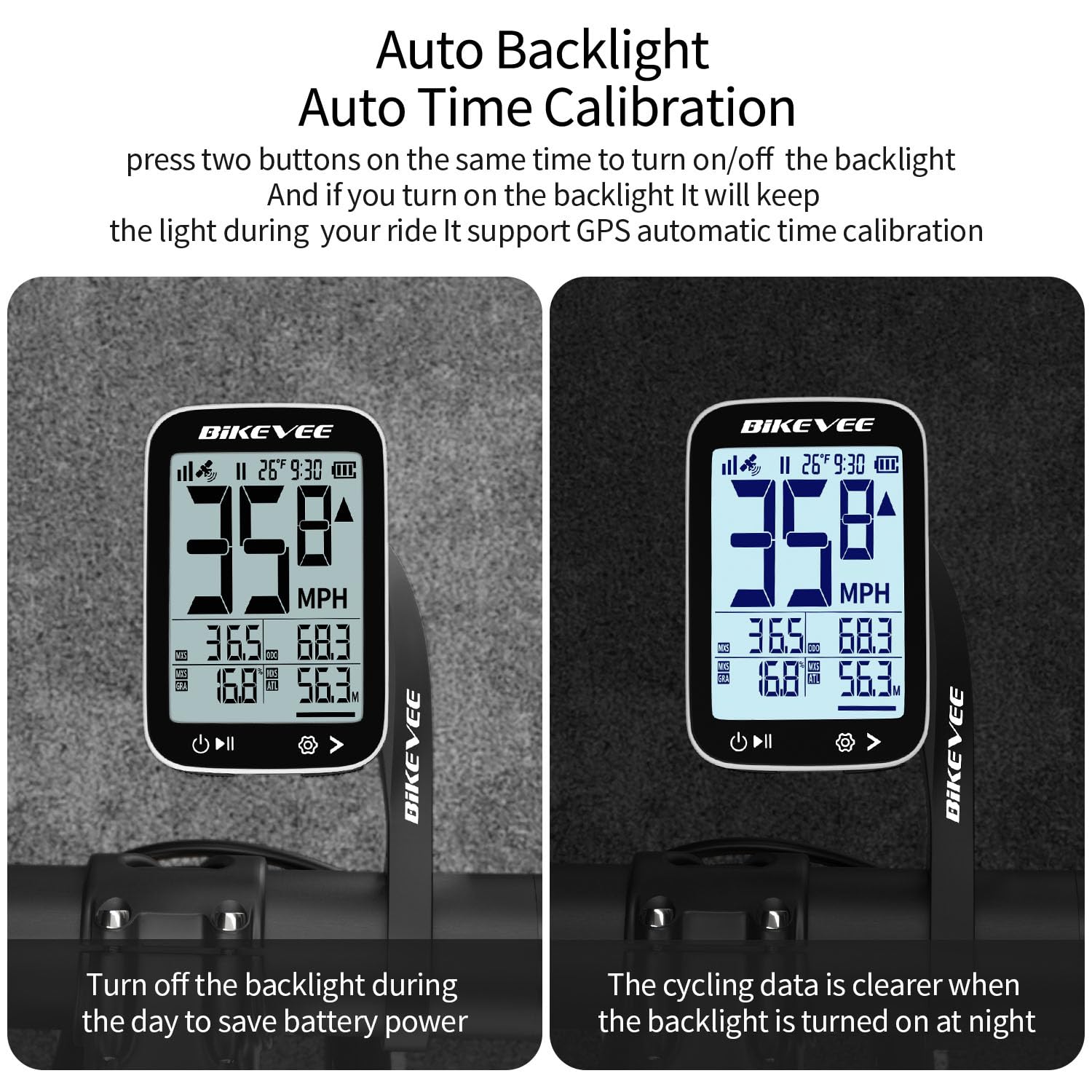
Image: The Bikevee cycling computer display showing the difference in visibility with the auto backlight off (left) and on (right), demonstrating improved clarity in low light.
5.4 Visualització de dades
The 2.4-inch LCD displays various cycling metrics. Use the mode button (usually bottom right) to cycle through different data screens or views. Data points typically include:
- Velocitat actual (MPH/KM/H)
- Velocitat mitjana
- Velocitat màxima
- Temps de passeig
- Distància de viatge
- Distància total (comptaquilòmetres)
- Altitud
- Gradient
- Temperatura
- Rellotge
6. Manteniment
6.1 Càrrega de la bateria
The Bikevee BKV300B is equipped with a 650mAh rechargeable Lithium-Ion battery, providing up to 28 hours of use. When the battery indicator is low:
- Connect the device to a USB power source using the provided USB-C charging cable.
- A charging indicator on the screen will confirm the device is charging.
- Ensure the charging port cover is securely closed after charging to maintain water resistance.
6.2 Impermeabilització
The device has an IPX7 international protection rating, meaning it is protected against temporary immersion in water (up to 1 meter for 30 minutes). While it is suitable for use in rain, avoid prolonged immersion or high-pressure water jets.

Image: The Bikevee cycling computer shown with water droplets, illustrating its IPX7 waterproof capability. A note advises against prolonged immersion.
6.3 Neteja
Netegeu el dispositiu amb un suau, damp tela. No utilitzeu netejadors abrasius ni dissolvents.
7. Solució De Problemes
- El dispositiu no s'encén:
Assegureu-vos que la bateria estigui carregada. Connecteu-la a una font d'alimentació i torneu-ho a provar.
- Sense senyal GPS:
Assegureu-vos que esteu en una zona oberta amb claredat view of the sky. Initial GPS lock may take a few minutes. Avoid using indoors or under heavy tree cover.
- Velocitat/distància inexacta:
Verify that the device has a stable GPS signal. Ensure unit settings (MPH/KM/H) are correct.
- La retroiluminació no funciona:
Check if the auto-backlight feature is enabled or if it has been manually turned off. Try toggling it using the designated button combination.
- Problemes de visualització:
If the display is frozen or unresponsive, try performing a soft reset by pressing and holding the power button for an extended period (e.g., 10-15 seconds) until the device restarts.
8. Especificacions
| Marca | Bikevee |
| Número de model | BKV300B |
| Color | Blanc i negre |
| Dimensions del producte | 70L x 45W x 16H Millimeters |
| Pes de l'article | 100 Grams (50g for main unit) |
| Mida de la pantalla | 2.4 polzades |
| Tipus de visualització | LCD |
| Durada de la bateria | Fins a 28 hores |
| Tipus de bateria | Ió de liti de 650 mAh |
| Classificació impermeable | IPX7 |
| Tipus de muntatge | Handlebar Mount (Out Front Extended Mount) |
| Entrada de la interfície humana | Botons |
9. Garantia i Suport
For warranty information and technical support, please refer to the documentation provided with your purchase or visit the official Bikevee weblloc web. Conserveu el comprovant de compra per a reclamacions de garantia.
For further assistance, you may contact Bikevee customer service through their official channels.