
1. Introducció
This manual provides detailed instructions for the setup, operation, and maintenance of your Rettru W7 Mini WiFi Security Camera. Please read this manual thoroughly before using the product to ensure proper functionality and safety. This camera is designed for indoor security monitoring, offering features such as motion detection, night vision, and remote access via a dedicated mobile application.

Figure 1: Versatile applications of the Rettru W7 Mini WiFi Security Camera.
2. Producte acabatview
2.1 Contingut del paquet
- Rettru W7 Mini WiFi Security Camera
- Cable de càrrega
- Manual d'usuari (aquest document)
2.2 Característiques clau
- HD 1080P Resolution: Provides clear video quality.
- Connectivitat WiFi: Supports 2.4GHz WiFi for remote access (5GHz not supported).
- Motion Detection & Alarm Push: Sends notifications to your smartphone upon detecting movement.
- Visió nocturna: Enhanced night vision performance up to 5 meters in complete darkness with 4 infrared LEDs.
- Enregistrament en bucle: Automatically overwrites older footage quan la targeta de memòria estigui plena.
- Suport per a targetes MicroSD: Compatible with MicroSD cards up to 128GB (not included).
- Disseny compacte: Small and portable for discreet placement.
- Control de l'aplicació: Gestionar i view footage via a dedicated mobile application for iOS and Android.
2.3 Product Dimensions and Design
The camera measures approximately 40 x 33 x 33 mm (1.57 x 1.29 x 1.29 inches), making it highly compact and suitable for discreet placement.

Figure 2: Camera dimensions. The camera is shown with a digital caliper indicating its small size.

Figure 3: Compact design for discreet placement, shown hidden within a woven basket among plants.

Figure 4: Camera hidden on a bookshelf, demonstrating its unobtrusive design.
3. Instruccions de configuració
- Carregar la càmera: Before initial use, fully charge the camera using the provided charging cable.
- Inseriu la targeta MicroSD: Insert a MicroSD card (up to 128GB, not included) into the designated slot for local storage.
- Descarrega l'aplicació: Prepare an iPhone or Android smartphone and download the free dedicated application from your smartphone's app store.
- Encès: Manteniu premut el botó d'encesa per encendre la càmera.
- Connecteu-vos a WiFi:
- Obriu l'aplicació i seguiu les instruccions a la pantalla per afegir un dispositiu nou.
- Ensure your smartphone is connected to a 2.4GHz WiFi network. The camera does not support 5GHz WiFi.
- The app will guide you through connecting the camera to your home or office WiFi network.
- Col·locació: Position the camera in your desired location. Its small size allows for versatile placement.

Figure 5: Camera held in hand, illustrating its portability and ease of setup.
4. Instruccions de funcionament
4.1 Viu View
Once connected, open the dedicated app on your smartphone. You can access the live video feed from the camera anytime, anywhere. Multiple users can log in to the app to monitor a single camera.

Figure 6: 150-degree wide-angle view. The image shows a living room from the camera's perspective, highlighting its broad field of view.

Figure 7: App interface for live monitoring. A smartphone displays the camera's live feed of a room.
4.2 Detecció de moviment i alarmes
The camera features motion detection technology. When a change in the image is detected, the camera will immediately send a notification message to your smartphone. Log in to the app to view the situation at home anytime, anywhere. Motion detection recordings are saved to the memory card as evidence.

Figure 8: Motion detection alarm notification on a smartphone.
4.3 Visió nocturna
The camera provides high-definition 1080p night vision, allowing clear visibility up to 5 meters in complete darkness. This ensures you can monitor activities even in low-light conditions without the camera emitting visible light.

Figura 9: Example of night vision in a dark room.
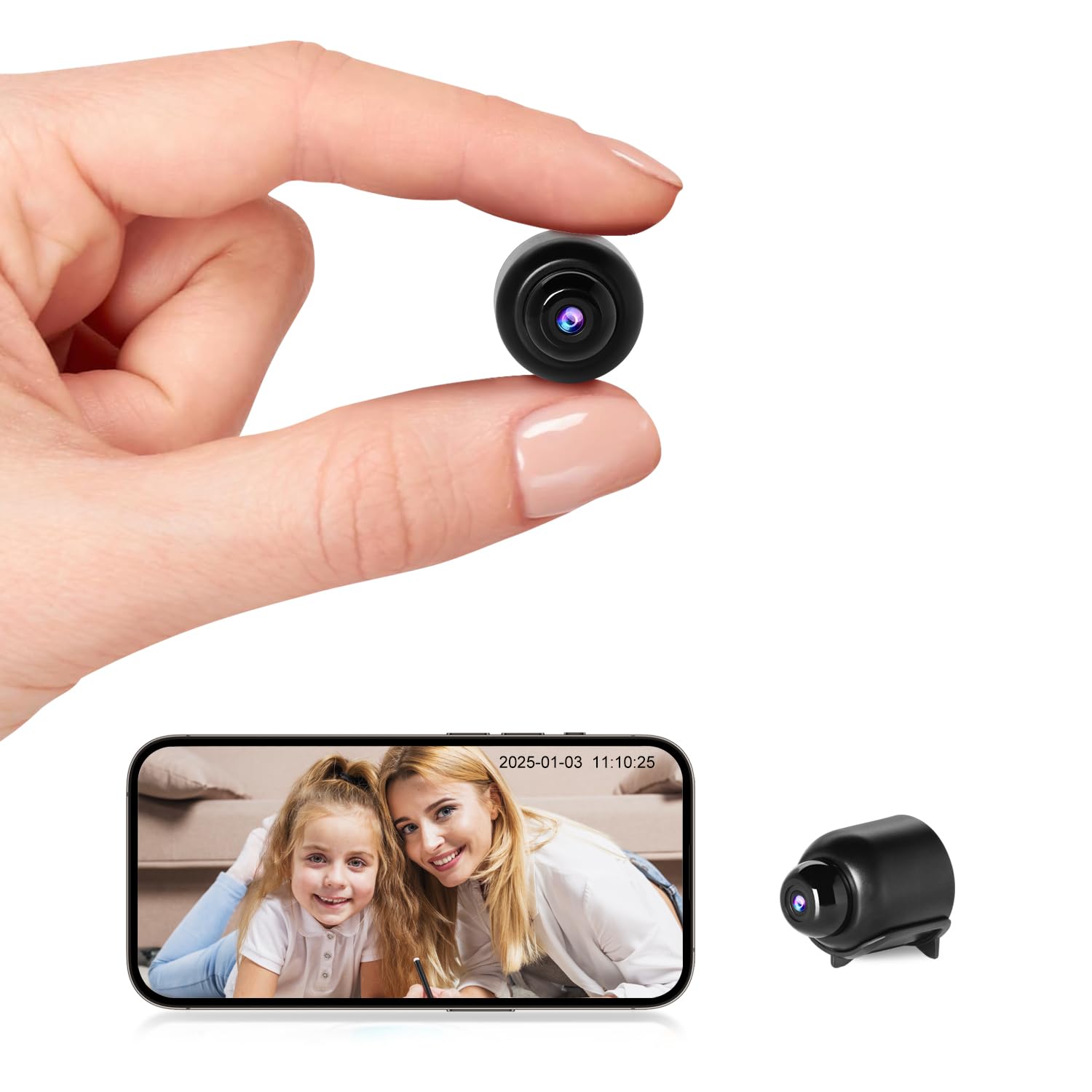
Figure 10: Night vision view on the app, showing a sleeping child in black and white.
4.4 Enregistrament en bucle
When the MicroSD card is full, the camera automatically overwrites the oldest video files, ensuring continuous recording without the need to manually delete footage.

Figure 11: Loop recording functionality and MicroSD card support.
5. Manteniment
- Neteja: Feu servir un drap suau i sec per netejar la lent i el cos de la càmera. Eviteu utilitzar netejadors líquids o materials abrasius.
- Emmagatzematge: Guardeu la càmera en un lloc fresc i sec quan no la feu servir durant períodes prolongats.
- Cura de la bateria: To prolong battery life, avoid fully discharging the battery frequently. Charge the camera regularly.
- Actualitzacions de programari: Check the app periodically for any available firmware updates for the camera to ensure optimal performance and security.
6. Solució De Problemes
| Problema | Causa possible | Solució |
|---|---|---|
| La càmera no s'encén. | Bateria baixa o cable de càrrega defectuós. | Assegureu-vos que la càmera estigui completament carregada. Proveu un cable de càrrega i un adaptador de corrent diferents. |
| No es pot connectar a la xarxa Wi-Fi. | Incorrect WiFi password, 5GHz network, or camera too far from router. |
|
| App does not detect the device. | Camera not in pairing mode, app permissions, or network issues. |
|
| Vídeo footage is unclear or blurry. | Dirty lens or insufficient lighting. | Clean the camera lens with a soft cloth. Ensure adequate lighting or verify night vision is active in low light. |
| No es reben alertes de detecció de moviment. | App notification settings, motion detection sensitivity, or network issues. |
|
7. Especificacions
| Característica | Detall |
|---|---|
| Número de model | W7 |
| Resolució de vídeo | 1080p HD |
| Velocitat de fotogrames | 25 fps |
| Camp de View | 150 graus |
| Gamma de visió nocturna | Fins a 5 metres |
| LED infrarojos | 4 |
| Connectivitat | Wi-Fi (només 2.4 GHz) |
| Emmagatzematge | MicroSD card, up to 128GB (not included) |
| Format de captura de vídeo | AVI |
| La tecnologia de sensors | CMOS |
| Dimensions del producte | 40 x 33 x 33 mm |
| Ús recomanat | Seguretat interior |
| Waterproof Type | No impermeable |
| Tipus de muntatge | Muntatge de taula |
| Components inclosos | Charging cable, User manual |
| País d'origen | Xina |
8. Garantia i Suport
Rettru products are designed for reliability and performance. If you encounter any issues or have questions regarding your Rettru W7 Mini WiFi Security Camera, please do not hesitate to contact our customer support. We are committed to providing assistance for your purchase and use.
Si us plau, consulteu la documentació de la vostra compra o la del venedor. weblloc web per conèixer els termes de garantia i la informació de contacte específics.