
1. Introducció
Thank you for choosing the SOLAKAKA A75 Wireless Mechanical Keyboard. This manual provides detailed instructions for setting up, operating, and maintaining your keyboard to ensure optimal performance and longevity. The A75 is a versatile 75% layout keyboard designed for various users, offering multiple connectivity options, customizable RGB lighting, and a comfortable typing experience.

Figure 1: SOLAKAKA A75 Wireless Mechanical Keyboard
2. Contingut del paquet
Si us plau, verifiqueu que tots els elements siguin presents al vostre paquet:
- SOLAKAKA A75 Wireless Mechanical Keyboard
- Cable USB-C a USB-A
- Receptor USB de 2.4 GHz
- Extractor de tecles
- Tirador de commutació
- Spare Mechanical Switches (2 pieces)
- Manual d'usuari (aquest document)
3. Producte acabatview
The SOLAKAKA A75 keyboard is engineered with several key features for enhanced user experience:
- Disseny compacte al 75%: An 81-key layout that saves desk space while retaining essential keys.
- Connectivitat trimodal: Admet connexions sense fil de 2.4 GHz, Bluetooth 5.0 i USB-C amb cable.
- Estructura muntada amb junta: Designed for a softer, more cushioned typing feel and reduced acoustic resonance.
- Interruptors intercanviables en calent: Compatible with 3-pin and 5-pin mechanical switches, allowing for easy customization without soldering.
- Tecles PBT: Durable, wear-resistant, and fade-proof keycaps with side-etched legends for enhanced backlighting.
- Retroil·luminació RGB: Features 17 lighting modes with adjustable brightness and speed.
- Multifunction Metal Knob: Provides quick control over lighting effects or multimedia functions.
- Llarga vida útil de la bateria: Equipped with a 4000mAh battery for extended usage.

Figure 2: Key Features of the A75 Keyboard

Figure 3: Gasket Structure Components
4. Configuració i connectivitat
The A75 keyboard offers three connection modes: Wired, 2.4GHz Wireless, and Bluetooth. You can switch between these modes using the toggle switch located on the back of the keyboard.
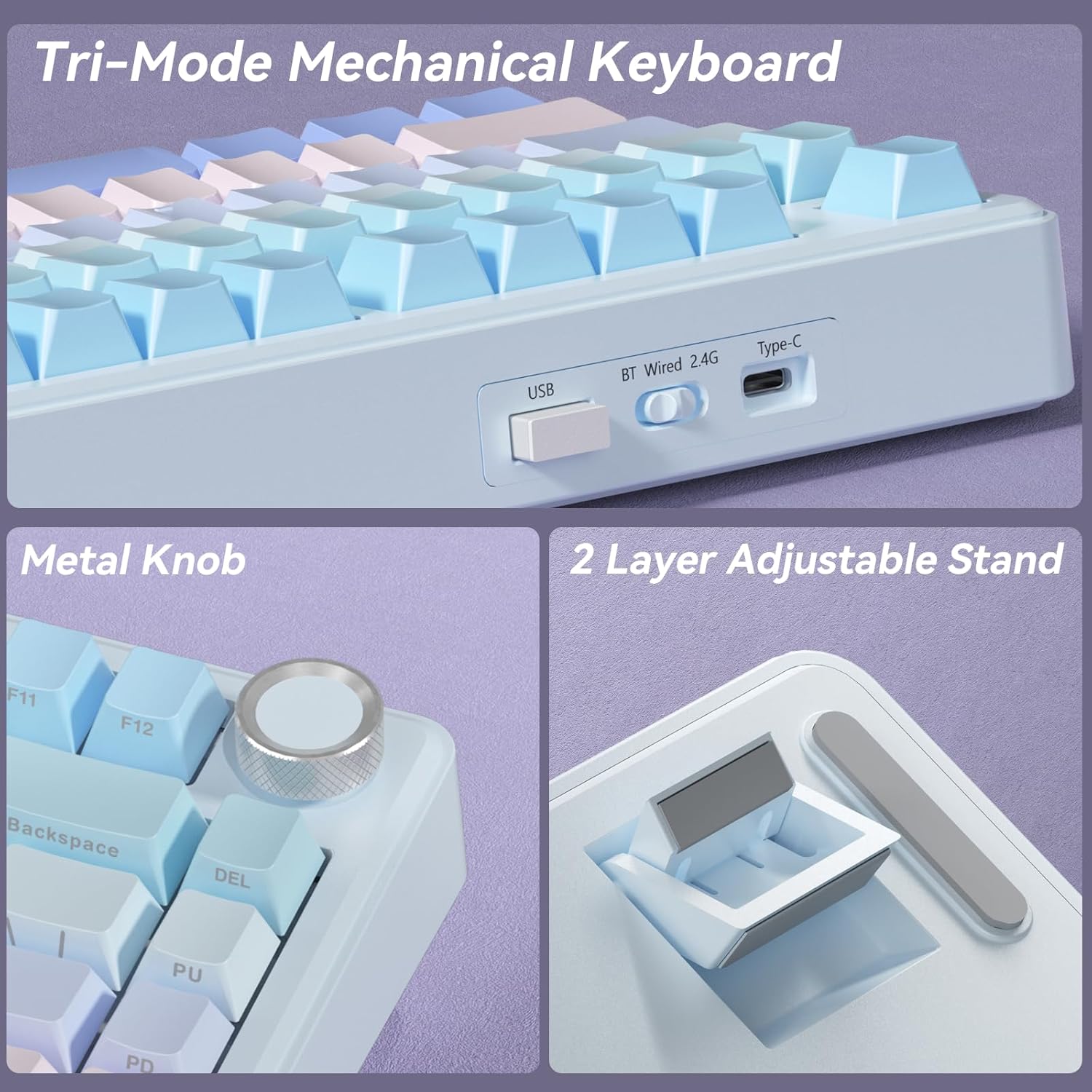
Figure 4: Connectivity Ports and Switch
4.1 Connexió per cable
- Connect the provided USB-C cable to the keyboard's Type-C port.
- Connect the other end of the cable to a USB-A port on your computer.
- Set the toggle switch on the back of the keyboard to 'Wired'.
- El sistema reconeixerà automàticament el teclat.
Connexió sense fil 4.2 de 2.4 GHz
- Locate the 2.4GHz USB receiver (often stored in a slot on the keyboard).
- Connecteu el receptor USB a un port USB-A disponible de l'ordinador.
- Set the toggle switch on the back of the keyboard to '2.4G'.
- El teclat s'hauria de connectar automàticament.
4.3 Connexió Bluetooth
The A75 keyboard supports Bluetooth 5.0 and can remember up to three paired devices.
- Set the toggle switch on the back of the keyboard to 'BT'.
- Per entrar al mode de vinculació, manteniu premut Fn + Q, Fn + W, o Fn + E for 3-5 seconds until the corresponding key (Q, W, or E) flashes rapidly. This indicates the keyboard is ready to pair.
- On your device (computer, tablet, smartphone), go to Bluetooth settings and search for 'SOLAKAKA A75'.
- Select the keyboard to pair. The flashing light will become solid once connected.
- Per canviar entre dispositius Bluetooth emparellats, només cal que premeu Fn + Q, Fn + W, o Fn + E (short press) corresponding to the device's assigned slot.

Figure 5: Tri-Mode Connectivity for Multiple Devices
5. Instruccions de funcionament
5.1 Control d'il·luminació RGB
The A75 keyboard features 17 RGB lighting modes. Use the following key combinations to adjust the lighting:
- Fn + \|: Canvia el mode d'il·luminació
- Fn + Tabulador: Canvia els colors de la llum
- Fn + ↑: Augmenta la brillantor de la il·luminació
- Fn + ↓: Reduce Lighting Brightness
- Fn + ←: Reduce Light Speed
- Fn + →: Augmenta la velocitat de la llum
Advanced customization, including 10 music-sync lighting effects, is available through the programmable software. Download the driver from solakakadriver.com.

Figure 6: RGB Lighting Shortcuts
5.2 Multifunction Metal Knob
The metal knob on the top right of the keyboard serves dual functions, switching between Gaming and Office modes with a long press.
- Mode de joc: A short press selects lighting patterns. Rotating the knob adjusts lighting brightness.
- Mode d'oficina: A short press controls multimedia playback (play/pause). Rotating the knob adjusts the system volume.

Figure 7: Multifunction Metal Knob
5.3 System Compatibility Modes
The keyboard is compatible with Windows, Mac, and iOS systems. Use the following to switch modes:
- Fn + A: Switch to Windows mode.
- Fn + S: Switch to Mac mode. (In Mac mode, function keys will behave as typical macOS functions).
The keyboard also supports locking the WIN key and full N-key rollover to prevent accidental presses during gaming.
5.4 Comprovació de l'estat de la bateria
To check the remaining battery life, press Fn + B. The number keys (1-0) will light up to indicate the battery level (1 being lowest, 10 being full).
6. Manteniment
6.1 Neteja
- Desconnecteu el teclat de totes les fonts d'alimentació abans de netejar-lo.
- Utilitzeu un drap suau i sense pelusa lleugerament dampRenteu-les amb aigua o una solució netejadora suau per netejar les tecles i el xassís.
- Per a una neteja més profunda, feu servir l'extractor de tecles inclòs per treure les tecles i netegeu-les per sota amb aire comprimit o un raspall petit.
6.2 Substitució d'interruptors i tecles
The A75 keyboard is hot-swappable, allowing for easy replacement of switches and keycaps.
- Feu servir l'extractor de tecles per treure suaument la tecla desitjada.
- Use the switch puller to carefully grip the switch and pull it straight up to remove it.
- Align the pins of the new switch with the holes on the PCB and press down firmly until it clicks into place. Ensure pins are not bent.
- Place the new keycap onto the switch stem and press down.

Figure 8: Hot-Swappable Switches
7. Solució De Problemes
If you encounter issues with your SOLAKAKA A75 keyboard, please refer to the following common solutions:
- El teclat no respon: Ensure the keyboard is charged. Check the connection mode switch (Wired, 2.4G, BT) is set correctly. For 2.4G, ensure the USB receiver is properly inserted. For Bluetooth, re-pair the device.
- Claus que no es registren: Check if any keycaps or switches are loose. Try replacing the switch if it's faulty (refer to Section 6.2).
- La il·luminació RGB no funciona: Ensure the keyboard is powered on. Adjust brightness using Fn + ↑. Cycle through modes using Fn + \|.
- Problemes d'emparellament per Bluetooth: Ensure the keyboard is in pairing mode (Fn + Q/W/E held for 3-5 seconds). Remove previous pairings from your device's Bluetooth list and try again.
- Latency issues: For critical applications like gaming, a wired connection or 2.4GHz wireless connection is recommended for the lowest latency.
If the problem persists, please contact SOLAKAKA customer support.
8. Especificacions
| Característica | Especificació |
|---|---|
| Model | A75 |
| Disseny | 75% (81 tecles) |
| Connectivitat | Sense fil de 2.4 GHz, Bluetooth 5.0, USB-C amb cable |
| Tipus de canvi | LEOBOG Reaper Switches (Hot-swappable 3-pin/5-pin) |
| Taps de claus | PBT, Double Injection Molding, Side-etched |
| Il·luminació de fons | RGB (17 modes) |
| Capacitat de la bateria | 4000 mAh |
| Battery Life (with lighting) | Fins a 17 hores |
| Battery Life (lighting off) | Fins a 11 dies |
| Dimensions del producte | 12.79 x 5.51 x 1.73 polzades |
| Pes de l'article | 2.82 lliures |
| Dispositius compatibles | Laptop, PC, Smartphone (Windows, Mac, iOS) |
| Característiques especials | Gasket Mounted, Multifunction Knob, Programmable Software, N-key Rollover |
9. Vídeo oficial del producte
Vídeo 1: Acabatview of the SOLAKAKA A75 75% Wireless Mechanical Keyboard, demonstrating its features and functionality.
10. Garantia i Suport
For warranty information and customer support, please refer to the documentation included with your purchase or visit the official SOLAKAKA weblloc. Si teniu cap pregunta o necessiteu ajuda, no dubteu a contactar amb el nostre equip d'assistència.