
1. Introducció
The BAOFENG UV-5R Mini is a compact and versatile dual-band two-way radio designed for reliable communication across various environments. It features app programming, frequency copying, NOAA weather alerts, and USB-C fast charging, making it suitable for outdoor activities, emergency preparedness, and professional use. This manual provides detailed instructions for the proper setup, operation, and maintenance of your UV-5R Mini radio.
2. Què hi ha a la caixa
Si us plau, comproveu el contingut del paquet en desembalar-lo per assegurar-vos que hi hagi tots els elements:
- Unitat de mini ràdio BAOFENG UV-5R
- Antena
- Bateria
- Clip de cinturó
- Cable de càrrega USB-C
- Manual d'usuari

Image: The BAOFENG UV-5R Mini radio shown with its antenna, battery, belt clip, and USB-C charging cable.
3. Producte acabatview
Familiarize yourself with the main components and controls of your UV-5R Mini radio:

Image: A detailed diagram labeling the various parts of the BAOFENG UV-5R Mini radio, including the antenna, flashlight, volume/power knob, LED indicator, PTT-A and PTT-B buttons, screen, accessory port, microphone, A/B button, search button, flashlight button, V/M-VFO/MR button, and numeric keypad.
- Antena: Per transmetre i rebre senyals.
- Control de volum/alimentació: Encén/apaga la ràdio i ajusta el volum.
- PTT-A Button: Push-to-Talk for the A-band.
- PTT-B Button: Push-to-Talk for the B-band.
- Pantalla: 1.44-inch TFT display for channel, frequency, and status information.
- Teclat numèric: Per a l'entrada directa de freqüències i la navegació pel menú.
- V/M-VFO/MR Button: Alterna entre el mode de freqüència (VFO) i el mode de canal (MR).
- Botó de cerca: Initiates frequency scanning or one-key frequency pairing.
- Botó de la llanterna: Activa la llanterna integrada.
- Port d'accessoris: Per connectar accessoris d'àudio externs.
4. Configuració
4.1. Instal·lació de la bateria
- Assegureu-vos que la ràdio estigui apagada.
- Alineeu el paquet de bateries amb les ranures de la part posterior de la ràdio.
- Feu lliscar la bateria cap amunt fins que encaixi fermament al seu lloc.
- Per treure-la, premeu el pestell d'alliberament de la bateria i feu-la lliscar cap avall.
4.2. Fixació de l'antena
- Enrosqueu l'antena en sentit horari al connector de la part superior de la ràdio fins que quedi ben ajustada amb els dits. No l'estrengueu massa.
4.3. Càrrega inicial
Abans del primer ús, carregueu completament la bateria. Consulteu la secció "Càrrega" per obtenir instruccions detallades.
5. Instruccions de funcionament
5.1. Engegada/Apagada i Ajust de Volum
Gireu el botó de volum/engegada en sentit horari per encendre la ràdio. Continueu girant per augmentar el volum. Gireu en sentit antihorari per disminuir el volum i apagar la ràdio.
5.2. App Programming (Ola Radio)
The UV-5R Mini supports programming via a mobile application (Ola Radio) for iOS and Android devices. This allows for batch updates of multiple devices and simplified frequency/CTCSS code synchronization.
- Download the "Ola Radio" app from your device's app store.
- On the radio, navigate to the menu and enable "Wireless Cps" (Wireless Copy).
- Obre l'aplicació i segueix les instruccions que apareixen a la pantalla per connectar-te a la ràdio.
- You can then modify channel settings, frequency parameters, and other functions directly from the app.

Image: The radio display showing the 'Wireless Cps' option enabled, alongside a mobile phone screen displaying the 'Ola Radio' app interface for device parameters and configuration.
Video: This video demonstrates the process of programming the BAOFENG UV-5R Mini radio using the mobile application, showing how to connect and modify settings.
5.3. One-Key Frequency Pairing (Wireless Copy)
The one-key frequency pairing feature allows for quick synchronization of frequencies and CTCSS/DCS codes between two UV-5R Mini radios without manual input.
- Ensure both radios are powered on and in a suitable mode for frequency copying.
- On the receiving radio, long-press the Search button (often labeled with a square icon) to initiate the search function. The screen will display "SEARCH".
- On the transmitting radio, select the desired frequency/channel.
- The receiving radio will scan and automatically copy the frequency and associated codes from the transmitting radio.

Image: Two BAOFENG UV-5R Mini radios are shown side-by-side. One radio displays 'SEARCH' indicating it is looking for a frequency, while the other displays a set frequency and channel, illustrating the one-key frequency pairing process.
Video: This video demonstrates the one-key frequency pairing function of the BAOFENG UV-5R Mini, showing how to quickly synchronize frequencies between two radios.
5.4. Dual-Frequency Standby (Dual Watch)
The dual-frequency standby feature allows the radio to monitor two different frequencies (A and B bands) simultaneously. You can transmit on either frequency using the dedicated PTT-A and PTT-B buttons.
- Accediu al menú de la ràdio.
- Navigate to "Radio Set" and then to "Dual Watch".
- Select "ON" to activate dual-frequency standby.
- The screen will display both A and B band frequencies. Use PTT-A to transmit on the A-band and PTT-B to transmit on the B-band.
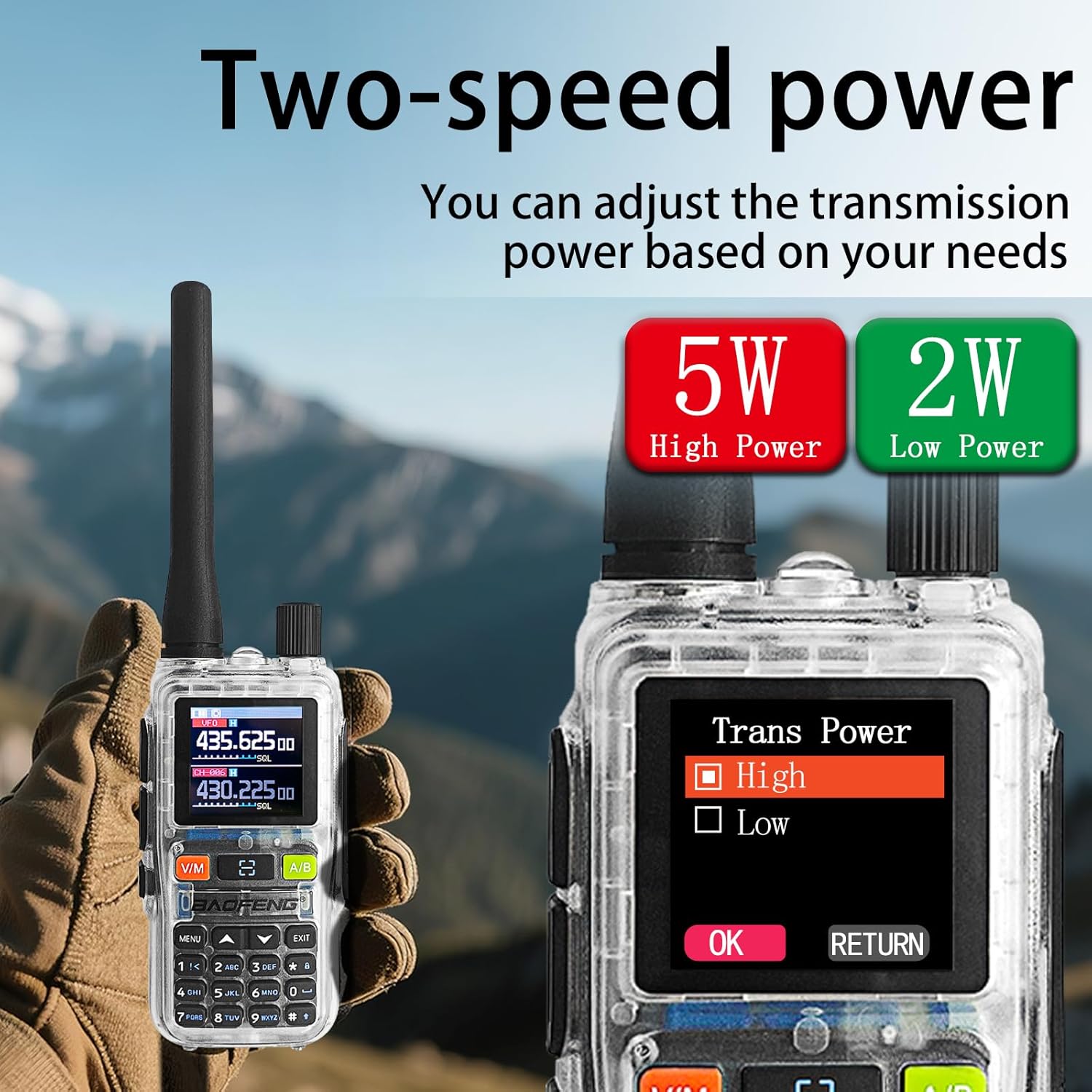
Image: The radio display showing the 'Dual Watch' option in the menu, set to 'ON', and a separate image highlighting the PTT-A and PTT-B buttons for dual-band operation.
5.5. Power Adjustment (5W/2W)
The radio offers adjustable transmission power levels (5W High Power / 2W Low Power) to conserve battery or extend range as needed.
- Accediu al menú de la ràdio.
- Navigate to the "Trans Power" setting.
- Select either "High" (5W) or "Low" (2W) based on your communication requirements.

Image: The radio display showing the 'Trans Power' menu with options for 'High' (5W) and 'Low' (2W) power settings, indicating adjustable transmission power.
5.6. Alertes meteorològiques de la NOAA
The UV-5R Mini can receive NOAA weather alerts, providing critical weather information and warnings.
- Accediu al menú de la ràdio.
- Locate the NOAA weather alert function.
- Enable the feature to receive alerts. The radio will automatically scan for NOAA broadcasts.

Image: The BAOFENG UV-5R Mini radio is shown with a large 'NOAA' graphic, indicating its capability to receive NOAA Weather Alerts, set against a stormy outdoor background.
5.7. Funció de llanterna
The radio includes a built-in flashlight for convenience in low-light conditions.
- Press the dedicated Flashlight button (often located on the side or keypad) to turn the flashlight on or off.

Image: A hand holding the BAOFENG UV-5R Mini radio with its flashlight beam illuminating a dark outdoor camping scene, demonstrating the strong flashlight function.
6. Càrrega
The UV-5R Mini features a USB-C charging port, allowing for flexible charging options.
- Connect the provided USB-C charging cable to the radio's USB-C port.
- Connect the other end of the cable to a compatible USB power source, such as:
- El port USB d'un ordinador
- A wall adapter (not included)
- Un banc d'energia
- Un carregador de cotxe
- The LED indicator on the radio will typically show red during charging and turn green when fully charged.
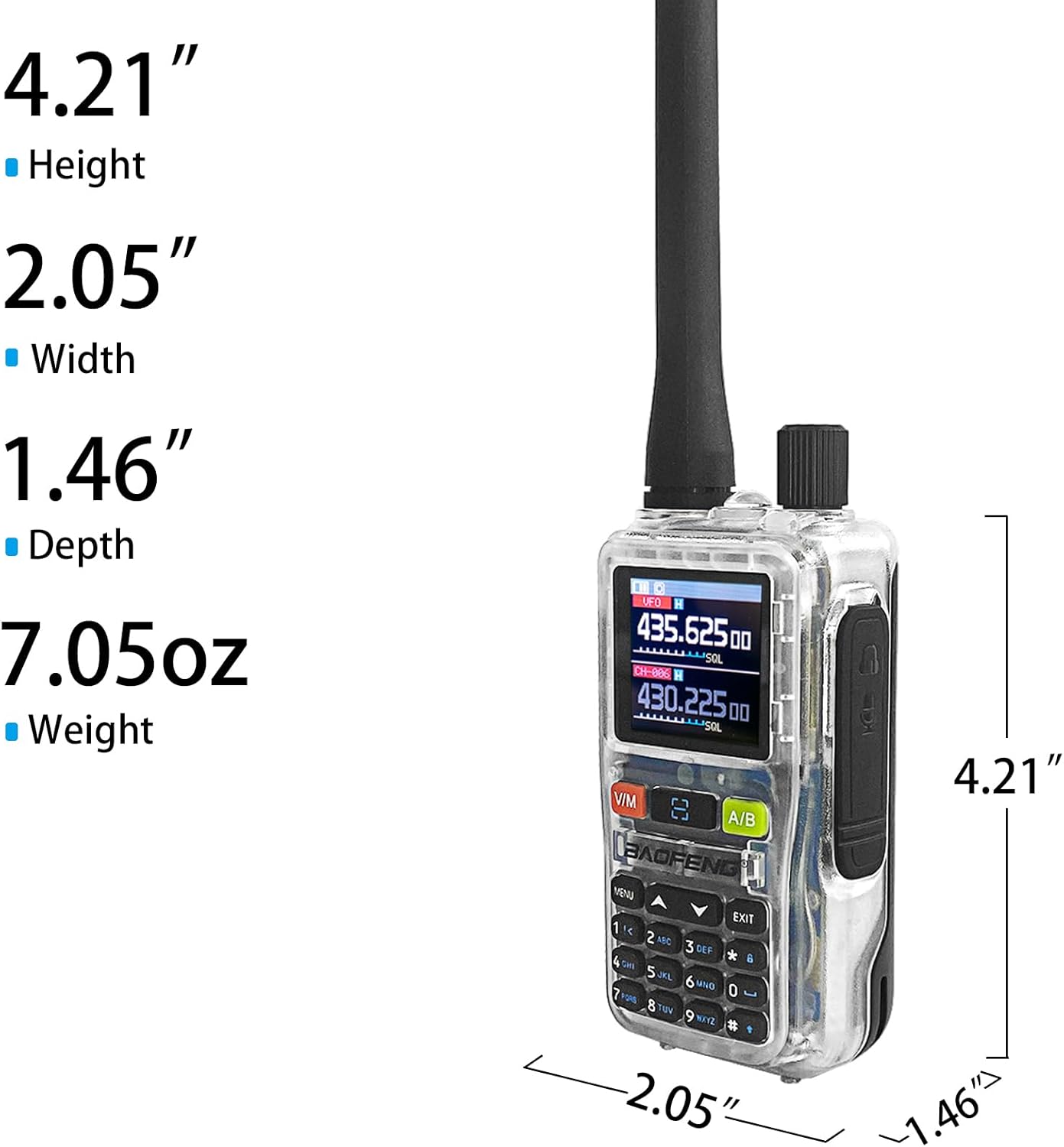
Image: The BAOFENG UV-5R Mini radio connected via USB-C cable to a power source, with smaller inset images showing various charging methods: computer, wall plug, power bank, and car charger.
7. Manteniment
7.1. Neteja
- Netegeu la superfície de la ràdio amb un drap suauamp tela. No utilitzeu productes químics aggressivs ni netejadors abrasius.
- Assegureu-vos que la ràdio estigui seca abans d'utilitzar-la o carregar-la.
7.2. Emmagatzematge
- Guardeu la ràdio en un lloc fresc i sec, allunyat de la llum solar directa i de temperatures extremes.
- If storing for extended periods, remove the battery and charge it periodically to maintain its lifespan.
8. Solució De Problemes
| Problema | Causa possible | Solució |
|---|---|---|
| La ràdio no s'encén | La bateria està baixa o no està instal·lada correctament | Carregueu la bateria o torneu-la a instal·lar de manera segura. |
| No es pot transmetre ni rebre | Incorrect frequency/channel, antenna not attached, or out of range | Verify frequency settings, ensure antenna is attached, move closer to other radios. |
| App programming fails | "Wireless Cps" not enabled on radio, app connection issue | Ensure "Wireless Cps" is ON in radio menu. Restart app and radio, try reconnecting. |
| Mala qualitat d'àudio | Weak signal, interference, or incorrect CTCSS/DCS codes | Check signal strength, move to a clearer area, verify CTCSS/DCS settings. |
9. Especificacions
| Característica | Detall |
|---|---|
| Marca | BAOFENG |
| Model | UV-5R Mini |
| Nombre de canals | 999 |
| Interval de freqüència | 136-174MHz, 400-520MHz |
| Potència de sortida de RF | 5W/2W (adjustable) |
| Interval de conversa màxim | 5 quilòmetres |
| Voltage | 12 volts DC |
| Nivell de resistència a l'aigua | No resistent a l'aigua |
| Mostra | 1.44" TFT Screen |
| Carregant | Càrrega ràpida USB-C |
| Característiques especials | APP programming (Ola Radio), Multi-band TX/RX (VHF/UHF tri-band TX; AM/FM/VHF/UHF scan), One-touch frequency sync, SK1 key shortcuts (radio/scan/VOX/flashlight/alarm), NOAA Weather |
10. Garantia i Suport
10.1. Informació de la garantia
The BAOFENG UV-5R Mini radio comes with a 1 any de garantia des de la data de compra. Aquesta garantia cobreix els defectes de fabricació i els mals funcionaments en condicions d'ús normal. No cobreix els danys causats per un mal ús, accidents, modificacions no autoritzades o desastres naturals.
10.2. Atenció al client
For technical assistance, troubleshooting, or warranty claims, please contact BAOFENG customer support through their official weblloc web o el distribuïdor on es va comprar el producte. Si us plau, tingueu a mà el model del producte i la data de compra quan us poseu en contacte amb el servei d'assistència.


