
1. Introducció
This manual provides essential information for the safe and effective operation, maintenance, and troubleshooting of your TOPUTURE TP5 Walking Pad Treadmill. Please read this manual thoroughly before initial use and retain it for future reference.
The TOPUTURE TP5 is a versatile 4-in-1 folding treadmill designed for home and office use, featuring an adjustable 12% incline, a handle bar, app control, and a Bluetooth speaker. It supports speeds from 0.6 to 10 MPH.
2. Informació de seguretat
Precaucions de seguretat importants:
- Consulteu sempre amb un metge abans de començar qualsevol programa d'exercici.
- Col·loqueu la cinta de córrer sobre una superfície plana i estable amb un espai lliure suficient al seu voltant.
- Mantingueu els nens i les mascotes lluny de la cinta de córrer durant el funcionament.
- Porteu calçat i roba esportiva adequats.
- No feu servir la cinta de córrer si està danyada o no funciona correctament.
- Ensure the safety key is properly attached to your clothing during use. The treadmill will stop if the safety key is disengaged.
- No supereu la capacitat màxima de pes de 300 lliures (136 kg).
- Desendolleu la cinta de córrer de la presa de corrent quan no l'utilitzeu o abans de netejar-la/fer-ne el manteniment.
3. Contingut del paquet
Verifiqueu que tots els components siguin presents al paquet:
- TOPUTURE TP5 Walking Pad Treadmill (main unit)
- Handle Bar (pre-installed or easily attachable)
- Cable d'alimentació
- Control remot
- Clau de seguretat
- Manual d'usuari (aquest document)
- Lubricant (if included for maintenance)
4. Configuració
4.1 Desembalatge i col·locació
- Traieu amb cura la cinta de córrer del seu embalatge.
- Place the treadmill on a level, hard surface. Ensure there is at least 2 feet of clear space behind the treadmill and 1 foot on each side.
4.2 Handle Bar Assembly (Tool-Free)
The handle bar features a snap-on design for tool-free assembly. Lift the handle bar into the upright position until it locks securely into place. Ensure both sides are firmly engaged before use.

Figura 4.2.1: Tool-Free Handle Bar Assembly. The handle bar can be easily raised and locked into position for running mode.
4.3 Ajust d'inclinació
The TOPUTURE TP5 offers three manual incline levels: 1%, 6%, and 12%. To adjust the incline:
- Assegureu-vos que la cinta de córrer estigui apagada i desendollada.
- Carefully lift the front of the treadmill.
- Adjust the support legs at the front to the desired incline level (1%, 6%, or 12%) and secure them with the provided pins or locking mechanism.
- Ensure the treadmill is stable before use.
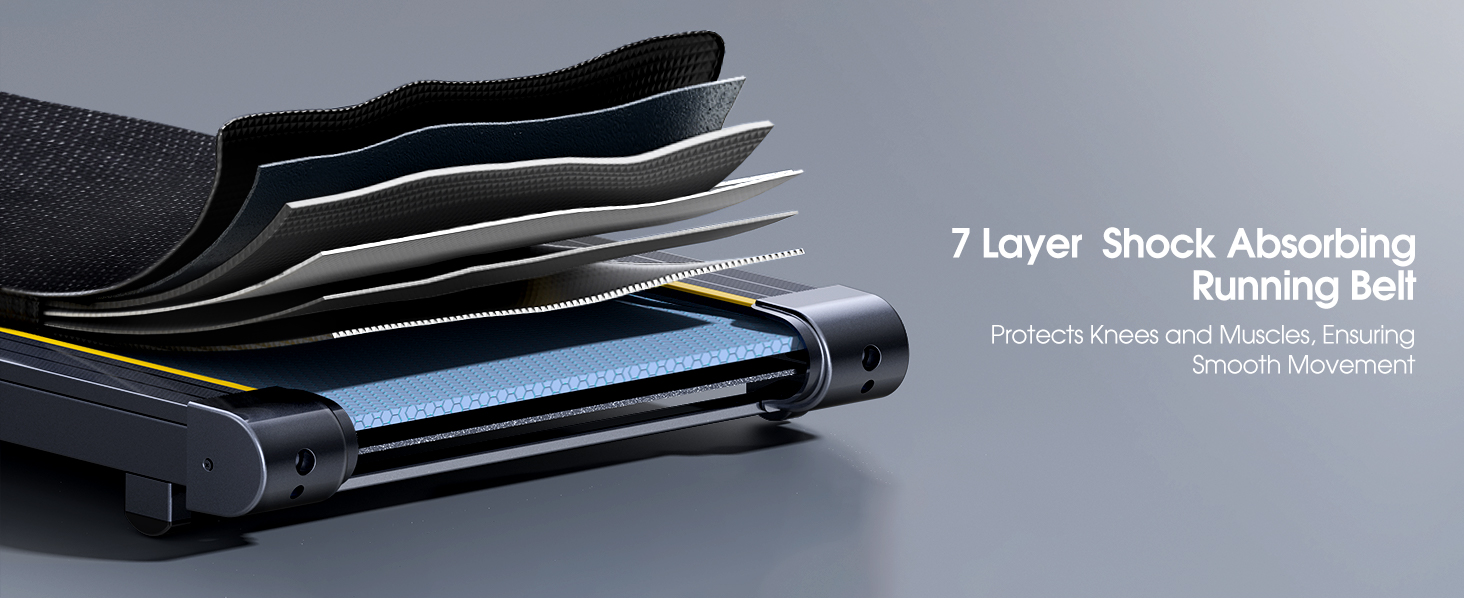
Figura 4.3.1: Manual Incline Adjustment. The treadmill offers 1%, 6%, and 12% incline settings.
5. Instruccions de funcionament
5.1 Engegada/apagada
- Connect the power cord to the treadmill and a grounded electrical outlet.
- Flip the main power switch located near the power cord inlet to the 'ON' position.
- Enganxeu la clau de seguretat a la ranura designada de la consola i enganxeu l'altre extrem a la roba.
- To power off, remove the safety key, then flip the main power switch to 'OFF'.
5.2 Modes of Operation (4-in-1 Functionality)
The TP5 treadmill supports various exercise modes:
- Working Mode (0.6-1.5 MPH): Handle bar folded down, ideal for use under a standing desk.
- Walking Mode (1.5-5 MPH): Handle bar folded down, suitable for brisk walking.
- Climbing Mode (0.6-3 MPH): Handle bar upright, with incline engaged for a climbing simulation.
- Running Mode (3-10 MPH): Handle bar upright, for jogging and running.

Figura 5.2.1: 4-in-1 Treadmill Modes. The treadmill adapts to various exercise needs.
5.3 Ajust de velocitat
Speed can be adjusted using the touch screen controls on the console, the remote control, or via the connected sports app.
- Pantalla tàctil: Use the '+' and '-' buttons on the LED display to increase or decrease speed.
- Comandament a distància: The included remote control allows for convenient speed adjustments and pause/start functions.
- Sports App: Connect to the recommended sports app for advanced control and program selection.
5.4 Multifunction LED Display
La pantalla LED integrada proporciona informació en temps real sobre les mètriques del teu entrenament:
- Hora: Durada del teu entrenament.
- Velocitat: Velocitat actual en MPH.
- Calories: Calories cremades estimades.
- Distància: Distància recorreguda en milles.
- Freqüència cardíaca: Your heart rate when gripping the sensors on the handle bar.

Figura 5.4.1: Multifunction LED Display. Track your workout progress with clear metrics.
5.5 Bluetooth Speaker and App Control
Altaveu Bluetooth:
- Activa el Bluetooth al teu dispositiu mòbil.
- Cerca the treadmill's Bluetooth name (e.g., "TOPUTURE TP5") and pair.
- Once connected, you can play audio through the treadmill's built-in speaker.
App Control (FITSHOW App):
- Download the 'FITSHOW' app from your device's app store.
- Open the app and follow the instructions to connect to your TOPUTURE TP5 treadmill via Bluetooth.
- The app allows you to control speed, select pre-set programs, track workout data, and engage with scenic videos.

Figura 5.5.1: App Control Interface. Enhance your workout with the FITSHOW app.

Figura 5.5.2: Dual Intelligent Control. Control your treadmill via remote or smartphone app.
6. Manteniment
Un manteniment regular garanteix la longevitat i el rendiment òptim de la cinta de córrer.
6.1 Neteja
- Desendolla sempre la cinta de córrer abans de netejar-la.
- Netegeu la consola i les superfícies exteriors amb un drap suau i sec.amp drap. Eviteu productes de neteja o dissolvents abrasius.
- Passa l'aspiradora periòdicament sota la cinta de córrer per evitar l'acumulació de pols i deixalles.
6.2 Lubricació de la corretja de funcionament
The running belt requires periodic lubrication to reduce friction and extend its lifespan. Refer to the specific instructions provided with your lubricant or contact customer support for guidance on frequency and application.
6.3 Ajust del cinturó de carrera
If the running belt starts to slip or drift to one side, it may need adjustment. Consult the troubleshooting section or contact customer support for detailed instructions on how to tension and center the belt.
7. Solució De Problemes
If you encounter issues with your treadmill, refer to the common problems and solutions below. If the problem persists, contact customer support.
| Problema | Causa possible | Solució |
|---|---|---|
| La cinta de córrer no s'encén | Power cord not connected; Main switch off; Safety key not in place | Check power cord connection; Turn main switch ON; Ensure safety key is inserted |
| Running belt slips or stops | Belt too loose; Overload; Motor issue | Adjust belt tension; Reduce user weight; Contact support |
| Soroll inusual durant el funcionament | Loose parts; Lack of lubrication; Motor issue | Check for loose bolts; Lubricate belt; Contact support |
| La pantalla no funciona correctament | Loose connection; Electronic fault | Check connections; Restart treadmill; Contact support |
8. Especificacions
| Característica | Especificació |
|---|---|
| Marca | TOPUTURA |
| Nom del model | TP5 |
| Dimensions del producte (LxWxH) | 52.3" x 28.2" x 5.1" |
| Pes de l'article | 78 lliures |
| Material | Acer d'aliatge |
| Velocitat màxima | 10 milles per hora |
| Potència màxima | 2.5 cavalls de potència |
| Percentatge d'inclinació màximatage | 12% (Manual Adjustment) |
| Recomanació de pes màxim | 300 lliures |
| Dimensions de la cinta de córrer | 41'' x 16.5'' (1040 mm x 420 mm) |
| Tipus de visualització | LED |
| Tecnologia de connectivitat | Bluetooth |
| Característiques especials | Built-In Speaker, Foldable, Heart Rate Monitor, Portable, Shock Absorbent |
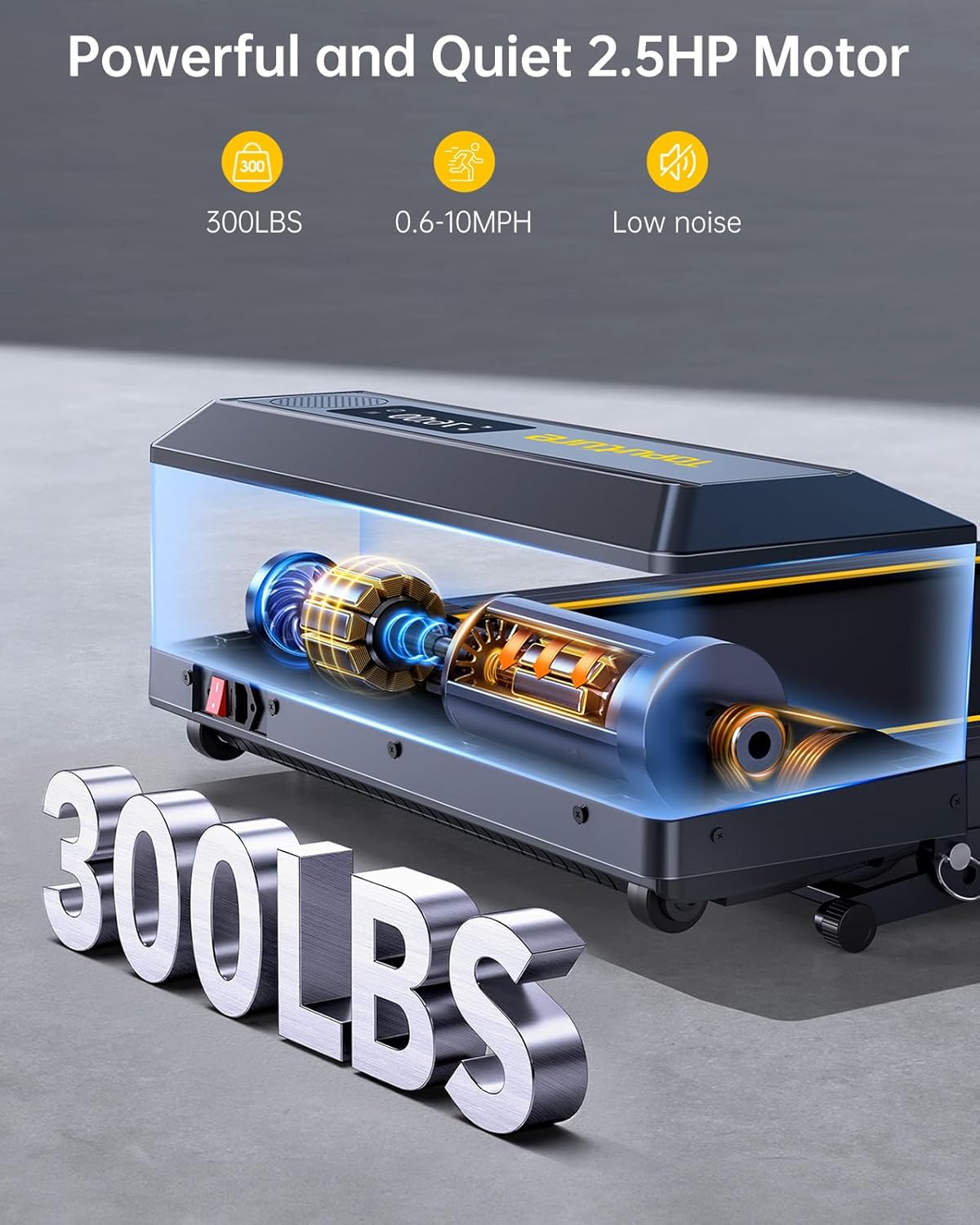
Figura 8.1: Powerful and Quiet 2.5HP Motor. Supports up to 300 lbs with low noise operation.

Figura 8.2: Extra Wide Comfortable Running Area. Dimensions of 1040mm x 420mm for comfortable use.

Figura 8.3: High-Tech Running Belt and Shock Absorption. Features a 7-layer belt and 8 shock absorbers for joint protection.

Figura 8.4: Convenient Folding Design and Storage. The treadmill folds for easy storage under furniture or against a wall.
9. Garantia i Suport
9.1 Informació de la garantia
The TOPUTURE TP5 Walking Pad Treadmill comes with a garantia d'un any from the date of purchase. This warranty covers manufacturing defects and ensures the product meets quality standards. Please retain your proof of purchase for warranty claims.
9.2 Atenció al client
For any questions, technical assistance, or warranty claims, please contact TOPUTURE customer support. You can typically reach support by:
- Logging into your Amazon account.
- Navigating to 'Your Orders'.
- Finding the specific order ID for your treadmill.
- Clicking on 'Contact Seller'.
Our support team is committed to providing high-quality assistance.