
Producte acabatview
The pTron Studio Pro are wireless over-ear headphones designed for extended listening and clear communication. They feature an ergonomic design with soft earpads and an adjustable headband for comfortable wear. Key features include long battery life, advanced audio drivers, and versatile connectivity options.
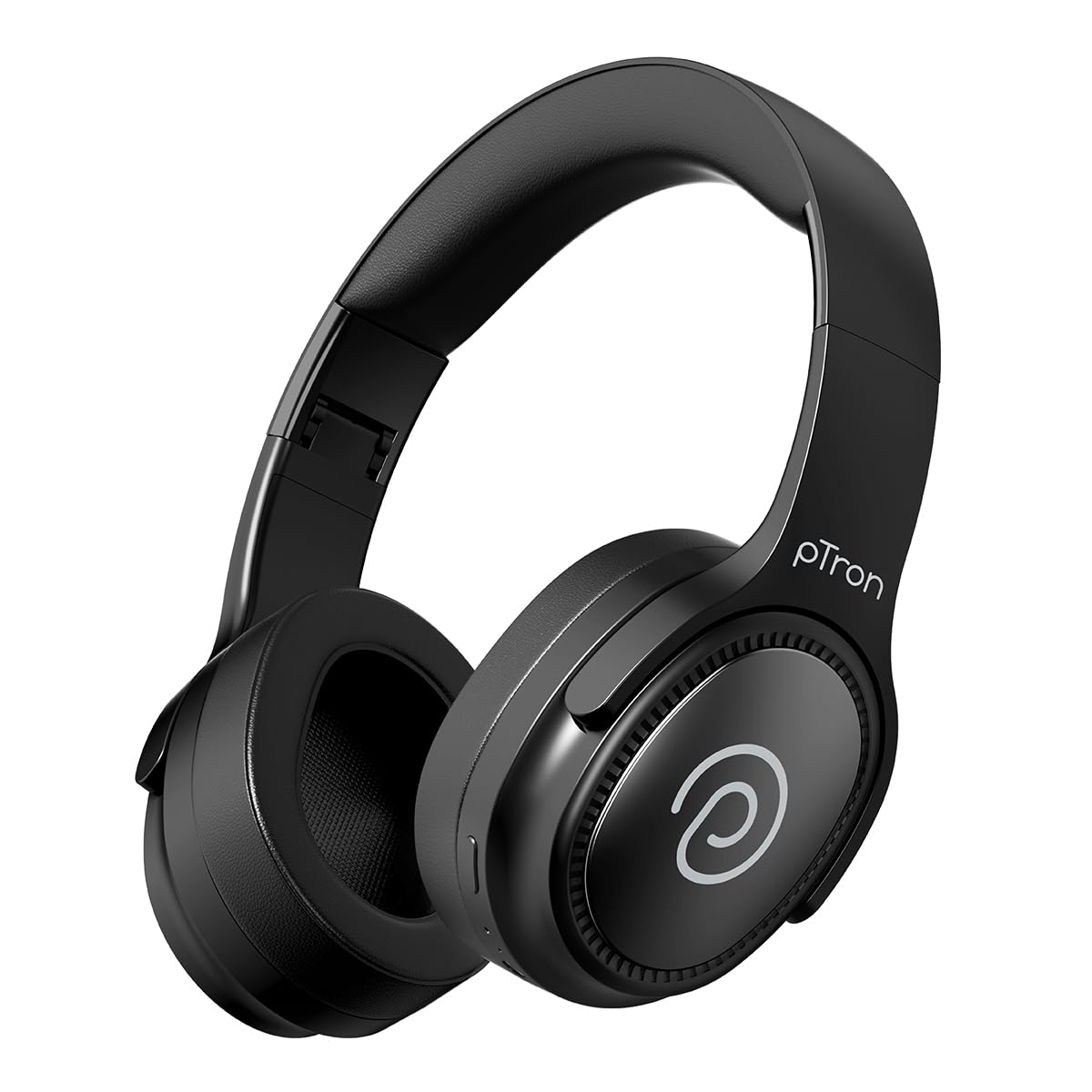
Image: pTron Studio Pro Wireless Over-Ear Headphones in Jet Black, showcasinel disseny elegant.
Característiques clau
- Temps de joc ampliat: Up to 65 hours of music playback on a single full charge.
- Càrrega ràpida: 2.5 hours for a full charge via Type-C. A 10-minute charge provides approximately 4 hours of playtime.
- Àudio d'alta qualitat: Equipped with 40mm Neody Drivers for pristine stereo sound.
- Esborra les trucades: Built-in HD Microphone with TruTalk AI-ENC (Environmental Noise Cancellation) for crystal-clear calls.
- Connectivitat avançada: Fast Bluetooth v5.4 for instant pairing and stable connection.
- Emparellament de dispositius duals: Seamlessly connect and switch between two devices simultaneously.
- Modes versàtils: Dedicated Low-Latency Gaming Mode and Music Mode.
- Resistència a l'aigua: IPX4 rating, making them resistant to water splashes and sweat.
- Comfort & Portability: Ergonomic, lightweight, and foldable design with soft earpads and an adjustable headband for a perfect fit and easy storage.
- Controls fàcils: Multi-functional buttons for managing music, calls, and activating voice assistant.

Image: Infographic detailing the main features of the pTron Studio Pro headphones, including battery life, drivers, and connectivity.
Què hi ha a la caixa
Upon unboxing your pTron Studio Pro headphones, you will find the following items:
- pTron Studio Pro Wireless Over-Ear Headphones
- Cable de càrrega (tipus C)
- Manual d'usuari
Video: An official product video demonstrating the unboxing and key features of the pTron Studio Pro headphones.
Product Layout and Controls
Familiarize yourself with the physical components and control buttons of your pTron Studio Pro headphones.

Imatge: Detallada view of the multi-function control buttons located on the ear cup, including power, volume, and track controls.
Funcions del botó de control:
| Botó/Acció | Funció |
|---|---|
| Botó d'engegada (premció llarga) | Encendre/Apagar, entrar al mode d'emparellament |
| Play/Pause Button (Single Press) | Reproduir/Pausar música, Respondre/Finalitzar trucada |
| Play/Pause Button (Long Press) | Rebutja la trucada, activa l'assistent de veu |
| Volume Up (+) (Single Press) | Augmenta el volum |
| Volume Down (-) (Single Press) | Disminuir el volum |
| Pujar volum (+) (Pressió llarga) | Pista següent |
| Baixar volum (-) (Pressió llarga) | Pista anterior |
| Mode Button (Single Press) | Switch between Game Mode and Music Mode |
Configuració
1. Càrrega dels auriculars
- Connecteu el cable de càrrega tipus C proporcionat al port de càrrega dels auriculars.
- Connect the other end of the cable to a USB power source (DC5V-1A max.).
- L'indicador LED mostrarà l'estat de càrrega. Una càrrega completa triga aproximadament 2.5 hores.
- Una càrrega de 10 minuts pot proporcionar fins a 4 hores de reproducció.

Image: The pTron Studio Pro headphones highlighting the Type-C charging port and emphasizing the 65-hour playtime.
2. Emparellament Bluetooth
- Assegureu-vos que els auriculars estiguin completament carregats.
- Premeu i manteniu premut el botó d'engegada fins que l'indicador LED parpellegi alternativament en vermell i blau, cosa que indica el mode d'emparellament.
- Al dispositiu (telèfon intel·ligent, tauleta, ordinador portàtil), activeu el Bluetooth i cerqueu els dispositius disponibles.
- Select "pTron Studio Pro" from the list of devices.
- Once connected, the LED indicator will turn solid blue or stop flashing.
3. Dual Device Pairing
- Emparella els auriculars amb el primer dispositiu tal com s'ha descrit anteriorment.
- Desactiva el Bluetooth al primer dispositiu. Els auriculars tornaran a entrar en mode d'emparellament.
- Vincula els auriculars amb el segon dispositiu.
- Torneu a activar el Bluetooth al primer dispositiu. Els auriculars s'haurien de connectar automàticament als dos dispositius.
- You can now switch audio playback between the two connected devices.

Image: The headphones connected to both a laptop and a smartphone, demonstrating the dual device pairing feature.
4. Wired Connection (3.5mm Aux-in)
- Insert one end of a 3.5mm audio cable (not included) into the Aux-in port on the headphones.
- Connect the other end of the cable to your audio source's 3.5mm jack.
- Els auriculars canviaran automàticament al mode amb cable.

Image: The headphones connected to a smartphone using a 3.5mm Aux-in cable, illustrating wired music playback.
Instruccions de funcionament
Encès/Apagat
- Encès: Premeu i manteniu premut el botó d'engegada durant aproximadament 3 segons fins que l'indicador LED s'encengui.
- Apagar: Premeu i manteniu premut el botó d'engegada durant aproximadament 5 segons fins que l'indicador LED s'apagui.
Controls de música
- Reproduir/pausa: Premeu una vegada el botó Reproduir/Pausa.
- Pista següent: Premeu llargament el botó d'apujar el volum (+).
- Pista anterior: Premeu llargament el botó per baixar el volum (-).
- Pujar el volum: Single press the Volume Up (+) button.
- Baixar el volum: Single press the Volume Down (-) button.
Controls de trucades
- Respondre/Finalitzar la trucada: Premeu una vegada el botó Reproduir/Pausa.
- Rebutja la trucada: Premeu llargament el botó Reproduir/Pausa.
Assistent de veu
- Activa l'Assistent de veu: Long press the Play/Pause button (after rejecting a call, if applicable, or when not on a call).
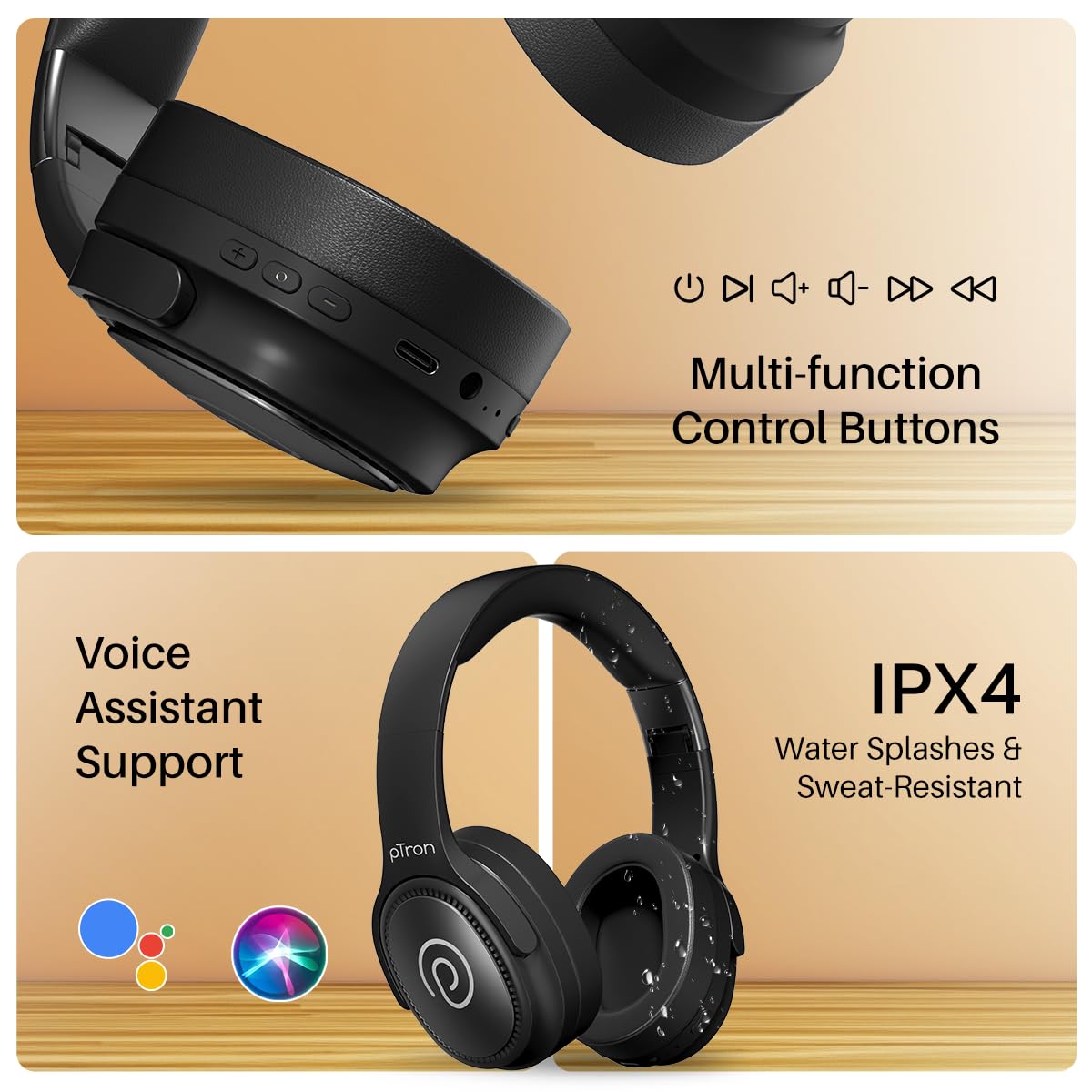
Image: The headphones illustrating support for voice assistants like Google Assistant and Siri, along with their IPX4 water-resistant rating.
Game & Music Modes
- Canvi de modes: Single press the Mode button to toggle between Low-Latency Gaming Mode and standard Music Mode.
Manteniment
To ensure the longevity and optimal performance of your pTron Studio Pro headphones, follow these maintenance guidelines:
- Neteja: Feu servir un drap suau i sec per netejar els auriculars. No utilitzeu productes de neteja abrasius ni dissolvents.
- Emmagatzematge: Quan no els utilitzeu, guardeu els auriculars en un lloc fresc i sec. El disseny plegable permet un emmagatzematge compacte.
- Exposició a l'aigua: While rated IPX4 for water splashes and sweat resistance, avoid submerging the headphones in water or exposing them to heavy rain. Dry them thoroughly if they get wet.
- Càrrega: Use only the provided Type-C cable and a compatible power adapter (DC5V-1A max.) for charging.
- Eviteu temperatures extremes: No exposeu els auriculars a temperatures extremadament altes o baixes.
Resolució de problemes
If you encounter any issues with your pTron Studio Pro headphones, refer to the following common troubleshooting steps:
| Problema | Solució |
|---|---|
| Els auriculars no s'engeguen. | Assegureu-vos que els auriculars estiguin completament carregats. Connecteu-los a una font d'alimentació i comproveu l'indicador de càrrega. |
| No es pot emparellar amb un dispositiu. | Make sure Bluetooth is enabled on your device and the headphones are in pairing mode (LED flashing red/blue). Move closer to the device. Forget previous pairings on your device and try again. |
| Sense so o amb un volum baix. | Check the volume levels on both the headphones and your connected device. Ensure the headphones are correctly paired. If using Aux-in, ensure the cable is fully inserted. |
| La qualitat de la trucada és deficient. | Ensure the microphone is not obstructed. Move to an area with less environmental noise. Check your device's network signal. |
| Els auriculars es desconnecten sovint. | Ensure there are no obstacles between the headphones and your device. Keep within the Bluetooth range (10 meters). Avoid strong electromagnetic interference. |
Especificacions
| Característica | Detall |
|---|---|
| Marca | pTron |
| Nom del model | Estudi |
| Col·locació de l'orella | Sobre l'orella |
| Versió Bluetooth | 5.4 |
| Interval Bluetooth | 10 metres |
| Mida del controlador d'àudio | 40 Mil·límetres |
| Impedància | 32 ohms |
| Durada mitjana de la bateria | 65 hores |
| Temps de càrrega de la bateria | 2.5 hores |
| Port de càrrega | Tipus-C |
| Nivell de resistència a l'aigua | IPX4 (resistent a l'aigua) |
| Micròfon | Built-in HD Mic with AI-ENC |
| Conector d'auriculars | 3.5 mm Jack |
| Tipus de control | Call Control, Push Button |
| Característiques del producte | Fast Charging, Foldable, Microphone Included, Noise Isolation, Surround Sound |
| Pes de l'article | 200 grams |
| Material | Acrilonitril butadiè estirè (ABS) |
| Dispositius compatibles | Telèfons mòbils, ordinadors de sobretaula, ordinadors portàtils, tauletes |
Garantia i Suport
Your pTron Studio Pro headphones come with a manufacturer's warranty and dedicated customer support.
- Garantia: 6 Months Manufacturer Warranty from the Date of Purchase on Manufacturing Defects Only.
- Contacte del fabricant: Building A1, Red Box Creative Park, No. 3 Huancheng South Road, Bantian Street, Longgang District, Shenzhen City, China 518116.
- Customer Care Contact Details: 40-67138888 / Suport@ptron.in
- Contacte de l'importador: PALRED ELECTRONICS PVT. LTD., SY.NO. 56, 1a PLANTA, GUNDLAPOCHAMPALLY VILLAGE, TECH PARK MTP, TSIIC-IALA NACHARAM, HYDERABAD - 500076, TELANGANA, ÍNDIA.