
Introducció
The Zelaclock Sunrise Alarm Clock (Model YF01-C) is a versatile 4-in-1 device designed to enhance your sleep and wake-up experience. It functions as a sunrise alarm clock, white noise sound machine, night light, and Bluetooth speaker. This manual provides detailed instructions for setting up and operating your device, ensuring you can fully utilize its features for a peaceful morning and restful night.
Característiques principals:
- Simulació de la sortida del sol: Gradually brightens before your alarm, mimicking a natural sunrise.
- White Noise & Nature Sounds: Features 30 non-looping sounds for relaxation and sleep.
- Llum nocturna RGB: Offers 9 dynamic light themes and 20 adjustable brightness levels.
- Altaveu Bluetooth 5.3: Connects seamlessly to your phone for music playback and automatic time synchronization.
- Smart Sleep Timer: Allows setting a fade-out timer for lights and sounds (10-480 minutes).
Informació de seguretat
- This device must be plugged into a power source to operate. It is not battery-operated.
- No exposeu el dispositiu a l'aigua ni a una humitat excessiva.
- Eviteu col·locar el dispositiu a prop de fonts de calor o sota la llum solar directa durant períodes prolongats.
- Utilitzeu només l'adaptador d'alimentació subministrat.
- Mantenir fora de l'abast dels nens i mascotes.
- No intenteu desmuntar o reparar el dispositiu vosaltres mateixos. Contacteu amb l'assistència al client per obtenir assistència.
Producte acabatview
Familiarize yourself with the components and controls of your Zelaclock Sunrise Alarm Clock.

Image: The Zelaclock Sunrise Alarm Clock, highlighting its functions as an alarm clock, wake-up light, white noise machine, and Bluetooth speaker. It is shown plugged into a wall outlet, emphasizing that it requires continuous power.
Video: An official Zelaclock video demonstrating the features and operation of the Sunrise Alarm Clock, including its light and sound functions.
The device features intuitive buttons and a scroll wheel for easy navigation and setting adjustments. The LED display shows the time and various indicators for active functions.

Imatge: Primer pla view of the Zelaclock Sunrise Alarm Clock, illustrating the various buttons and their corresponding functions for light, sound, and alarm settings.
Configuració
- Connexió d'alimentació: Connect the provided USB cable to the device and plug the adapter into a standard wall outlet. The device will power on automatically.
- Configuració de l'hora:
- Manteniu premut el botó Temps establert button (often indicated by a clock icon) for 2 seconds to enter time setting mode.
- Rotate the scroll wheel to adjust the hour, then press the Temps establert botó per confirmar.
- Rotate the scroll wheel to adjust the minute, then press the Temps establert botó per confirmar.
- The time will be set.
- Emparellament Bluetooth:
- Manteniu premut el botó Bluetooth button (often indicated by a Bluetooth icon) for 2 seconds to enable Bluetooth pairing mode. The Bluetooth indicator on the display will flash.
- On your smartphone or other Bluetooth-enabled device, search for "Zelaclock YF01-C" (or similar name) in the Bluetooth settings.
- Select the device to pair. Once connected, the Bluetooth indicator will stop flashing and remain solid.
Instruccions de funcionament
Setting the Alarm and Sunrise Simulation
- Establir hora d'alarma:
- Manteniu premut el botó Alarma button (bell icon) for 2 seconds. The hour display will flash.
- Rotate the scroll wheel to set the desired hour, then press the Alarma botó per confirmar.
- Rotate the scroll wheel to set the desired minute, then press the Alarma botó per confirmar.
- Set Sunrise Duration:
- After setting the alarm time, the display will show the sunrise duration (e.g., "00").
- Rotate the scroll wheel to select a sunrise duration from 10 to 60 minutes. This determines how long the light will gradually brighten before your alarm time.
- Premeu el botó Alarma botó per confirmar.
- Enable/Disable Alarm: Premeu el botó Alarma button briefly to toggle the alarm on or off. An alarm icon will appear/disappear on the display.
- Funció de posposar: When the alarm sounds, press the scroll wheel (or a dedicated snooze button if present) to activate snooze. The alarm will sound again after 5-20 minutes (duration may be configurable, refer to specific button diagram).
- Atura l'alarma: To stop the alarm completely, press and hold the Alarma botó durant 3 segons.

Image: Illustration of the sunrise simulation feature, showing the alarm clock gradually increasing light intensity from dim to bright over a set period before the alarm time.
Using White Noise and Nature Sounds
- Seleccioneu el so: Premeu el botó So button (wave icon) to cycle through the 30 available white noise and nature sounds.
- Ajustar el volum: Rotate the scroll wheel to increase or decrease the volume of the selected sound.
- Desactiva el so: Manteniu premut el botó So button for 3 seconds to turn off the sound.
Image: The Zelaclock Sunrise Alarm Clock displaying sound options, with a person sleeping peacefully in the background, illustrating the white noise feature.
Adjusting Light Themes and Brightness
- Encendre/apagar la llum: Premeu el botó Llum button (sun icon) briefly to turn the light on or off.
- Change Light Theme: Amb la llum encesa, premeu el botó Llum button repeatedly to cycle through the 9 dynamic light themes, including music-reactive modes.
- Ajusta la brillantor: Rotate the scroll wheel to adjust the light brightness through 20 levels.

Image: The Zelaclock Sunrise Alarm Clock showcasing its 9 dynamic light themes, including gradient and solid color options.
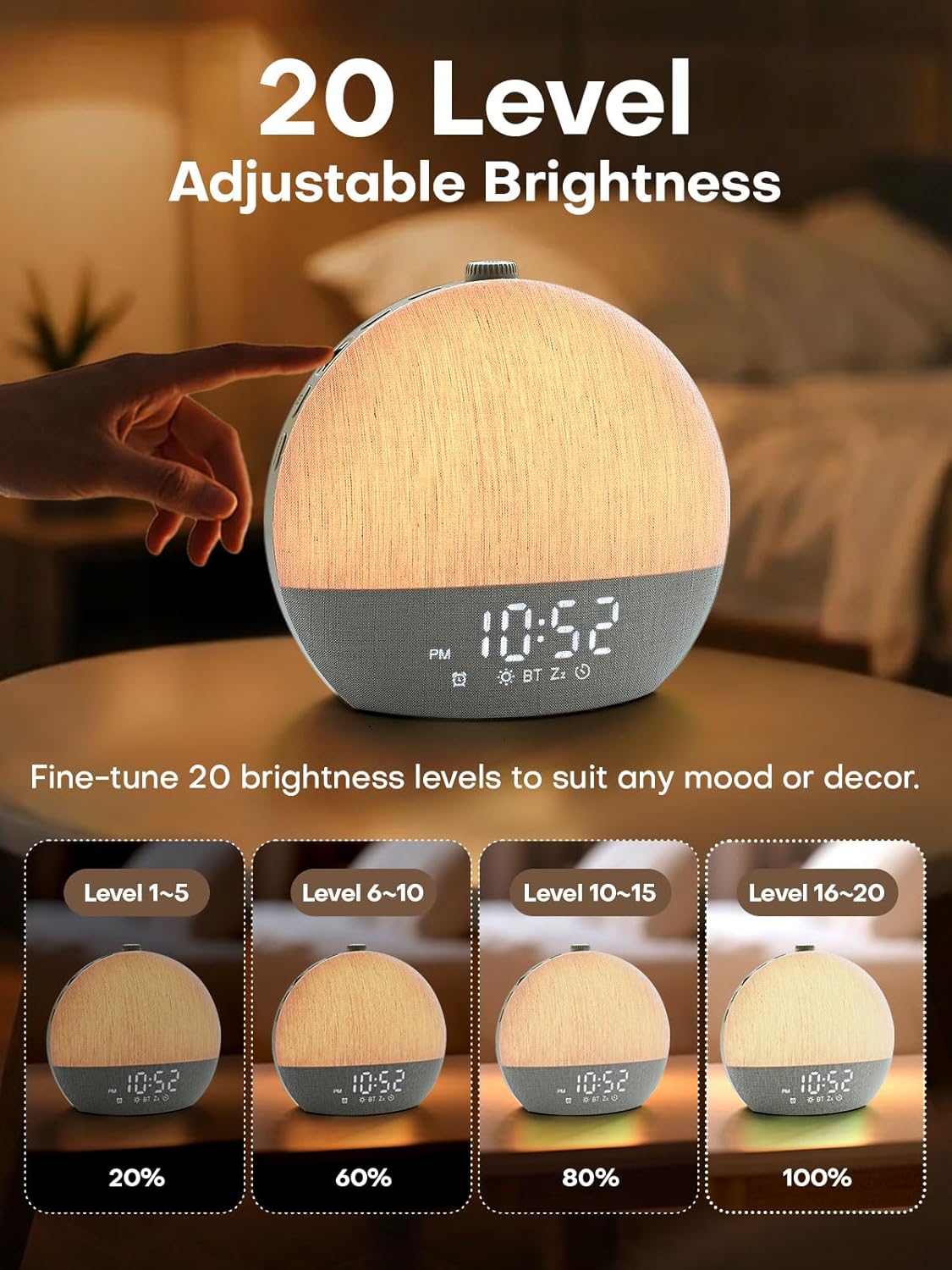
Image: Visual representation of the 20 adjustable brightness levels of the Zelaclock Sunrise Alarm Clock, from 20% to 100% illumination.
Using the Smart Sleep Timer
- Estableix el temporitzador de repòs: Premeu el botó Temporitzador de dormir button (moon icon) to activate the sleep timer.
- Ajusta la durada: Rotate the scroll wheel to set the desired fade-out duration from 10 to 480 minutes. Both light and sound will gradually decrease and turn off after this period.
- Cancel Sleep Timer: Manteniu premut el botó Temporitzador de dormir button for 3 seconds to cancel the active sleep timer.

Image: The Zelaclock Sunrise Alarm Clock in a bedroom setting, illustrating the gradual fade-out timer for both light and sound, with a person sleeping.
Funció d'altaveu Bluetooth
Once paired with your device (see Setup section), you can use the Zelaclock as a Bluetooth speaker.
- Play music directly from your phone or tablet.
- Use the scroll wheel on the Zelaclock to adjust the playback volume.
- Per desconnectar Bluetooth, manteniu premut el botó Bluetooth botó durant 2 segons.

Image: A couple relaxing on a couch, with the Zelaclock Sunrise Alarm Clock playing music via Bluetooth from a smartphone.
Manteniment
- Neteja: Netegeu el dispositiu amb un drap suau i sec. No utilitzeu productes de neteja abrasius ni dissolvents.
- Emmagatzematge: Guardeu el dispositiu en un lloc fresc i sec quan no el feu servir durant períodes prolongats.
- Potència: Always ensure the device is unplugged before cleaning or moving.
Resolució de problemes
| Problema | Causa possible | Solució |
|---|---|---|
| El dispositiu no s'encén. | Not plugged in; power adapter faulty. | Ensure the device is properly plugged into a working power outlet. Check the power adapter and cable for damage. |
| L'alarma no sona. | Alarm is disabled; volume is too low. | Check if the alarm is enabled (alarm icon on display). Increase the alarm volume using the scroll wheel. |
| Sunrise light does not work. | Sunrise feature not enabled for alarm; light brightness set too low. | Ensure sunrise duration is set during alarm setup. Adjust light brightness using the scroll wheel. |
| No es pot connectar per Bluetooth. | Bluetooth not in pairing mode; device too far; interference. | Ensure the device is in Bluetooth pairing mode (flashing icon). Move your phone closer to the alarm clock. Try restarting both devices. |
| La qualitat del so és deficient. | Low quality audio source; device placement. | Ensure the audio source (e.g., phone) is playing high-quality audio. Adjust device placement to avoid obstructions. |
Especificacions
| Característica | Detall |
|---|---|
| Número de model | YF01-C |
| Marca | Zelaclock |
| Tipus de visualització | LED |
| Font d'alimentació | Elèctric amb cable |
| Dimensions del producte | 6 cm d'amplada x 6 cm d'alçada |
| Connectivitat | Bluetooth 5.3, USB |
| Característiques de la llum | Sunrise Simulation, 9 Dynamic RGB Light Themes, 20 Brightness Levels |
| Característiques de so | 30 Non-Looping Sleep Sounds (10 White Noise, 20 Nature Sounds/Melodies) |
| Funcions del temporitzador | Alarm Clock, Smart Sleep Timer (10-480 minutes) |
| Material | Plàstic |
Garantia i Suport
For warranty information and customer support, please refer to the official Zelaclock website or contact their customer service directly. Details are typically provided on the product packaging or the manufacturer's official online channels.
Fabricant: Zelaclock
ASIN: B0FPRL993V
Per a més ajuda, podeu visitar el Zelaclock Store on Amazon.