
1. Introducció
The T-WOLF G520 is a high-performance wired gaming mouse designed for precision and comfort. It features a USB2.0 wired connection, 7 customizable buttons, and dynamic RGB lighting. This manual provides essential information for setting up, operating, and maintaining your G520 gaming mouse.
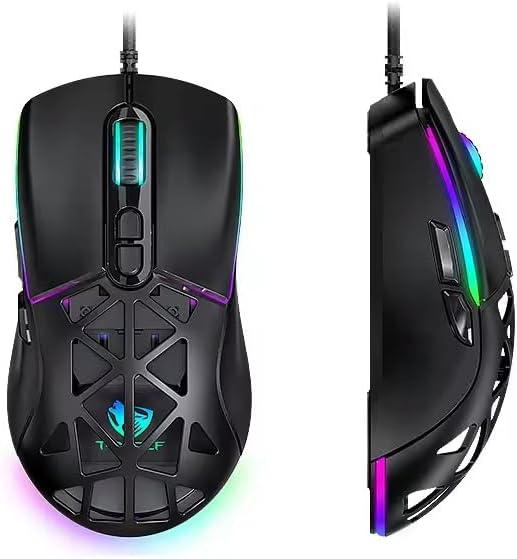
Figure 1: T-WOLF G520 Gaming Mouse (Front and Side View)
2. Característiques del producte
- Connexió: Wired USB2.0 for stable and responsive performance.
- Tipus de sensor: Optical sensor for accurate tracking.
- Configuració de DPI: Adjustable DPI from 800 to 12800 (800 / 1600 / 3200 / 4800 / 6400 / 12800).
- Taxa de votació: 1000Hz for rapid response times.
- Botons: 7 programmable buttons (Left, Right, Middle, Forward, Back, DPI+, DPI-).
- Il·luminació RGB: 13 dynamic RGB lighting modes.
- Durabilitat: 10 million click lifespan for micro switches.
- Cable: 1.5m braided cable for enhanced durability and tangle resistance.
- Disseny: Lightweight honeycomb structure and ergonomic shape for comfortable grip and ventilation.
- Personalització: Magnetic interchangeable back cover.

Figura 2: Característiques clauview
3. Contingut del paquet
- T-WOLF G520 Gaming Mouse Unit
- Interchangeable Magnetic Back Covers (2 types)

Figure 3: G520 Mouse with Interchangeable Back Covers
4. Instruccions de configuració
- Connect the USB connector of the T-WOLF G520 gaming mouse to an available USB 2.0 port on your computer.
- The mouse is Plug & Play compatible and does not require additional drivers for basic functionality. Your operating system will automatically detect and install the necessary drivers.
- Once detected, the mouse will be ready for use.
5. Instruccions de funcionament
5.1 Funcions dels botons
The T-WOLF G520 mouse features 7 buttons with the following default functions:
- Botó esquerre: Funció de clic principal.
- Botó dret: Funció de clic secundari (menú contextual).
- Middle Button / Scroll Wheel: Scroll up/down, click for universal scroll or other functions.
- Botó Endavant: Navega cap endavant web navegadors o file exploradors.
- Botó enrere: Navega cap enrere web navegadors o file exploradors.
- Botó DPI+: Increases DPI sensitivity.
- Botó DPI: Decreases DPI sensitivity.
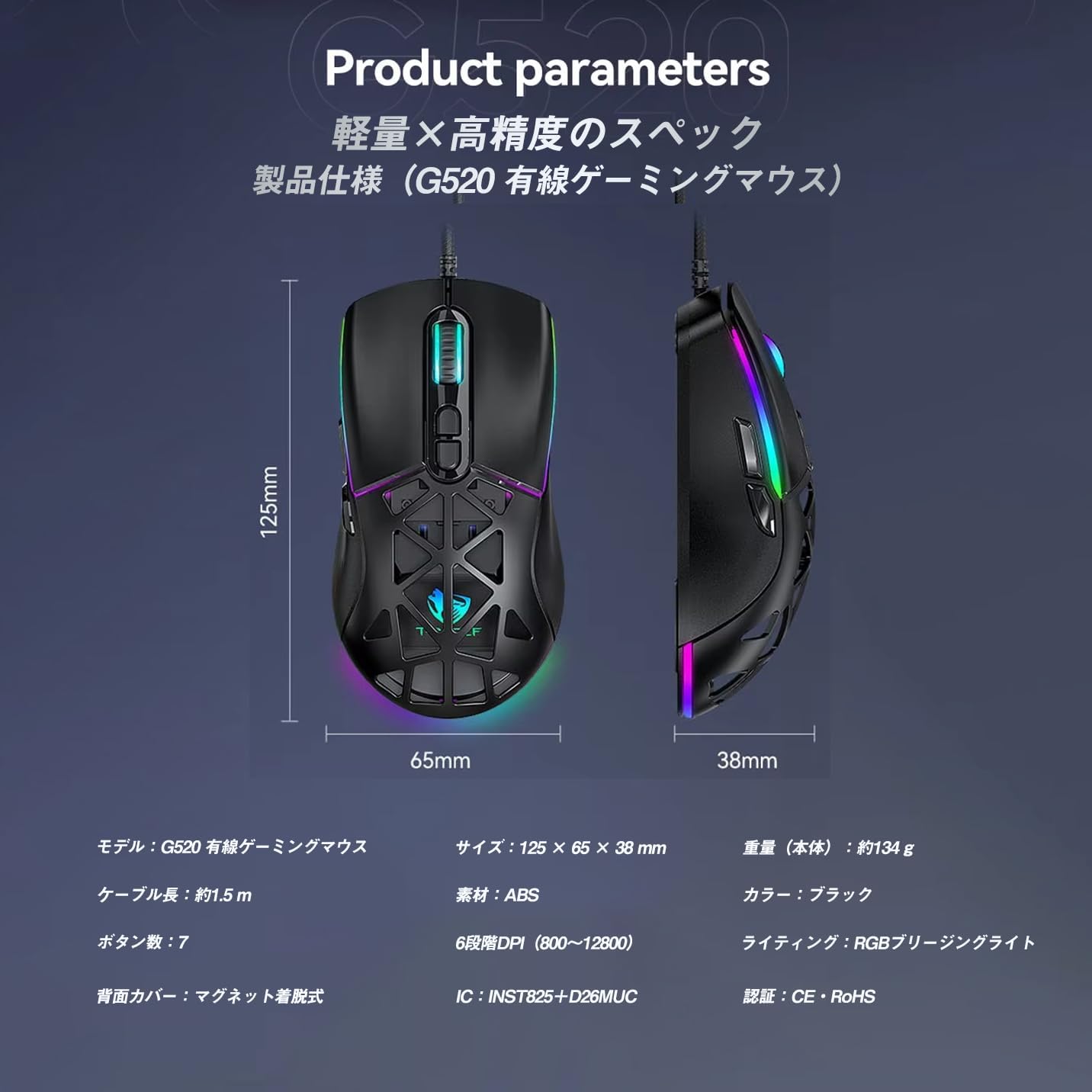
Figure 4: G520 Button Layout
5.2 Ajust de DPI
The mouse supports 6 adjustable DPI levels. To change the DPI, press the DPI+ or DPI- buttons located on the top of the mouse. Each press will cycle through the available DPI settings: 800, 1600, 3200, 4800, 6400, and 12800.

Figure 5: DPI Adjustment Levels
5.3 Control d'il·luminació RGB
The T-WOLF G520 features 13 RGB lighting modes. To change the RGB lighting mode, press and hold the Botó enrere i el Botó DPI simultaneously for approximately 3 seconds. Repeat this action to cycle through the different lighting effects.
5.4 Magnetic Back Cover
The mouse comes with two types of magnetic back covers that can be easily interchanged. To remove a cover, gently lift it from the back of the mouse. To attach a cover, align it with the mouse body and allow the magnets to secure it in place.

Figure 6: Magnetic Back Cover Exchange
6. Manteniment
- Neteja: Feu servir un drap suau i sec per netejar el ratolí. Per a la brutícia persistent, feu un drap lleugerament sec.amp cloth can be used, ensuring no liquid enters the mouse.
- Eviteu líquids: No submergiu el ratolí en aigua ni l'exposeu a una humitat excessiva.
- Emmagatzematge: Guardeu el ratolí en un lloc fresc i sec, allunyat de la llum solar directa i de temperatures extremes.
- Cura del cable: Avoid bending or twisting the braided cable excessively to prevent damage.
7. Solució De Problemes
- El ratolí no respon:
- Ensure the USB cable is securely connected to your computer's USB port.
- Prova de connectar el ratolí a un port USB diferent.
- Reinicieu l'ordinador.
- Els DPI no canvien:
- Ensure you are pressing the correct DPI+ or DPI- buttons.
- The mouse cycles through 6 fixed DPI levels; there is no software adjustment.
- RGB Lighting Not Working/Changing:
- Assegureu-vos que el ratolí estigui connectat correctament.
- Manteniu premut el botó Botó enrere i Botó DPI simultaneously for 3 seconds to cycle through modes.
- Tracking Issues:
- Netegeu el sensor òptic de la part inferior del ratolí.
- Use the mouse on a clean, uniform surface or a mouse pad.
8. Especificacions
| Característica | Especificació |
|---|---|
| Model | G520 |
| Tipus de connexió | Wired USB2.0 |
| Tipus de sensor | Òptic |
| Configuració de DPI | 800/1600/3200/4800/6400/12800 |
| Taxa de votació | 1000 Hz |
| Nombre de botons | 7 |
| Longitud del cable | 1.5m (Braided) |
| Dimensions (L×W×H) | 124 × 65 × 40 mm |
| Pes | Aprox. 132 g |
| Vol. Operatiutage / Actual | 5 V / 150 mA |
| Il·luminació | RGB (13 Modes) |
| Material | Plàstic (ABS) |
| Sistema operatiu compatible | Windows 10, Windows 11, Mac OS, Linux (OS standard, no driver required) |

Figura 7: Diagrama d'especificacions del producte
9. Garantia i Suport
This product is covered by a standard manufacturer's warranty. Please refer to your purchase documentation for specific warranty terms and conditions. For technical support or warranty claims, please contact the retailer or the manufacturer's customer service.