
1. Producte acabatview
The VEIKK VK640 is a compact digital graphic tablet designed for drawing, design, online teaching, and other creative applications. It features a 6x4 inch active area, 6 customizable shortcut keys, and a battery-free stylus with 8192 pressure levels and 60-degree tilt support.

Imatge: Més deview of VEIKK VK640 Graphic Tablet features.

Image: The compact size of the VK640 drawing tablet, ideal for beginners.
2. Contingut del paquet
Before setup, please verify that all items are present in the package:
- VEIKK VK640 Pen Tablet
- P05 Battery-Free Pen
- Porta llapis
- 28 puntes de recanvi per a bolígrafs
- Butxaca per bolígraf
- OTG Adapter (USB-C)
- Nib Remover Tool
- Guant d'artista
- Guia d'inici ràpid

Image: All items included in the VK640 product box.
3. Instruccions de configuració
3.1 Instal·lació del controlador
- Desinstal·leu els controladors anteriors: If you have other tablet drivers installed, uninstall them completely before installing the VEIKK driver to avoid conflicts.
- Descarrega el controlador: Visita el VEIKK oficial weblloc (www.veikk.com) and download the latest driver for your operating system (Windows, macOS, or Linux).
- Instal·leu el controlador: Executeu l'instal·lador descarregat i seguiu les instruccions que apareixen a la pantalla.
- Reinicieu l'ordinador: After installation, restart your computer to ensure the driver is properly loaded.
3.2 Connexió de la tauleta
Connect the VK640 tablet to your computer using the provided USB cable. For mobile devices, use the included OTG adapter if necessary.

Image: Connecting the VK640 tablet to a mobile device.

Image: The VK640 tablet connected and in use with a laptop.
4. Funcionament de la tauleta
4.1 Using the Battery-Free Pen
The P05 pen is battery-free, eliminating the need for charging. It features 8192 levels of pressure sensitivity and supports 60-degree tilt function, allowing for natural and precise drawing strokes. Adjust the pressure in your software settings for desired line thickness and opacity.

Image: Features of the battery-free stylus, including pressure sensitivity and tilt function.
4.2 Tecles de drecera personalitzables
The VK640 tablet is equipped with 6 customizable shortcut keys. These keys can be programmed through the VEIKK driver software to perform various functions, such as undo, redo, zoom in/out, brush size adjustment, or switching tools. Refer to the driver software interface for detailed customization options.

Image: The 6 customizable shortcut keys on the VK640 tablet.
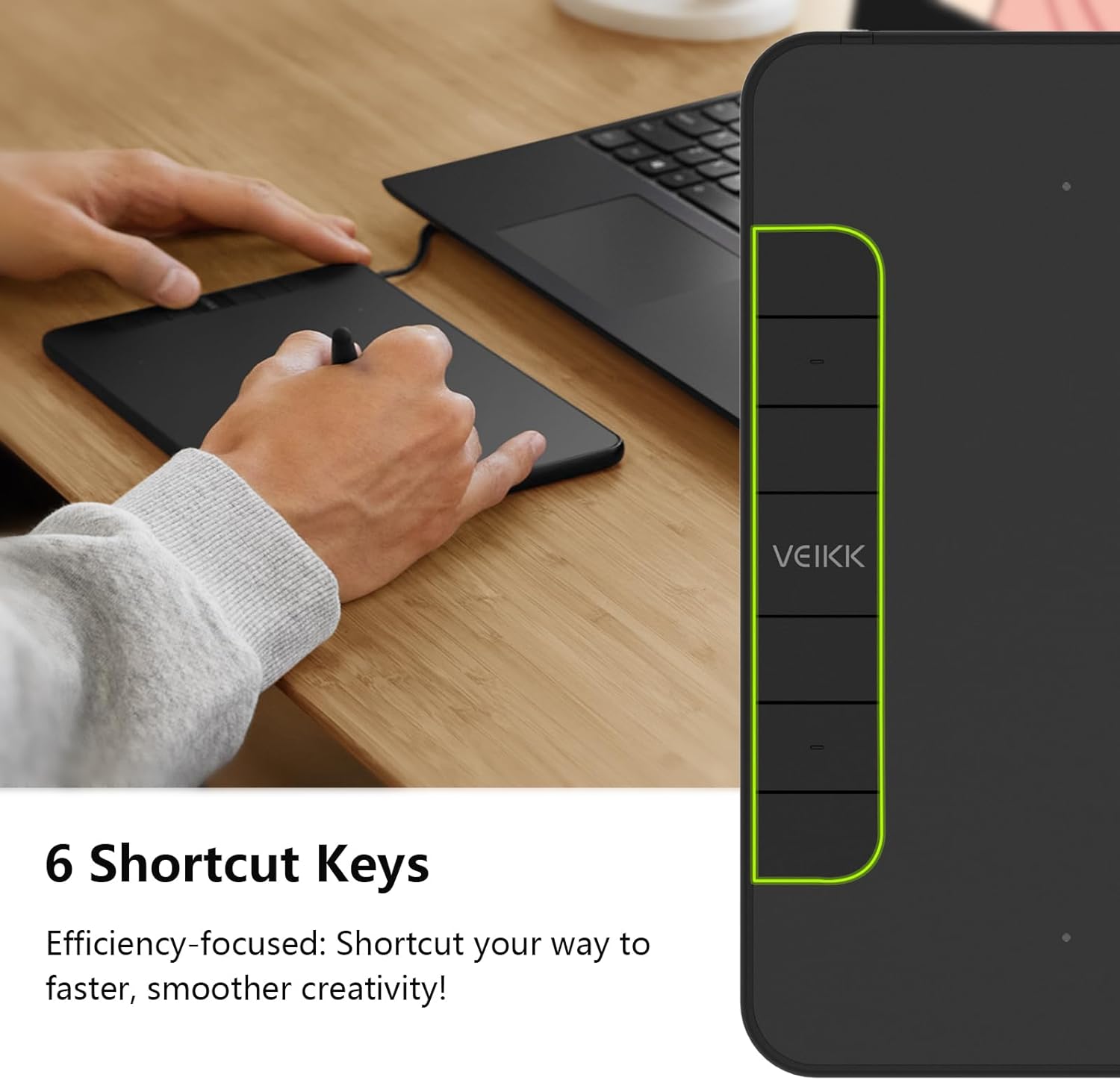
Imatge: Example functions for the 6 customizable press keys.
4.3 Compatibilitat de programari
The VK640 is compatible with a wide range of creative software, including but not limited to:
- Adobe Photoshop
- Krita
- Adobe Illustrator
- SAI
- SketchBookPro
- FireAlpaca
- OpenCanvas
- Manga Studio

Image: Broad compatibility of the VK640 with different operating systems and creative applications.
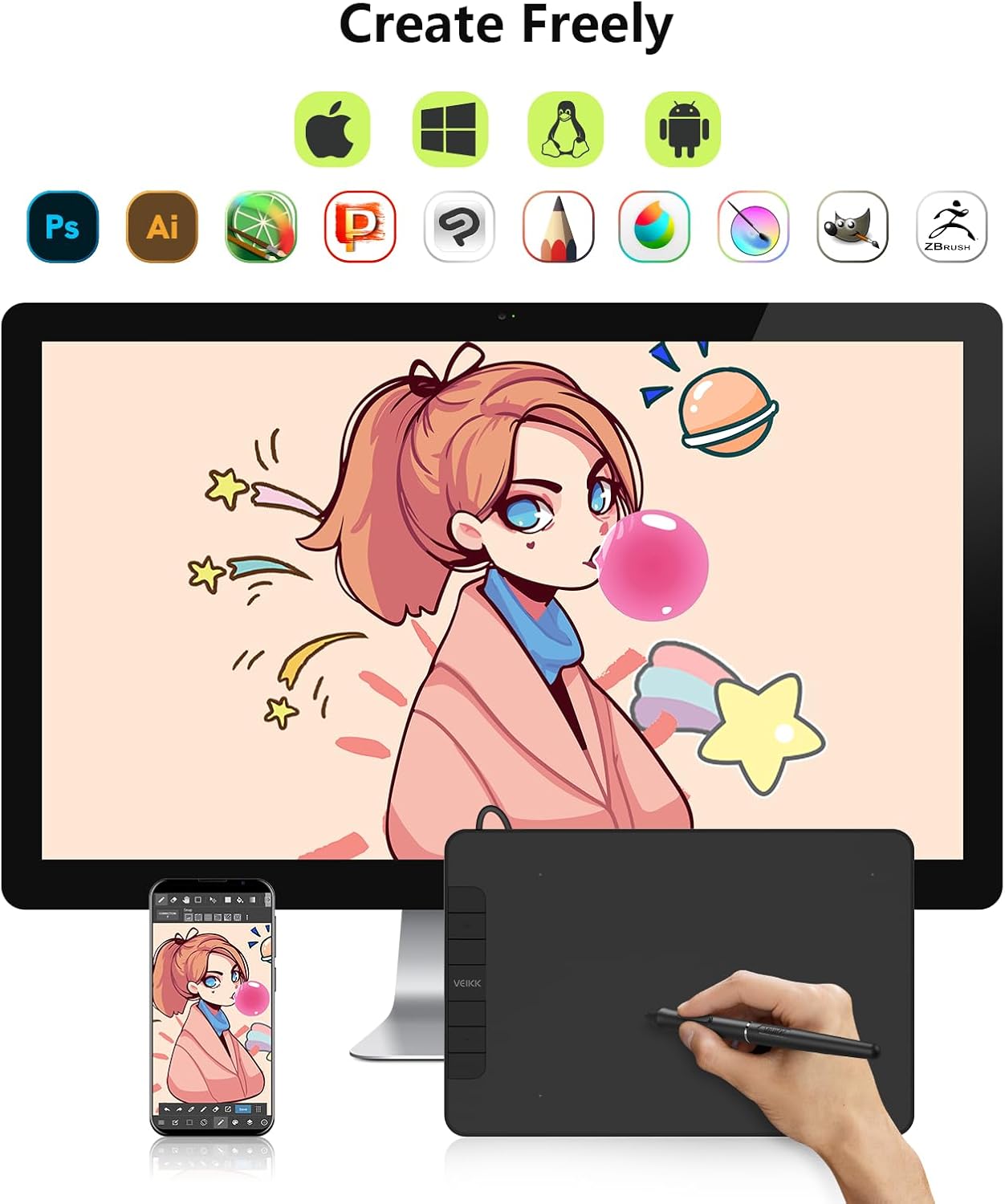
Image: Broad compatibility of the VK640 with different operating systems and creative applications.
5. Manteniment
5.1 Neteja de la tauleta
To clean the tablet surface, use a soft, dry cloth. For stubborn smudges, a slightly damp Es pot utilitzar un drap amb un netejador suau i no abrasiu. Eviteu la humitat excessiva i els productes químics agressius.
5.2 Substitució de les puntes del bolígraf
The pen nibs will wear down with use. When a nib becomes too short or sharp, replace it using the included nib remover tool. Gently pull out the old nib and insert a new one until it is secure.
The package includes 28 replacement pen nibs to ensure long-term use.
6. Solució De Problemes
6.1 Pen Not Responding
- Ensure the tablet is properly connected to your computer.
- Verify that the VEIKK driver is installed correctly and running.
- Proveu de reiniciar l'ordinador.
- Check if the pen nib is securely inserted or needs replacement.
- Prova la tauleta en un port USB o ordinador diferent si és possible.
6.2 La sensibilitat a la pressió no funciona
- Confirm that the VEIKK driver is installed and updated.
- Check the pressure settings within your drawing software and the VEIKK driver panel.
- Ensure no other tablet drivers are conflicting with the VEIKK driver. Uninstall any old drivers.
6.3 Les tecles de drecera no funcionen
- Open the VEIKK driver software and verify that the shortcut keys are correctly assigned.
- Ensure the driver is active and not conflicting with other software.
7. Especificacions
| Marca | VEIKK |
| Nom del model | VK640 |
| Tecnologia de connectivitat | USB |
| Àrea Activa | 6 x 4 inches (24 square inches) |
| Sensibilitat a la pressió | 8192 nivells |
| Suport d'inclinació | 60° |
| Tecles de drecera | 6 Tecles personalitzables |
| Compatibilitat de sistemes operatius | Windows 7 or later, macOS 10.12 or later, Android 6.0 or later, Linux |
| Pes de l'article | 279 grams |
| Gruix | Approximately 8mm (0.3 inches) |

Image: Physical dimensions and weight of the VK640 tablet.

Image: Physical dimensions and weight of the VK640 tablet.
8. Garantia i Suport
The VEIKK VK640 Digital Graphic Tablet comes with a garantia d'un any from the date of purchase. VEIKK also provides suport tècnic de per vida per aquest producte.
For warranty claims, technical assistance, or further inquiries, please contact VEIKK customer support through their official weblloc web o la informació de contacte que es proporciona a la Guia d'inici ràpid.