
Introducció
This manual provides essential information for the safe and efficient use of your Samsung QN65Q6FAAFXZA 65-inch Q6F Series QLED 4K UHD AI Smart Tizen TV. Please read these instructions thoroughly before operating the television and retain them for future reference.
The Samsung Q6F Series QLED TV features a Q4 Lite Processor with AI Upscaling for enhanced visuals, 100% Color Volume with Quantum Dot technology for vibrant colors, and Quantum HDR with HDR10+ for improved contrast. It operates on the Tizen OS, offering access to a wide range of content and smart features.
Informació important de seguretat
- No exposar aquest aparell a la pluja o la humitat.
- No bloquegeu cap obertura de ventilació. Instal·leu-ho d'acord amb les instruccions del fabricant.
- No instal·leu a prop de cap font de calor com ara radiadors, registres de calor, estufes o altres aparells (inclosos amplificadors) que produeixen calor.
- Eviteu que el cable d'alimentació sigui trepitjat o pessigat.
- Utilitzeu només accessoris/accessoris especificats pel fabricant.
- Demaneu tot el servei a personal de servei qualificat.
Què hi ha a la caixa
En desembalar, assegureu-vos que tots els elements que s'enumeren a continuació hi siguin presents i no estiguin danyats:
- Samsung Q6F Series QLED 4K UHD AI Smart Tizen TV (2025)
- Manual d'usuari
- Cable d'alimentació
- Control remot
- Components del suport de TV

Image: The Samsung Q6F Series QLED 4K UHD AI Smart Tizen TV, accompanied by its remote control, power cable, and stand components.
Configuració
1. Physical Assembly (Stands)
Carefully place the TV screen-down on a soft, flat surface to prevent damage. Attach the stand components to the designated slots on the bottom of the TV using the provided screws. Ensure the stands are securely fastened.
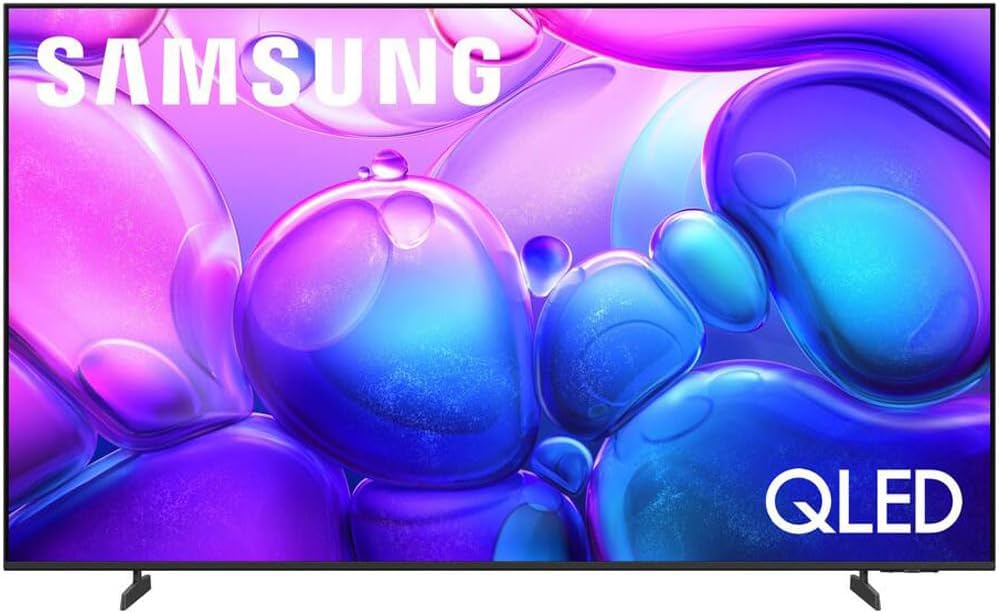
Imatge: Frontal view of the Samsung Q6F Series QLED TV, showcasing the attached stand legs providing stable support.

Imatge: Side profile of the Samsung Q6F Series QLED TV, illustrating its slim design and the securely attached stand.
2. Connexions
Connect the power cable to the TV's power input and then to a wall outlet. For external devices like Blu-ray players or gaming consoles, use HDMI cables. For internet access, connect an Ethernet cable to the LAN port or connect wirelessly during initial setup.

Imatge: Una imatge detallada view of the rear connection panel of the Samsung Q6F Series QLED TV, showing HDMI, USB, and Ethernet ports.
3. Initial Power On & Smart Setup
Once powered on, follow the on-screen instructions to complete the initial setup. This includes selecting your language, connecting to a Wi-Fi network, and configuring the Tizen Smart Hub. You will be guided through setting up your Samsung account and accessing various streaming services.
Funcionament del televisor
Smart Hub & Tizen OS
The Tizen Smart Hub provides intuitive access to live TV, streaming apps, and connected devices. Navigate using the remote control to browse content, customize your home screen, and manage settings.
Configuració de la imatge
Your Q6F Series QLED TV offers advanced picture technologies:
- Q4 Lite Processor with AI Upscaling: Automatically enhances content to near 4K resolution, optimizing visuals and color.
- 100% de volum de color amb punt quàntic: Delivers over a billion shades of accurate, vibrant colors that remain true at any brightness level.
- Quantum HDR with HDR10+: Reveals fine details in both the darkest and brightest scenes, providing a more dynamic and lifelike image.
- Motion Xcelerator Technology: Ensures smooth motion and reduces blur in fast-paced scenes, ideal for sports and gaming.

Image: A Samsung QLED TV screen showing a vibrant scene, highlighting the 100% Color Volume with Quantum Dot technology.

Image: A close-up of the Samsung Q4 Lite Processor chip, illustrating its advanced technology for optimizing and upscaling content to 4K resolution.
Configuració de so
Experimenta l'àudio immersiu amb:
- Seguiment d'objectes amb so Lite: Audio moves dynamically with the action on screen, creating a more engaging experience.
- Q-Simfonia: When paired with a compatible Samsung soundbar, the TV and soundbar speakers work in harmony to deliver a richer, more enveloping surround sound.
Assistents de veu
Your TV supports various voice assistants for convenient control. Use your remote's voice command button to search for content, adjust settings, or control smart home devices.
Manteniment
Neteja del televisor
Per netejar la pantalla, netegeu-la suaument amb un drap suau i sense borrissol. Per a marques difícils, fregueu-la suaument.ampen the cloth with water or a specialized screen cleaner. Avoid using harsh chemicals or abrasive materials. For the TV frame, use a soft, dry cloth.
Cura i manipulació
Avoid placing heavy objects on the TV. Do not expose the TV to direct sunlight or extreme temperatures. Ensure proper ventilation around the TV to prevent overheating.
Resolució de problemes
Sense poder
- Comproveu si el cable d'alimentació està connectat correctament tant al televisor com a la presa de corrent.
- Verifiqueu que la presa de corrent funciona connectant-hi un altre dispositiu.
Sense imatge/so
- Assegureu-vos que la font d'entrada correcta estigui seleccionada al televisor.
- Check all HDMI or other audio/video cables for secure connections.
- If using external audio devices, ensure they are powered on and correctly configured.
El control remot no funciona
- Substituïu les piles del comandament a distància.
- Assegureu-vos que no hi hagi cap obstacle entre el comandament a distància i el sensor del televisor.
Especificacions
| Característica | Detall |
|---|---|
| Marca | Samsung |
| Número de model | E1SAMQN65Q6F |
| Mida de la pantalla | 64.5 polzades |
| Tecnologia de visualització | QLED |
| Resolució | 4K |
| Freqüència d'actualització | 60 Hz |
| Relació d'aspecte | 16:9 |
| Dimensions del producte | 8.7 "P x 56.9" W x 34.7" H |
| Pes de l'article | 32 lliures |
| Tecnologia de connectivitat | Bluetooth |
| Característiques especials | 100% Color Volume with Quantum Dot, Motion Xcelerator, Object Tracking Sound Lite, Q4 Lite Processor |
Garantia i Suport
Your Samsung Q6F Series QLED TV includes a standard manufacturer's protection. Additionally, this product comes with an exclusive 26-month extended protection plan.
For technical support, troubleshooting assistance, or warranty claims, please refer to the contact information provided in your product's warranty card or visit the official Samsung support weblloc.
Online resources, FAQs, and software updates are also available through the Samsung support portal.