
ANYFAR RM-AD3502Q
ANYFAR RM-AD3502Q Decoder Adapter User Manual
For Audi Vehicles A4/A5/Q5 with MMI 3G System (2008-2018)
1. Introducció
This manual provides detailed instructions for the installation and operation of the ANYFAR RM-AD3502Q Decoder Adapter. This device integrates advanced connectivity features into your Audi's existing MMI 3G system, enhancing your driving experience with modern infotainment capabilities.
1.1. Compatibilitat
The ANYFAR RM-AD3502Q Decoder Adapter is specifically designed for the following Audi models equipped with the MMI 3G system:
- Audi A4 (2008-2016)
- Audi A5 (2008-2016)
- Audi Q5 (2010-2018)
Please verify your vehicle's compatibility before installation. Refer to Section 2.3 for guidance on identifying your MMI 3G system.

2. Característiques clau
The ANYFAR RM-AD3502Q Decoder Adapter offers a range of features to upgrade your in-car entertainment and connectivity:
- CarPlay sense fil i Android Auto: Integració perfecta del teu telèfon intel·ligent per a navegació, música, trucades i missatges sense connexió física.
- Enllaç de mirall i reproducció des d'unitat USB: Mirror your phone's display to the car screen for video content or play media directly from a USB drive.
- Àudio d'alta fidelitat per al cotxe: Digital audio transmission ensures high-quality sound without interference, preserving the original car audio system's integrity.
- Conservar els controls originals del cotxe: Full functionality of your car's existing controls, including touchscreen, voice control, physical buttons, and knobs, is maintained.
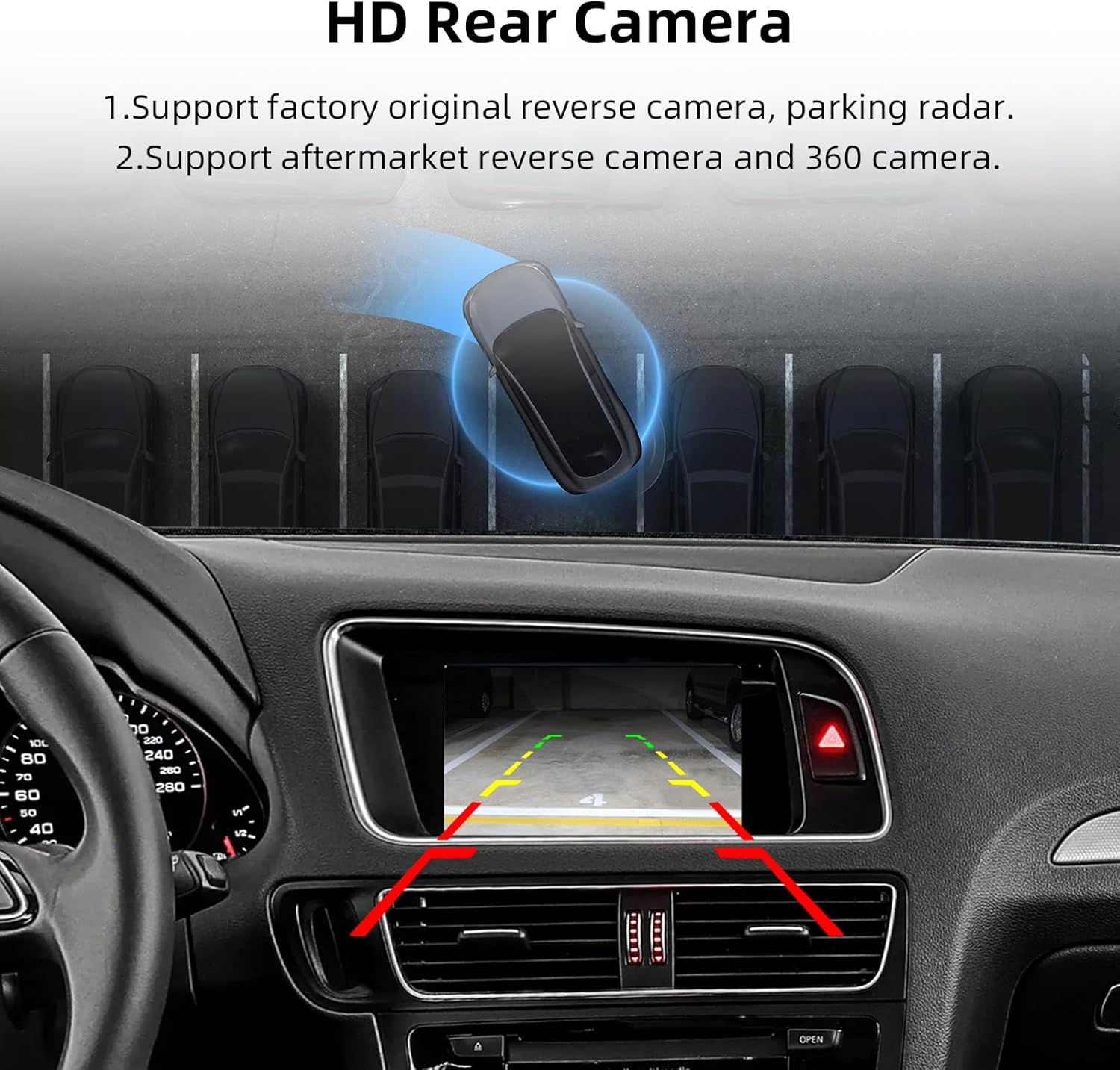
- Suport d'entrada de càmera de marxa enrere: Connect aftermarket or factory original backup and front cameras for enhanced safety and parking assistance.
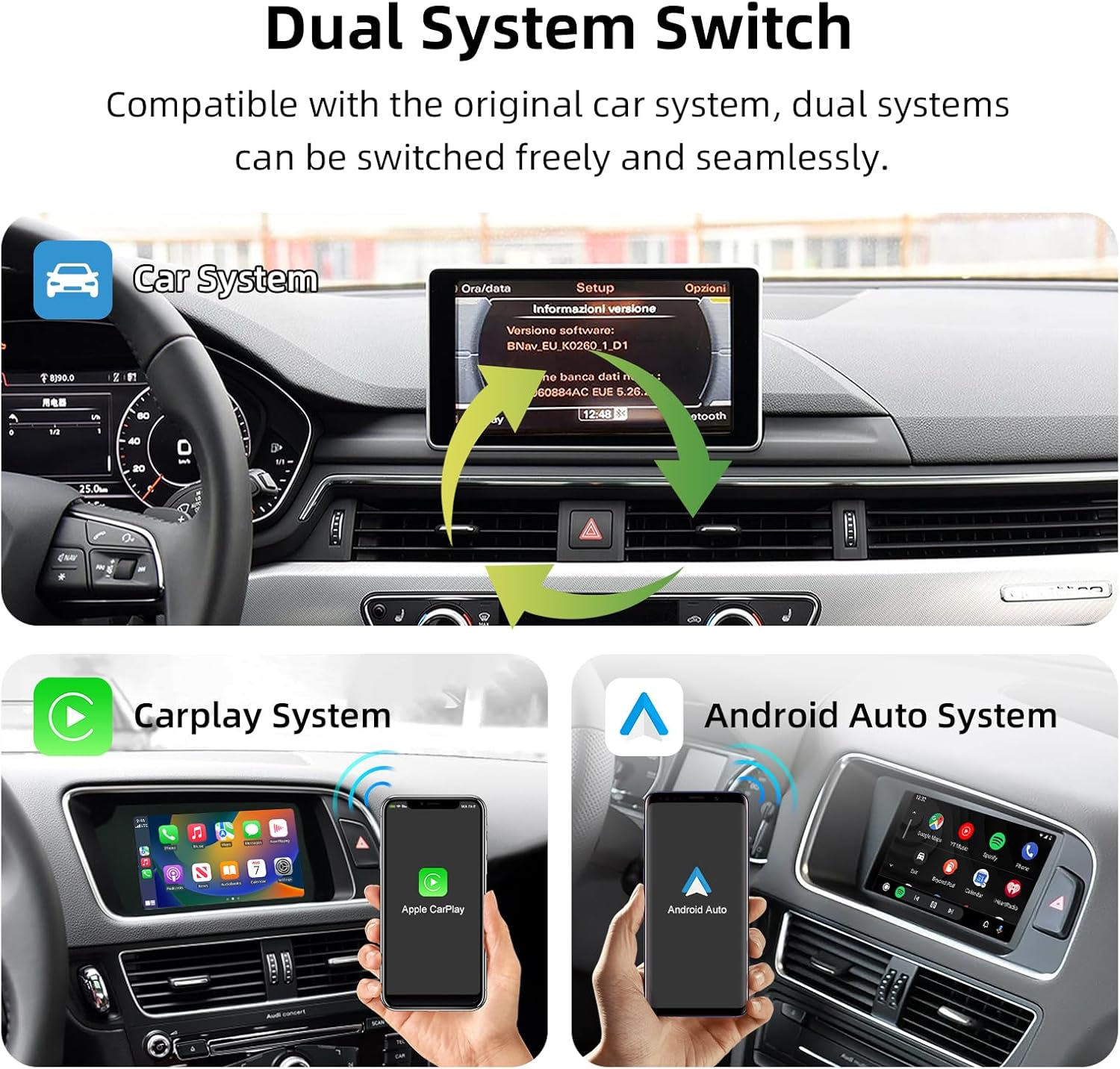
2.1. Dual System Switching
The adapter allows for free and seamless switching between the original Audi MMI system and the integrated CarPlay/Android Auto system.
2.2. Enhanced Infotainment
Experience a wide range of functions including Bluetooth connectivity, CarPlay, Android Auto, Mirror Link, Voice Control, Live Map navigation, and online entertainment.

2.3. Verifying MMI 3G System
To confirm your Audi has the MMI 3G system, navigate to the 'Setup' menu on your car's display and check the software version. The MMI 3G system typically includes MMI 3G Low/Basic, MMI 3G High, and MMI 3G+ variants.

3. Contingut del paquet
En obrir el paquet, assegureu-vos que hi hagi tots els elements següents:
- ANYFAR RM-AD3502Q Decoder Adapter
- Wiring Harnesses (specific to Audi MMI 3G)
- Cable LVDS
- Cable USB
- Micròfon
- Manual d'usuari (aquest document)
4. Guia d'instal·lació
Installation of the decoder adapter requires careful handling of your vehicle's electrical system and interior components. It is recommended that installation be performed by a qualified professional.
4.1. Llista de verificació prèvia a la instal·lació
- Assegureu-vos que el contacte del vehicle estigui apagat i que la bateria estigui desconnectada.
- Gather necessary tools (e.g., trim removal tools, screwdrivers, wire strippers).
- Confirm compatibility with your Audi MMI 3G system.
4.2. Esquema de cablejat
Follow the detailed wiring diagram below for correct connections. Incorrect wiring can damage the device or your vehicle's electronics.

4.3. General Installation Steps (Consult a professional)
- Carefully remove the necessary trim panels and the original head unit/display to access the MMI system's wiring.
- Connect the provided LVDS cable from the decoder to the original display cable.
- Connect the main power and CAN bus harness from the decoder to the vehicle's wiring, ensuring a secure fit.
- Route the USB cable and microphone to desired accessible locations.
- If installing a backup or front camera, connect the CVBS cables to the decoder's camera inputs.
- Secure the decoder module in a safe, dry location behind the dashboard.
- Reconnect the vehicle battery and test the system before reassembling the interior.
5. Guia de funcionament
5.1. Canvi entre sistemes
After installation, you can switch between your original Audi MMI system and the new CarPlay/Android Auto interface using a designated button or control on your vehicle's console, as per the installation configuration.
5.2. CarPlay sense fil i Android Auto
- Assegureu-vos que el Bluetooth i la Wi-Fi estiguin activats al vostre telèfon intel·ligent.
- On the car's display, select the CarPlay or Android Auto option.
- Pair your phone via Bluetooth with the decoder adapter (usually named 'ANYFAR' or similar).
- Follow the on-screen prompts to establish the wireless connection.
5.3. Funcionalitat d'enllaç mirall
To use Mirror Link (AirPlay for iOS, AutoLink for Android), select the Mirror Link option on the car's display. Follow the instructions to connect your smartphone and mirror its screen content.

5.4. Reproducció multimèdia USB
Insert a USB drive containing audio or video files into the provided USB port. Select the USB playback option on the car's display to browse and play your media.

5.5. Using Original Car Controls
The decoder adapter is designed to work seamlessly with your Audi's original controls, including the touchscreen (if applicable), steering wheel buttons, and MMI control knob. These controls will navigate both the original MMI system and the new interface.

5.6. Backup Camera Display
When the vehicle is shifted into reverse, the connected backup camera feed will automatically display on the car screen. The system supports both factory original and aftermarket cameras.
6. Solució De Problemes
If you encounter issues with your ANYFAR Decoder Adapter, refer to the following common problems and solutions:
| Problema | Causa possible | Solució |
|---|---|---|
| No display after installation | Incorrect wiring, loose connections, incompatible MMI system. | Check all wiring connections according to the diagram. Confirm MMI 3G compatibility. Ensure power supply is correct. |
| El CarPlay/Android Auto sense fil no es connecta | Bluetooth/Wi-Fi off on phone, incorrect pairing, signal interference. | Ensure phone's Bluetooth and Wi-Fi are active. Delete previous pairings and re-pair. Move phone closer to the adapter. |
| Audio issues (no sound, static) | Incorrect AUX input selection, loose audio cable connection. | Ensure the car's audio source is set to AUX. Check the AUX cable connection to the decoder. |
| Original controls not working | CAN bus wiring issue, software glitch. | Verify CAN bus connections. Restart the car and adapter. |
| La càmera de marxa enrere no es mostra | Camera not connected, incorrect camera input, faulty camera. | Check camera CVBS connection to the decoder. Ensure camera is powered correctly. |
Si el problema persisteix després d'intentar aquestes solucions, poseu-vos en contacte amb el servei d'atenció al client d'ANYFAR per obtenir més ajuda.
7. Especificacions
| Característica | Detall |
|---|---|
| Número de model | RM-AD3502Q |
| Compatibilitat | Audi A4 (2008-2016), A5 (2008-2016), Q5 (2010-2018) with MMI 3G |
| Connectivitat | USB, Wireless (Bluetooth, Wi-Fi for CarPlay/Android Auto) |
| Característiques especials | Wireless CarPlay, Wireless Android Auto, Mirror Link, USB Playback, Hands-Free Calling, Backup Camera Support |
| Mode de sortida d'àudio | estèreo |
| Pes de l'article | 1.76 lliures (0.8 kg) |
| Dimensions del paquet | 10.63 x 6.69 x 4.33 polzades (27 x 17 x 11 cm) |
8. Garantia i Suport
8.1. Garantia del producte
ANYFAR products are covered by a limited warranty against manufacturing defects. Please refer to the warranty card included in your package or visit the official ANYFAR weblloc web per conèixer els termes i condicions específiques de la garantia.
8.2. Atenció al client
For technical assistance, troubleshooting, or warranty claims, please contact ANYFAR customer support through their official channels. You can find more information and contact details on the ANYFAR Store on Amazon.
Ask a question about this manual
Ask about setup, troubleshooting, compatibility, parts, safety, or missing instructions. Manuals+ will review the question and use this page’s manual context to help answer it.