
1. Introducció
This manual provides instructions for the installation, operation, and maintenance of the ANYFAR Decoder RM-LH2523F. This device integrates advanced connectivity features such as Wireless CarPlay, Android Auto, Mirror Link, and backup camera support into compatible Land Rover and Jaguar vehicles, enhancing your in-car infotainment experience while retaining original vehicle controls.
2. Compatibilitat
The ANYFAR Decoder RM-LH2523F is specifically designed for certain Land Rover and Jaguar vehicles equipped with a Harman head unit and an 8-inch screen system. Please verify your vehicle's compatibility before installation.
Models de vehicles compatibles:
- Land Rover: Range Rover Evoque (2016–2019), Discovery 5 (2016–2019)
- Jaguar: XE (2016–2019), XF (2016–2019), XJL (2016–2019), F-Type (2016–2019)
Important: This decoder is compatible only with vehicles featuring an 8-inch Harman head unit. Incompatible systems include Bosch style units or 10.25-inch Harman style screens.

Figure 2.1: Visual guide for compatible 8-inch Harman screen styles (right) versus incompatible Bosch or 10.25-inch screens (left).

Figure 2.2: Detailed compatibility list for Land Rover and Jaguar models.
3. Característiques
- CarPlay sense fil i Android Auto: Enjoy seamless integration of your smartphone's navigation, music, calls, and messaging without physical connection.
- Enllaç de mirall i reproducció des d'unitat USB: Mirror your phone's display to the car screen for video playback or use the USB port for media files and device charging.
- Àudio d'alta fidelitat per al cotxe: Digital audio transmission ensures high-quality sound without interference or delay, preserving the original audio system's integrity.
- Conservar els controls originals del cotxe: Full functionality of the original touchscreen, voice control, physical buttons, and knobs is maintained after installation.
- Suport d'entrada de càmera de marxa enrere: Connect an aftermarket backup or front camera; the feed automatically displays when shifting into reverse.
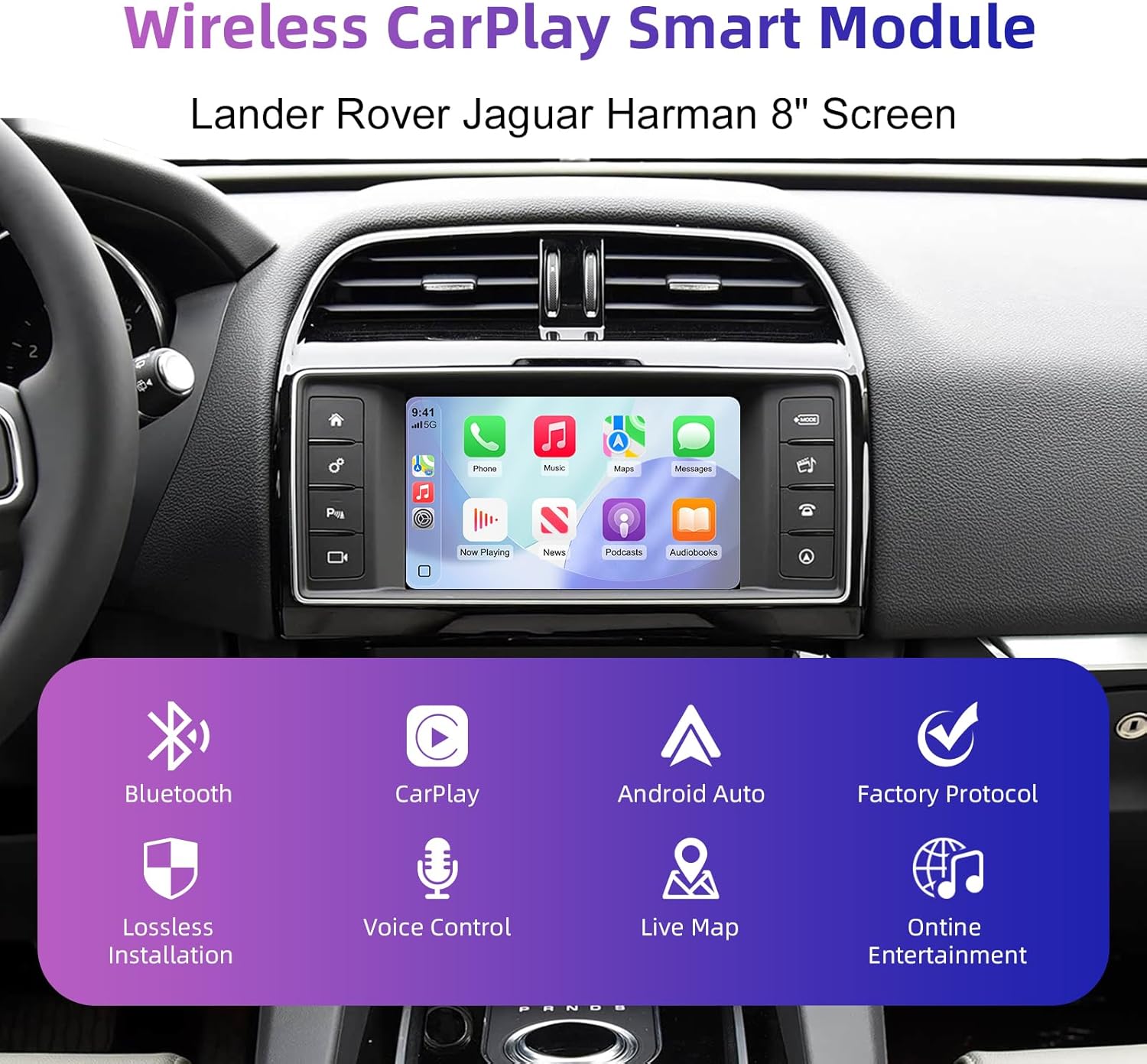
Figura 3.1: Mésview of the Wireless CarPlay Smart Module's core functionalities.
4. Què hi ha a la caixa
El paquet del producte inclou els articles següents:
- ANYFAR Decoder Unit
- Wiring Harnesses (specific to vehicle model)
- Cable USB
- Antena
Note: Additional accessories such as cameras or specific tools may be required for installation and are sold separately.
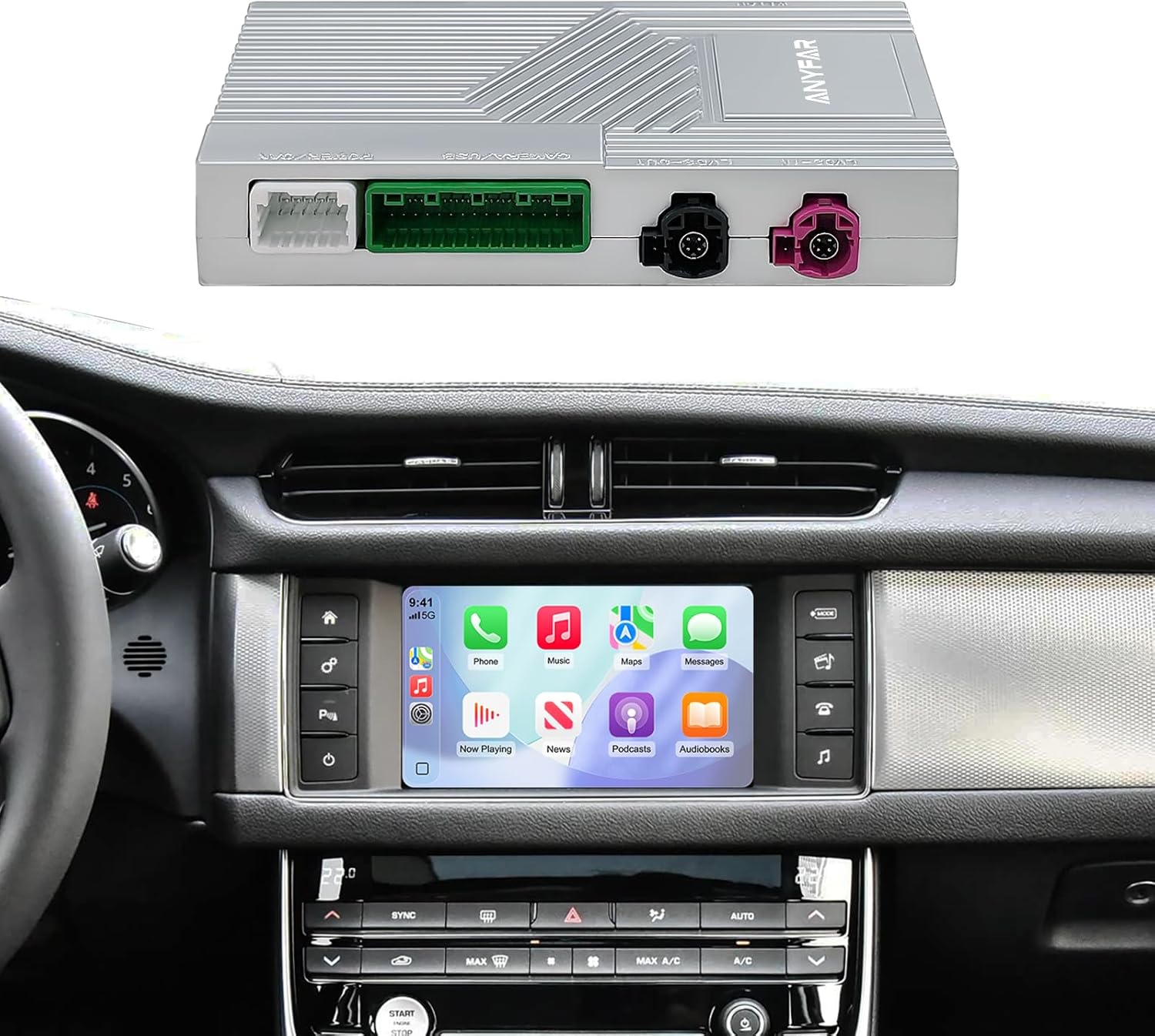
Figure 4.1: The ANYFAR decoder unit and its integration with a car's infotainment system.
5. Configuració (Instal·lació)
Installation of the ANYFAR Decoder RM-LH2523F requires technical knowledge and familiarity with automotive electronics. It is recommended that installation be performed by a qualified professional. Incorrect installation may damage the vehicle's electrical system or the decoder unit.
Passos generals d'instal·lació:
- Preparació: Assegureu-vos que el contacte del vehicle estigui apagat i que la bateria estigui desconnectada.
- Unitat principal d'accés: Carefully remove the necessary trim panels to access the vehicle's factory head unit.
- Connecta el descodificador: Integrate the decoder unit into the vehicle's wiring harness using the provided cables. This typically involves connecting between the factory head unit and the display.
- Cables de ruta: Securely route all cables to prevent interference or damage.
- Funcionalitat de prova: Torneu a connectar la bateria i proveu totes les funcions abans de tornar a muntar el quadre de comandament.
- Secure Decoder: Mount the decoder unit in a safe, accessible location within the dashboard.
- Torneu a muntar: Torneu a instal·lar tots els panells de guarnició.
For detailed, vehicle-specific installation instructions, please refer to the separate installation guide provided with your purchase or consult a professional installer.
6. Instruccions de funcionament
6.1 Canvi entre sistemes
To switch between the factory OEM car system and the CarPlay/Android Auto system, long-press the "Home" button on your car's knob or central control panel. This action toggles the display between the two interfaces.

Figure 6.1: Switching between OEM and integrated CarPlay/Android Auto systems.
6.2 CarPlay sense fil i Android Auto
- Parella Bluetooth: First, pair your smartphone with the car's Bluetooth system.
- Connect CarPlay/Android Auto: Once Bluetooth is paired, the system will prompt you to connect to CarPlay or Android Auto. Confirm the connection on your phone and the car screen.
- Sortida d'àudio: Ensure audio output is set to the car's Bluetooth for optimal sound quality.

Figure 6.2: Steps for establishing Bluetooth audio output for CarPlay/Android Auto.
6.3 Control de veu
The system supports intelligent voice control (Siri for CarPlay, Google Assistant for Android Auto). Activate voice control by pressing the voice command button on your steering wheel or by saying the wake phrase (e.g., "Hey Siri" or "Hey Google").
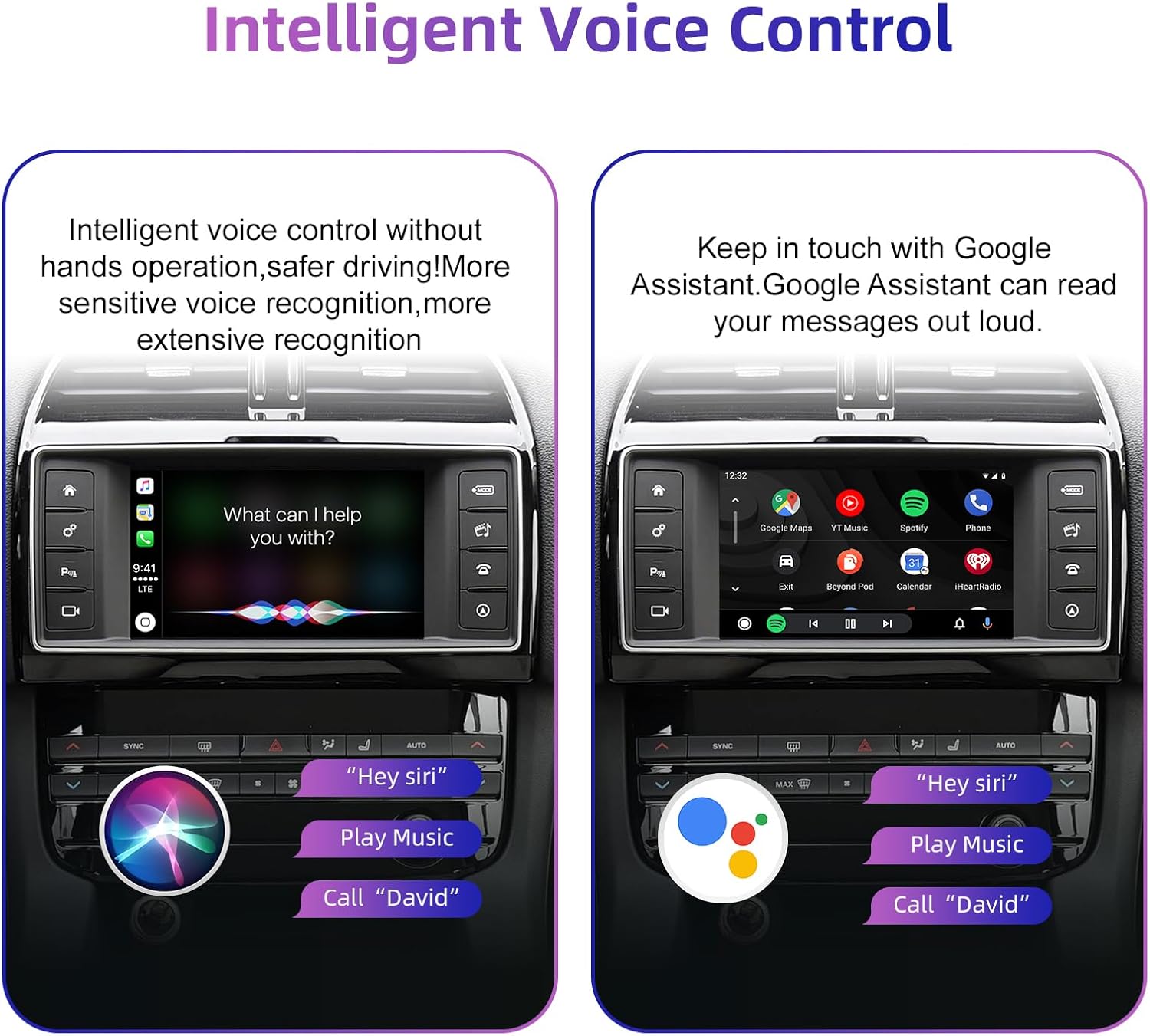
Figure 6.3: Using voice commands with Siri and Google Assistant.
6.4 Conservació dels controls originals del cotxe
The decoder allows continued use of your vehicle's existing control mechanisms:
- Botons del volant: Control volume, track skipping, and voice awakening.
- Central Control Panel: Use physical buttons and knobs for navigation and system switching.
- Pantalla tàctil: Interact directly with the display for all functions.

Figure 6.4: Continued use of original car controls with the decoder installed.
6.5 Funcionalitat de la càmera de marxa enrere
If an aftermarket backup camera is connected, it will automatically display its feed on the car screen when the vehicle is shifted into reverse gear. This feature enhances parking safety.

Figure 6.5: Backup camera display on the car screen.
7. Manteniment
To ensure optimal performance and longevity of your ANYFAR Decoder, follow these general maintenance guidelines:
- Neteja: Keep the decoder unit and its connections free from dust and debris. Use a soft, dry cloth for cleaning. Avoid liquid cleaners directly on the unit.
- Actualitzacions de programari: Reviseu periòdicament el fabricant website or contact support for any available software or firmware updates. Updates can improve performance, add features, or resolve issues.
- Condicions ambientals: Eviteu exposar la unitat a temperatures extremes, a la llum solar directa durant períodes prolongats o a una humitat excessiva.
8. Solució De Problemes
If you encounter issues with your ANYFAR Decoder, refer to the following common troubleshooting steps:
- Sense pantalla/Pantalla negra:
- Assegureu-vos que tots els cables estiguin ben connectats.
- Verify the correct input source is selected on your car's head unit (if applicable).
- Try restarting the car's ignition.
- Sense àudio:
- Confirm your phone is paired via Bluetooth to the car's system.
- Check the audio output settings on your phone and the car's infotainment system.
- Ensure the car's volume is not muted or set too low.
- CarPlay/Android Auto no es connecta:
- Assegureu-vos que el Bluetooth i la Wi-Fi estiguin activats al vostre telèfon intel·ligent.
- Oblida't del dispositiu des de la configuració de Bluetooth del telèfon i torna a emparellar-lo.
- Reinicieu el vostre telèfon intel·ligent.
- Connectivitat intermitent:
- Check for potential signal interference from other devices.
- Ensure the decoder's antenna (if external) is properly positioned.
If problems persist after attempting these steps, please contact ANYFAR customer support for further assistance.
9. Especificacions
| Característica | Especificació |
|---|---|
| Número de model | RM-LH2523F |
| Marca | A QUALSEVOL LLUNY |
| Tecnologia de connectivitat | USB, Wireless (Bluetooth, Wi-Fi for CarPlay/Android Auto) |
| Dispositius compatibles | Telèfon intel·ligent (iOS/Android) |
| Característica especial | Hands-Free Calling, Voice Control, Mirror Link |
| Mode de sortida d'àudio | estèreo |
| Pes de l'article | 1.76 lliures |
| Dimensions del paquet | 10.63 x 6.69 x 4.33 polzades |
10. Garantia i assistència
For warranty information and customer support, please refer to the documentation included with your purchase or visit the official ANYFAR website. Ensure you have your product model number (RM-LH2523F) and purchase details available when contacting support.
Fabricant: Huizhou Rhythm Technology Co, Ltd