
1. Introducció
Gràcies per la compraasing the Dyurwa ZY02 Portable Bluetooth Speaker. This manual provides essential information for setting up, operating, and maintaining your speaker. Please read it thoroughly before use to ensure optimal performance and longevity of your device.
2. Informació de seguretat
- No exposeu l'altaveu a temperatures extremes ni a la llum solar directa durant períodes prolongats.
- Eviteu deixar caure o sotmetre l'altaveu a forts impactes.
- Mantingueu l'altaveu allunyat de dispositius mèdics, ja que podria interferir amb el seu funcionament.
- No intenteu desmuntar, reparar o modificar l'altaveu vosaltres mateixos. Poseu-vos en contacte amb personal de servei qualificat si cal.
- Assegureu-vos que la tapa del port de càrrega estigui ben tancada quan utilitzeu l'altaveu a prop de l'aigua per mantenir la seva classificació d'impermeabilitat IPX7.
3. Contingut del paquet
- 1 x Dyurwa ZY02 Portable Bluetooth Speaker
- 1 x cable de càrrega tipus C
- 1 x Quick Start Guide (this document)
4. Producte acabatview
Controls i Ports
Familiarize yourself with the buttons and ports on your Dyurwa ZY02 speaker:

Figure 1: Top-mounted control buttons and side profile of the Dyurwa ZY02 speaker.
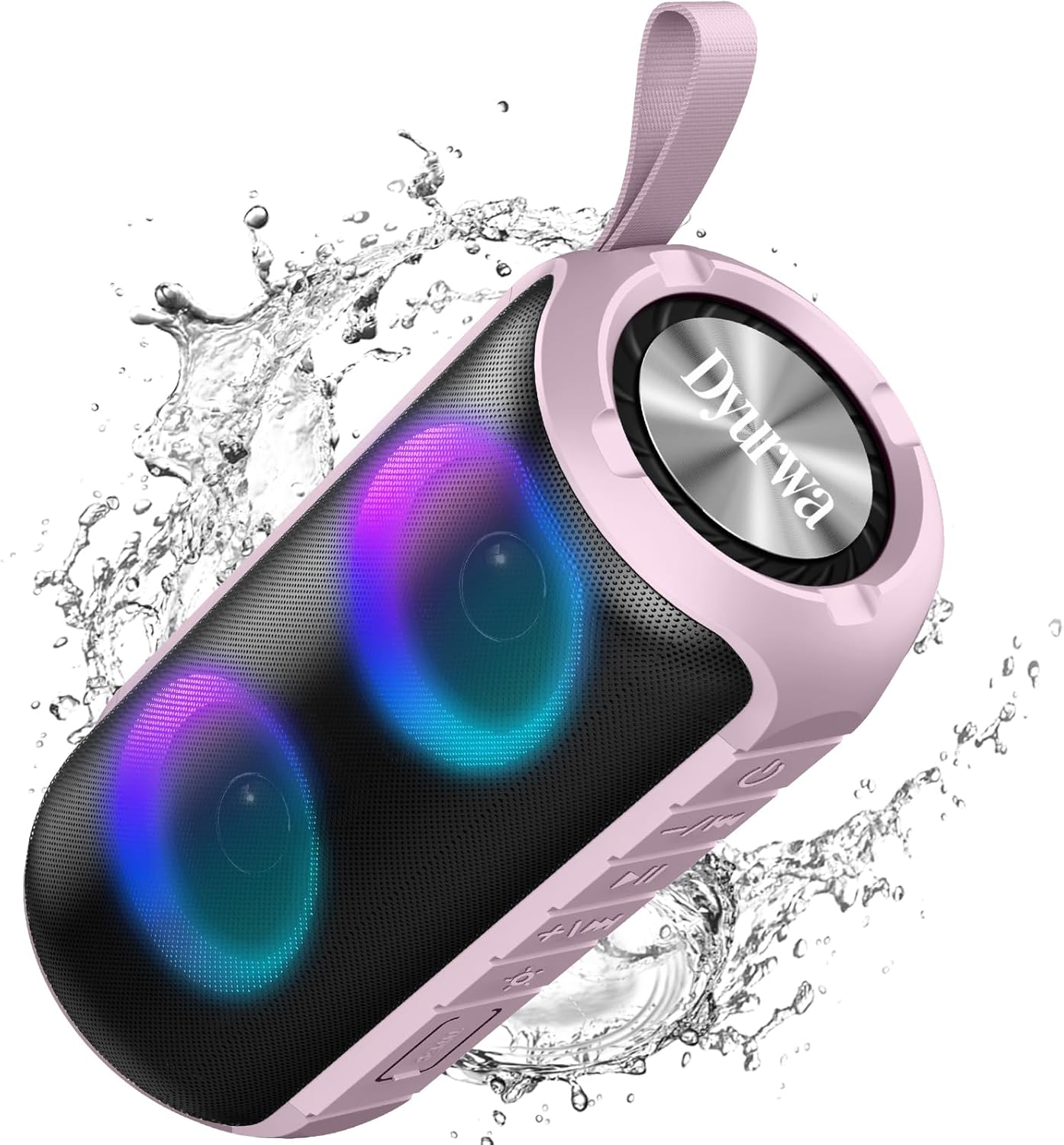
Figure 2: The sealed port area on the Dyurwa ZY02 speaker, revealing the Type-C charging port and a memory card slot.
Vídeo 1: Un breu resumview of the Dyurwa ZY02 speaker's physical features, including its buttons, ports, and dynamic LED lighting effects.
5. Configuració
5.1 Càrrega de l'altaveu
Before first use, fully charge your speaker. Use the provided Type-C charging cable to connect the speaker to a compatible USB power source. The charging time is approximately 2-3 hours.

Figure 3: The Dyurwa ZY02 speaker highlighting its 12-hour battery life, with a note that continuous playtime varies by volume and light settings.
5.2 Vinculació Bluetooth
- Power on the speaker by pressing and holding the power button. The LED indicator will flash, indicating it's in pairing mode.
- Al dispositiu (telèfon intel·ligent, tauleta, ordinador), activeu el Bluetooth i cerqueu els dispositius disponibles.
- Select "ZY02" from the list of devices.
- Once connected, the speaker will emit an audible confirmation, and the LED indicator will remain solid.

Figure 4: The Dyurwa ZY02 speaker connected to a laptop, illustrating its Bluetooth 5.3 multi-device compatibility.
5.3 Emparellatge estèreo sense fil veritable (TWS)
To pair two ZY02 speakers for a stereo sound experience:
- Assegureu-vos que tots dos altaveus estiguin apagats i no connectats a cap dispositiu.
- Enceneu els dos altaveus.
- On one speaker (this will be the primary speaker), double-press the power button. It will search for the secondary speaker.
- Once connected, both speakers will emit a confirmation tone, and their LED indicators will synchronize.
- Connect your device to the primary speaker via Bluetooth as described in section 5.2.
6. Instruccions de funcionament
6.1 Funcions bàsiques
- Encès/apagat: Manteniu premut el botó d'encesa durant 3 segons.
- Reproduir/pausa: Premeu breument el botó Reproduir/Pausa.
- Pujar el volum: Premeu breument el botó '+'.
- Baixar el volum: Premeu breument el botó '-'.
- Pista següent: Premeu llargament el botó '+'.
- Pista anterior: Premeu llargament el botó '-'.
6.2 modes d'il·luminació RGB
The speaker features dynamic RGB lights that can be customized:

Figure 5: The Dyurwa ZY02 speaker displaying its dynamic RGB lighting, with an icon indicating the button to browse different vibrant modes.
- Canvia el mode de llum: Short press the light button (often indicated by a sun or lightbulb icon) to cycle through available RGB lighting effects.
- Apagar els llums: Continue pressing the light button until the lights turn off.
- The lights can also pulse with the rhythm of the music.
Video 2: Demonstration of the Dyurwa ZY02 speaker's RGB lighting features, showing how the lights change and react to sound.
6.3 Trucades de mans lliures
With its built-in microphone, the speaker supports hands-free calling when connected to your smartphone:

Figure 6: The Dyurwa ZY02 speaker facilitating a hands-free call in an office environment, showcasing its built-in microphone functionality.
- Respondre/Finalitzar la trucada: Premeu breument el botó Reproduir/Pausa.
- Rebutja la trucada: Premeu llargament el botó Reproduir/Pausa.
7. Manteniment
7.1 Waterproof Design (IPX7)
The Dyurwa ZY02 speaker features an IPX7 waterproof rating, meaning it can be submerged in up to 1 meter of water for 30 minutes. This makes it suitable for use in showers, by the pool, or at the beach.

Figure 7: The Dyurwa ZY02 speaker demonstrating its IPX7 waterproof capability by being partially submerged in water.

Figure 8: The Dyurwa ZY02 speaker on a beach, showcasing its durable and IPX7 waterproof design, suitable for outdoor use.
- Assegureu-vos sempre que la tapa del port de càrrega estigui ben segellada abans d'exposar l'altaveu a l'aigua.
- Després de l'exposició a l'aigua, eixugueu l'altaveu amb un drap suau.
- Do not charge the speaker if the charging port is wet.
7.2 Neteja
Utilitzeu un suau, damp cloth to clean the exterior of the speaker. Do not use harsh chemicals or abrasive cleaners.
8. Solució De Problemes
| Problema | Causa possible | Solució |
|---|---|---|
| L'altaveu no s'encén | Bateria baixa | Carregueu l'altaveu completament. |
| No es pot emparellar amb el dispositiu | Bluetooth no habilitat al dispositiu; l'altaveu no està en mode d'emparellament; massa lluny del dispositiu | Ensure Bluetooth is on, speaker is in pairing mode, and within 10 meters. Restart both devices. |
| Sense so ni volum baix | Volum massa baix a l'altaveu o al dispositiu; font d'àudio incorrecta | Increase volume on both speaker and device. Check device's audio output settings. |
| L'aparellament de TWS ha fallat | Speakers not reset or too far apart | Ensure both speakers are disconnected from other devices. Place them close together and retry TWS pairing. |
9. Especificacions
| Característica | Detall |
|---|---|
| Marca | Dyurwa |
| Número de model | ZY02 |
| Tecnologia de connectivitat | Bluetooth, AUX |
| Tecnologia sense fils | Bluetooth 5.3 |
| Mode de sortida d'àudio | estèreo |
| Potència de sortida màxima dels altaveus | 180 watts |
| Capacitat de la bateria | 1800 mAh |
| Durada mitjana de la bateria | 12 Hours (varies by volume/light settings) |
| Temps de càrrega de la bateria | 2-3 hores |
| Classificació impermeable | IPX7 |
| Rang de connexió | > 10 M |
| Dimensions de l'article (D x W x H) | 2.54 "P x 5" W x 4" H |
| Pes | 216 g |
| Mitjans integrats | Cable d'alimentació |
| Nombre de canals d'àudio | 2.0 |
| Tipus de controlador d'àudio | Conductor dinàmic |
10. Garantia i Suport
The Dyurwa ZY02 Portable Bluetooth Speaker comes with a limited warranty. For specific warranty details and support inquiries, please refer to the warranty card included in your package or contact Dyurwa customer service.
For technical support or further assistance, please visit the official Dyurwa weblloc o poseu-vos en contacte amb el seu equip d'atenció al client.