
1. Introducció
This manual provides essential instructions for the safe and efficient operation of your OOYCYOO 100A MPPT Solar Charge Controller. Please read this manual thoroughly before installation and use, and retain it for future reference. This controller is designed to optimize power harvesting from your solar panels and manage battery charging for various 12V, 24V, 36V, and 48V battery systems.
2. Instruccions de seguretat
- Ensure all wiring is correctly polarized (+ to + and - to -) to prevent damage to the controller and connected devices.
- Always connect the battery first, then the solar panels, and finally the load. Disconnect in reverse order.
- Install appropriate circuit breakers for each line (solar, battery, load) to protect against overcurrent.
- Mount the controller in a well-ventilated area, away from direct sunlight, high temperatures, and moisture.
- No intenteu desmuntar ni reparar el controlador vosaltres mateixos. Poseu-vos en contacte amb personal qualificat per al servei tècnic.
- Utilitzeu l'equip de protecció individual (EPI) adequat durant la instal·lació, incloent-hi guants i protecció ocular.
3. Producte acabatview
The OOYCYOO 100A MPPT Solar Charge Controller utilizes advanced Maximum Power Point Tracking (MPPT) technology to achieve up to 99% tracking efficiency and 98% peak conversion efficiency. It supports a wide range of battery types and system voltages, ensuring optimal charging and system protection.
Característiques principals:
- Compatibilitat de la bateria: Supports 12V/24V/36V/48V Lead-acid (Sealed, Gel, AGM, Flooded) and Lithium batteries.
- Alta eficiència: Up to 99% tracking efficiency and 98% peak conversion efficiency.
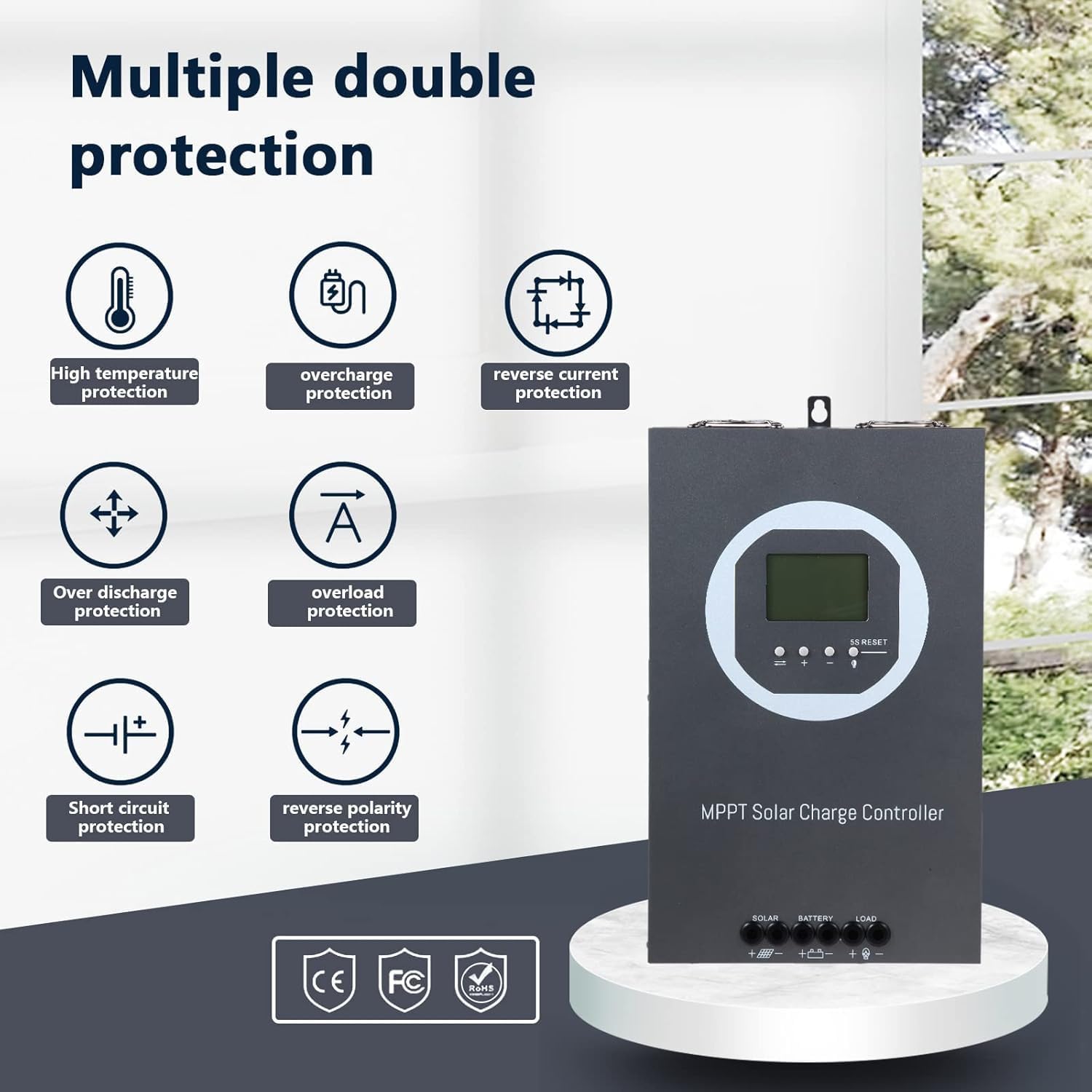
- Protecció integral: Includes PV array short-circuit, PV input over-current, load short-circuit, PV/battery polarity reversal, and over-temperature protection.
- Vol. Amplitage/Power Support: Volum d'entrada PV màximtage up to 150V. Max input power up to 5000W (for 48V system).
- Refrigeració eficient: Die-cast aluminum construction with a turbofan for active cooling (activates >45°C, turns off <40°C).
- Pantalla LCD: Provides real-time system information.
Identificació de components:


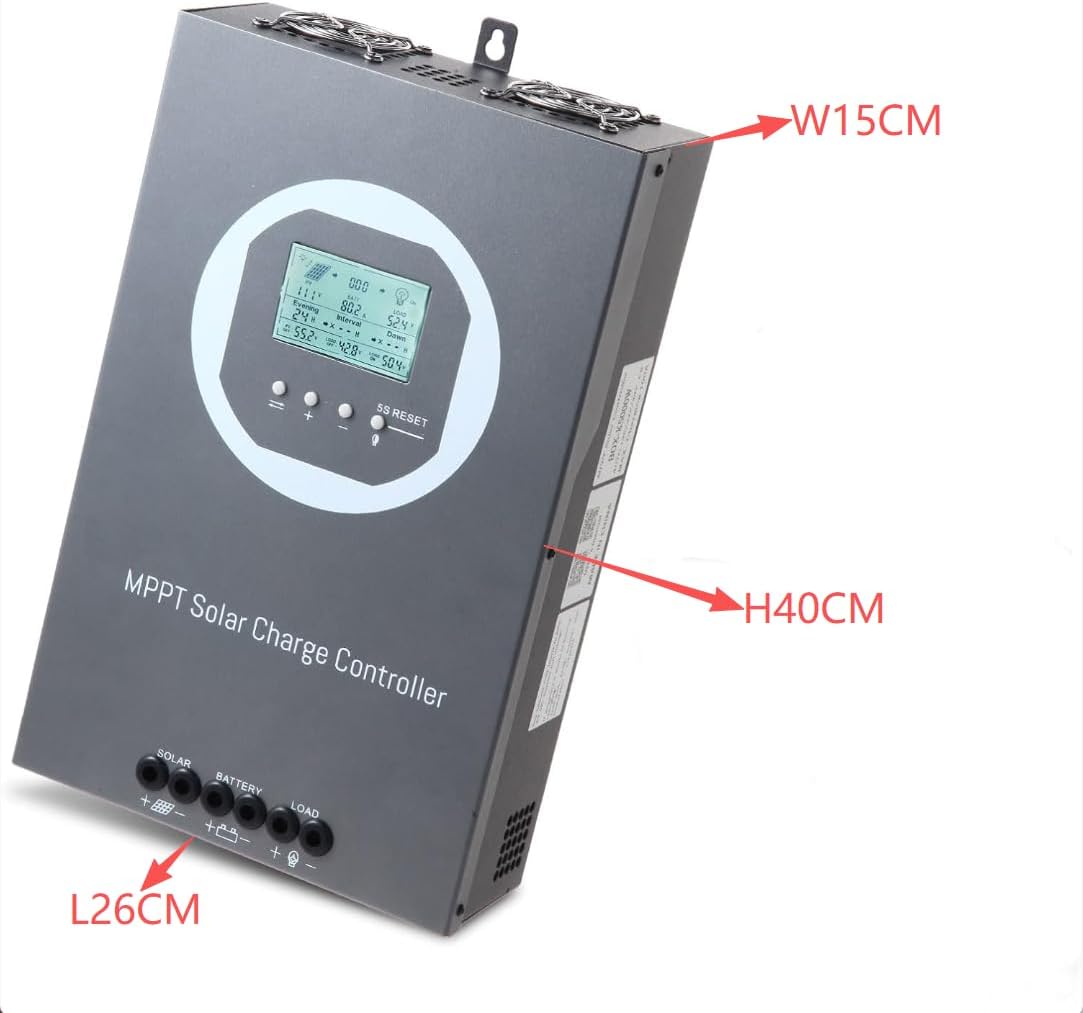
4. Configuració i instal·lació
4.1 Muntatge del controlador
Mount the controller vertically on a wall or suitable surface using screws. Ensure there is ample space around the controller for proper heat dissipation. Avoid mounting in direct sunlight or areas with high humidity.
4.2 Connexions de cablejat
Follow the connection order carefully to prevent damage. Always connect the battery first, then the solar panels, and finally the load.
- Connexió de la bateria: Connect the battery positive and negative terminals to the controller's BATTERY terminals. Ensure correct polarity.
- Connexió del panell solar: Connect the solar array positive and negative terminals to the controller's SOLAR terminals. Ensure correct polarity.
- Connexió de càrrega: Connect the DC load positive and negative terminals to the controller's LOAD terminals. Ensure correct polarity.

4.3 Selecció del tipus de bateria
After initial power-up, configure the battery type on the controller's LCD display. The controller supports Lead-acid (Sealed, Gel, AGM, Flooded) and Lithium batteries. Refer to the detailed operating instructions for navigating the menu and selecting the appropriate battery type.
4.4 Parallel Communication Setup (Optional)
For systems requiring multiple charge controllers, parallel communication can be established. This allows controllers to synchronize their operations. The following video demonstrates the process:
5. Instruccions de funcionament
5.1 Informació de la pantalla LCD
The LCD display provides real-time monitoring of your solar system's status. Information typically includes:
- Volum d’entrada PVtage i Poder
- Voltage and Charging Current
- Load Output Current and Power
- Temperatura de la bateria
- Estat del sistema i codis d'error
5.2 Funcions dels botons
The controller features several buttons for navigation and settings adjustment:
- PV/SET: Acostumat a view PV parameters and enter/save settings.
- BAT/▲: Acostumat a view battery parameters and increase values in settings.
- BAT/▼: Acostumat a view battery parameters and decrease values in settings.
- LOAD/5S RESET: Used to control load output and perform a 5-second reset.
For detailed operation and setting adjustments, refer to the specific instructions in the full product manual.
5.3 General Operation Demonstration
The following videos provide visual demonstrations of the controller's basic operation and connection procedures:
6. Manteniment
6.1 Sistema de refrigeració
The controller is equipped with a die-cast aluminum casing and a turbofan for efficient heat dissipation. The fan activates automatically when the internal temperature exceeds 45°C and turns off when it drops below 40°C. Ensure the ventilation openings are clear of obstructions to maintain optimal cooling performance.

6.2 Atenció general
- Regularly inspect all wiring connections for tightness and corrosion.
- Mantingueu el controlador net i lliure de pols i brutícia. Feu servir un drap sec per netejar-lo.
- Periodically check the battery terminals for any signs of wear or damage.
7. Solució De Problemes
This section provides guidance for common issues. For complex problems, consult the full product manual or contact customer support.
Problemes comuns:
- Sense alimentació/pantalla: Check battery connections and ensure the battery circuit breaker is closed.
- Sense càrrega: Verify solar panel connections, ensure sufficient sunlight, and check for any PV array short-circuits.
- La càrrega no funciona: Check load connections, ensure the load output is enabled, and verify the load is not exceeding the controller's capacity.
- Codis d'error: Refer to the specific error code definitions in the comprehensive manual for diagnostic steps.

8. Especificacions
| Característica | Especificació |
|---|---|
| Marca | OOYCYOO |
| Número de model | 100A 48V 36V 24V 12V |
| Volum del sistematage | 12V/24V/36V/48V Automàtic |
| Volum d'entrada PV màximtage | 150 V |
| Max Input Power (12V System) | 1200W (PV input voltage range: DC20V~DC80V) |
| Max Input Power (24V System) | 2400W (PV input voltage range: DC37V~DC105V) |
| Max Input Power (36V System) | 3600W (PV input voltage range: DC50V~DC150V) |
| Max Input Power (48V System) | 4800W (PV input voltage range: DC72V~DC150V) |
| Tipus de bateria compatibles | Lead-acid (Sealed, Gel, AGM, Flooded), Lithium |
| Eficiència de seguiment | Fins al 99% |
| Eficiència de conversió | Fins al 98% |
| Refrigeració | Die-cast aluminum with turbofan |
| Tipus de visualització | LCD |
| Pes de l'article | 8.58 lliures |
| Dimensions del paquet | 15.75 x 10.24 x 5.91 polzades |
| Material | Alumini |

9. Informació de la garantia
Please refer to the product packaging or the official OOYCYOO website for detailed warranty terms and conditions. Typically, products are covered against manufacturing defects for a specified period from the date of purchase.
10. Atenció al client
For technical assistance, troubleshooting, or any inquiries regarding your OOYCYOO MPPT Solar Charge Controller, please contact OOYCYOO customer support through the vendor's contact information provided at the point of purchase or on their official weblloc.