
NEWFAST NF-U329
NEWFAST AC1300 NF-U329 USB WiFi Adapter User Manual
Model: NF-U329
1. Producte acabatview
The NEWFAST AC1300 NF-U329 USB WiFi Adapter is designed to provide wireless network connectivity for desktop PCs. It supports 802.11ac wireless standards and operates on dual bands (2.4GHz and 5GHz) to deliver a combined data transfer rate of up to 1300Mbps. This adapter features four external antennas for enhanced signal reception and coverage, and utilizes a USB 3.0 interface for stable data transmission. It also supports MU-MIMO technology for efficient multi-user data handling and includes a Soft AP function to create a Wi-Fi hotspot.
2. Contingut del paquet
En obrir el paquet, comproveu que hi hagi tots els elements:
- 1 x NEWFAST AC1300 USB WiFi Adapter (Model NF-U329)
- 1 x Micro USB 3.0 Type B Data Cable
- 1 x Manual d'usuari
Video: NF-U329 Product Packaging Unboxing. This video demonstrates the unboxing process and shows the contents included in the NEWFAST AC1300 NF-U329 USB WiFi Adapter package.

Image: The NEWFAST AC1300 NF-U329 USB WiFi Adapter, featuring its four adjustable antennas and compact design.
3. Configuració i instal·lació del controlador
Follow these steps to set up your NEWFAST AC1300 NF-U329 USB WiFi Adapter:
- Connecteu l'adaptador: Plug the Micro USB 3.0 Type B data cable into the adapter, then connect the USB 3.0 end of the cable to an available USB 3.0 port on your desktop PC. Ensure the connection is secure.
- Instal·lació del controlador:
- The adapter comes with pre-installed drivers. After connecting the adapter, your computer should recognize it as a storage device (e.g., "CD-Drive (F) WIRELESS NETWORK").
- Open "This PC" or "My Computer", locate the recognized drive, and double-click it.
- Find and double-click the "Setup" application to begin the driver installation.
- Seguiu les indicacions a la pantalla per completar la instal·lació.
- Un cop finalitzada la instal·lació, reinicieu l'ordinador si se us demana.
- Connecta't a Wi-Fi:
- After restarting, click on the network icon (usually a Wi-Fi symbol) in the lower right corner of your desktop (system tray).
- Select "Network & Internet settings" or directly choose the desired Wi-Fi network from the list.
- Enter the network security key (Wi-Fi password) and click "Next" or "Connect".
- L'ordinador ara hauria d'estar connectat a la xarxa Wi-Fi.
Video: NF-U329 USB WiFi Adapter Installation Guide. This video provides a visual guide for connecting the adapter, installing drivers, and connecting to a Wi-Fi network on a Windows PC.

Image: A visual representation of the three-step easy setup process: insert the adapter, install the driver, and connect to Wi-Fi.
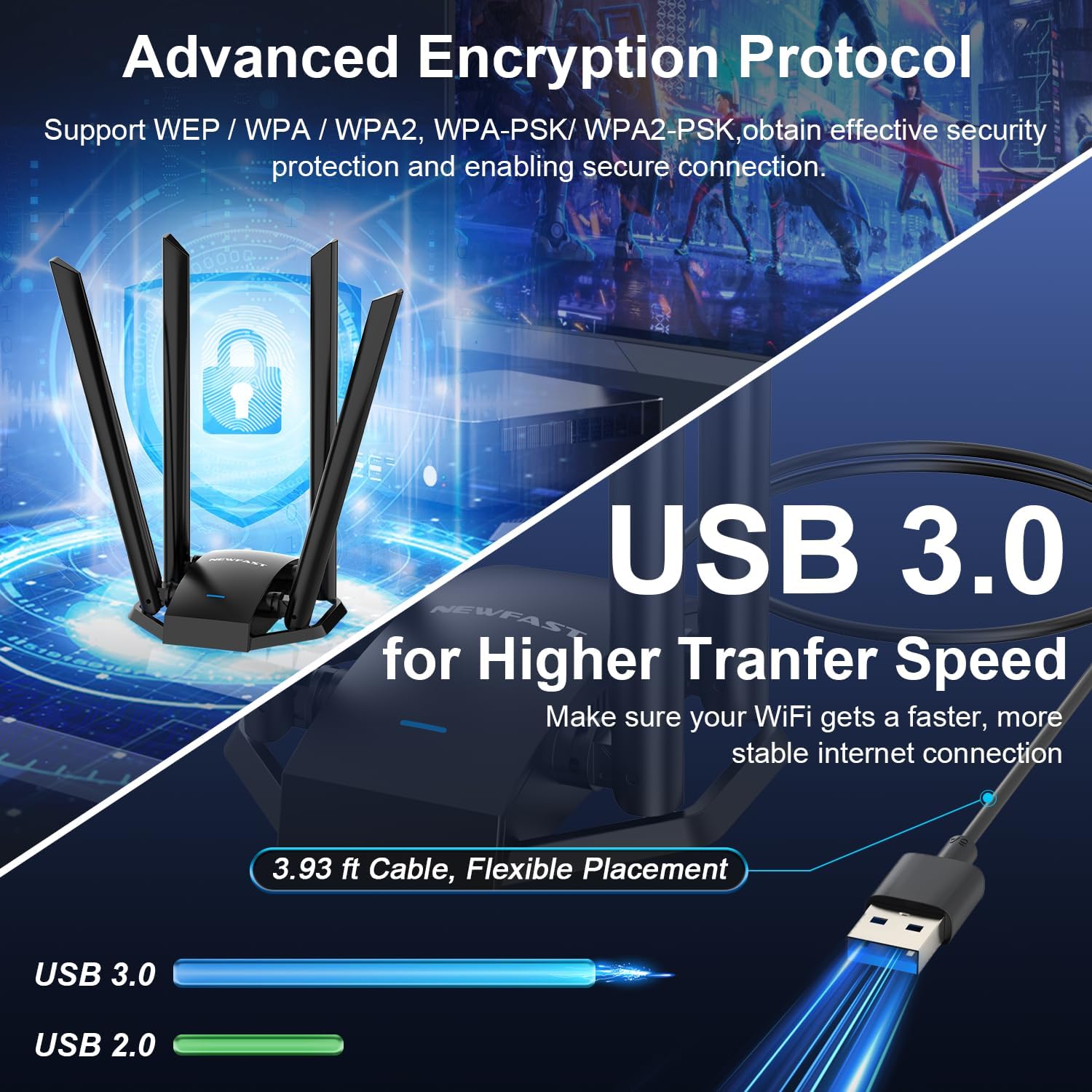
Image: This image highlights the USB 3.0 interface for higher data transfer speeds and the advanced encryption protocols (WPA-WEP/WPA-PSK/WPA2-PSK) supported by the adapter.
4. Modes de funcionament
The NEWFAST AC1300 NF-U329 USB WiFi Adapter supports two primary operating modes:
- Mode d'estació: In this mode, the adapter acts as a signal receiver, allowing your desktop or laptop PC to connect to an existing Wi-Fi network. This is the standard mode for accessing the internet wirelessly.
- Soft AP Mode: This function allows the adapter to turn a wired network connection into a Wi-Fi hotspot. Your PC, when connected to a wired network, can then transmit a wireless signal, enabling other Wi-Fi devices (smartphones, tablets, etc.) to connect to the internet through your PC.

Image: Illustration of the Soft AP Mode, showing the adapter creating a Wi-Fi hotspot for multiple devices.
5. Especificacions
| Característica | Descripció |
|---|---|
| Model | NF-U329 |
| Estàndard sense fils | IEEE 802.11ac, IEEE 802.11b, IEEE 802.11g, IEEE 802.11n |
| Velocitat de transferència de dades | Fins a 1300 Mbps (867 Mbps a 5 GHz, 300 Mbps a 2.4 GHz) |
| Bandes de freqüència | 2.4 GHz i 5 GHz |
| Antenes | 4 x 6dBi Dual-Band Antennas |
| Interfície | Micro USB 3.0 Type B (compatible with USB 2.0) |
| Xifratge de seguretat | WPA-WEP/WPA-PSK/WPA2-PSK |
| Suport del sistema operatiu | Windows XP/7/8/8.1/10/11 |
| Dimensions del producte | 6.89 x 3.85 x 3.97 polzades |
| Pes de l'article | 9.6 unces |

Imatge: Un cop mésview of the NEWFAST AC1300 Dual Band USB3.0 Wireless Adapter's key features, including 2.4G/5G support, 4*6dBi antennas, USB3.0, AC1300 speeds, Soft AP, and MT7612UN chipset.

Image: Visualizing the adapter's speed capabilities, showing 400Mbps on 2.4GHz and 867Mbps on 5.8GHz, contributing to a total of 1300Mbps.
6. Solució De Problemes
- No s'han detectat xarxes Wi-Fi:
- Assegureu-vos que l'adaptador estigui ben connectat a un port USB.
- Verify that the drivers are correctly installed. Check Device Manager for any yellow exclamation marks next to the network adapter.
- Reinicieu l'ordinador.
- Confirm that your router's Wi-Fi is enabled and broadcasting.
- Velocitat de connexió lenta:
- Ensure the adapter is connected to a USB 3.0 port for optimal performance. USB 2.0 ports will limit speed.
- Try connecting to the 5GHz band if available, as it generally offers higher speeds and less interference, especially for activities like streaming or gaming.
- Position the adapter for optimal signal reception. The four external antennas can be adjusted.
- Reduce physical obstructions (walls, large furniture) between the adapter and your Wi-Fi router.
- Check for other devices causing interference on the same Wi-Fi channel.
- Desconnexions freqüents:
- Ensure the adapter's drivers are up to date.
- Check for strong signal strength. If the signal is weak, reposition the adapter or consider a Wi-Fi extender.
- Verify that your router's firmware is updated.
- Disable power-saving features for the USB port in Device Manager to prevent the system from turning off the adapter.
- Problemes d'instal·lació del controlador:
- If the automatic driver installation fails, try manually browsing the "CD-Drive (F) WIRELESS NETWORK" drive and running the "Setup" executable.
- Ensure your operating system is supported (Windows XP/7/8/8.1/10/11).
- Temporarily disable antivirus software during installation if it interferes.

Image: Depiction of the four high-gain antennas providing broader coverage and stronger signals, even through walls and floors.
7. Manteniment
To ensure optimal performance and longevity of your NEWFAST AC1300 NF-U329 USB WiFi Adapter:
- Mantenir net: Periodically clean the adapter and its antennas with a soft, dry cloth to prevent dust buildup, which can affect performance.
- Actualitzacions de controladors: Check the NEWFAST official website periodically for updated drivers to ensure compatibility and performance improvements.
- Tractament adequat: Avoid dropping the adapter or subjecting it to excessive force. Handle the antennas carefully when adjusting their position.
- Condicions ambientals: Use the adapter in a well-ventilated area and avoid extreme temperatures or humidity.
8. Garantia i Suport
For warranty information, technical support, or further assistance with your NEWFAST AC1300 NF-U329 USB WiFi Adapter, please refer to the contact information provided in the product packaging or visit the official NEWFAST weblloc web. Conserveu el rebut de compra com a comprovant de compra per a reclamacions de garantia.
Ask a question about this manual
Ask about setup, troubleshooting, compatibility, parts, safety, or missing instructions. Manuals+ will review the question and use this page’s manual context to help answer it.