
1. Introducció
Thank you for choosing the Dekala Sunrise Alarm Clock with 3-in-1 Wireless Charger. This device combines a sunrise simulation alarm clock, a white noise sound machine, a night lamp with various light settings, and a convenient wireless charging station for compatible devices. This manual provides detailed instructions to help you set up and operate your new alarm clock effectively.
2. Producte acabatview
The Dekala Sunrise Alarm Clock is designed to enhance your sleep and wake-up experience. It features a gradual sunrise simulation, a selection of soothing sounds, customizable lighting, and integrated wireless charging capabilities.
Característiques principals:
- Càrrega sense fil 3 en 1: Compatible with Qi-enabled smartphones (up to 15W), Apple Watch (up to 3W), and AirPods (up to 5W).
- Sunrise Lamp: Simulates natural sunrise over 5 to 120 minutes before your alarm.
- Màquina de so de soroll blanc: Offers 15 relaxing sounds for sleep and relaxation.
- Rellotge despertador dual: Set two independent alarms with snooze function (9 minutes, up to 5 times).
- Versatile Ambient Light: 11 soothing colors and 20 adjustable brightness levels for use as a night light, sunset lamp, o llum d'humor.
Contingut del paquet:
- Rellotge despertador de la sortida del sol x 1
- Smartwatch Charging Dock x 1
- Manual d'usuari x 1
- Adaptador d'alimentació x 1

3. Configuració
- Desembalar: Traieu amb cura tots els components de l'embalatge.
- Connectar l'alimentació: Plug the provided power adapter into the DC input port on the back of the alarm clock, then plug the adapter into a standard wall outlet. The display will light up.
- Configuració de l'hora inicial: Upon first power-on, the clock display may flash. Refer to the 'Setting Time' section in Operating Instructions to set the current time.
- Smartwatch Charging Dock: Attach the smartwatch charging dock to the designated port on the alarm clock if you intend to use this feature.
4. Instruccions de funcionament
Funcions del botó:
The device features several control buttons, typically located on the front base or side. Common buttons include: Time Set, Alarm 1, Alarm 2, Light, Sound, Volume, and Snooze/Dimmer. Refer to the icons on your device for specific button identification.
Hora de configuració:
- Press and hold the 'Time Set' button (often indicated by a clock icon). The hour display will start flashing.
- Use the '+' or '-' buttons (or similar navigation buttons) to adjust the hour.
- Press 'Time Set' again to confirm the hour and move to minute adjustment. Adjust minutes using '+' or '-'.
- Premeu "Configuració de l'hora" una vegada més per confirmar i sortir del mode de configuració de l'hora.
Setting Alarms (Alarm 1 & Alarm 2):
The alarm clock supports two independent alarms. The process is similar for both.
- Press and hold the 'Alarm 1' or 'Alarm 2' button (indicated by an alarm clock icon, possibly with '1' or '2'). The alarm hour display will flash.
- Adjust the alarm hour using '+' or '-' buttons.
- Press the 'Alarm' button again to confirm the hour and move to minute adjustment. Adjust minutes using '+' or '-'.
- Press the 'Alarm' button again to select the wake-up sound (e.g., nature sounds, radio). Use '+' or '-' to cycle through options.
- Press the 'Alarm' button again to set the volume level for the alarm sound.
- Press the 'Alarm' button one last time to confirm and activate the alarm. An alarm icon will appear on the display.
- To disable an alarm, press the corresponding 'Alarm' button briefly until the alarm icon disappears.
Funció de posposar:
When an alarm sounds, tap the top of the clock or the designated 'Snooze' button to activate the snooze function. The alarm will pause for 9 minutes and then sound again. This can typically be repeated up to 5 times.

5. Càrrega sense fil
The Dekala Sunrise Alarm Clock features a 3-in-1 wireless charging station for compatible devices.
Compatibilitat:
- Telèfons intel·ligents: Qi-enabled devices, including iPhone 8/8 Plus, X/XS/XS Max/XR, 11/12/13/14/15/16 series, and various Samsung Galaxy models. (Up to 15W)
- Rellotges intel·ligents: Apple Watch Series 2/3/4/5/SE/6/7/8. (Up to 3W)
- Auriculars: AirPods 2/3/Pro wireless earphones. (Up to 5W)
Ús:
- Assegureu-vos que el despertador estigui encès.
- Place your compatible smartphone on the designated charging pad. For optimal charging, ensure your phone case thickness is within 5mm (0.2 in).
- Place your Apple Watch on the smartwatch charging dock.
- Place your AirPods case on the designated earphone charging area.
- A charging indicator (e.g., LED light or screen icon) should illuminate on your device or the alarm clock to confirm charging has begun.

6. Sunrise Alarm & Sound Machine
Simulació de la sortida del sol:
The sunrise lamp gradually brightens your room, simulating a natural sunrise to help you wake up gently. You can set the duration of the sunrise simulation from 5 to 120 minutes before your alarm time.
- When setting an alarm, you will typically have an option to enable or adjust the sunrise simulation duration.
- The light will gradually increase in brightness, transitioning from a soft red to a bright white, mimicking dawn.

Màquina de so de soroll blanc:
The built-in sound machine offers 15 relaxing sounds to aid in falling asleep or for general relaxation. Sounds include rain, bonfire, night whispers, yoga, zen, white noise, pink noise, and brown noise.
- Press the 'Sound' button (often indicated by a music note icon) to activate the sound machine.
- Use the '+' or '-' buttons to cycle through the available sounds.
- Adjust the volume using the 'Volume' buttons.
- Many devices allow setting a timer for the sound machine to automatically turn off after a certain duration (e.g., 30, 60, 90 minutes) or play all night. Refer to your device's specific controls for timer settings.

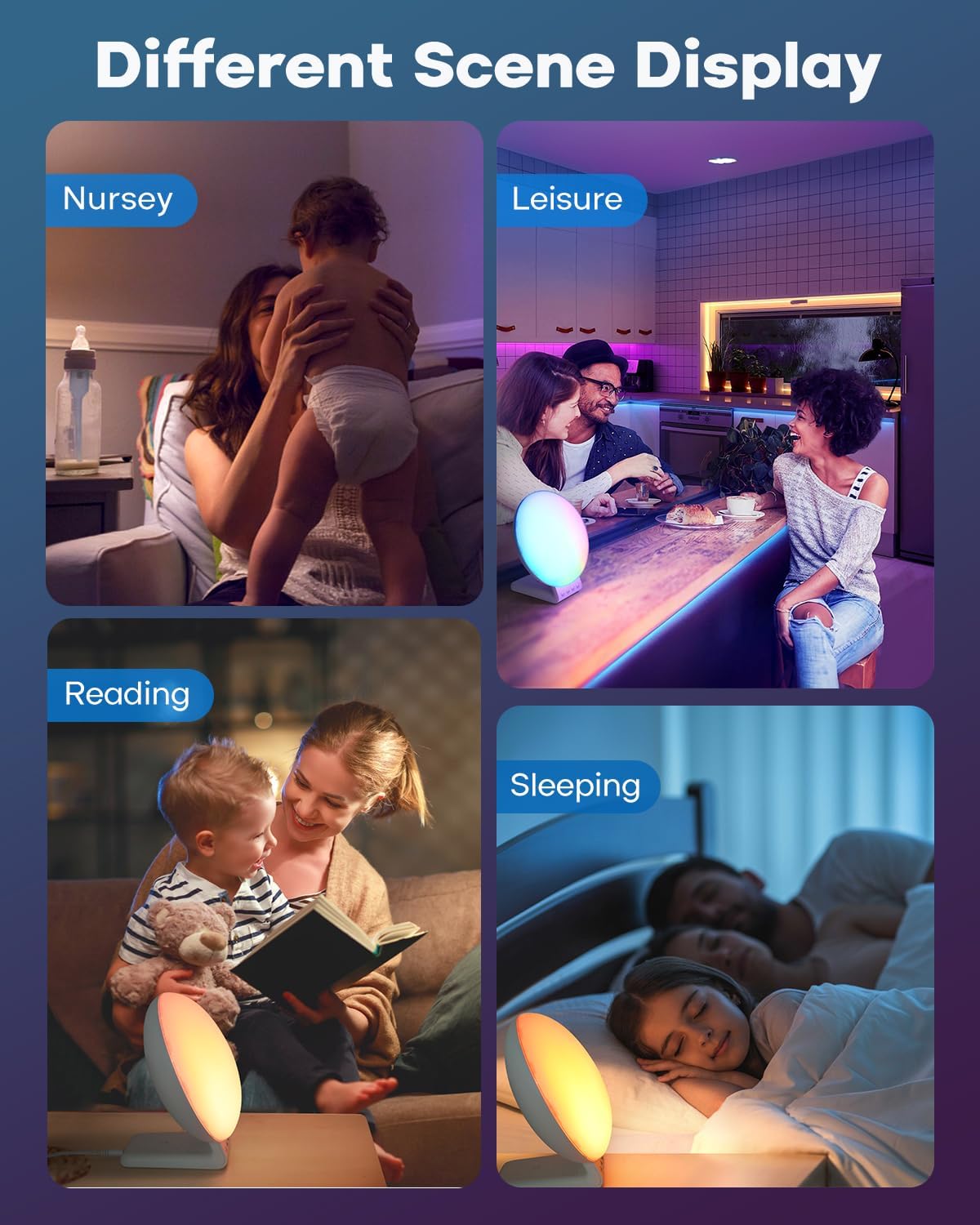
7. Night Light & Mood Light
The alarm clock functions as a versatile ambient light with various color and brightness options.
Ajust de la configuració de la llum:
- Press the 'Light' button (often indicated by a light bulb icon) to turn the light on/off or to cycle through different light modes.
- Selecció de color: In mood light mode, use the '+' or '-' buttons to select from 11 soothing colors or a dynamic color-changing mode.
- Ajust de brillantor: Use the 'Brightness' button or '+' / '-' buttons to adjust the light intensity across 20 levels.

8. Manteniment
- Neteja: Netegeu el dispositiu amb un drap suau i sec. No utilitzeu productes de neteja abrasius ni dissolvents.
- Potència: Always disconnect the power adapter before cleaning or if the device will not be used for an extended period.
- Col·locació: Col·loqueu el dispositiu sobre una superfície estable i plana, allunyada de la llum solar directa, de fonts de calor i de la humitat.
9. Solució De Problemes
| Problema | Causa possible | Solució |
|---|---|---|
| El dispositiu no s'encén. | L'adaptador de corrent no està connectat o la presa de corrent està defectuosa. | Assegureu-vos que l'adaptador de corrent estigui ben connectat al dispositiu i a una presa de corrent que funcioni. Proveu una altra presa de corrent. |
| La càrrega sense fil no funciona. | Device not Qi-enabled, misaligned, or phone case too thick. | Verify your device supports Qi wireless charging. Reposition the device on the charging pad. Remove thick phone cases (over 5mm). Ensure no metal objects are between the device and charger. |
| L'alarma no sona. | Alarm not set, volume too low, or disabled. | Check if the alarm is activated (alarm icon on display). Increase alarm volume. Re-set the alarm. |
| La llum és massa tènue o massa brillant. | Cal ajustar el nivell de brillantor. | Use the brightness control buttons to adjust the light intensity to your preference. |
10. Especificacions
- Marca: Dekala
- Número de model: SRWW
- Color: Blanc
- Tipus de visualització: LCD
- Característiques especials: Atmosphere Light, Sunrise Alarm Clock, White Noise Sound Machine, Wireless Charging Station
- Dimensions del producte: 3"W x 3"H (approximate, based on provided data)
- Font d'alimentació: Elèctric amb cable
- Material: Plàstic acrilonitril butadiè estirè (ABS).
- Pes de l'article: 1.8 lliures
- Mode de funcionament: Manual
- Nombre d'articles: 2 (referring to main unit and charging dock)
11. Garantia i Suport
For warranty information, technical support, or further assistance, please refer to the warranty card included with your product packaging or visit the official Dekala website. Contact information for customer service may also be available on the product packaging.
You can visit the Dekala Store on Amazon for more information: Dekala Store


