
1. Producte acabatview
The Lenovo LOQ Gaming Laptop is engineered for performance, featuring an Intel Core i5-12450HX processor, NVIDIA GeForce RTX 2050 graphics, and a 15.6-inch FHD 144Hz display. This laptop is equipped with Wi-Fi 6 and Bluetooth 5.2 for robust connectivity, and a white backlit keyboard for enhanced usability in various lighting conditions.
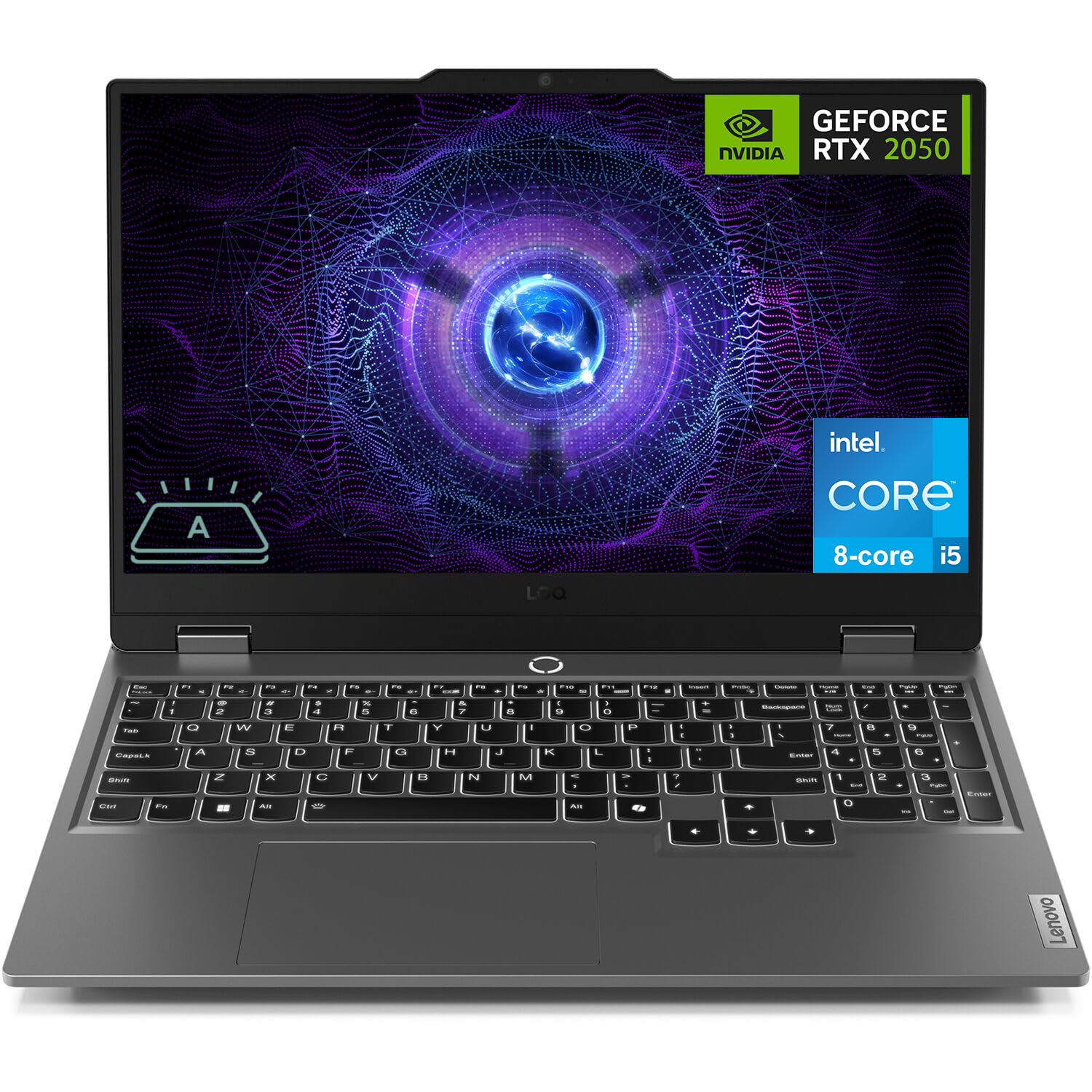
Figure 1: Lenovo LOQ Gaming Laptop - Angled View
This image shows the Lenovo LOQ Gaming Laptop from an angled perspective, highlighting its sleek design and the vibrant display. The screen is active, showcasing a dynamic graphic, and the keyboard is visible.
2. Guia de configuració
2.1. Desembalatge i inspecció inicial
Carefully remove the laptop and all accessories from the packaging. Inspect for any signs of damage. Retain the packaging for future transport or service needs.
2.2. Potència de connexió
- Connect the power adapter to the laptop's power connector.
- Connecteu el cable d'alimentació a una presa de corrent.
- Deixeu que la bateria es carregui durant almenys 30 minuts abans del primer ús o fins que l'indicador de la bateria mostri una càrrega suficient.
2.3. Primera encesa
- Obriu la tapa de l'ordinador portàtil.
- Premeu el botó d'engegada que es troba a sobre del teclat.
- Seguiu les instruccions que apareixen a la pantalla per completar la configuració del Windows 11 Home, incloent-hi l'idioma, la regió, la connexió de xarxa i la creació del compte d'usuari.

Figura 2: Disposició del teclat i del touchpad
Aquesta imatge ofereix una vista de dalt a baix view of the Lenovo LOQ Gaming Laptop's keyboard and touchpad, illustrating the full-size layout with a numeric keypad and the central power button.
3. Com fer servir el portàtil
3.1. Funcions del teclat
The laptop features a 6-row keyboard with multimedia Fn keys and a numeric keypad. The keyboard has a white backlight. Press Fn + barra espaiadora to cycle through backlight brightness levels (Off, Low, High).
3.2. Configuració de la pantalla
The 15.6-inch FHD (1920 x 1080) IPS display operates at 144Hz. You can adjust display settings, including resolution, refresh rate, and brightness, through Windows Display Settings. The display features anti-glare and Low Blue Light technology.
3.3. Connectivitat
Your laptop supports various connectivity options:
- Wi-Fi 6: Per a accés a Internet sense fil d'alta velocitat.
- Bluetooth 5.2: Per connectar perifèrics sense fil com ara ratolins, teclats i auriculars.
- Ethernet (RJ-45): Per a connexions de xarxa per cable.
- Ports USB: 3x USB-A (USB 5Gbps / USB 3.2 Gen 1) and 1x USB-C (USB 10Gbps / USB 3.2 Gen 2) with Lenovo PD 140W and DisplayPort 1.4 support.
- HDMI 2.1: For connecting external displays, supporting up to 8K/60Hz.
- Jack combinat per a auriculars/micròfon (3.5 mm): Per a l'entrada i sortida d'àudio.

Figure 3: Rear Port Configuration
This image displays the rear of the Lenovo LOQ Gaming Laptop, clearly labeling the various ports available for connectivity, including USB-C, HDMI, Ethernet, and USB-A ports.
4. Manteniment
4.1. Neteja
- Use a soft, lint-free cloth to clean the screen. Avoid harsh chemicals.
- Feu servir aire comprimit per treure la pols de les tecles del teclat i de les reixetes de ventilació.
- Wipe the laptop's exterior with a slightly damp tela.
4.2. Cura de la bateria
The laptop is equipped with a 60Wh Rechargeable Li-ion Battery that supports Rapid Charge Pro (up to 50% charge in 30 minutes). To prolong battery life:
- Eviteu temperatures extremes.
- No descarregueu completament la bateria amb freqüència.
- Store the laptop with a partial charge if not used for extended periods.
4.3. Actualitzacions de programari
Regularly update your operating system and drivers to ensure optimal performance and security. Check for updates through Windows Update and Lenovo Vantagprogramari electrònic.

Figure 4: Advanced Cooling System
This diagram illustrates the internal cooling system of the Lenovo LOQ Gaming Laptop, showing how air flows through the vents to dissipate heat from critical components, ensuring stable performance during intensive tasks.
5. Solució De Problemes
5.1. Sense poder
- Ensure the power adapter is securely connected to both the laptop and the electrical outlet.
- Verifiqueu que la presa de corrent funciona connectant-hi un altre dispositiu.
- Si la bateria està completament esgotada, deixeu-la carregar durant uns minuts abans d'intentar encendre-la.
5.2. Problemes de visualització
- Si la pantalla està en blanc, proveu de prémer Fn + F2 (or the corresponding display toggle key) to ensure the display is not turned off or switched to an external monitor.
- Adjust screen brightness using the dedicated function keys (e.g., Fn + F5/F6).
- Assegureu-vos que els controladors gràfics estiguin actualitzats.
5.3. Problemes de connectivitat de xarxa
- For Wi-Fi, check if Wi-Fi is enabled in Windows settings and if you are connected to the correct network.
- Per a Ethernet, assegureu-vos que el cable estigui connectat correctament tant al portàtil com al router/mòdem.
- Reinicieu el router/mòdem i el portàtil.
6. Especificacions
| Característica | Detall |
|---|---|
| Processador | Intel Core i5-12450HX (8 Cores, 12 Threads, up to 4.4GHz) |
| Gràfics | NVIDIA GeForce RTX 2050 de 4 GB de GDDR6 |
| Mostra | 15.6" FHD (1920x1080) IPS, 144Hz, Anti-glare, 300 nits, Low Blue Light |
| Memòria (RAM) | 12 GB de DDR5 (configurable fins a 64 GB) |
| Emmagatzematge | 512GB PCIe M.2 SSD (Configurable up to 8TB) |
| Sistema operatiu | Windows 11 Home (64-bit, English) |
| Connectivitat sense fil | Wi-Fi 6 (802.11ax), Bluetooth 5.2 |
| Ports | 3x USB-A (USB 3.2 Gen 1), 1x USB-C (USB 3.2 Gen 2, PD 140W, DP 1.4), 1x HDMI 2.1, 1x Ethernet (RJ-45), 1x Headphone/Mic Combo Jack |
| Teclat | 6-row, multimedia Fn keys, numeric keypad, White backlight |
| Bateria | 60Wh Li-ion, Rapid Charge Pro support |
| Càmera | HD 720p, E-shutter, fixed focus |
| Color | Lluna Gris |
| Dimensions (L x P x A) | 14.17 x 10.19 x 0.86 polzades |
| Pes | 5.25 lliures |
| UPC | 195477803817 |
7. Garantia i Suport
7.1. Informació de la garantia
This Lenovo LOQ Gaming Laptop comes with a One-year limited seller warranty. Please refer to your purchase documentation for specific terms and conditions.
7.2. Atenció al client
Per a assistència tècnica, descàrregues de controladors o consultes de servei, visiteu el lloc web oficial de suport de Lenovo. website or contact their customer service. Keep your product's serial number handy for faster service.
Podeu trobar més informació i recursos de suport a Botiga Lenovo a Amazon.