
1. Introducció i finalview
Welcome to the Gydom Smart Watch user manual. This document provides essential information for setting up, operating, and maintaining your new smartwatch. The Gydom Smart Watch is designed to enhance your daily life with features such as Alexa Built-in, comprehensive health monitoring, and a wide array of sports modes.
This smartwatch is compatible with both iOS 9.0+ and Android 6.0+ devices, offering seamless integration with your smartphone for calls, notifications, and data synchronization.
2. Què hi ha a la caixa
- Gydom Smart Watch (1 unit)
- Cable de càrrega (1 unitat)
- Manual d'usuari (Aquest document)
3. Configuració
3.1 Initial Charge and Activation
Before first use, please fully charge your Gydom Smart Watch. The watch requires charging to activate. Connect the provided charging cable to the magnetic charging points on the back of the watch and plug the USB end into a compatible power source.
3.2 Instal·lació i emparellament de l'aplicació
- Descarrega't el Molt en forma app from your smartphone's app store (compatible with iOS 9.0+ and Android 6.0+).
- Open the VeryFit app and follow the on-screen instructions to create an account and set up your profile.
- Activa el Bluetooth al teu telèfon intel·ligent.
- In the VeryFit app, search for your Gydom Smart Watch and pair it via Bluetooth.
- Un cop emparellat, el rellotge sincronitzarà l'hora i les dades amb el telèfon.
Nota: Ensure your smartphone is within Bluetooth range for continuous data synchronization and notification delivery.
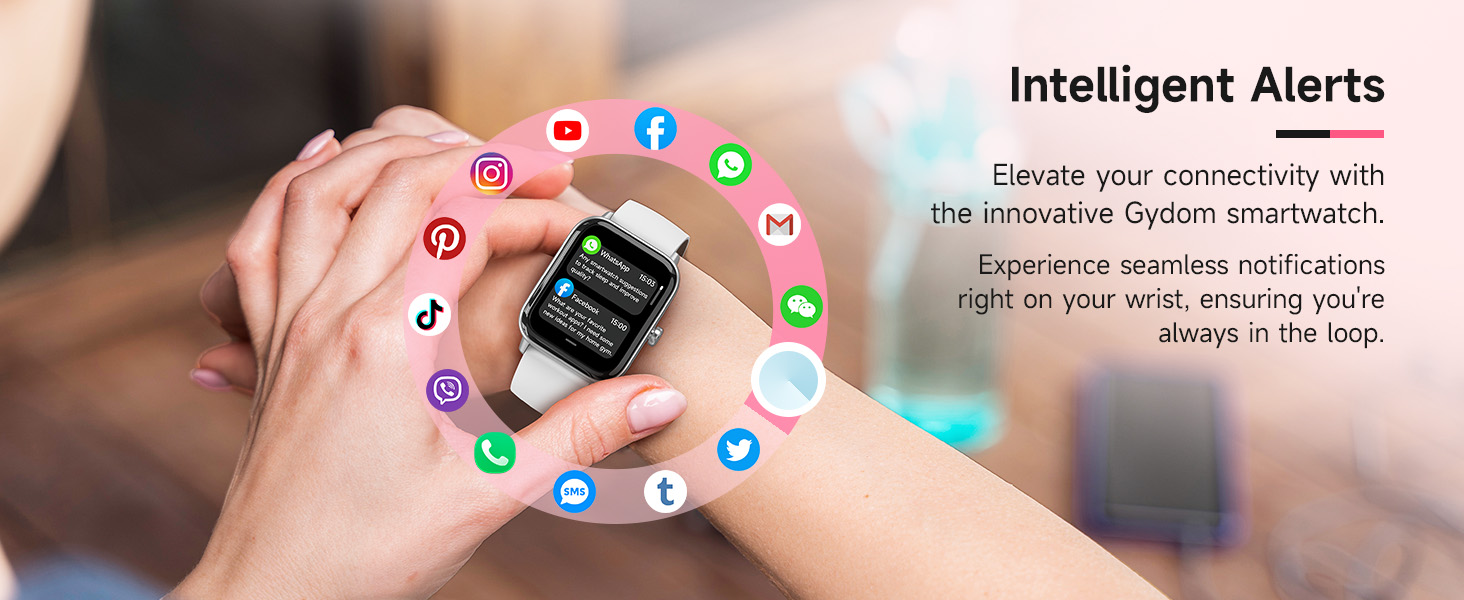
Image: Gydom Smart Watch highlighting key features like Alexa, IP68 waterproofing, and fitness tracking.
4. Instruccions de funcionament
4.1 Navegació bàsica
- Activa la pantalla: Press the side button or raise your wrist (if 'Wake Gesture' is enabled in settings).
- Llisca cap amunt/avall: Desplaça't pels menús i les notificacions.
- Llisca cap a l'esquerra/dreta: Accediu a funcions ràpides o a diferents pantalles de dades.
- Toca: Selecciona un element o obre una aplicació.
- Botó lateral: Press to return to the home screen or access the app list.
4.2 Trucades i notificacions
The Gydom Smart Watch allows you to make, answer, or reject calls directly from your wrist when connected via Bluetooth to your smartphone. You will also receive notifications from various apps like Facebook, Instagram, WhatsApp, and more.
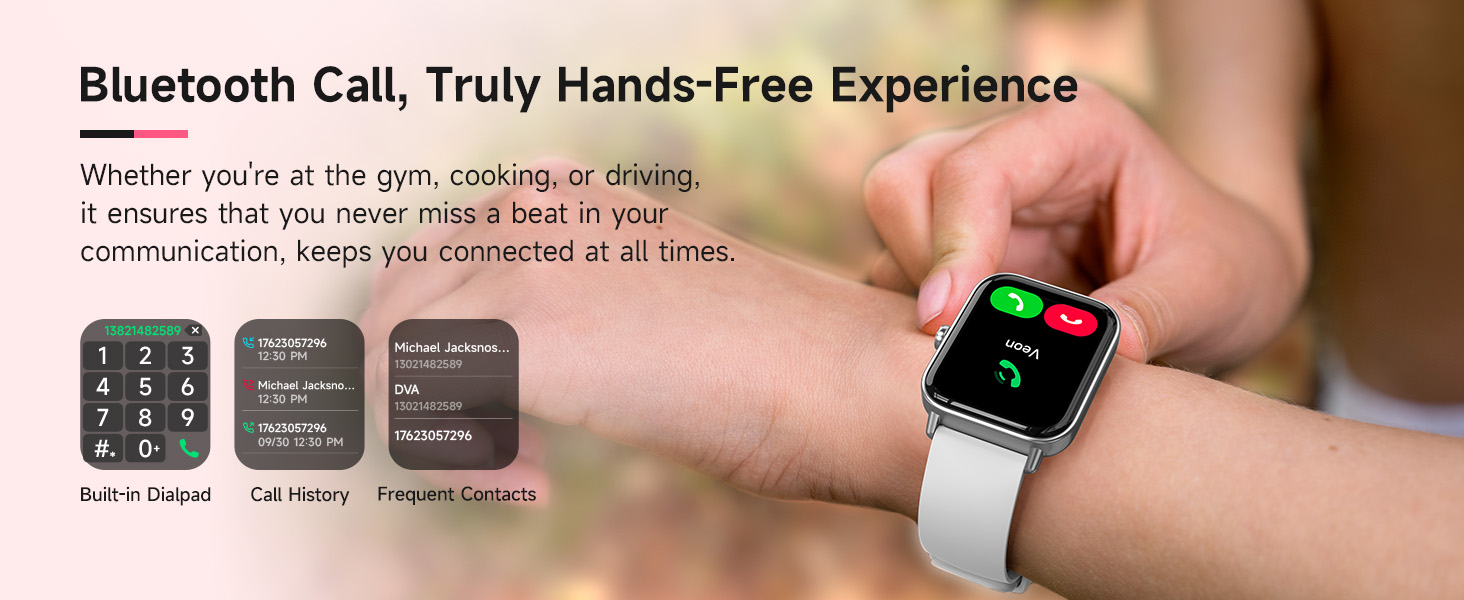
Image: Smart Watch screen showing incoming call and various app notifications.
4.3 Alexa integrada
Utilize the integrated Alexa voice assistant for hands-free commands. You can set alarms, check the weather, control music playback, and more by simply speaking to your watch.
Video: A demonstration of the Gydom Smart Watch's functions, including Alexa voice commands and various app interactions.
4.4 Vigilància de la salut
The Gydom Smart Watch continuously monitors key health metrics:
- Freqüència cardíaca: 24/7 monitoring to track your heart rate trends.
- Oxigen en sang (SpO2): Measures blood oxygen levels for health insights.
- Seguiment del son: Automatically records sleep patterns and provides detailed quality analysis.
- Monitorització de l'estrès: T'ajuda a entendre i gestionar els teus nivells d'estrès.
- Seguiment del cicle: For women, it helps keep a precise record of menstrual cycles with timely reminders.
- Entrenament de respiració: Exercicis de respiració guiats per ajudar-te a relaxar-te.
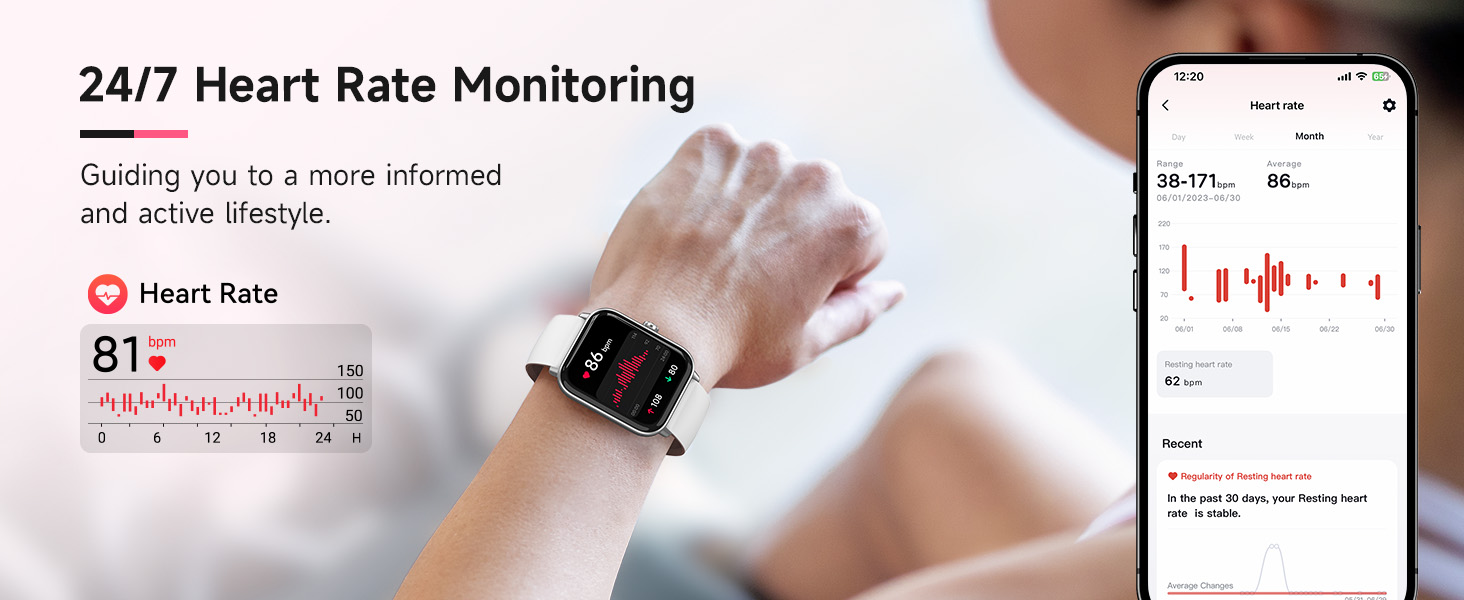
Image: Visual representation of the smartwatch monitoring heart rate, blood oxygen (SpO2), and stress levels.
4.5 Sports Modes & Activity Tracking
With over 100 sports modes, the watch tracks steps, distance, and calories burned for various activities including walking, running, rugby, baseball, basketball, and mountain climbing.
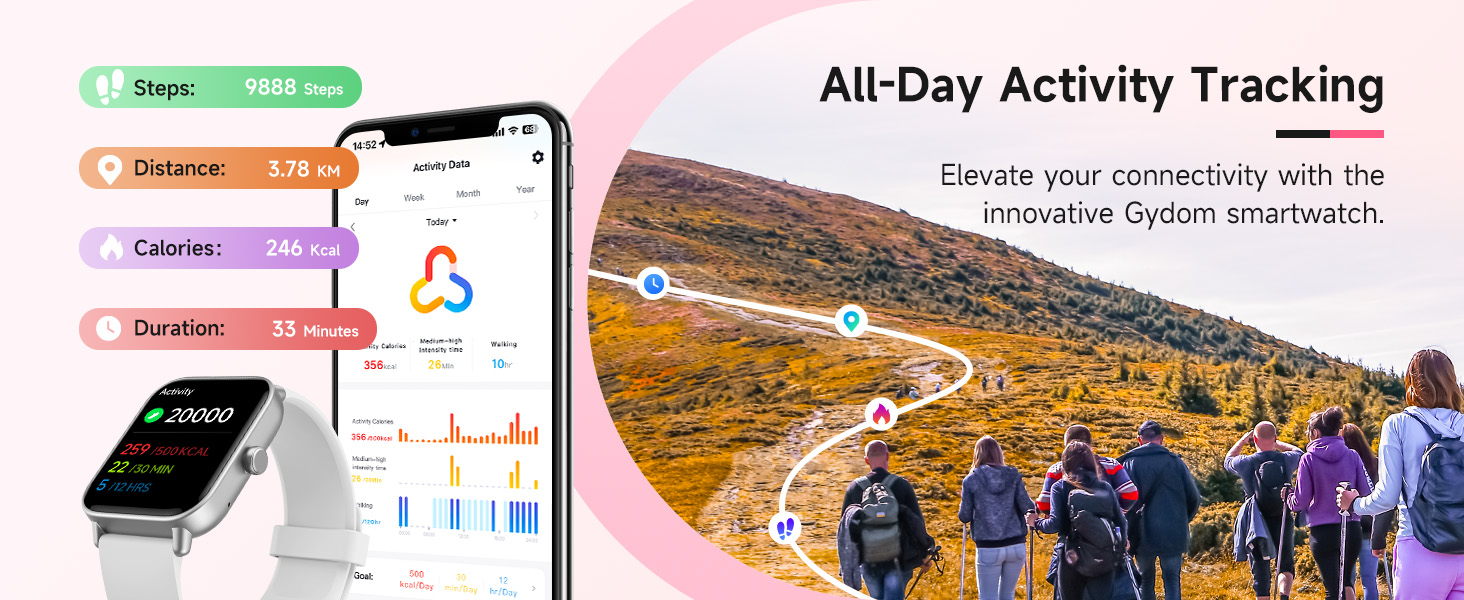
Image: Smart Watch interface displaying a selection of over 100 professional sport modes.
4.6 Resistència a l'aigua
The Gydom Smart Watch features an IP68 waterproof rating, allowing you to wear it while washing hands, in the rain, or during water sports like swimming. It is water resistant up to 1.5 meters.
4.7 Durada de la bateria
Equipped with a 300mAh battery, the watch fully charges in approximately 2 hours, providing up to 7 days of typical daily use and 30 days of standby time.
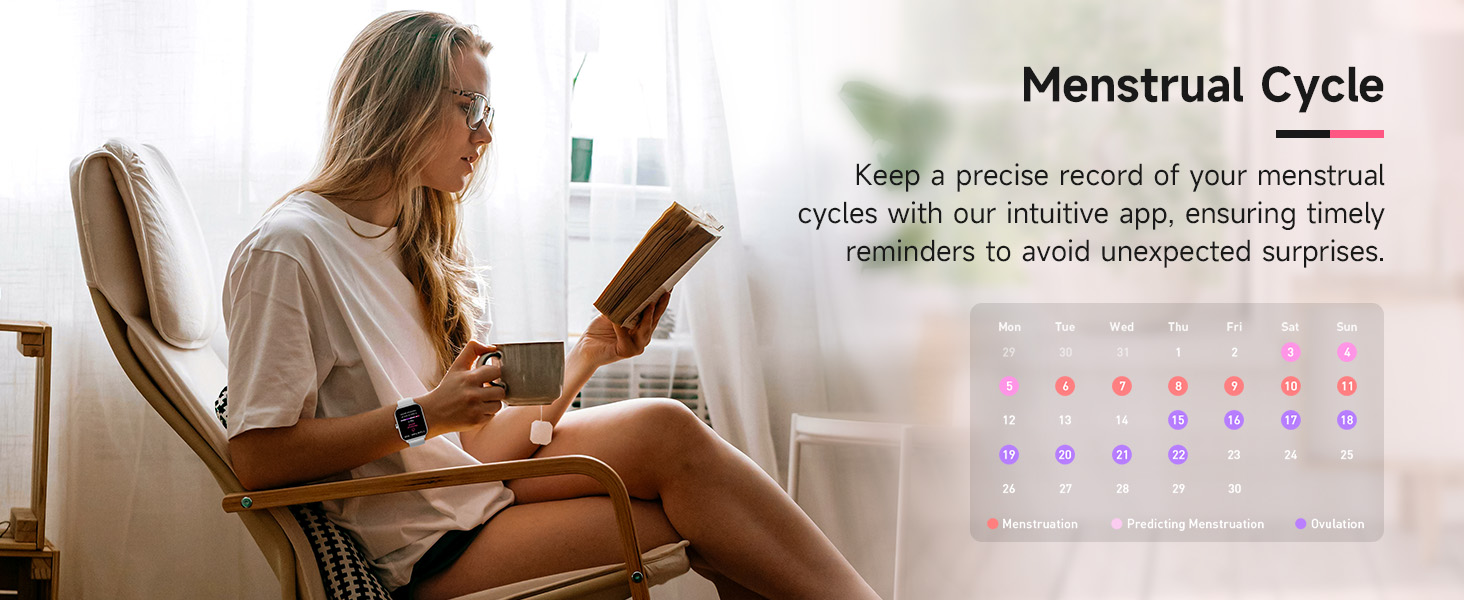
Image: Smart Watch connected to its charging cable, showing battery percentage and typical usage duration.
4.8 Personalització
The 1.8" HD touch screen offers a clear visual experience. Personalize your watch with over 100 free watch faces available through the VeryFit app, or use your own photos as a custom watch face.

Image: Smart Watch showing different customizable watch faces, including options to use personal photos.
4.9 Altres funcions
The Gydom Smart Watch includes many other useful functions:
- Previsions meteorològiques
- Rellotges despertadors
- Control remot de la càmera
- Control de música
- Troba el teu telèfon
- Calculadora
- Calendari
- Jocs
- Llanterna
- Recordatori sedentari

Image: Smart Watch screen showcasing multiple functions such as AI voice, weather, camera control, music playback, breathing training, and games.
5. Manteniment
- Neteja: Regularly wipe the watch screen and band with a soft, damp tela. Eviteu els productes químics durs.
- Càrrega: Use only the provided charging cable. Ensure the charging points are clean and dry before charging.
- Emmagatzematge: Guardeu el rellotge en un lloc fresc i sec quan no l'utilitzeu.
- Exposició a l'aigua: While IP68 waterproof, avoid prolonged submersion in hot water or exposure to high-pressure water jets.
6. Solució De Problemes
- El rellotge no s'encén: Ensure the watch is fully charged. It requires an initial charge to activate.
- No es pot emparellar amb el telèfon: Make sure Bluetooth is enabled on your phone and the watch is within range. Restart both devices and try pairing again.
- Notificacions no rebudes: Check app settings in VeryFit to ensure notifications are enabled for desired apps. Verify Bluetooth connection.
- Dades de salut inexactes: Assegureu-vos que el rellotge estigui ben ajustat al canell, ni massa ajustat ni massa fluix. Netegeu el sensor de la part posterior del rellotge.
- Autonomia curta de la bateria: Reduce screen brightness, disable unnecessary features like continuous heart rate monitoring if not needed, and ensure proper charging.
7. Especificacions
| Característica | Detall |
|---|---|
| Número de model | B0FRFFR131 |
| Mida de la pantalla | 1.8 polzades |
| Sistema operatiu | Android & iOS (Compatible with iOS 9.0+ and Android 6.0+) |
| Connectivitat | Bluetooth |
| Capacitat de la bateria | 300 milionsamp Hores |
| Temps de càrrega de la bateria | 2 hores |
| Typical Use Battery Life | 7 dies |
| Nivell de resistència a l'aigua | IP68 Waterproof (up to 1.5 meters) |
| Mètriques mesurades | Heart Rate, Sleep Duration, Blood Oxygen, Stress |
| Característiques especials | Alexa Built-in, Voice Call, 101+ Sports Modes, Remote Camera, Music Control, Find My Phone, Weather Forecast, Alarm Clock, Sedentary Reminder |
8. Garantia i Suport
The Gydom Smart Watch comes with a 3 anys de garantia i a 365 dies de garantia. For any technical support or warranty claims, please refer to the contact information provided with your purchase or visit the official Gydom support weblloc.
Vídeo: Reclamació d'un venedorview highlighting the Gydom Smart Watch as a highly recommended fitness tracker with various features.