
1. Introducció
The zhizhi S67 Smartwatch is a versatile wearable device designed to enhance your daily life with smart communication, comprehensive health tracking, and diverse sports functionalities. This manual provides essential information for setting up, operating, and maintaining your smartwatch to ensure optimal performance.
Key features include Bluetooth calling, 24/7 health monitoring (heart rate, blood oxygen, sleep), over 120 sports modes, a 1.43-inch AMOLED display, and IP68 water resistance. It is compatible with both Android (5.0 and above) and iOS (9.0 and above) smartphones.
2. Contingut i configuració del paquet
Before using your smartwatch, please ensure all components are present and follow the initial setup steps.
2.1 Contingut del paquet
- zhizhi S67 Smartwatch (with one strap attached)
- Additional strap (e.g., silicone)
- Cable de càrrega magnètic
- Manual d'usuari

Image: Illustration of the zhizhi S67 Smartwatch and its included accessories, such as the watch body, two different straps, a magnetic charging cable, and the user manual.
2.2 Càrrega inicial
Fully charge the smartwatch before first use. Connect the magnetic charging cable to the charging contacts on the back of the watch and plug the USB end into a standard USB power adapter (not included).
2.3 Descàrrega i emparellament de l'aplicació
- Scan the QR code in the manual or on the watch screen (if available) to download the companion app, or search for the app name (usually indicated in the manual) in your phone's app store.
- Instal·la i obre l'aplicació al teu telèfon intel·ligent.
- Activa el Bluetooth al teu telèfon intel·ligent.
- In the app, follow the instructions to search for and pair with your zhizhi S67 Smartwatch. Confirm the pairing request on both your phone and the watch.
- Un cop emparellat, el rellotge sincronitzarà l'hora i les dades amb el telèfon.
3. Instruccions de funcionament
Navigate your smartwatch using the touchscreen and physical buttons.
3.1 Navegació bàsica
- Llisca cap amunt/avall: Desplaça't pels menús o les notificacions.
- Llisca cap a l'esquerra/dreta: Accediu a funcions ràpides o widgets.
- Toca: Selecciona un element o confirma una acció.
- Premeu el botó lateral: Torna a la pantalla d'inici o accedeix al menú principal.
3.2 Personalització de les esferes del rellotge
The zhizhi S67 offers over 200 customizable watch faces. You can change them directly on the watch or through the companion app.
- De guàrdia: Long-press the home screen, then swipe left or right to browse and tap to select.
- Mitjançant l'aplicació: Open the app, navigate to the watch face section, and choose from the gallery or upload your own photo to create a custom face.
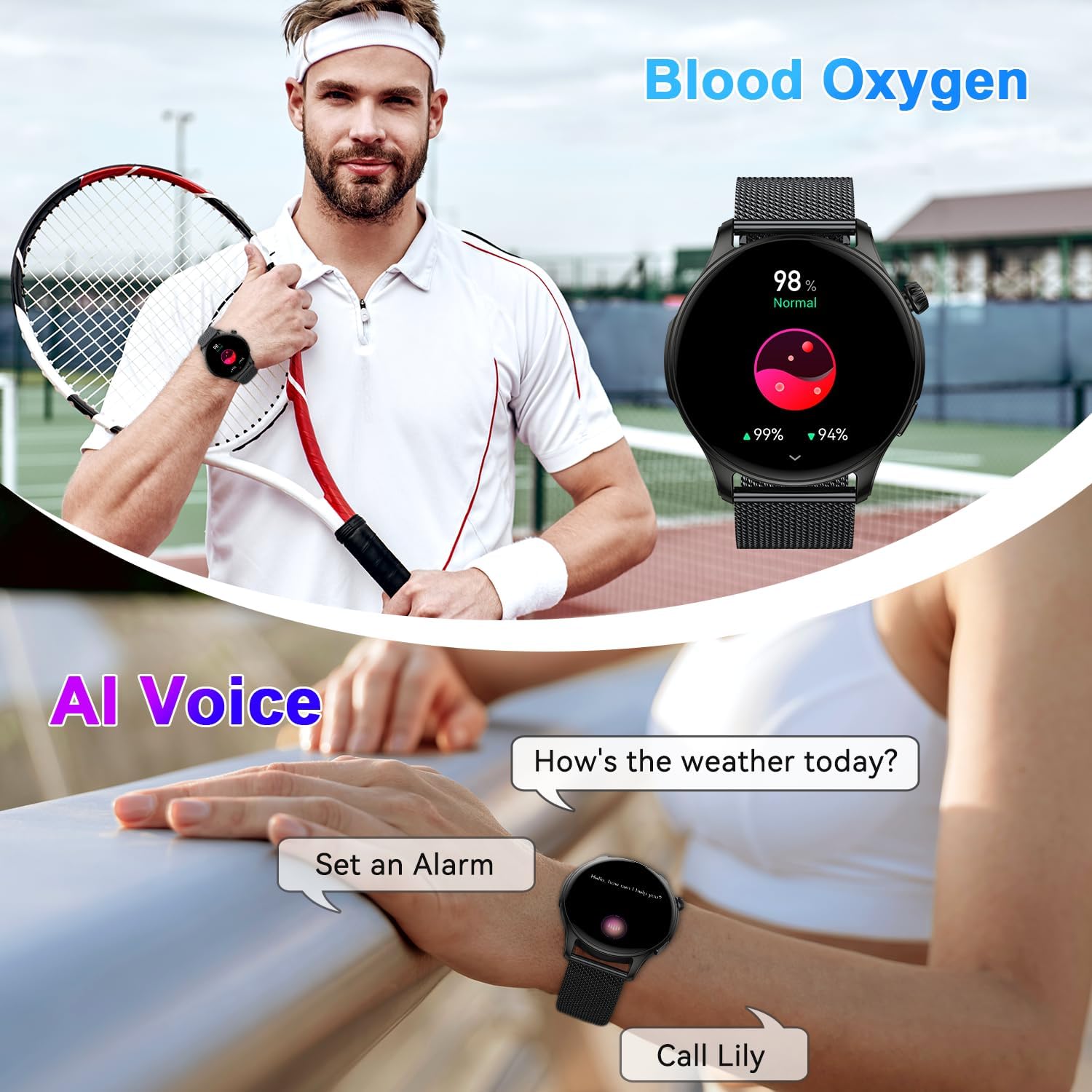
Image: The zhizhi S67 Smartwatch showcasing its 1.43-inch AMOLED screen with multiple watch face options, including digital and analog styles, and options for customization.
4. Bluetooth Calls and Smart Notifications
Stay connected with Bluetooth calling and receive important notifications directly on your wrist.
4.1 Fer i rebre trucades
Once connected to your phone via Bluetooth, the smartwatch allows you to manage calls.
- Rebre trucades: When a call comes in, the watch will vibrate and display the caller ID. Tap the green icon to answer or the red icon to reject.
- Fer trucades: Access the dial pad or contact list on the watch to initiate a call. The watch uses its built-in speaker and microphone for communication.

Image: A person wearing the zhizhi S67 Smartwatch, demonstrating its Bluetooth call feature with a clear display of the dial pad and recent call logs on the watch screen.
4.2 Notificacions intel·ligents
The watch can display notifications from various apps on your smartphone.
- Ensure notification permissions are enabled for the companion app on your phone.
- Enable notifications for specific apps (e.g., WhatsApp, Facebook, Instagram) within the smartwatch app settings.
- Notifications will appear on the watch screen and alert you with a vibration.

Imatge: Una persona viewing smart notifications from social media and messaging apps on the zhizhi S67 Smartwatch, highlighting its ability to keep users informed.
4.3 Assistent de veu d'IA
Activate your phone's voice assistant directly from your smartwatch.
- Swipe to the AI Voice Assistant interface on your watch.
- Tap to activate and speak your command (e.g., "How's the weather today?", "Set an alarm for 7 AM").

Image: The zhizhi S67 Smartwatch displaying an active AI voice assistant interface, showing examples of voice commands like asking for weather or setting a timer.
5. Monitorització de la salut
The zhizhi S67 Smartwatch provides 24/7 monitoring of key health metrics.
5.1 Monitorització de la freqüència cardíaca
El rellotge controla contínuament la freqüència cardíaca durant tot el dia.
- Access the heart rate interface on the watch to view dades en temps real.
- Detailed historical data and trends can be vieweditat a l'aplicació complementària.

Image: A person exercising while wearing the zhizhi S67 Smartwatch, with an overlay showing a graph of 24-hour heart rate monitoring data.
5.2 Monitorització de l'oxigen en sang (SpO2)
Mesura els teus nivells de saturació d'oxigen a la sang.
- Navigate to the SpO2 measurement function on the watch.
- Keep your arm still during measurement for accurate results.
- Continuous monitoring data is available in the app.

Image: A person performing yoga while wearing the zhizhi S67 Smartwatch, with an overlay showing a graph of continuous blood oxygen monitoring data.
5.3 Monitorització del son
The smartwatch analyzes your sleep patterns, including deep sleep, light sleep, and wake times.
- Porta el rellotge al llit per al seguiment automàtic del son.
- View detailed sleep reports and insights in the companion app to help improve your sleep habits.

Image: A person sleeping while wearing the zhizhi S67 Smartwatch, with an overlay showing a detailed breakdown of sleep quality, including deep, light, and awake periods.
6. Sports Modes and Water Resistance
Track your workouts with precision and confidence.
6.1 Més de 120 modes esportius
The smartwatch supports a wide array of sports activities, providing real-time data for each.
- Navigate to the Sports section on your watch.
- Select your desired activity (e.g., running, cycling, basketball, yoga).
- The watch will record metrics such as heart rate, steps, calories burned, and distance.

Image: A person cycling outdoors while wearing the zhizhi S67 Smartwatch, with an overlay showing a selection of over 112 sports mode icons available on the device.
6.2 IP68 Water Resistance
The zhizhi S67 Smartwatch is IP68 rated, meaning it is resistant to dust and can withstand immersion in water up to 1.5 meters for 30 minutes.
- It is suitable for daily use, such as hand washing, sweating, and light rain.
- Eviteu l'aigua calenta, les saunes o el busseig, ja que el vapor i l'alta pressió poden comprometre el segellat.

Image: The zhizhi S67 Smartwatch shown in a natural outdoor setting with water droplets, illustrating its IP68 waterproof rating.
7. Altres funcions pràctiques
The smartwatch includes several convenient features to assist you throughout your day.
- Control de música: Reprodueix, pausa, salta pistes i ajusta el volum de la música que reprodueixes al telèfon.
- Control de la càmera: Fes servir el rellotge com a disparador remot per a la càmera del telèfon.
- Pronòstic del temps: Rep actualitzacions meteorològiques en temps real.
- Cronòmetre i temporitzador: Eines essencials per a activitats de cronometratge.
- Despertador: Configura alarmes vibrants silencioses.
- Recordatori sedentari: Rep alertes per moure't després de períodes d'inactivitat.
- Cerca el telèfon: Localitza el teu telèfon intel·ligent emparellat fent-lo sonar.
- Entrenament de la respiració: Exercicis de respiració guiats per a la relaxació.

Image: A collage of images showing the zhizhi S67 Smartwatch utilizing various practical functions such as alarm, sedentary reminder, stopwatch, camera control, weather forecast, music control, and find phone.
8. Manteniment
Una cura adequada garanteix la longevitat i el rendiment del teu rellotge intel·ligent.
- Neteja: Netegeu regularment la pantalla i la corretja del rellotge amb un drap suau i sec. Per a la brutícia resistent, utilitzeu un drap lleugerament sec.amp drap i sabó suau, després assecar-lo bé.
- Càrrega: Use only the provided magnetic charging cable. Avoid exposing the charging contacts to liquids or metal objects.
- Emmagatzematge: Guardeu el rellotge en un lloc fresc i sec quan no l'utilitzeu. Eviteu temperatures extremes.
- Eviteu productes químics: No exposeu el rellotge a productes químics forts, detergents o dissolvents, ja que poden danyar els materials.
- Cura de la pantalla: The 1.43-inch AMOLED screen is durable, but avoid sharp objects that could scratch it.
9. Solució De Problemes
If you encounter issues with your zhizhi S67 Smartwatch, try the following solutions:
9.1 Problemes d'aparellament
- Ensure Bluetooth is enabled on your phone and the watch is charged.
- Reinicieu tant el telèfon com el rellotge intel·ligent.
- Clear the Bluetooth cache on your phone and try pairing again.
- Ensure the companion app has all necessary permissions.
9.2 Dades de salut inexactes
- Assegureu-vos de portar el rellotge ben ajustat al canell, aproximadament a l'amplada d'un dit des de l'os del canell.
- Keep the sensor clean and free from sweat or dirt.
- Tingueu en compte que els rellotges intel·ligents no són dispositius mèdics; les lectures són només de referència.
9.3 Durada curta de la bateria
- Reduir la brillantor de la pantalla i el temps que la pantalla està encesa.
- Disable continuous heart rate monitoring or other intensive features if not needed.
- Ensure the watch is fully charged using the correct cable.
9.4 Watch Not Responding
- Perform a force restart by pressing and holding the side button for approximately 10-15 seconds until the watch restarts.
- If the issue persists, consider a factory reset via the watch settings (note: this will erase all data).
10. Especificacions
| Model | S67 |
| Marca | zhizhi |
| Mostra | 1.43-inch AMOLED Touchscreen (320 x 320 resolution) |
| Durada de la bateria | Fins a 7 dies (ús típic), fins a 30 dies (en espera) |
| Resistència a l'aigua | IP68 |
| Connectivitat | Bluetooth |
| Compatibilitat | Android 5.0+/iOS 9.0+ |
| Dimensions | 28.7 x 9.6 x 1.7 cm |
| Pes | 160 g |
| Característiques especials | Bluetooth Calls, Smart Notifications, 24/7 Health Monitor (HR, SpO2, Sleep), 120+ Sports Modes, AI Voice Assistant, Music/Camera Control, Weather, Stopwatch, Alarm |
| Fabricant | Shenzhen Buzz Tech CO.,LTD |
11. Garantia i Suport
Your zhizhi S67 Smartwatch comes with a standard manufacturer's warranty. Please refer to the warranty card included in your package for specific terms and conditions.
For technical support, troubleshooting assistance, or warranty claims, please contact the retailer or manufacturer's customer service. Contact information can typically be found on the product packaging or the official brand weblloc.