
1. Introducció
The Fenvi FU-AX300 is a compact Wi-Fi 6 USB adapter designed to provide wireless connectivity to your desktop or laptop computer. It offers AX300 speeds on the 2.4 GHz band, making it suitable for everyday internet activities such as browsing, online classes, and HD streaming. Featuring OFDMA technology, it enhances efficiency in crowded network environments, and WPA3 security provides improved protection for your wireless connection. Its nano form factor allows it to remain plugged into a USB port without obstructing adjacent ports.
- AX300 Class Speed: Up to 287 Mbps on 2.4 GHz for reliable performance.
- Wi-Fi 6 Efficiency: OFDMA technology reduces network congestion.
- Seguretat millorada: Supports WPA3 encryption (requires compatible router).
- Disseny ultracompacte: Nano form factor for discreet use.
- Fàcil instal·lació: Driver installation for Windows 11/10.
2. Contingut del paquet
Si us plau, verifiqueu que el vostre paquet contingui els elements següents:
- Fenvi FU-AX300 Wireless USB Adapter
Note: Drivers are typically included on the device itself for easy installation or can be downloaded from the manufacturer's weblloc.
3. Instruccions de configuració
Follow these steps to install and set up your Fenvi FU-AX300 Wi-Fi 6 USB Adapter:
- Inseriu l'adaptador: Locate an available USB port on your desktop or laptop computer. Carefully insert the Fenvi FU-AX300 USB adapter into the USB port. Ensure it is fully seated.
- Instal·lació del controlador (Windows 11/10):
- For most Windows 11/10 systems, the operating system may automatically detect and install the necessary drivers. Wait a few moments for this process to complete.
- If automatic installation does not occur, or if prompted, you may need to run the driver installer. The FU-AX300 is often "driver-free" meaning the driver is stored on the device itself and can be accessed like a USB drive.
- Open "This PC" or "My Computer" and look for a new drive labeled "FENVI" or similar. Double-click to open it and run the setup executable (e.g., "setup.exe" or "install.exe").
- Seguiu les instruccions a la pantalla per completar la instal·lació del controlador.
- Alternatively, download the latest drivers from the official Fenvi support website if you encounter issues.
- Verifica la instal·lació: After driver installation, check your computer's Device Manager (search for "Device Manager" in Windows search) under "Network adapters" to confirm that the Fenvi FU-AX300 adapter is listed and functioning correctly.
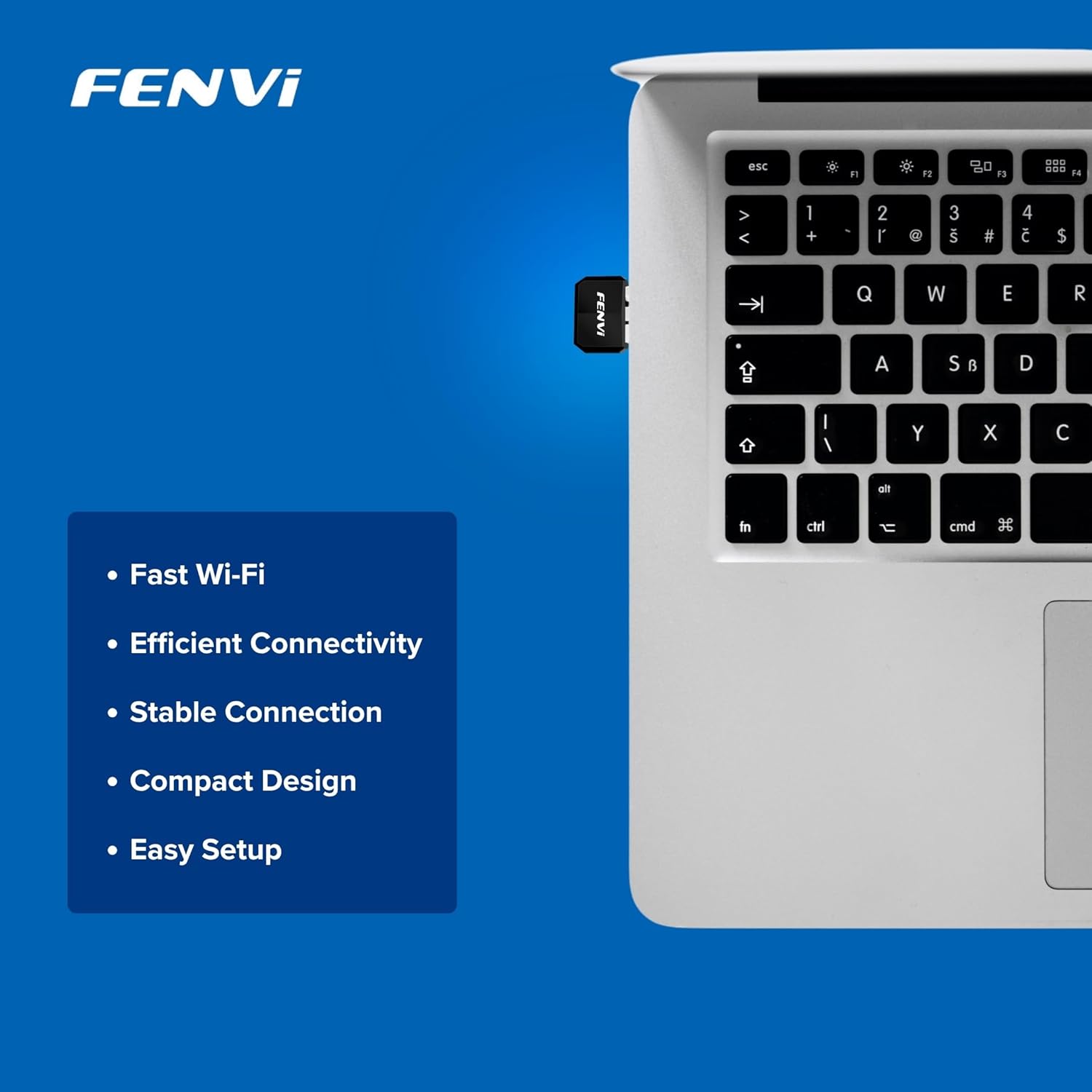
Image: The Fenvi FU-AX300 adapter shown plugged into a laptop, demonstrating its small size. Key features such as Fast Wi-Fi, Efficient Connectivity, Stable Connection, Compact Design, and Easy Setup are listed alongside.
4. Instruccions de funcionament
Once the drivers are successfully installed, you can connect to a wireless network:
- Accés a la configuració de Wi-Fi: Click on the Wi-Fi icon in the system tray (usually in the bottom-right corner of your screen) or navigate to Configuració > Xarxa i Internet > Wi-Fi.
- Seleccioneu la xarxa: Apareixerà una llista de xarxes Wi-Fi disponibles. Seleccioneu la xarxa desitjada (SSID).
- Connectar: Click "Connect" and enter the network security key (Wi-Fi password) if prompted.
- Confirmeu la connexió: Once connected, the Wi-Fi icon will indicate an active connection, and you should have internet access.

Image: This diagram illustrates the benefits of Wi-Fi 6 technology, specifically OFDMA and MU-MIMO, in improving network efficiency compared to older Wi-Fi 4 standards, especially in scenarios with multiple connected devices.
5. Manteniment
To ensure optimal performance and longevity of your Fenvi FU-AX300 adapter, consider the following maintenance tips:
- Mantenir els controladors actualitzats: Periodically check the Fenvi official website for the latest driver updates. Updated drivers can improve performance, stability, and security.
- Netegeu suaument: If necessary, gently clean the adapter with a soft, dry cloth. Avoid using liquid cleaners or solvents.
- Eviteu danys físics: While compact, avoid bending or applying excessive force to the adapter when it is plugged in or stored.
- Col·locació òptima: For best signal strength, ensure the adapter is not obstructed by other objects or placed in an enclosed space.
6. Solució De Problemes
If you encounter issues with your Fenvi FU-AX300 adapter, refer to the following troubleshooting steps:
- No s'han detectat xarxes Wi-Fi:
- Assegureu-vos que l'adaptador estigui ben connectat a un port USB.
- Verifiqueu que els controladors estiguin correctament instal·lats al Gestor de dispositius. Torneu a instal·lar els controladors si cal.
- Check if your computer's Wi-Fi is enabled (e.g., via a physical switch or keyboard shortcut).
- Reinicieu l'ordinador i el router Wi-Fi.
- Velocitat de connexió lenta:
- Ensure you are within range of your Wi-Fi router.
- Minimitzar les interferències d'altres dispositius electrònics (per exemple, microones, telèfons sense fil).
- Actualitza els controladors de l'adaptador a la versió més recent.
- Comproveu la velocitat del vostre proveïdor de serveis d'Internet.
- "Driver not compatible with Windows 11" (as per some user feedback):
- While the product is advertised for Windows 11/10, if you face compatibility issues, ensure you have downloaded the absolute latest drivers directly from the Fenvi official weblloc.
- Try installing the driver in compatibility mode for an earlier Windows version if available.
- Contact Fenvi technical support for specific Windows 11 driver assistance.
- Desconnexions freqüents:
- Apropa't més al teu encaminador Wi-Fi.
- Assegureu-vos que el firmware del vostre encaminador estigui actualitzat.
- Disable power-saving features for the USB port in Device Manager (under USB Root Hub properties, Power Management tab, uncheck "Allow the computer to turn off this device to save power").
7. Especificacions

Image: This image displays the compact dimensions of the Fenvi FU-AX300 USB adapter, measuring 24mm in length, 16mm in width, and 7mm in thickness. It also highlights the 3-year warranty.
| Característica | Detall |
|---|---|
| Marca | Fenvi |
| Número de model | FU-AX300 |
| Interfície del maquinari | USB 2.0 |
| Protocol d'enllaç de dades | IEEE 802.11a (Wi-Fi 6 / 802.11ax compatible) |
| Velocitat de transferència de dades | Fins a 300 Mbps (2.4 GHz) |
| Seguretat | WPA3 (router support required) |
| Característiques | MU-MIMO, OFDMA |
| Sistemes operatius compatibles | Windows 11, Windows 10 |
| Dimensions del producte (L x A x A) | 40 x 20 x 15 mil·límetres |
| Pes de l'article | 25 grams |
| Color | Negre |
| País d'origen | Xina |

Image: This image provides a summary of the Fenvi FU-AX300's key specifications, such as its brand (Fenvi), model (FU-AX300), Wi-Fi standard (IEEE 802.11ax), USB 2.0 interface, WPA3 security, 2.4GHz data rate, MU-MIMO/OFDMA features, Windows 7/10/11 compatibility, and 3-year warranty.
8. Garantia i Suport
Informació de la garantia: The Fenvi FU-AX300 Wi-Fi 6 USB Adapter comes with a 3 any de garantia del fabricantSi us plau, conserveu el comprovant de compra per a reclamacions de garantia.
Suport tècnic: For further assistance, driver downloads, or troubleshooting not covered in this manual, please visit the official Fenvi support website or contact their customer service. Contact details are typically available on the manufacturer's weblloc o embalatge del producte.
Fabricant: Fenvi
Importer Contact Information: Compassco No 98 1st Floor Digital Park Road Yeshwanthpur Industrial Suburb Bangalore Karnataka 560022 India
Packer Contact Information: Shenzhen fenvi Technology Co., Ltd 401C West Area,North Block, High tech Industrial Park,Beier Road,Bantian Community, Bantian Street, Longgang District, Shenzhen China