
TOPUTURE TP6
TOPUTURE TP6 Walking Pad Treadmill with 12% Incline - User Manual
1. Introducció i informació de seguretat
This manual provides essential instructions for the safe operation, setup, and maintenance of your TOPUTURE TP6 Walking Pad Treadmill. Please read this manual thoroughly before initial use and retain it for future reference. Proper use and maintenance ensure optimal performance and longevity of your equipment.
Importants precaucions de seguretat
- Consulteu sempre amb un metge abans de començar qualsevol nou programa d'exercicis.
- Col·loqueu la cinta de córrer sobre una superfície plana i estable amb un espai lliure suficient al seu voltant.
- Mantingueu els nens i les mascotes lluny de la cinta de córrer durant el funcionament.
- Ensure the safety key is properly attached to your clothing before beginning your workout.
- No feu servir la cinta de córrer si està danyada o no funciona correctament.
- Maximum user weight capacity is 300 lbs. Do not exceed this limit.
- Utilitzeu calçat esportiu adequat durant l'ús.
- Desendolleu la cinta de córrer de la font d'alimentació quan no l'utilitzeu o abans de netejar-la/fer-ne el manteniment.
2. Components inclosos
En desembalar-lo, comproveu que hi hagi tots els components següents:
- Cable d'alimentació
- Control remot
- Clau de seguretat
- Kit d'eines
- Manual d'usuari (aquest document)
3. Muntatge i muntatge
The TOPUTURE TP6 Walking Pad Treadmill features an installation-free design, meaning it is ready for use directly out of the box with minimal setup.
Desembalatge i col·locació
- Traieu amb cura la cinta de córrer del seu embalatge.
- Place the treadmill on a firm, level surface. Ensure there is at least 2 feet of clear space behind the treadmill and 1 foot on each side.
- Connecteu el cable d'alimentació a la cinta de córrer i després a una presa de corrent amb connexió a terra.
Ajust del manillar
The handlebar is adjustable in both height and tilt to accommodate various user heights and exercise preferences.
- Ajust d'alçada: The handlebar can be adjusted from 32 inches (820mm) to 45 inches (1150mm). Locate the adjustment knobs or levers on the handlebar supports, loosen them, adjust to the desired height, and then securely tighten.
- Ajust d'inclinació: The handlebar can be tilted to 95° (vertical mode) or 105° (tilt mode). Adjust the angle by manipulating the designated mechanism at the base of the handlebar uprights. Ensure it clicks securely into place for your chosen mode.
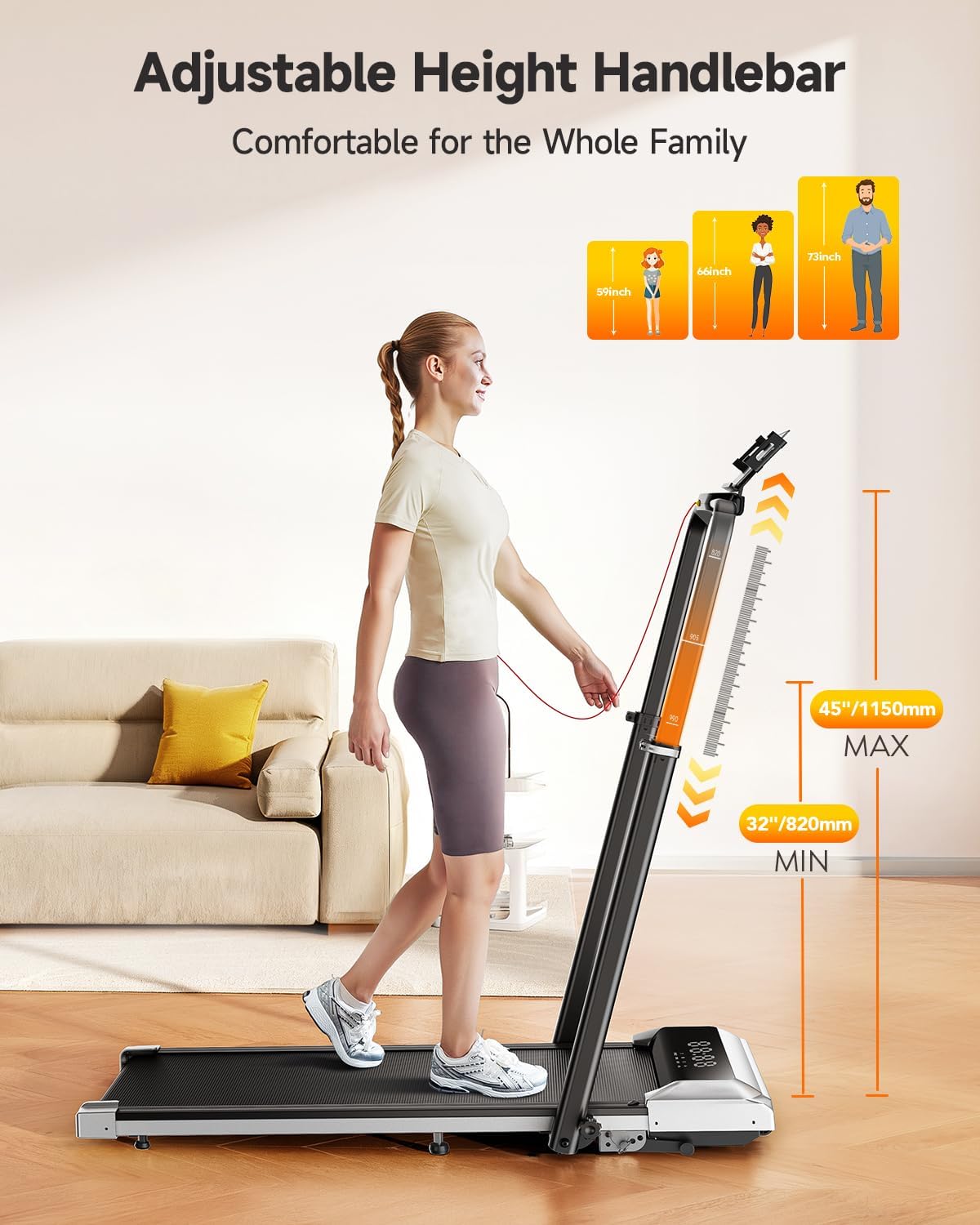
Image: Adjustable Handlebar Height. The handlebar can be set to various heights between 32 and 45 inches for user comfort.

Image: Two-angle Upright Column Adjustment. The handlebar can be adjusted to a 95-degree vertical mode or a 105-degree tilt mode to suit different exercise preferences.
4. Instruccions de funcionament
The TOPUTURE TP6 Treadmill offers multiple modes and features for a versatile workout experience.
Powering On and Safety Key
- Ensure the treadmill is plugged into a power outlet.
- Attach the safety key clip to your clothing. The treadmill will not operate without the safety key in place.
- Press the power button on the treadmill or remote control to turn it on.
Understanding the LED Display
La pantalla LED integrada proporciona dades d'entrenament en temps real:
- Hora: Durada del teu entrenament.
- Calories: Calories cremades estimades.
- Velocitat: Current speed in miles per hour (mph).
- Distància: Distància total recorreguda.

Image: Multi-Function Display. The LED display shows key workout metrics, and the remote control allows for easy adjustments.
Ajust de la velocitat i la inclinació
- Interval de velocitat: The treadmill operates from 0.6 mph to 7.5 mph. Adjust speed using the remote control or the control panel.
- Incline Function: The treadmill features 1%, 6%, and 12% incline levels. Adjust the incline manually or via the control panel/remote to simulate uphill walking or running, enhancing calorie expenditure.

Image: 1%-6%-12% Three Levels of Slope Adjustment. The treadmill offers adjustable incline levels to increase workout intensity and calorie burning.
Modes d'entrenament
The TOPUTURE TP6 supports various exercise scenarios:
- Mode de caminada: Ideal for light exercise or under-desk use.
- Fat-Burning Mode: Optimized for calorie expenditure.
- Mode de funcionament: For higher intensity cardiovascular workouts.
- Mode de treball: Suitable for use with a standing desk.
- Family Sharing Mode: Allows multiple users to track their progress.
- Mode d'entrenament: For structured workout routines.

Image: 6-in-1 Folding Treadmill with Incline. The treadmill supports various modes including walking, fat burning, office work, pet training, running, and rehabilitation.
Integració d'aplicacions intel·ligents
Enhance your workout experience by connecting the treadmill to a compatible fitness application.
- Download the recommended Sport APP or other compatible apps like Fitshow, Zwift, or Kinomap from your device's app store.
- Activeu el Bluetooth al telèfon intel·ligent o a la tauleta.
- Open the app and follow the on-screen instructions to pair with your TOPUTURE TP6 treadmill.
- The app allows you to record exercise data, track progress, and share with friends. The integrated device holder securely holds your phone or tablet.

Image: Smart and Personalized Workout App Control. Connect to fitness apps like Fitshow, Zwift, or Kinomap to track and personalize your workouts.
5. Manteniment i emmagatzematge
Un manteniment regular garanteix la longevitat i el funcionament segur de la cinta de córrer.
Neteja
- Desendolla sempre la cinta de córrer abans de netejar-la.
- Netegeu la superfície de la cinta de córrer amb anuncisamp tela. Eviteu utilitzar netejadors abrasius o dissolvents.
- Periodically clean the running belt and deck to prevent dust and debris buildup.
Lubricació
The running belt may require periodic lubrication to reduce friction and extend its lifespan. Refer to the specific instructions in the included tool kit or contact customer support for guidance on proper lubrication procedures and recommended lubricants.
Emmagatzematge
The TOPUTURE TP6 treadmill is designed for easy storage due to its compact and foldable nature.
- Fold the handlebar down completely.
- Utilize the integrated wheels for easy movement.
- Store the treadmill in a dry, cool place, such as under a bed or sofa, to save space.
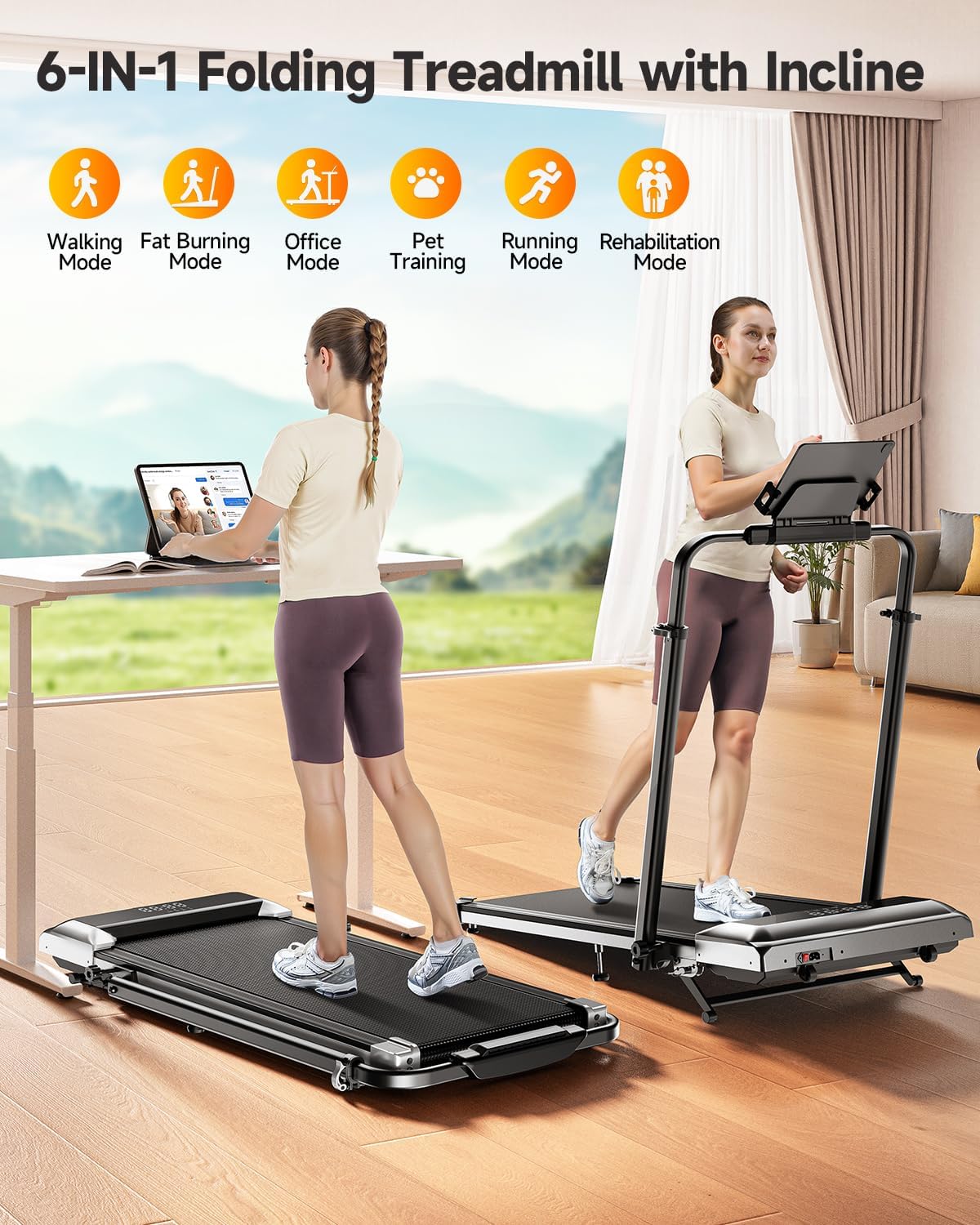
Image: Easy Storage & Space Saving. The treadmill is lightweight and features flexible wheels for convenient movement and compact storage.
6. Solució De Problemes
If you encounter any issues with your TOPUTURE TP6 Treadmill, please refer to the following common solutions. If the problem persists, contact customer support.
| Problema | Causa possible | Solució |
|---|---|---|
| La cinta de córrer no s'encén. | Power cord not securely plugged in; Safety key not in place; Power switch off. | Check power cord connection; Ensure safety key is properly inserted; Turn on the power switch. |
| La cinta de córrer rellisca o dubta. | Tensió de la corretja massa fluixa; la corretja necessita lubricació. | Adjust belt tension according to manual; Lubricate the running belt as instructed. |
| Soroll inusual durant el funcionament. | Loose components; Foreign object under the belt; Motor issue. | Inspect for loose parts and tighten; Carefully check under the belt for obstructions; If noise persists, contact support. |
| El comandament a distància no respon. | Piles gastades; comandament a distància no emparellat. | Replace remote control batteries; Refer to pairing instructions in the manual. |
7. Especificacions del producte
Technical details for the TOPUTURE TP6 Walking Pad Treadmill:
| Especificació | Detall |
|---|---|
| Marca | TOPUTURA |
| Nom del model | TP6 |
| Color | Negre |
| Dimensions del producte (LxWxH) | 127 cm x 63.5 cm x 12.7 cm de profunditat |
| Pes de l'article | 56 lliures (25.4 kg) |
| Material | Acer d'aliatge |
| Velocitat màxima | 7.5 milles per hora (12 km/h) |
| Velocitat mínima | 0.6 milles per hora (1 km/h) |
| Percentatge d'inclinació màximatage | 12% |
| Potència màxima | 2.5 CV |
| Recomanació de pes màxim | 300 lliures (136 kg) |
| Àrea de córrer | 40'' x 16'' (101.6cm x 40.6cm) |
| Tipus de visualització | LED |
| Font d'alimentació | Elèctric amb cable |
| Muntatge obligatori | No |
| Característiques especials | Adjustable Height, Compact Design, Foldable, Shock Absorbent, Wheeled |
| Mètriques mesurades | Calories cremades, Distància, Velocitat, Temps |

Image: 2.5HP Powerful & Quiet Motor. The treadmill features a 2.5HP motor, operates quietly at 45db, has a speed range of 0.6-7.5 MPH, and supports up to 300 LBS.
8. Garantia i atenció al client
Informació de la garantia
The TOPUTURE TP6 Walking Pad Treadmill comes with a garantia d'un any from the date of purchase. This warranty covers manufacturing defects and ensures the product meets quality standards under normal use.
Contactant amb el servei d'atenció al client
Should you require assistance, have questions, or need to claim warranty service, please follow these steps:
- Inicieu sessió al vostre compte d'Amazon.
- Navigate to "Your Orders."
- Locate the order ID for your TOPUTURE TP6 Treadmill.
- Click on "Contact Seller" to reach TOPUTURE customer support directly.
Please have your order details and a description of the issue ready to expedite the support process.
Ask a question about this manual
Ask about setup, troubleshooting, compatibility, parts, safety, or missing instructions. Manuals+ will review the question and use this page’s manual context to help answer it.