
1. Introducció
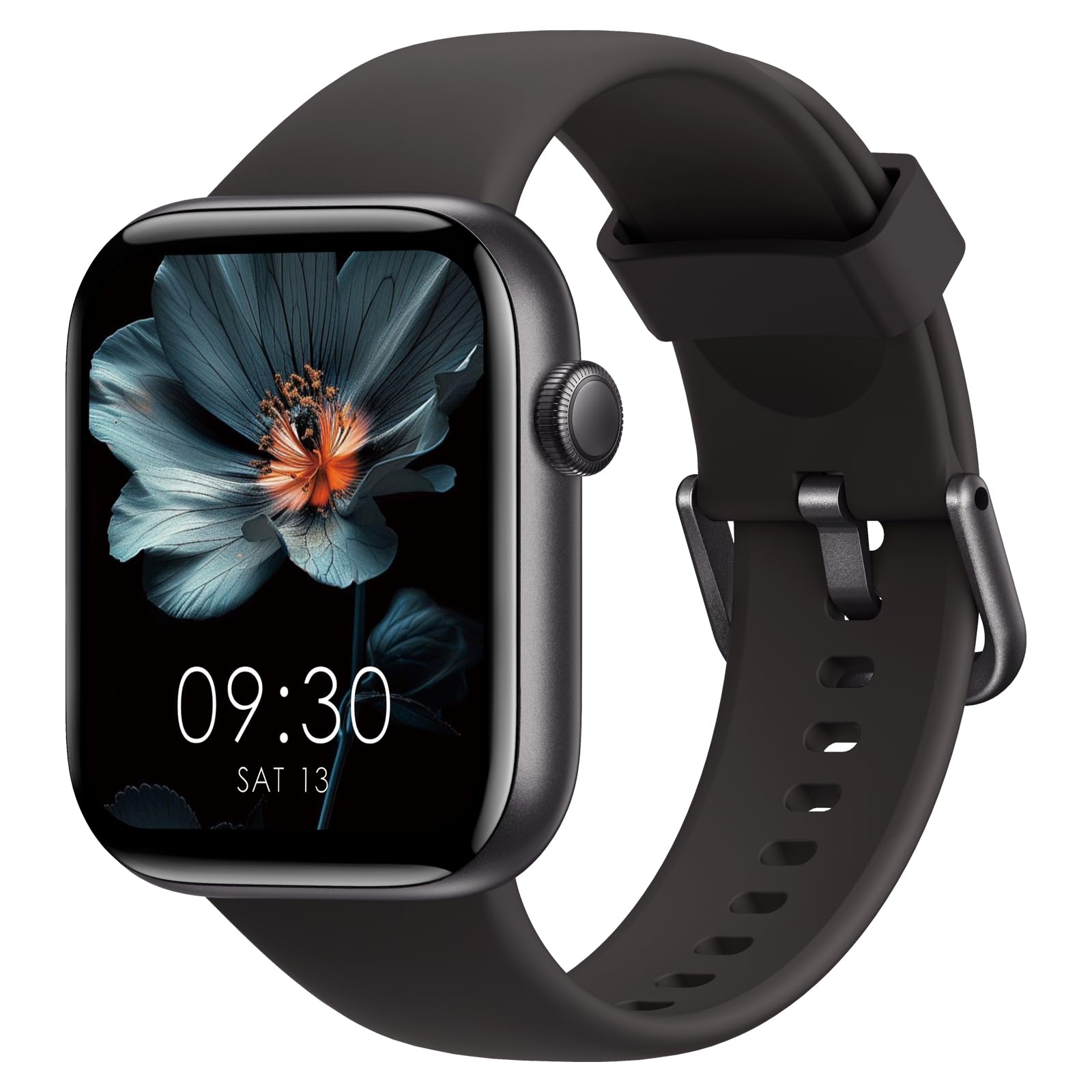
Thank you for choosing the AcclaFit Smartwatch P5. This device is designed to enhance your daily life by providing comprehensive health monitoring, fitness tracking, and smart communication features. Please read this manual carefully to ensure proper use and optimal performance of your smartwatch.

2. Configuració
2.1 Què hi ha a la caixa
- AcclaFit Smartwatch P5
- Cable de càrrega
- Manual d'usuari
2.2 Càrrega del rellotge intel·ligent
Before first use, fully charge your smartwatch. Connect the charging cable to the charging port on the back of the watch and plug the USB end into a standard USB power adapter (not included) or a computer's USB port. The watch display will indicate charging status.
2.3 Instal·lació i emparellament de l'aplicació
To unlock the full potential of your AcclaFit Smartwatch P5, download and install the 'H Band' app on your smartphone.
- Scan the QR code provided in the manual or search for 'H Band' in your smartphone's app store (compatible with Android 5.0+ and iOS 10.0+). You can also visit the official app weblloc: H Band App.
- Assegureu-vos que el Bluetooth del telèfon estigui activat.
- Open the 'H Band' app, register, and log in.
- Follow the in-app instructions to search for and pair your AcclaFit Smartwatch P5. The app will guide you through the connection process.

2.4 Initial Setup and Personalization
After successful pairing, you can personalize your smartwatch settings through the 'H Band' app. This includes setting personal information, notification preferences, and choosing your preferred watch face.
3. Instruccions de funcionament
3.1 Controls bàsics
- Pantalla tàctil: Swipe up, down, left, or right to navigate through menus and functions. Tap to select.
- Botó lateral: Premeu per tornar a la pantalla d'inici o activar el dispositiu. Premeu llargament per veure les opcions d'engegada.
3.2 Trucades Bluetooth i notificacions intel·ligents
The AcclaFit Smartwatch P5 features a built-in microphone and Hi-Fi speaker, allowing you to answer and make calls directly from your wrist when connected to your smartphone via Bluetooth.
- Fer/respondre trucades: When a call comes in, you can answer or reject it directly on the watch. To make a call, access the dial pad or contacts list on the watch.
- Notificacions: Receive SMS messages and notifications from social media apps (Facebook, Twitter, WhatsApp, LinkedIn, Messenger, etc.) directly on your smartwatch. The watch will vibrate to alert you. Manage notification settings via the 'H Band' app.

3.3 Vigilància de la salut
The smartwatch provides comprehensive health data, viewable on the watch and in detail within the 'H Band' app.
- Monitorització de la freqüència cardíaca: Integrated high-precision PPG sensor for 24-hour heart rate tracking. Data is stored for 7 days to monitor long-term changes.
- Monitorització d'oxigen en sang (SpO2): Measures blood oxygen levels using a reflective light sensor.
- Monitorització de la pressió arterial: Measures blood pressure using a reflective light sensor.
- Monitorització del son: Tracks sleep quality in three stages: awake, light sleep, and deep sleep. Helps identify sleep patterns and improve sleep duration and quality.
- Seguiment del període: For female users, the watch supports menstrual cycle tracking.

3.4 Seguiment de l'aptitud física
The AcclaFit Smartwatch P5 supports over 140 professional and advanced workout modes to make your training more scientific and diverse.
- Seguiment de l'activitat: Tracks daily activity data such as steps, active minutes, distance, and calories burned.
- Modes esportius: Includes modes for yoga, swimming, HIIT, running, jump rope, cycling, badminton, football, and many more. Monitor your workout status in real-time.
- Exercici de respiració: Exercicis de respiració guiats per ajudar-te a relaxar-te i gestionar l'estrès.


3.5 Altres funcions
- Controls de música: Controla la reproducció de música al teu telèfon intel·ligent directament des del rellotge.
- Previsions meteorològiques: Rep actualitzacions meteorològiques en temps real al teu canell.
- Personalització de la cara del rellotge: Choose from over 100 watch faces or personalize with your own images.
- Alarma intel·ligent: Set alarms directly on the watch or through the app.
- Recordatori sedentari: Rep alertes per moure't si has estat inactiu durant massa temps.
- Troba el meu telèfon: Locate your paired smartphone using your smartwatch.
4. Manteniment
4.1 Neteja del rellotge intel·ligent
Neteja regularment el teu rellotge intel·ligent i la corretja per evitar irritacions de la pell i mantenir la higiene del dispositiu.
- Netegeu la pantalla i la carcassa del rellotge amb un drap suau iamp, drap sense pelusa.
- Per a la corretja de silicona, podeu utilitzar aigua i sabó suau, després esbandir-la bé i assecar-la completament abans de portar-la.
- Avoid using harsh chemicals or abrasive materials, as these can damage the device.
4.2 Cura de la bateria
- Avoid extreme temperatures, which can shorten battery life.
- Charge the device regularly, but avoid leaving it fully charged or fully discharged for extended periods.
4.3 Resistència a l'aigua (IP68)
The AcclaFit Smartwatch P5 is IP68 waterproof, meaning it can withstand immersion in water up to 1.5 meters for 30 minutes. You can wear it for washing hands, showering, swimming, and diving.
- Important: Do not wear the smartwatch in hot water, including hot showers or saunas, as steam and high temperatures can compromise the water seal.
- After exposure to water, ensure the watch is dry before charging to prevent damage to the charging contacts.

5. Solució De Problemes
If you encounter issues with your AcclaFit Smartwatch P5, please refer to the following common solutions:
- El dispositiu no s'encén: Assegureu-vos que el rellotge estigui completament carregat. Connecteu-lo al carregador i espereu uns minuts abans d'intentar tornar-lo a encendre.
- Connection Issues (Bluetooth):
- Assegureu-vos que el Bluetooth estigui activat al telèfon intel·ligent i al rellotge.
- Assegureu-vos que el rellotge estigui dins de l'abast del Bluetooth del telèfon.
- Reinicieu tant el telèfon intel·ligent com el rellotge intel·ligent.
- Unpair the device from the 'H Band' app and your phone's Bluetooth settings, then attempt to pair again.
- Dades de salut inexactes:
- Assegureu-vos de portar el rellotge ben ajustat al canell, ni massa ajustat ni massa fluix.
- Netegeu el sensor de la part posterior del rellotge.
- Environmental factors and individual physiology can affect readings. The data is for reference and not for medical diagnosis.
- Notificacions que no apareixen:
- Check notification settings in the 'H Band' app to ensure they are enabled for desired applications.
- Ensure your phone's notification permissions are granted to the 'H Band' app.
- Verifiqueu que el rellotge estigui connectat al telèfon mitjançant Bluetooth.
- La pantalla no respon: Prova de reiniciar el rellotge prement llargament el botó lateral. Si no respon, deixa que la bateria s'esgoti completament i després torna-la a carregar.
If problems persist, please contact AcclaFit customer support.
6. Especificacions
| Característica | Detall |
|---|---|
| Marca | AcclaFit |
| Número de model | P5 |
| Sistema operatiu | Wear OS 3.0 |
| Mida de la pantalla | 1.85 polzades |
| Resolució | 320 x 240 o superior |
| Tecnologia de connectivitat | Bluetooth |
| Comunicació sense fils estàndard | Bluetooth |
| Capacitat de la bateria | 400 milionsamper-hour (mAh) |
| Durada mitjana de la bateria | 15 dies |
| Nivell de resistència a l'aigua | IP68 (Resistant to water up to 1.5 meters) |
| Aplicació compatible | Alarm Clock (via H Band app) |
| Característiques especials | Weather Forecasts, Touch Screen, Phone Call, Activity Tracker, Multi-Sport Tracker, Heart Rate Monitor, Blood Pressure Monitor, Blood Oxygen Monitor |
| Dispositius compatibles | Smartphones (iOS 10.0+ and Android 5.0+) |
| Tipus de material de la banda | Silicona |
| Case Material Type | Plàstic |
| GPS | Sense GPS |
| User Interface Interaction | Micròfon, pantalla tàctil |
7. Garantia i assistència
7.1 Informació de la garantia
The AcclaFit Smartwatch P5 comes with an Extended Warranty. Please refer to the warranty card included in your package or contact AcclaFit customer service for detailed terms and conditions.
7.2 Atenció al client
For any questions, technical assistance, or support regarding your AcclaFit Smartwatch P5, please visit the official AcclaFit weblloc web o poseu-vos en contacte amb el seu departament d'atenció al client. La informació de contacte normalment es pot trobar a l'embalatge del producte o a la marca oficial. weblloc.