
glo Hilo Plus
glo Hilo Plus Tobacco Heater Instruction Manual
Model: Hilo Plus | Brand: glo
Informació important de seguretat
ADVERTIMENT: This product is intended for adult consumers only. It is not risk-free and contains nicotine, which is addictive. Please read all labels, warnings, and instructions provided with the product before use or consumption. This product is not a traditional cigarette; it heats tobacco sticks without burning them. The product does not contain sticks, liquids, pre-filled cartridges, or refills.
glo Hilo devices are compatible only with new glo Hilo sticks.
Producte acabatview
The glo Hilo Plus is an advanced tobacco heater designed to provide an intense flavor experience from start to finish. It features TurboStart™ technology for rapid heating and an intuitive EasyView™ screen for monitoring session status and battery level. The Hilo Plus model also includes EasySwitch™ functionality, allowing the pen to be used both inside and outside its charging case.
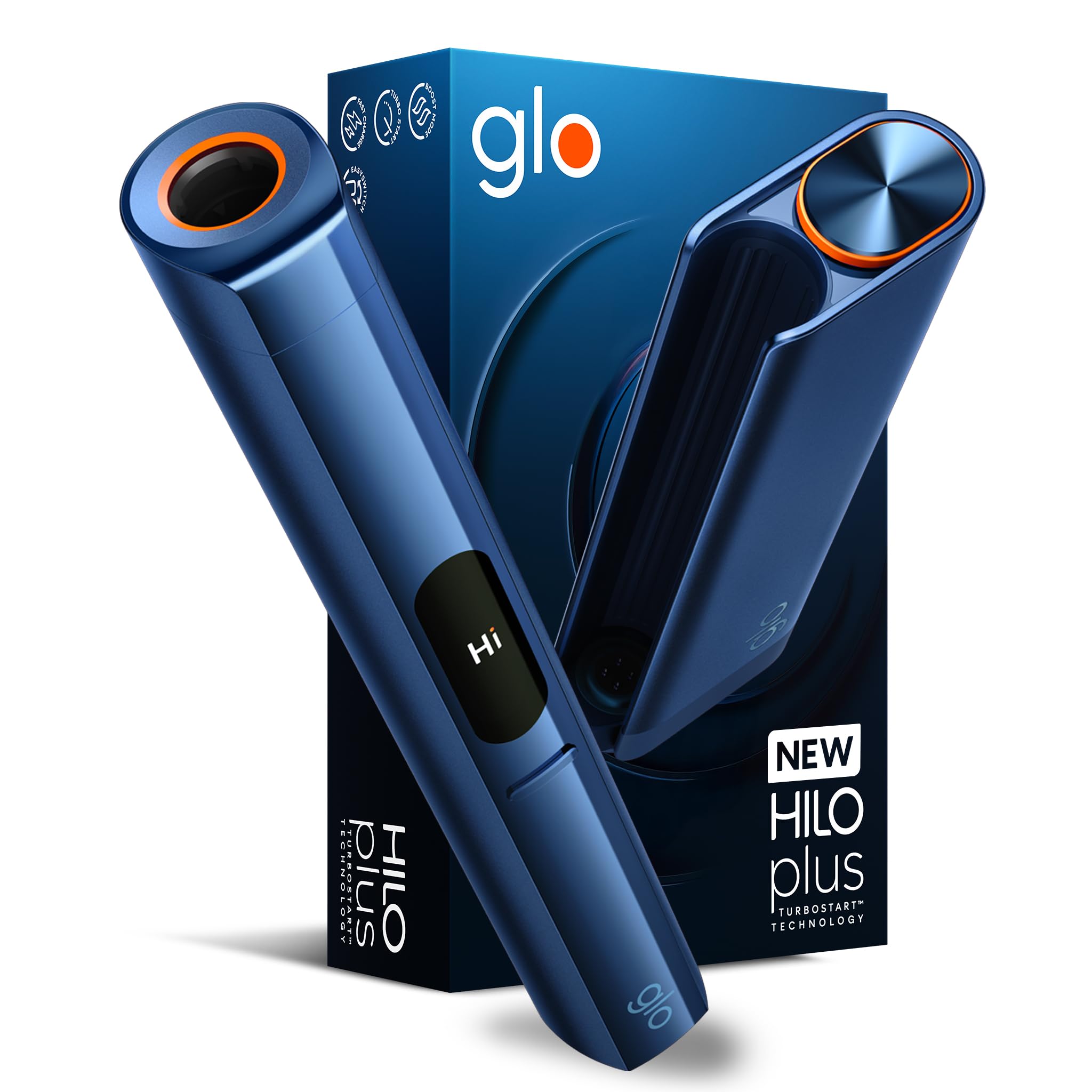
Image: The glo Hilo Plus device in blue, showcasing el seu disseny elegant.
Característiques principals:
- TurboStart™ Technology: Rapid heating for quick session initiation (less than 10 seconds).
- FàcilView™ Screen: Intuitive display showing session status and battery level.
- Touch EasyView™ Screen: Enhanced control and interaction (Hilo Plus only).
- EasySwitch™ Functionality: Allows use of the heating pen independently from the charging case (Hilo Plus only).
- Designed for exclusive use with new glo Hilo tobacco sticks.
Configuració
1. Càrrega del dispositiu:
Before first use, fully charge your glo Hilo Plus device. Connect the charging cable to the device and a suitable power source. The EasyView™ screen will indicate the charging status and battery level.
2. Inserting a Tobacco Stick:
Gently insert a compatible glo Hilo tobacco stick into the heating chamber of the device. Ensure it is fully seated for proper heating.
Instruccions de funcionament
1. Powering On and Starting a Session:
To power on the device and start a session, press and hold the main button until the device vibrates and the EasyView™ screen illuminates. The TurboStart™ technology will quickly preheat the tobacco stick. The screen will display the heating progress.

Image: Close-up of the glo Hilo Plus device illustrating the rapid heating process with TurboStart™ technology.
2. Monitoring Session and Battery:
El FàcilView™ screen provides real-time information on your session duration and remaining battery life. For the Hilo Plus, the Touch EasyView™ screen allows for advanced interaction.

Image: The glo Hilo Plus device highlighting its EasyView™ screen, showing "STANDARD" mode for clear and immediate control.
3. Using EasySwitch™ (Hilo Plus only):
The EasySwitch™ feature allows you to detach the heating pen from its charging case and use it independently. This provides flexibility during your session. To re-insert, simply slide the pen back into the case.

Image: Two glo Hilo Plus devices, one with the pen inserted and one with the pen detached, illustrating the EasySwitch™ feature.
4. Ending a Session:
The device will automatically end the session after a set duration. You can also manually end a session by pressing and holding the main button until the device powers off.
5. Using the myglo App (Optional):
Enhance your experience by connecting your glo Hilo Plus device to the myglo app. The app provides additional features and insights into your usage. Refer to the app's instructions for pairing and functionality.

Image: The glo Hilo Plus device shown alongside a smartphone displaying the myglo application interface, indicating connected status and various features.
Manteniment i Neteja
Regular cleaning is essential to maintain optimal performance and flavor. After several sessions, allow the device to cool down completely. Use the provided cleaning tools (if any) or a soft, dry cloth to gently remove any tobacco residue from the heating chamber and surrounding areas. Avoid using liquids or abrasive materials.
Ensure the charging port is free from debris to maintain a reliable connection.
Resolució de problemes
| Problema | Causa possible | Solució |
|---|---|---|
| El dispositiu no s'encén | Bateria baixa; mal funcionament del dispositiu. | Charge the device fully. If the issue persists, contact customer support. |
| Poor vapor production or flavor | Tobacco stick not inserted correctly; device needs cleaning; incompatible stick. | Ensure the stick is fully inserted. Clean the heating chamber. Use only compatible glo Hilo sticks. |
| Device gets dirty or blocks | Accumulation of residue. | Perform regular cleaning as described in the Maintenance section. |
Per obtenir més ajuda, consulteu la secció Garantia i assistència.
Especificacions
- Número de model: 10232862
- Dimensions (LxWxH): 10.3 x 4.6 x 16.3 cm
- Pes: Aproximadament 232 grams
- Capacitat de la bateria: 1600 mAh
- Característica especial: TurboStart™ (Rapid Ignition)
- Color: Blue (for this specific variant)
- País d'origen: Itàlia
- Fabricant: Nicoventures Trading Limited
Garantia i Suport
This product is subject to a return policy of 14 days for refund or replacement, as per Amazon's terms. For detailed warranty information and customer support, please visit the official glo brand store or contact the manufacturer directly.
Documents relacionatsHilo Plus


Ask a question about this manual
Ask about setup, troubleshooting, compatibility, parts, safety, or missing instructions. Manuals+ will review the question and use this page’s manual context to help answer it.