
1. Introducció
This manual provides essential information for the safe and efficient use of your Philips 43V-type 4K UHD Smart TV, model PUH7700. Please read these instructions carefully before operating the television and retain them for future reference.
2. Informació de seguretat
Seguiu sempre les precaucions de seguretat bàsiques quan utilitzeu aquest televisor per reduir el risc d'incendi, descàrrega elèctrica i lesions.
- No exposeu el televisor a la pluja ni a la humitat.
- No bloquejar les obertures de ventilació.
- Assegureu-vos de la connexió a terra correcta de l'endoll.
- Desendolleu el televisor durant tempestes o quan no l'utilitzeu durant períodes prolongats.
- Demaneu tot el servei a personal de servei qualificat.
3. Contingut del paquet
Verifiqueu que tots els elements siguin presents al paquet:
- Philips 43V-type 4K UHD Smart TV (PUH7700)
- Stand x2 (with 4 screws)
- Control remot x1
- Manual d'instruccions (aquest document)
- Cable d'alimentació
- Screws x2 (ST4x9.5-10.5mm - for bottom stand attachment)
4. Configuració
4.1 Unpacking the TV
For safety, it is recommended that two people handle the unpacking process. Place the outer box vertically on a flat surface. Cut the tape and remove the locks at the bottom of the box. Carefully lift the outer box vertically to remove the TV. Remove the protective cushioning materials around the TV.
Video: This video demonstrates the unpacking process and stand attachment for a Philips 7700 series TV. It shows how to open the box, remove packaging, and secure the stand. Note that the video shows a 65-inch model, but the process is similar for the 43-inch model.
4.2 Col·locació del suport
Before attaching the stand, ensure you have a Phillips head screwdriver. Take out the base stands and confirm the model numbers (e.g., '65F-L' for left, '65F-R' for right) match your TV. Align the stand holes with the corresponding holes on the bottom of the TV. Insert the screws (M5 x 4) and tighten them securely. Repeat for the other side. Once both stands are attached, carefully lift the TV and place it upright on a stable surface. Ensure the stands are firmly fixed.
The power cord is located at the back of the TV. If wall mounting is required, please consult a professional.
4.3 Configuració inicial
After connecting the power cable and turning on the TV, the Google TV logo will appear. Follow the on-screen instructions to pair your remote control. Press the 'HOME' and 'BACK' buttons simultaneously for 3 seconds to enter pairing mode. The lamp on the top left of the remote will flash, indicating pairing. Once paired, select 'Skip' using the central button on the remote if you wish to proceed without further remote pairing steps.
Video: This video guides you through the initial setup process for a Philips 7700 series TV. It covers remote pairing, language selection, connecting to Wi-Fi, logging into your Google account, and selecting TV mode.
- Selecció d'idioma: Trieu l'idioma que preferiu de la llista.
- Configuració de Google TV: You can set up the TV using the Google TV app on your smartphone (scan QR code) or manually with the remote.
- TV Mode Selection: Select 'Home Mode' for efficient energy use in a home environment. Confirm your selection.
- Connexió Wi-Fi: Select your Wi-Fi network and enter the password to connect. Note: Wi-Fi connection may require several attempts initially; this is not a malfunction.
- Google Account Login/Registration: Log in or register with your Google account.
- Serveis de Google: Review and agree to Google's terms of service.
- Integració de Google Home: Choose whether to add the TV to Google Home.
- Selecció de serveis: Select the streaming services you wish to use. The corresponding apps will be automatically installed. Some apps may not be available in all regions or require a separate subscription.
- Exempció de responsabilitat: Review the disclaimer terms.
- Comprovació d'actualització del sistema: Navigate to Settings > System > Device Information > System Update to ensure your system is up to date.
5. Instruccions de funcionament
5.1 Funcions de Smart TV (Google TV)
Your Philips TV comes with Google TV built-in, offering a seamless entertainment experience. Access movies, shows, and content from all your subscriptions directly from the home screen. Utilize Google's recommendation features to discover new content, search over 10,000 titles, and watch hundreds of free channels. Create personalized profiles for customized viewing.

Image: The Google TV interface displaying a wide array of streaming service applications, providing access to diverse content.
5.2 Qualitat d'imatge i so
Experiència immersiva viewing with 4K UHD resolution and Dolby Atmos sound.
- Resolució 4K UHD: Enjoy ultra-high definition visuals (3840x2160) with crisp details, even on a large screen.
- So Dolby Atmos: Immerse yourself in movies and games with powerful, three-dimensional audio.
- HDR10/HLG Support: Enhanced HDR image expression for stunning detail in both bright and dark scenes.
- MEMC (Estimació de moviment, Compensació de moviment): Smoothly renders fast-moving scenes, ideal for sports and action movies, reducing blur.
- Blue Eye Care Technology: Philips' unique 'Blue Eye Care Technology' cuts 90% of harmful blue light, protecting your eyes during long viewing sessions without compromising picture quality. Certified by TÜV & UL.
- Sense parpelleig: PWM dimming technology suppresses screen flicker, reducing eye strain and dryness for comfortable long-term viewing.
- AI Picture Engine: Philips' proprietary PixelPlus Ultra HD and AI picture engine deliver 4K clarity and three-dimensional images.

Image: A visual comparison illustrating the enhanced detail and clarity of 4K UHD resolution (3840x2160) compared to Full HD (1920x1080).

Image: A family enjoying an immersive viewing experience with Dolby Vision and Dolby Atmos, watching an underwater scene on their Philips TV.
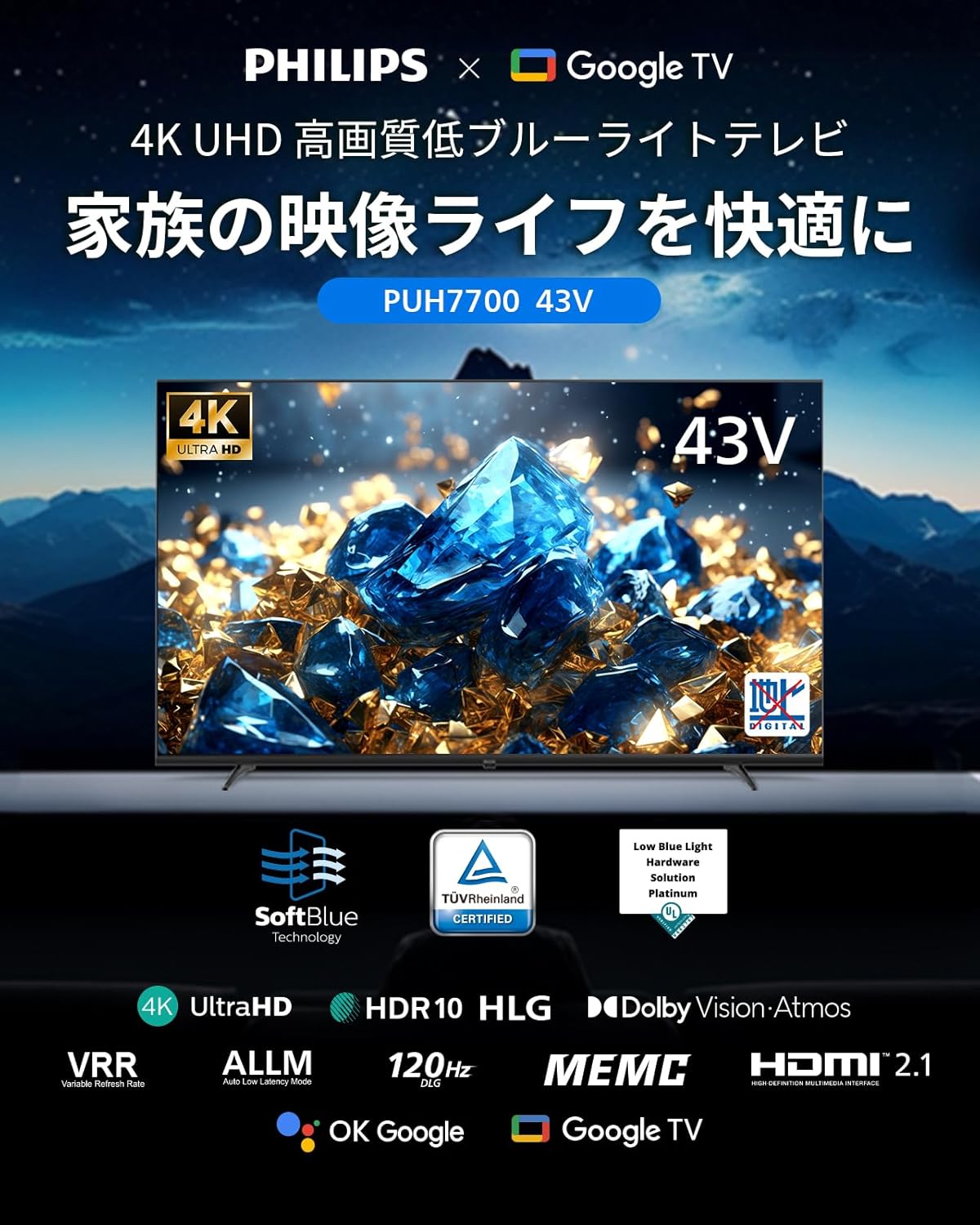
Image: A diagram illustrating Philips' Blue Eye Care Technology, which reduces harmful blue light by 90% to protect viewers' eyes.
5.3 Característiques del joc
- ALLM (mode automàtic de baixa latència): Automatically switches to game mode when a game console is connected, minimizing input lag for a smooth gaming experience.
- VRR (freqüència d'actualització variable): Supports variable refresh rates for enhanced gaming immersion and smoother visuals, eliminating screen tearing and lag.
- DLG 120Hz: Simulates 120Hz refresh rate for smoother motion in games.

Image: A visual demonstration of ALLM, VRR, and MEMC technologies, showcasing improved responsiveness and smooth motion in gaming and fast-action scenes.
5.4 Connectivitat
El televisor ofereix opcions de connectivitat versàtils:
- Ports HDMI: 3 HDMI ports for connecting game consoles, desktop PCs, soundbars, and other devices. Supports HDMI ARC.
- Bluetooth 5.1: Connecteu auriculars sense fil, altaveus i altres dispositius Bluetooth.
- USB: Two USB interfaces for media playback.
- Wi-Fi: Supports 2.4GHz and 5GHz wireless LAN for internet connectivity.
- Chromecast integrat: Easily cast photos and videos from your iPhone or Android smartphone to the TV screen.
- LAN-RJ45: Per a connexió a Internet per cable.
Imatge: Una imatge detallada view of the TV's rear panel, highlighting the various input and output ports for comprehensive connectivity.

Image: A user casting content from a smartphone to the TV screen, illustrating the convenience of Chromecast built-in for sharing media.
5.5 Control de veu
The included remote control supports voice input and features direct buttons for popular apps like ABEMA, YouTube, Netflix, and Hulu. Use Google Assistant to search for movies, shows, and apps by voice. (Remote pairing is required for voice search functionality).

Image: The remote control featuring dedicated buttons for popular streaming services and a voice search function, allowing quick access to content.
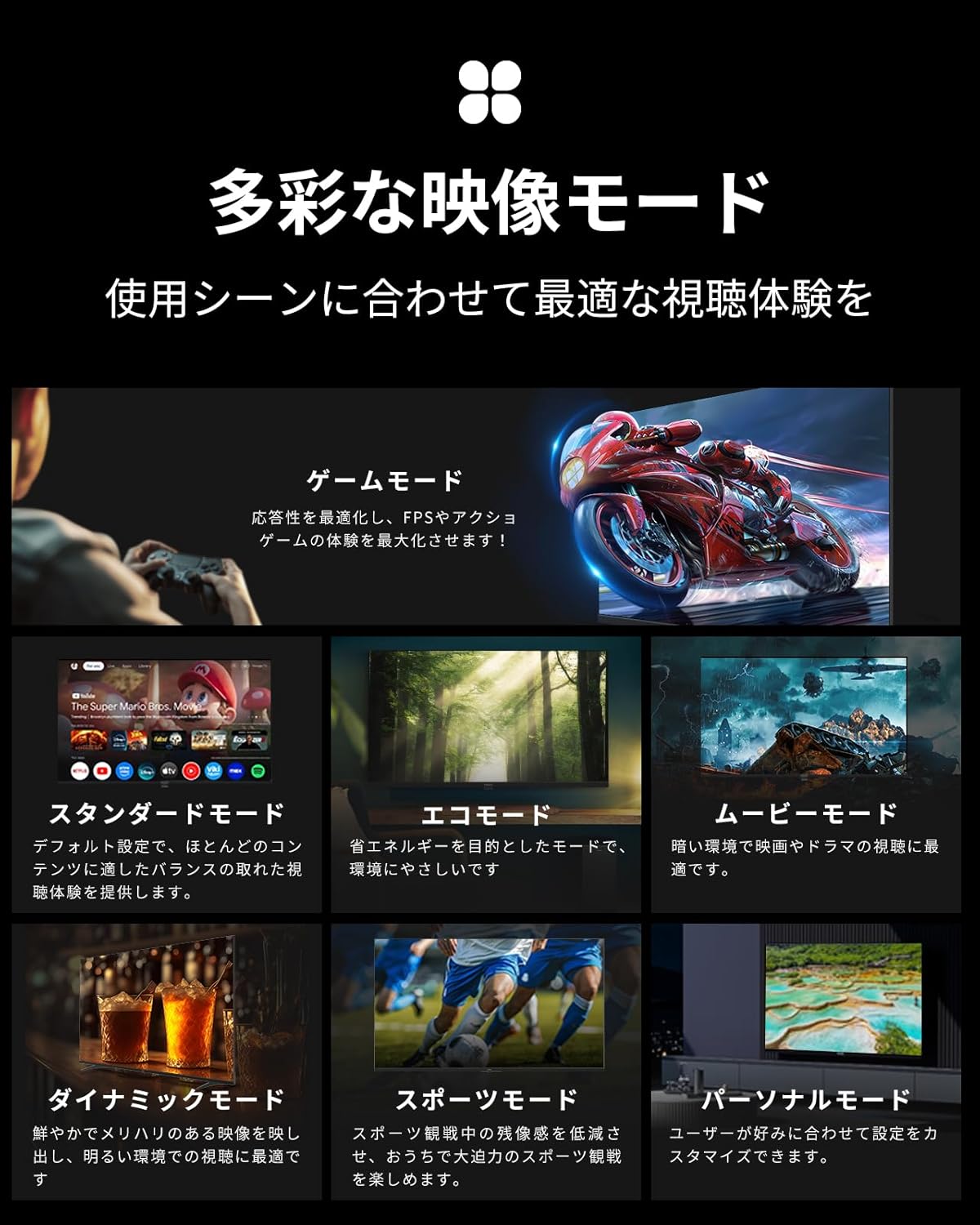
5.6 modes d'imatge
Seleccioneu l'òptim viewing experience for any scene with various image modes:
- Mode de joc: Optimizes responsiveness for FPS and action games.
- Mode estàndard: Default setting for balanced viewing across most content.
- Mode Eco: Energy-saving mode, environmentally friendly.
- Mode pel·lícula: Best for movies and dramas in dark environments.
- Mode dinàmic: Vivid and sharp images, ideal for bright environments.
- Mode esportiu: Reduces motion blur for clear sports viewing.
- Personal Mode: Customize settings to your preference.
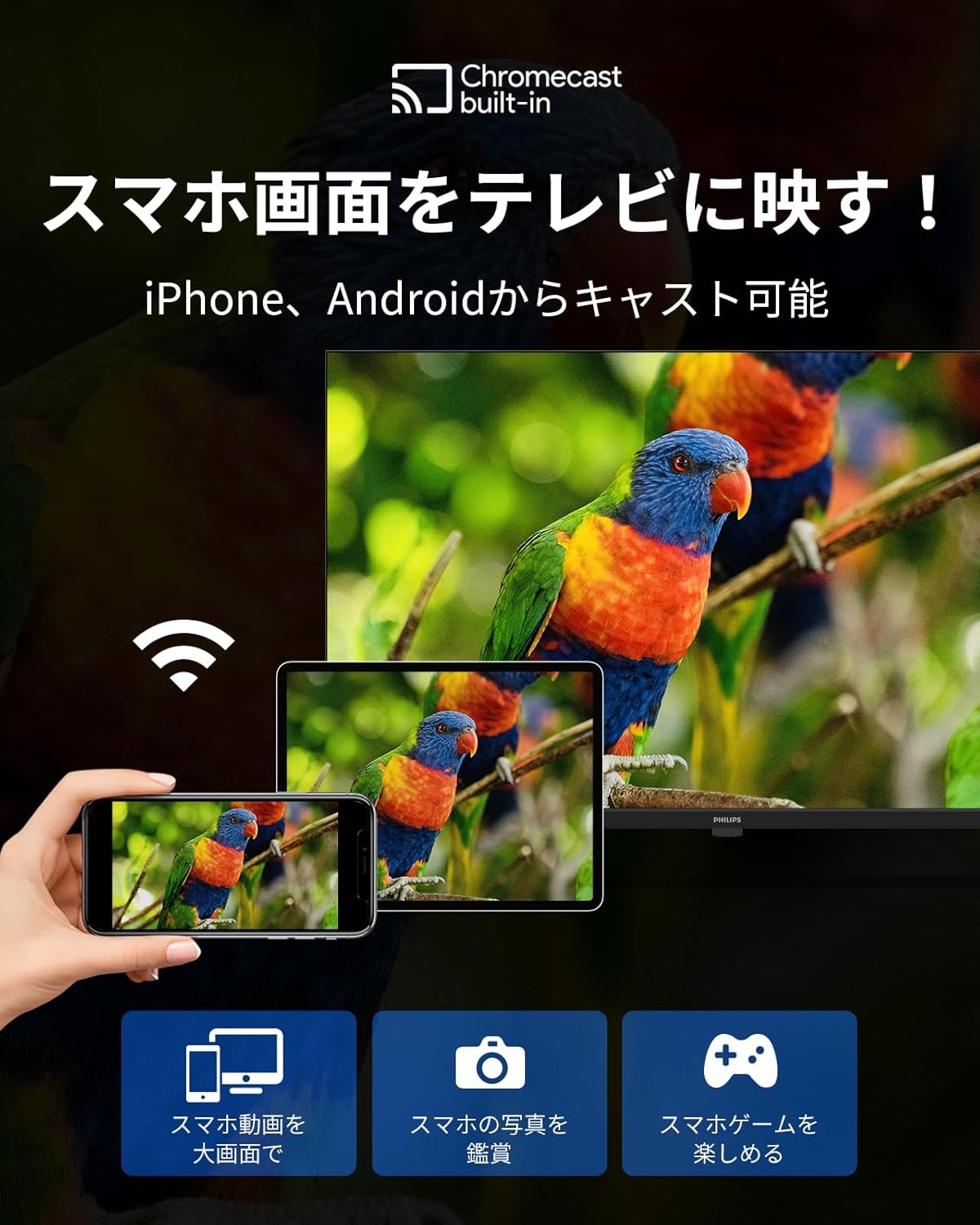
Image: A display of various image modes available on the TV, each optimized for different content types and viewentorns.
6. Manteniment
- Neteja de pantalla: Gently wipe the screen with a soft, dry cloth. For stubborn marks, use a screen-specific cleaner applied to the cloth, not directly to the screen.
- Neteja d'armaris: Netegeu el moble amb un drap suau i sec. No utilitzeu productes de neteja abrasius ni dissolvents.
- Ventilació: Assegureu-vos que les obertures de ventilació del televisor no estiguin bloquejades per evitar el sobreescalfament.
7. Solució De Problemes
If you encounter issues with your TV, try the following solutions before contacting support:
- Sense energia: Assegureu-vos que el cable d'alimentació estigui connectat correctament tant al televisor com a la presa de corrent. Proveu una altra presa de corrent.
- Sense imatge/so: Check that the correct input source is selected. Verify all cable connections (HDMI, etc.) are secure.
- El comandament a distància no funciona: Check the remote control batteries. Ensure the remote is paired correctly (refer to Initial Setup).
- Sense connexió a Internet: Verify your Wi-Fi password and network selection. Restart your router and the TV.
- No es carreguen les aplicacions: Check your internet connection. Ensure the app is updated to the latest version.
- System Slow/Unresponsive: Reinicieu el televisor desendollant-lo de la presa de corrent durant uns minuts i després tornant-lo a connectar.
8. Especificacions
| Característica | Especificació |
|---|---|
| Número de model | PUH7700 |
| Mida de la pantalla | 43V-type (43 inches) |
| Resolució | 3840 x 2160 (4K UHD) |
| Tipus de visualització | VA LCD |
| Relació d'aspecte | 16:9 |
| Freqüència d'actualització | 60Hz (DLG 120Hz) |
| Max Speaker Output | 8W + 8W |
| Versió Bluetooth | 5.1 |
| LAN sense fil | 2.4 GHz / 5 GHz |
| Consum d'energia | 110W |
| Dimensions (sense suport) | 957 x 559 x 87 mm |
| Dimensions (amb suport) | 957 x 614 x 258 mm |
| Pes (sense suport) | 7.2 kg |
| Ports HDMI | 3 |
| Ports USB | 2 |
| Wall Mount Standard | VESA 300 x 300 |

Image: A table outlining the detailed specifications of the Philips PUH7700 TV, including dimensions, resolution, refresh rate, and connectivity options, alongside recommended room sizes for various TV sizes.
9. Garantia i Suport
All Philips products sold are genuine. This product comes with a 365-day warranty period. In case of product defects under normal use, a free product exchange will be provided. (Excludes malfunctions caused by customer's intent or negligence).
If the product arrives damaged or scratched during delivery, please contact us for a free exchange.
Horari d'assistència: Monday - Friday, 10:00 - 12:00 / 13:00 - 17:00 (Excluding Saturdays, Sundays, national holidays, summer holidays, and New Year holidays).