
1. Introducció
This manual provides detailed instructions for the YCCTEAM Wired Controller, designed for use with Xbox One, Xbox Series X/S, and PC (Windows 7/8/10). Please read this manual carefully to ensure proper setup, operation, and maintenance of your controller.
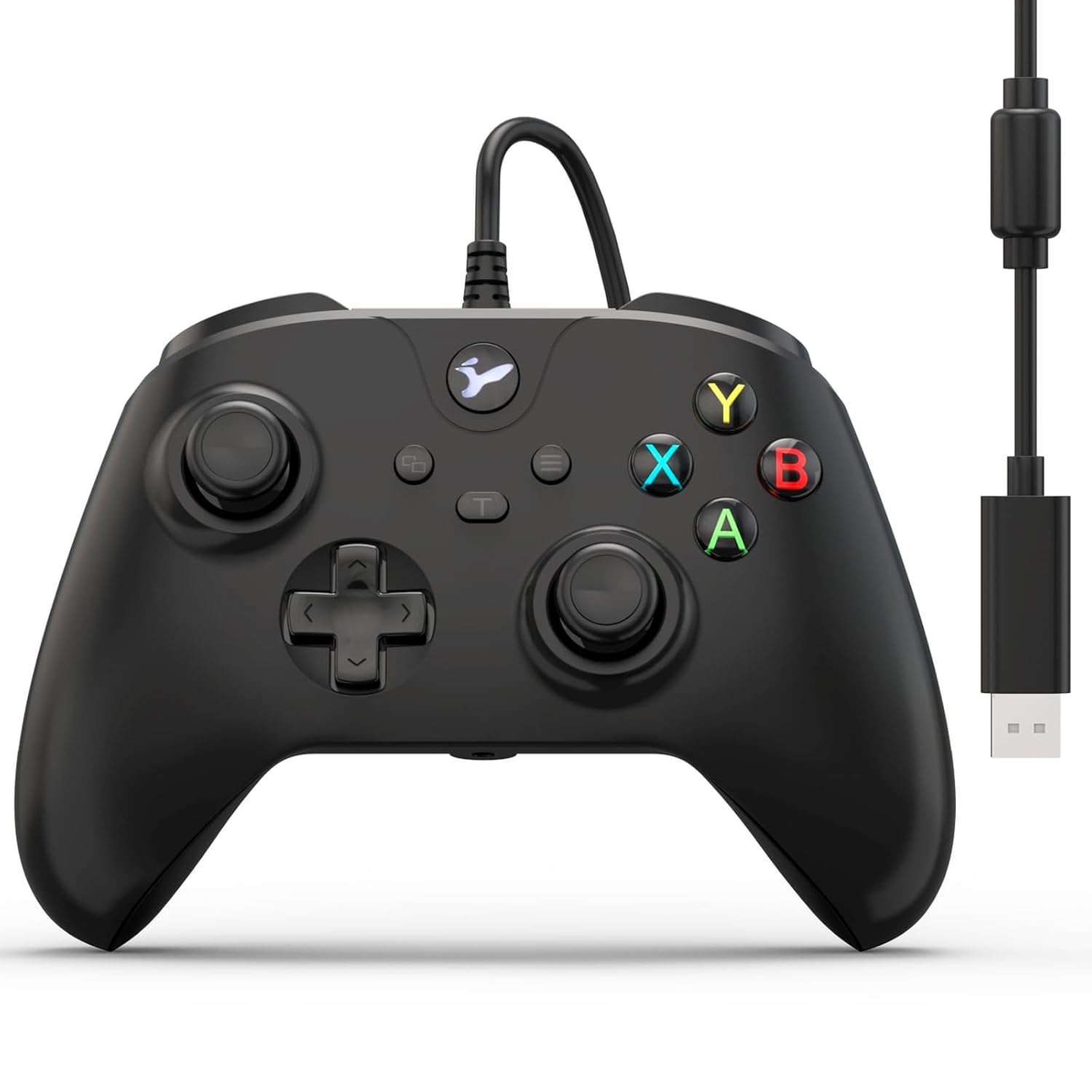
Imatge 1.1: Frontal view of the YCCTEAM Wired Controller with its integrated USB cable.
2. Producte acabatview
2.1 Característiques clau
- Precision Vibration Feedback: Equipped with dual motors for immersive vibration feedback, enhancing gameplay realism.
- High-Precision Controls: Features 256-level precision 3D joysticks, dual pressure-sensitive triggers, and an 8-way D-pad for accurate input.
- Disseny ergonòmic: Asymmetric contouring and textured grips provide comfort during extended gaming sessions.
- Connectivitat Plug-and-Play: Connects directly via a 7.2-foot USB cable, requiring no batteries or Bluetooth pairing.
- Funció turbo: An 8Hz Turbo mode allows for rapid, automatic button presses, reducing finger strain.
- Conector d'àudio de 3.5 mm: Integrated audio jack for headset connection, enabling clear in-game communication.
- Àmplia compatibilitat: Compatible with Xbox One, Xbox One S, Xbox One X, Xbox Series X, Xbox Series S, and PC (Windows 7/8/10).
2.2 Components del controlador

Imatge 2.1: Detallada view of controller components including A/B/X/Y buttons, 3.5mm audio jack, 3D joysticks, and linear triggers.
- Botons A/B/X/Y: Botons d'acció estàndard.
- D-Pad: Directional pad for precise movement or menu navigation.
- Joysticks esquerre/dret: 3D analog sticks for 360-degree control.
- Disparadors esquerra/dreta (LT/RT): Pressure-sensitive analog triggers.
- Para-xocs esquerre/dret (LB/RB): Digital shoulder buttons.
- Botó de menú: Access in-game menus or system options.
- View Botó: Access in-game maps or system views.
- Botó Xbox: Power on/off console, access Xbox Guide.
- Conector d'àudio de 3.5 mm: Per connectar auriculars compatibles.
- Cable USB: Integrated 7.2-foot USB cable for connection.

Image 2.2: The controller features dual vibration motors for enhanced haptic feedback during gameplay.
3. Instruccions de configuració
3.1 Connecting to Xbox One/Series X|S
- Assegura't que la consola Xbox estigui engegada.
- Localitza un port USB disponible a la consola Xbox.
- Plug the USB connector of the YCCTEAM Wired Controller into the USB port.
- The controller will automatically be recognized by the console. The Xbox button on the controller will illuminate to indicate a successful connection.
- Your controller is now ready for use.

Image 3.1: Controller connected to various Xbox consoles and a PC, demonstrating broad compatibility.
3.2 Connecting to PC (Windows 7/8/10)
- Assegureu-vos que el vostre PC estigui encès.
- Localitza un port USB disponible al teu ordinador.
- Plug the USB connector of the YCCTEAM Wired Controller into the USB port.
- Windows will automatically detect and install the necessary drivers. This process may take a few moments.
- Once drivers are installed, the controller will be ready for use. You can verify its status in your PC's Device Manager or game controller settings.
- No additional software or batteries are required.
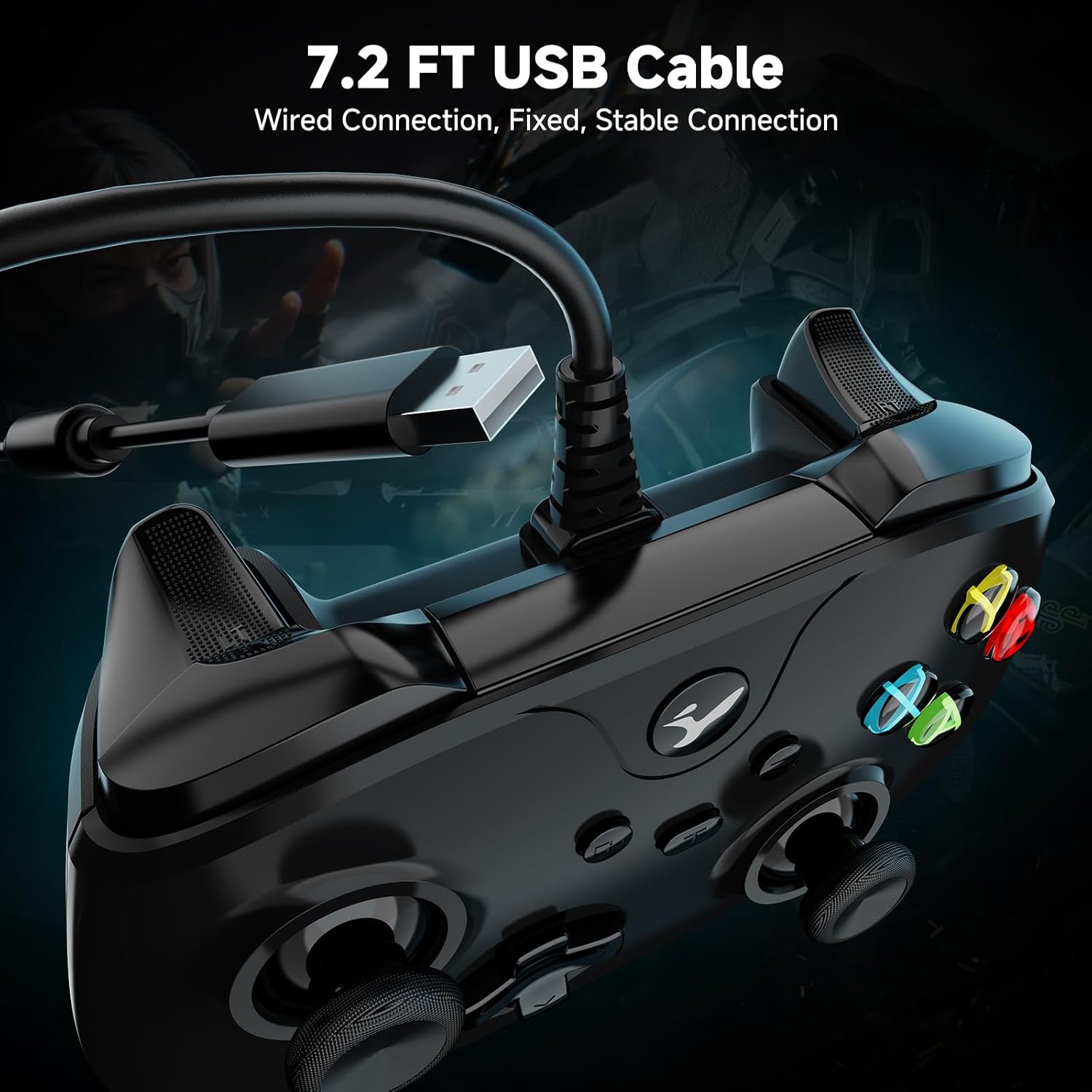
Image 3.2: The 7.2-foot USB cable provides a stable wired connection to your device.
4. Instruccions de funcionament
4.1 Control bàsic
The YCCTEAM Wired Controller functions similarly to standard Xbox controllers. Use the joysticks for movement and camera control, the D-pad for menu navigation or specific actions, and the A/B/X/Y buttons for in-game commands. The LB/RB bumpers and LT/RT triggers provide additional input options.
4.2 Funció Turbo
The controller features an 8Hz Turbo mode for rapid button presses. This function can be activated for specific buttons to perform repeated actions automatically.
- Per activar el Turbo: Press and hold the desired action button (e.g., A, B, X, Y, LB, RB, LT, RT) and then press the "Turbo" button (often indicated by a 'T' or similar icon, usually near the center of the controller). The button will now rapidly repeat its input when held down.
- Per desactivar el Turbo: Repeat the activation process: press and hold the button with Turbo enabled, then press the "Turbo" button again.

Image 4.1: The Turbo function allows for rapid, automatic button presses.
4.3 Using the 3.5mm Audio Jack
The integrated 3.5mm audio jack allows you to connect a compatible headset for in-game audio and voice chat.
- Plug your 3.5mm headset into the audio jack located at the bottom of the controller.
- Ensure your headset is properly seated.
- Audio and microphone functions should be automatically routed through the controller. You may need to adjust audio settings within your game or console/PC system settings.

Image 4.2: Connect a 3.5mm headset for audio and communication.
5. Manteniment
- Neteja: Feu servir un drap suau i sec per netejar el controlador. Per a la brutícia resistent, feu servir un drap lleugerament sec.amp Es pot fer servir un drap, però assegureu-vos que no entri humitat a les obertures del controlador.
- Emmagatzematge: Guardeu el controlador en un lloc fresc i sec, allunyat de la llum solar directa i de temperatures extremes.
- Cura del cable: Avoid sharply bending or twisting the USB cable. Do not pull the cable to disconnect; always grasp the USB plug.
- Eviteu les gotes: While designed for durability, repeated drops can damage internal components. Handle with care.
6. Solució De Problemes
| Problema | Solució |
|---|---|
| El comandament no és reconegut per la consola/PC. |
|
| Sense retroalimentació de vibracions. |
|
| El connector d'àudio no funciona. |
|
| Controller does not wake up after PC standby. |
|
| Buttons or joysticks are unresponsive or have "drift". |
|
7. Especificacions
- Model: B0FRS94GX3
- Connectivitat: USB per cable
- Longitud del cable: 7.2 peus (aproximadament 2.2 metres)
- Compatibilitat: Xbox One, Xbox One S, Xbox One X, Xbox Series X, Xbox Series S, PC (Windows 7/8/10)
- Joysticks: 256-level precision 3D joysticks
- Vibració: Dual motors for haptic feedback
- Àudio: 3.5mm headset audio jack
- Funció turbo: 8Hz rapid fire
- Dimensions: Aproximadament 6.5 x 4.84 x 2.76 polzades
- Pes: Aproximadament 10.6 unces (300 grams)
- Fabricant: EQUIP YCC
8. Garantia i Suport
YCCTEAM products are designed for reliability and performance. For specific warranty details, please refer to the product packaging or the official YCCTEAM website. If you encounter any issues or have questions regarding your YCCTEAM Wired Controller, please contact YCCTEAM customer support through their official channels.
Informació de contacte:
- Weblloc: www.yccteam.com (Nota: Això és un marcador de posició URL, please refer to actual product documentation for correct support weblloc.)
- Correu electrònic: Consulteu l'oficial weblloc web per a adreces de correu electrònic d'assistència.
Conserveu el vostre comprovant de compra per a reclamacions de garantia.