
Introducció
This manual provides detailed instructions for the GIGABYTE X870E AORUS ELITE X3D ICE AMD AM5 ATX Motherboard. It covers essential information for installation, operation, maintenance, and troubleshooting to ensure optimal performance and longevity of your system. The X870E AORUS ELITE X3D ICE supports AMD Ryzen 9000, 8000, and 7000 Series Processors, features DDR5 memory support, 16+2+2 power phase design, four M.2 slots, PCIe 5.0, WIFI7, and 5 GbE connectivity.
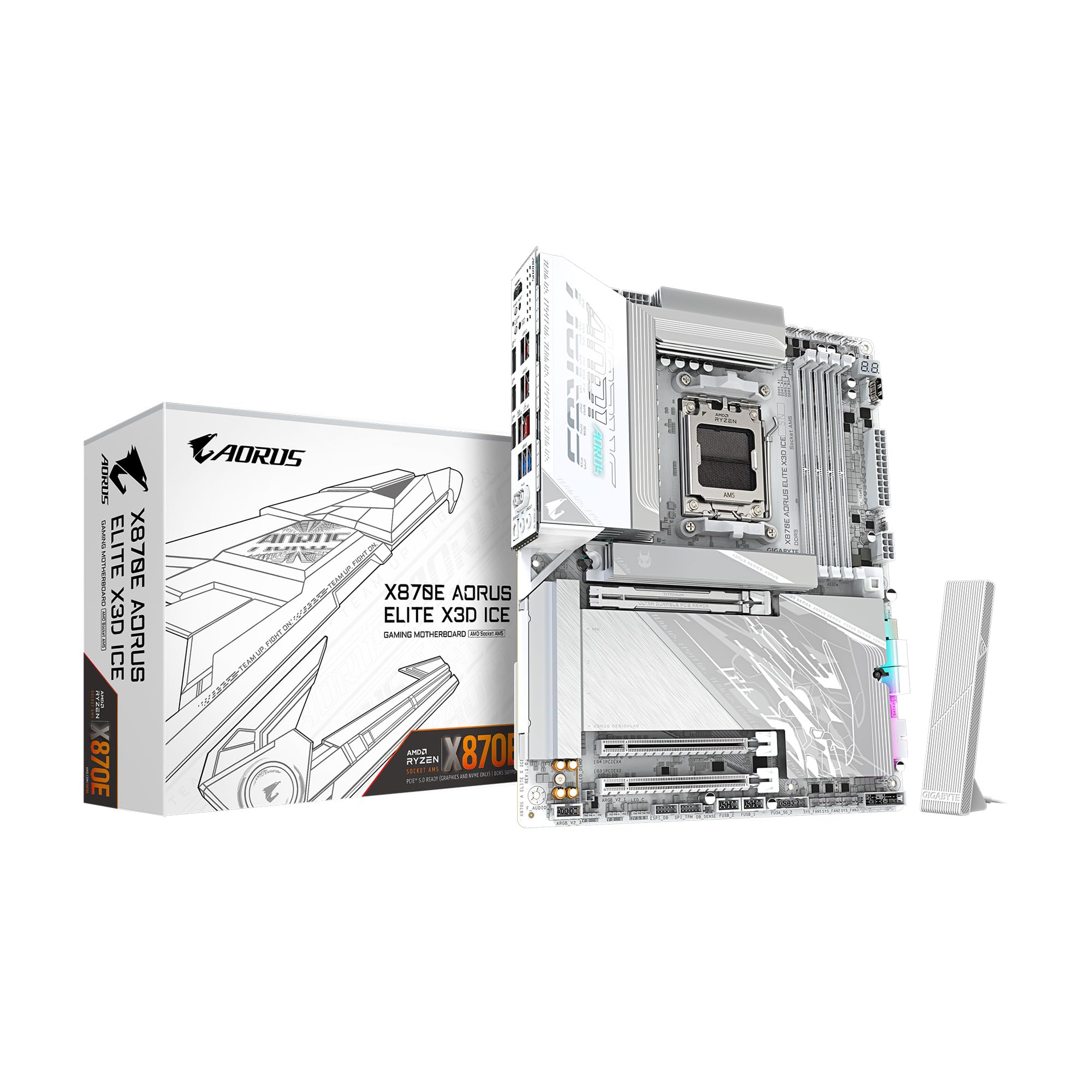
Figure 1: GIGABYTE X870E AORUS ELITE X3D ICE Motherboard, top-down view.
Configuració i instal·lació
Una instal·lació correcta és crucial per a l'estabilitat i el rendiment del vostre sistema. Seguiu aquests passos amb atenció.
1. Preparació de la placa base
- Unpack the motherboard from its anti-static bag.
- Place the motherboard on a non-conductive surface, such as the anti-static bag itself or a cardboard box.
Video 1: Official unboxing of the X870E AORUS ELITE X3D ICE motherboard, showing the contents and initial handling.
2. CPU Installation (AMD AM5 Socket)
- Localitza el sòcol de la CPU AM5 a la placa base.
- Open the CPU retention mechanism by pushing down and away from the socket.
- Alineeu amb cura la CPU amb el sòcol, assegurant-vos que el triangle daurat de la CPU coincideixi amb el triangle del sòcol. No forceu la CPU a col·locar-la al seu lloc.
- Tanqueu el mecanisme de retenció per fixar la CPU.

Figura 2: Primer pla view of the AMD AM5 CPU socket on the motherboard, ready for processor installation.
3. Instal·lació de memòria (RAM)
- Obriu els clips dels dos extrems de les ranures DIMM DDR5.
- Alineeu l'osca del mòdul de memòria DDR5 amb la clau de la ranura DIMM.
- Introduïu el mòdul de memòria fermament a la ranura fins que els clips encaixin al seu lloc. Assegureu-vos que tots dos clips estiguin tancats.
- For dual-channel configuration, refer to the motherboard manual for specific slot pairing.

Figura 3: View of the DDR5 memory slots on the motherboard, indicating where RAM modules are installed.
4. Instal·lació d'un SSD M.2
- Locate the M.2 slots on the motherboard. The X870E AORUS ELITE X3D ICE features two PCIe 5.0 M.2 slots and two PCIe 4.0 M.2 slots.
- Remove the M.2 heatsink and stand-off screw (if present).
- Inseriu l'SSD M.2 a la ranura en angle.
- Push down the M.2 SSD and secure it with the stand-off screw or the M.2 EZ-Latch mechanism.
- Reattach the M.2 heatsink for optimal thermal performance.

Figure 4: Illustration of M.2 SSD installation, highlighting the EZ-Latch mechanism for tool-less setup.
5. Instal·lació de la targeta gràfica (GPU)
- Locate the PCIe Gen5 x16 slot.
- Open the retention clip at the end of the PCIe slot.
- Alineeu la targeta gràfica amb la ranura i premeu fermament fins que encaixi al seu lloc.
- Fixeu la targeta gràfica a la carcassa del vostre PC amb cargols.

Figure 5: Close-up of the PCIe EZ-Latch Plus, simplifying graphics card removal and installation.
6. Connexions d'alimentació
- Connecteu el connector d'alimentació principal ATX de 24 pins de la font d'alimentació a la placa base.
- Connecteu el(s) connector(s) d'alimentació de la CPU de 8 pins (o 4+4 pins) a la placa base.
7. Panell frontal i connexions perifèriques
- Connect the front panel headers (power switch, reset switch, HDD LED, power LED) according to the motherboard manual.
- Connecteu els connectors USB 2.0, USB 3.2 Gen 1 i USB 3.2 Gen 2 Type-C del panell frontal.
- Connect SATA drives to the available SATA 6Gb/s ports.
- Attach the WIFI antenna to the rear I/O panel for wireless connectivity.

Figura 6: Detallada view of the rear I/O panel, showing USB ports, Ethernet, audio jacks, and Wi-Fi antenna connectors.
Instruccions de funcionament
1. Arrencada inicial i configuració de la BIOS/UEFI
- Després de muntar l'ordinador, connecteu un monitor, un teclat i un ratolí.
- Engegueu el sistema. Premeu el botó DEL tecla durant l'inici per entrar a la configuració de la BIOS/UEFI.
- Configure boot order, enable XMP/EXPO for memory, and set up any other necessary system parameters.
- Save changes and exit the BIOS/UEFI.
2. Instal·lació del controlador
- Install your operating system.
- After OS installation, install the latest drivers for your motherboard chipset, graphics card, audio, and network from the GIGABYTE website or the provided support DVD/USB.
3. GIGABYTE Software Utilities
GIGABYTE provides various software utilities to enhance your user experience:
- Centre de control de GIGABYTE (GCC): A unified software platform for managing system performance, RGB lighting, fan speeds, and more.
- Utilitat d'actualització de la BIOS: For updating the motherboard BIOS from within the operating system.
- App Center: Provides access to various GIGABYTE applications and utilities.
Manteniment
Un manteniment regular ajuda a garantir la longevitat i el funcionament estable de la placa base.
1. Neteja
- Netegeu periòdicament la pols de la placa base i els components amb aire comprimit.
- Assegureu-vos que el sistema estigui apagat i desendollat abans de netejar-lo.
- Eviteu utilitzar netejadors líquids directament sobre els components.
2. Actualitzacions de la BIOS
- Comproveu els GIGABYTES website for the latest BIOS versions.
- BIOS updates can improve compatibility, stability, and performance.
- Follow the instructions provided by GIGABYTE carefully when performing a BIOS update to avoid system damage.
3. Actualitzacions de controladors
- Comproveu regularment el GIGABYTE website for updated drivers for your motherboard.
- Keeping drivers up-to-date can resolve issues and improve system performance.
Resolució de problemes
Si teniu problemes, consulteu els passos habituals següents per a la resolució de problemes:
1. Sense alimentació / Sense arrencada
- Assegureu-vos que tots els cables d'alimentació (ATX de 24 pins, CPU de 8 pins) estiguin connectats correctament.
- Verifiqueu que la font d'alimentació estigui connectada i funcioni correctament.
- Check front panel connections, especially the power switch.
- Prova d'arrencar amb components mínims (CPU, una memòria RAM, GPU si no hi ha gràfics integrats) per aïllar el problema.
2. POST Code Errors
- The motherboard may display a POST code on its debug LED. Refer to the GIGABYTE manual for the meaning of specific codes.
- Common codes relate to CPU, RAM, or GPU initialization failures.
3. Inestabilitat / Fallades del sistema
- Assegureu-vos que tots els controladors estiguin actualitzats.
- Comproveu les temperatures de la CPU i la GPU per evitar el sobreescalfament.
- Verify RAM stability using memory diagnostic tools.
- Reset BIOS settings to default if overclocking or custom settings are causing issues.
Especificacions
| Característica | Especificació |
|---|---|
| Marca | GIGABYTE |
| Nom del model | X870E AORUS ELITE X3D ICE |
| Socket de CPU | LGA 1718 (AMD AM5) |
| Processadors compatibles | AMD Ryzen 9000/8000/7000 Series |
| Tipus de xipset | AMD X870E |
| Tecnologia de memòria RAM | DDR5 |
| Ranures de memòria disponibles | 4 |
| Mida màxima de la memòria RAM | 256 GB |
| PCIe tragamonedas | 1x PCIe Gen5 x16, 2x PCIe 5.0 M.2, 2x PCIe 4.0 M.2 |
| Ports USB | 2x USB4 Type-C with DP Alt, 1x USB 3.2 Gen 2 Type-C, 5x USB 3.2 Gen 2 Type-A, 3x USB 3.2 Gen 1 Type-A, 65W Front USB-C |
| Ethernet | 5 GbE LAN |
| Connectivitat sense fil | WIFI7 |
| Power Phase | Digital Twin 16+2+2 |
| Factor de forma | ATX |
| Dimensions (L x A x A) | 12.01 cm de llargada x 9.61 cm d'amplada x 1.75 cm d'alçada |
Garantia i Suport
The GIGABYTE X870E AORUS ELITE X3D ICE Motherboard comes with a 5 any de garantia del fabricant. For technical support, driver downloads, BIOS updates, and further assistance, please visit the official GIGABYTE website. You can also refer to the multilingual installation guide included in the product packaging for additional details.
Vídeo 2: Una vista de 360 graus view of the X870E AORUS ELITE X3D ICE motherboard, showcasing el seu disseny i les seves característiques.