
Introducció
Gràcies per la compraasing the Philips TAX5000 Bluetooth Party Speaker. This manual provides essential information for setting up, operating, and maintaining your speaker to ensure optimal performance and longevity. Please read these instructions carefully before using the product.
Què hi ha a la caixa
Verifiqueu que tots els components siguin presents a l'embalatge:
- Philips TAX5000 Bluetooth Party Speaker
- Cable USB
- Guia d'inici ràpid
- Certificat de garantia
Producte acabatview
The Philips TAX5000 is a portable party speaker designed for powerful audio output and dynamic lighting effects. It features dual 8-inch woofers and 2-inch tweeters, delivering 200W maximum sound output with Bass+ technology. The integrated RGB LED lightshow offers 13 modes. Connectivity options include Bluetooth, auxiliary input, and USB playback. For expanded audio, True Wireless Stereo (TWS) and Auracast multi-speaker connections are supported. The speaker also includes dual microphone inputs and a guitar input with independent volume and echo controls for karaoke and live performances. Its design incorporates wheels and a carry handle for portability, and it is IPX4 splash-resistant. A rechargeable battery provides up to 14 hours of playback.
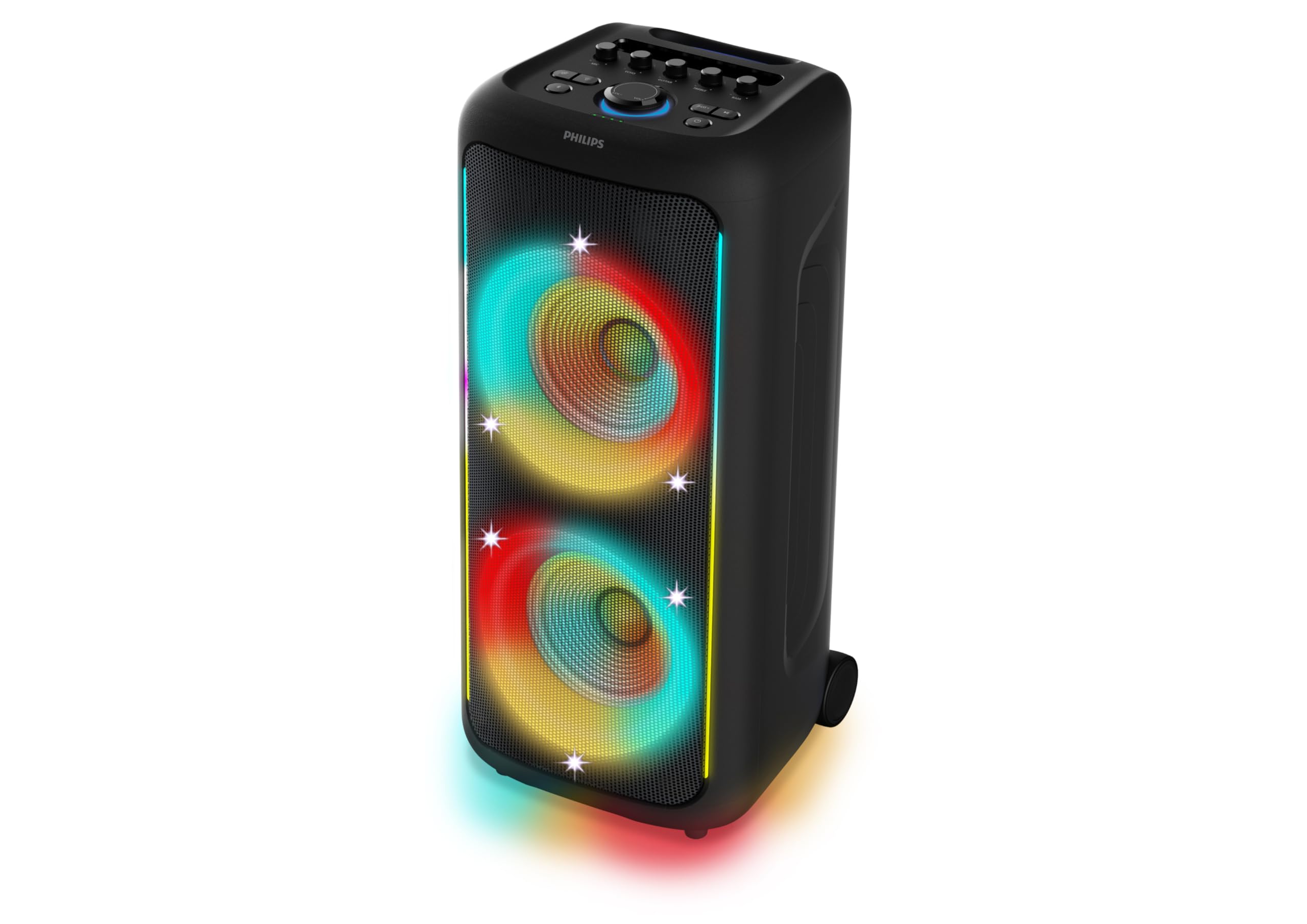
Figura 1: Frontal view of the Philips TAX5000 speaker, showcasing the active RGB lightshow around the dual woofers.
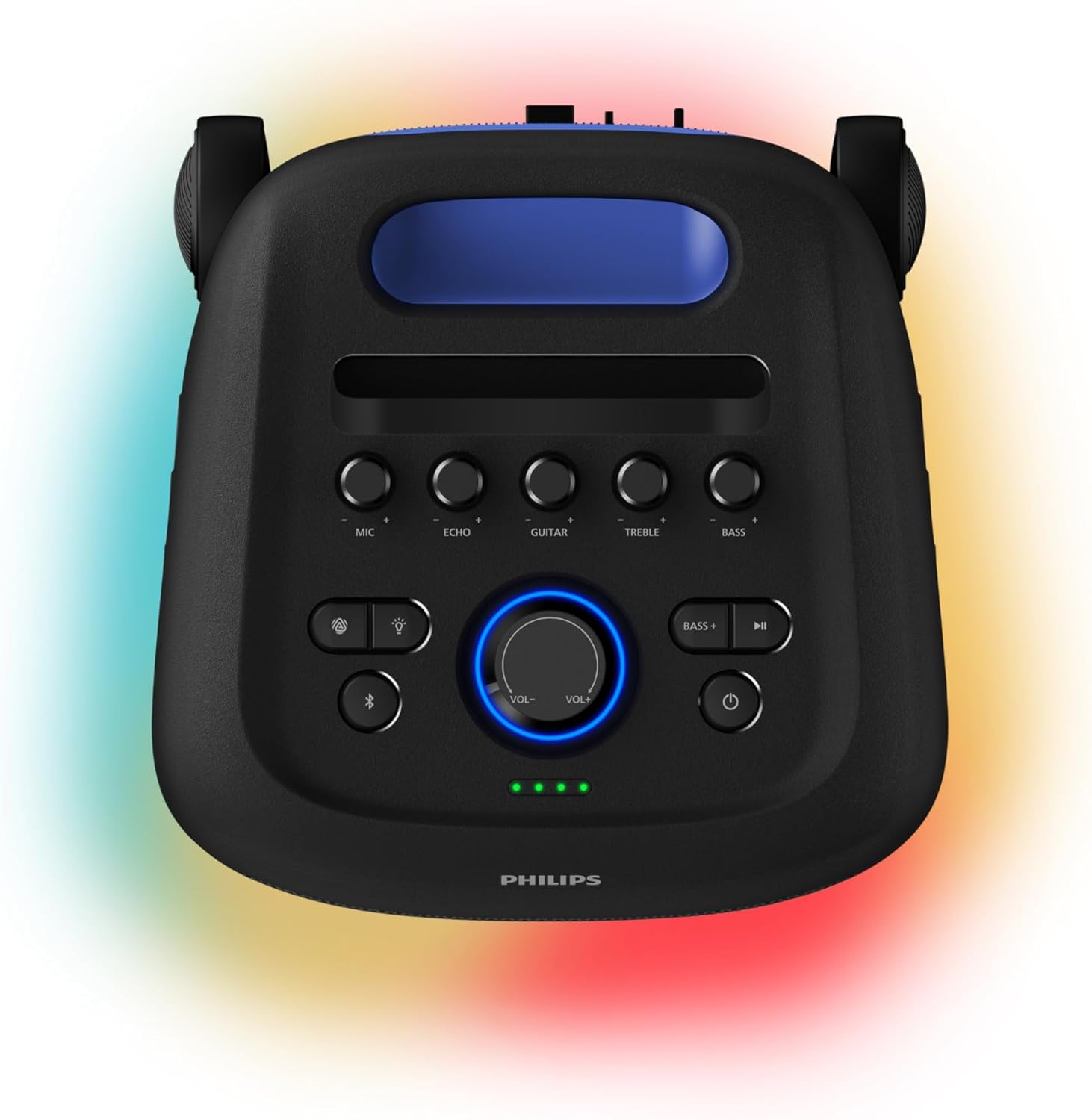
Figure 2: Top control panel of the speaker, showing buttons for microphone, echo, guitar, treble, bass, volume, light modes, Bluetooth, and power.
Configuració
1. Carregant l’altaveu
Before initial use, fully charge the speaker. Connect the provided USB cable to the speaker's charging port and a suitable power adapter (not included). A full charge takes approximately 4 hours and provides up to 14 hours of playback. The battery pack is replaceable.
2. Encès / apagat
- To power on: Press and hold the Power button on the control panel until the indicator lights illuminate.
- To power off: Press and hold the Power button again until the indicator lights turn off.
3. Emparellament Bluetooth
- Assegureu-vos que l'altaveu estigui encès i en mode d'emparellament Bluetooth (l'indicador lluminós Bluetooth parpellejarà).
- Al dispositiu mòbil, activeu el Bluetooth i cerqueu els dispositius disponibles.
- Select "Philips TAX5000" from the list of devices.
- Un cop emparellat, el llum indicador Bluetooth de l'altaveu es mantindrà fix.
Instruccions de funcionament
1. Reproducció d'àudio
- Bluetooth: After pairing, play audio from your connected device. Control volume and track selection via the speaker's controls or your device.
- Reproducció USB: Inseriu una unitat USB que contingui àudio files al port USB. L'altaveu començarà la reproducció automàticament.
- Entrada auxiliar: Connect an audio device using a 3.5mm auxiliary cable (not included) to the AUX input port.
2. Lightshow Control
The speaker features an RGB LED lightshow with 13 dynamic modes. Use the dedicated Light button on the control panel to cycle through modes or turn the lights off. Further customization is available via the Philips Entertainment App.
3. Entrades de karaoke i guitarra
The speaker is equipped with two microphone inputs and one 6.3mm guitar input. Connect your microphones and/or guitar. Use the dedicated MIC, ECHO, GUITAR, TREBLE, and BASS knobs on the control panel to adjust levels and apply echo effects.
4. Multi-Speaker Connection (TWS & Auracast)
- True Wireless Stereo (TWS): To pair two TAX5000 speakers for stereo sound, follow the instructions in the Quick Start Guide for TWS pairing.
- Auracast: For broadcasting audio to multiple compatible speakers, refer to the Philips Entertainment App or the full user manual for Auracast setup instructions.
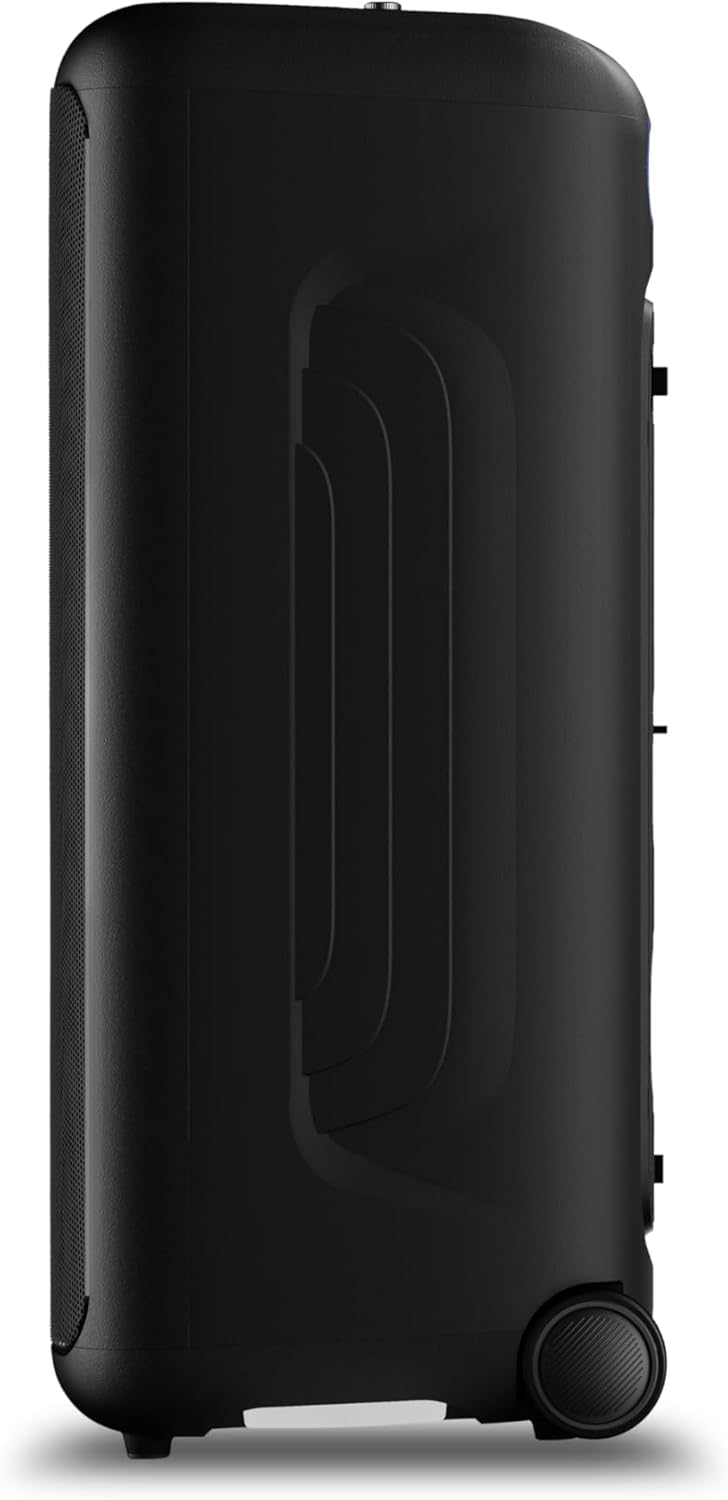
Figura 3: lateral view of the speaker, highlighting the integrated wheels for easy transport.

Figura 4: posterior view of the speaker, illustrating the pull-out handle for portability.
Manteniment
To maintain your Philips TAX5000 speaker in optimal condition:
- Neteja: Use a soft, dry cloth to clean the exterior surfaces. Do not use abrasive cleaners or solvents.
- Emmagatzematge: Guardeu l'altaveu en un lloc fresc i sec, allunyat de la llum solar directa i de temperatures extremes.
- Exposició a l'aigua: While IPX4 splash-resistant, avoid submerging the speaker in water or exposing it to heavy rain. Ensure all port covers are securely closed when near liquids.
Resolució de problemes
Si teniu problemes amb l'altaveu, consulteu les solucions habituals següents:
| Problema | Possible solució |
|---|---|
| L'altaveu no s'encén | Ensure the battery is charged or the speaker is connected to AC power. Press and hold the Power button. |
| Sense sortida de so | Check volume levels on both the speaker and the connected device. Ensure the correct input source is selected. Re-pair Bluetooth if necessary. |
| L'aparellament de Bluetooth falla | Ensure the speaker is in pairing mode. Move the speaker closer to your device. Turn off and on Bluetooth on your device. Clear previous pairings. |
| El micròfon/la guitarra no funciona | Check connections. Adjust MIC/GUITAR volume knobs. Ensure microphones are powered on if applicable. |
Especificacions
| Característica | Detall |
|---|---|
| Nom del model | TAX5000/37 |
| Tipus d'altaveu | Portàtil, a l'aire lliure |
| Potència de sortida dels altaveus | 200 Watts Max / 100 Watts RMS |
| Diàmetre del woofer | 8 polzades (x2) |
| Diàmetre del Tweeter | 2 polzades (x2) |
| Tecnologia de connectivitat | Bluetooth, Auxiliar (3.5 mm), USB |
| Comunicació sense fils | Bluetooth |
| Característiques especials | RGB Lightshow (13 modes), PA System, Portable with Wheels, Rechargeable Battery, TWS & Auracast Multi-Speaker, Dual Mic & Guitar Input, Karaoke |
| Durada de la bateria | Fins a 14 hores |
| Temps de recàrrega de la bateria | Aproximadament 4 hores |
| Font d'alimentació | Plug In Electric (AC) / Rechargeable Battery |
| Mètode de control | App, Touch Controls |
| Classificació IP | IPX4 Splash-Proof |
| Dimensions del producte (P x A x A) | 12.6" x 12.6" x 28.74" |
| Pes de l'article | 39.7 lliures |
Garantia
This Philips TAX5000 Bluetooth Party Speaker comes with a limited warranty. Please refer to the included Warranty Certificate for detailed terms, conditions, and registration information. Keep your proof of purchase for warranty claims.
Suport
For further assistance, product updates, or detailed troubleshooting, please visit the official Philips support website or contact Philips customer service. Contact information can be found on the warranty certificate or the Philips weblloc.
Vídeos de productes
Philips TAX5000 Overview
Aquest vídeo ofereix una visió generalview of the Philips TAX5000 Bluetooth Party Speaker's features and capabilities.
Philips TAX5000 Features Highlight
A short video highlighting key features of the Philips TAX5000 speaker, such as its portability and lightshow.