
1. Introducció
Thank you for choosing the zhizhi Smart Watch S53. This manual provides essential information for setting up, operating, and maintaining your device. Please read it carefully to ensure proper use and to maximize the features of your smartwatch.
2. Contingut del paquet
- zhizhi Smart Watch S53
- Cable de càrrega
- Manual d'usuari
3. Dispositiu acabatview
Familiarize yourself with the main components of your zhizhi Smart Watch S53.
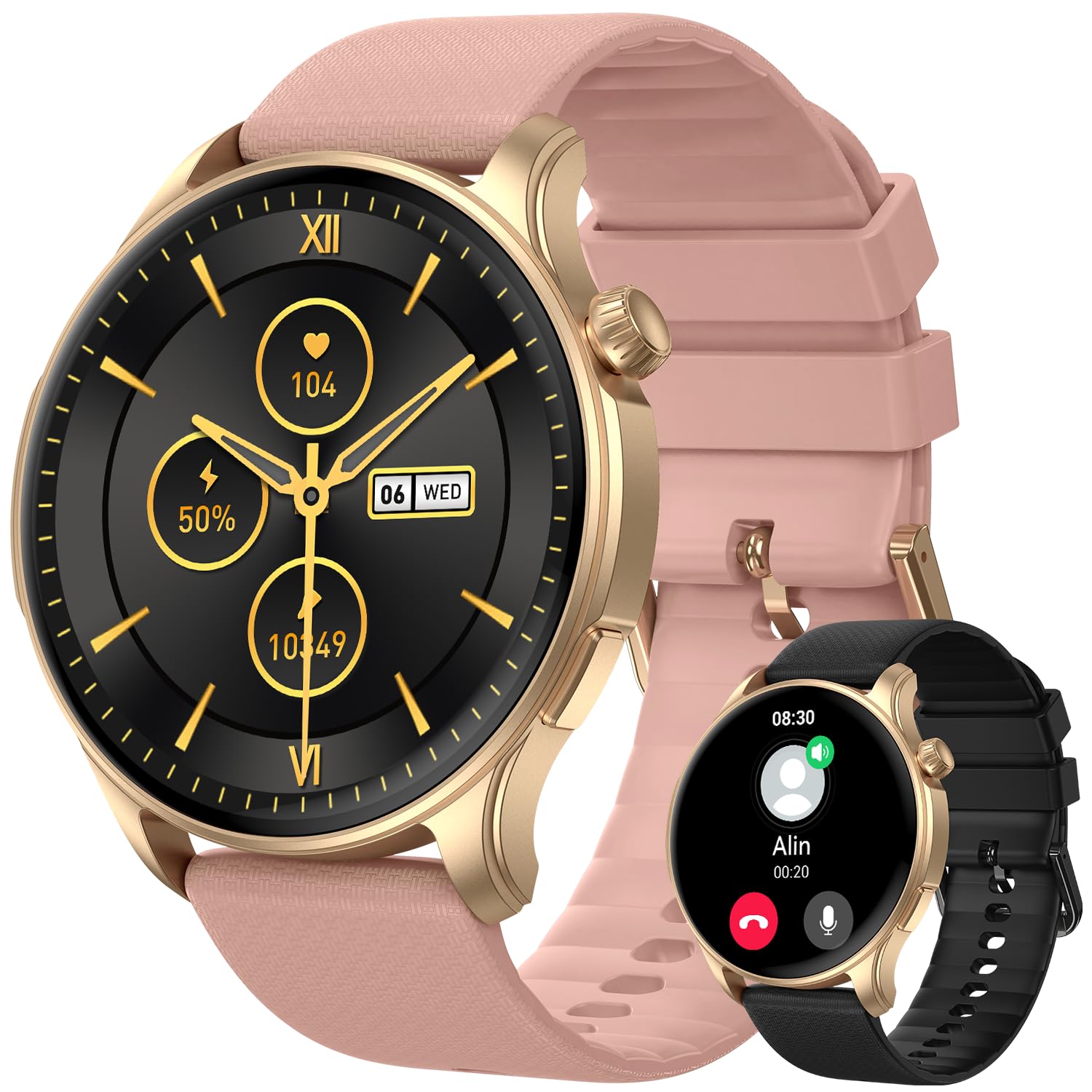
Imatge 1: Davant view of the zhizhi Smart Watch S53, showing the 1.43-inch AMOLED display and watch strap.
- 1.43-inch AMOLED HD Touchscreen: Main display for interaction and information.
- Botó(ns) lateral(s): For power on/off, screen wake, and menu navigation (specific functions may vary).
- Sensors (underside): Heart rate, SpO2, and other health monitoring sensors.
- Charging Contacts (underside): For connecting the magnetic charging cable.
4. Configuració
4.1 Càrrega inicial
Before first use, fully charge your smartwatch. Connect the magnetic charging cable to the charging contacts on the back of the watch and plug the USB end into a standard USB power adapter (not included). The watch will display a charging indicator. A full charge typically takes approximately 2 hours.
4.2 Instal·lació de l'aplicació
To unlock the full functionality of your zhizhi Smart Watch S53, download and install the companion application on your smartphone. Cerca the official 'zhizhi Smart' app (or similar, refer to packaging for exact name) in the Apple App Store (for iOS devices) or Google Play Store (for Android devices).
4.3 Pairing with Smartphone
- Assegureu-vos que el Bluetooth del vostre telèfon intel·ligent estigui activat.
- Open the installed companion app on your smartphone.
- Follow the in-app instructions to add a new device. The app will search for available smartwatches.
- Select 'zhizhi S53' from the list of found devices.
- Confirm the pairing request on both your smartphone and the smartwatch, if prompted.
- Un cop emparellat, el rellotge sincronitzarà l'hora, la data i altres configuracions amb el telèfon.
4.4 Configuració inicial
After pairing, complete your personal profile within the app (e.g., age, height, weight) to ensure accurate health and fitness tracking data.
5. Instruccions de funcionament
5.1 Navegació bàsica
- Llisca cap amunt/avall: Desplaça't pels menús o les notificacions.
- Llisca cap a l'esquerra/dreta: Accedeix a widgets ràpids o a diferents esferes de rellotge.
- Toca: Selecciona un element o confirma una acció.
- Botó lateral: Press to return to the home screen, or long-press for power options.
5.2 modes esportius
The S53 supports over 110 sports modes and features built-in GPS for accurate outdoor activity tracking. To start a workout:
- Navigate to the 'Workout' or 'Sports' menu on your watch.
- Select your desired activity (e.g., Running, Cycling, Walking).
- For outdoor activities, wait for the GPS signal to lock (indicated by an icon).
- Tap 'Start' to begin tracking.
- During the activity, you can view real-time data such as duration, distance, heart rate, and calories burned.
- To pause or end the workout, swipe right or press the side button, then select the appropriate option.
5.3 Vigilància de la salut
The watch continuously monitors various health metrics:
- Freqüència cardíaca: Access the Heart Rate app on the watch to view la freqüència cardíaca actual i les dades històriques.
- Oxigen en sang (SpO2): Use the SpO2 app to take on-demand measurements. Ensure the watch is snug on your wrist.
- Seguiment del son: Wear the watch to bed for automatic sleep stage analysis (deep sleep, light sleep, wake periods). View informes detallats a l'aplicació complementària.
- Seguidor de passos: Your daily steps, distance, and calories burned are automatically recorded.
5.4 Bluetooth Calls & Smart Notifications
With Bluetooth 5.3, the S53 allows you to manage calls and notifications directly from your wrist.
- Fer/respondre trucades: Once paired, you can answer incoming calls or dial numbers from the watch's call interface.
- Notificacions: Receive real-time alerts for messages, emails, and social media apps (e.g., Facebook, WhatsApp, Instagram). Configure which app notifications appear on your watch via the companion app settings.
5.5 Altres funcions
The zhizhi S53 includes additional utilities:
- Pronòstic del temps: View condicions meteorològiques actuals i previsions.
- Control de música: Controla la reproducció de música al teu telèfon intel·ligent (reproduir, pausar, saltar pistes).
- Control de la càmera: Fes servir el rellotge com a disparador remot per a la càmera del telèfon.
- Despertador: Set alarms directly on the watch or through the app.
- Cronòmetre i temporitzador: Funcions bàsiques de temporització.
- Recordatori sedentari: Rep alertes per moure't si has estat inactiu durant massa temps.
6. Manteniment
6.1 Neteja
Regularly clean your watch and strap to prevent skin irritation and maintain device performance.
- Netegeu la pantalla i el cos amb un drap suau i sense borrissol. Si cal, fregueu-lo lleugerament.ampen el drap amb aigua.
- Per a la corretja, feu servir aigua i sabó suau, després esbandiu-la bé i eixugueu-la completament abans de portar-la.
- Eviteu utilitzar productes químics agressius, netejadors abrasius o dissolvents.
6.2 Resistència a l'aigua (IP68)
The zhizhi S53 has an IP68 water resistance rating, meaning it is resistant to dust and can withstand immersion in water up to 1.5 meters for 30 minutes. It supports various swimming styles.
Nota important: IP68 rating does not make the watch suitable for diving, sauna, hot showers, or exposure to high-velocity water. Avoid contact with hot water, steam, and corrosive liquids. Water resistance is not a permanent condition and may decrease over time.
6.3 Cura de la bateria
- Utilitzeu només el cable de càrrega subministrat.
- Eviteu temperatures extremes durant la càrrega i l'emmagatzematge.
- Per a una durada òptima de la bateria, eviteu descarregar-la completament amb freqüència.
6.4 Actualitzacions de programari
Periodically check for firmware updates through the companion app. Updates can provide new features, performance improvements, and bug fixes. Follow the in-app instructions for updating your watch.
7. Solució De Problemes
If you encounter issues with your zhizhi Smart Watch S53, refer to the following common solutions:
- El rellotge no s'encén: Assegura't que el rellotge estigui completament carregat. Connecta'l al carregador durant almenys 10 minuts.
- No es pot emparellar amb el telèfon: Make sure Bluetooth is enabled on your phone, the watch is charged, and the companion app is open. Try restarting both the watch and your phone.
- Dades de salut inexactes: Assegureu-vos que el rellotge estigui ben ajustat al canell, ni massa ajustat ni massa fluix. Netegeu la zona del sensor.
- Notificacions que no apareixen: Check app notification settings on your phone and within the companion app. Ensure the watch is connected via Bluetooth.
- Autonomia curta de la bateria: Reduce screen brightness, disable unnecessary features, and ensure no apps are running excessively in the background.
7.1 Restabliment de fàbrica
If problems persist, a factory reset may resolve the issue. This will erase all data on the watch and restore it to its original settings. Navigate to 'Settings' on your watch, then look for 'System' or 'Reset' options. Confirm the reset when prompted.
8. Especificacions
| Número de model | S53 |
| Tipus de visualització | 1.43-inch AMOLED HD Touchscreen |
| Capacitat de la bateria | Ió de liti de 400 mAh |
| Temps de càrrega | Aprox. 2 hores |
| Typical Usage Time | 5-7 dies |
| Temps d'espera | Fins a 50 dies |
| Connectivitat | Bluetooth 5.3, Built-in GPS (GPS, Beidou, Galileo, GLONASS, NAVIC, QZSS) |
| Compatibilitat de sistemes operatius | Android 5.0 i posterior, iOS 9.0 i posterior |
| Resistència a l'aigua | IP68 |
| Material | Zinc alloy with vacuum-plated finish |
| Pes de l'article | 3.53 unces (aprox. 100 g) |
| Dimensions del paquet | 11.38 x 3.5 x 0.59 polzades |
9. Garantia i Suport
9.1 Informació de la garantia
Your zhizhi Smart Watch S53 is covered by a manufacturer's warranty against defects in materials and workmanship. The specific terms and duration of the warranty may vary by region. Please refer to the warranty card included in your package or contact customer support for detailed information.
9.2 Atenció al client
For technical assistance, warranty claims, or any questions regarding your zhizhi Smart Watch S53, please contact our customer support team. Contact details can typically be found on our official weblloc web o a l'embalatge del producte.