
Introducció
The DOOGEE BoneBeat Swim Lite headphones are designed for active users, featuring bone conduction technology, IP68 waterproofing, and dual-mode functionality (Bluetooth 5.4 and 32GB MP3 player). These open-ear headphones provide a secure and comfortable fit for various activities, including swimming, running, and cycling.
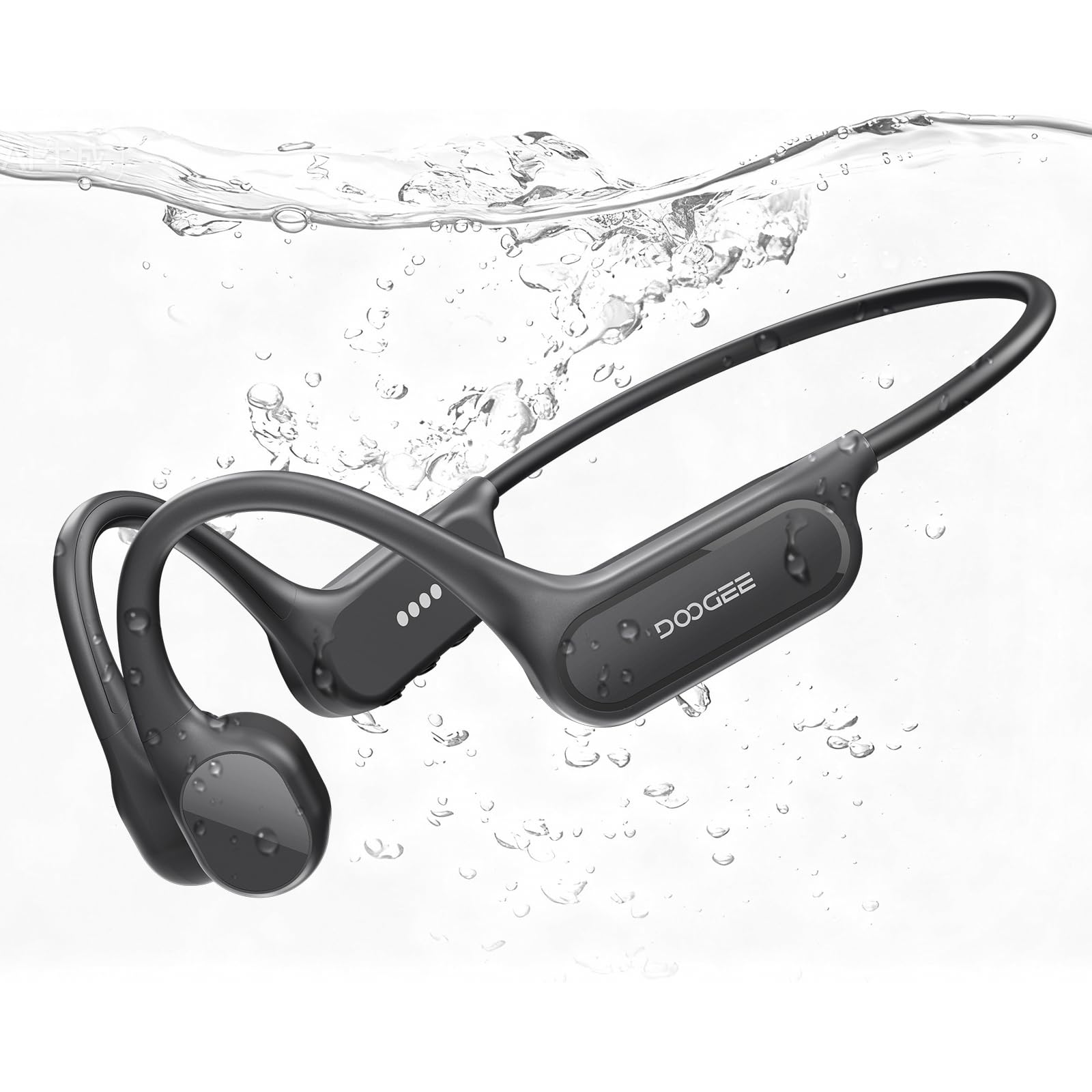
Image: DOOGEE BoneBeat Swim Lite headphones in a swimming environment, highlighting their waterproof design.
Contingut del paquet
Verifiqueu que tots els elements siguin presents al vostre paquet:
- 1 x BoneBeat Swim Lite Headphones
- 1 x cable de càrrega magnètic
- 1 x Silicone Swimming Earplugs
- 1 x Sponge Swimming Earplugs
- 1 corretja elàstica
- 1 x bossa d'emmagatzematge
- 1 x Caixa d'embalatge
- 1 x Manual d'usuari (aquest document)
- 1 x Targeta de servei

Image: All items included in the BoneBeat Swim Lite retail package.
Producte acabatview
The BoneBeat Swim Lite headphones feature an ergonomic design with physical buttons for easy control. The open-ear design ensures situational awareness during use.
Controls

Imatge: Detallada view of the headphone controls, including Volume -, MFB Button, and Volume +.
- Volum -: Baixar el volum, pista anterior (pressió llarga).
- Botó MFB (botó multifunció): Power on/off, play/pause, answer/end calls, switch modes.
- Volum +: Augmentar el volum, pista següent (pressió llarga).
Configuració
Carregant els auriculars
Before first use, fully charge the headphones. Use the provided magnetic charging cable. Connect the magnetic end to the charging port on the headphones and the USB-A end to a compatible power adapter (not included) or computer USB port.
- Una càrrega completa triga aproximadament 2 hores.
- A 10-minute quick charge provides up to 2 hours of music playback.
- L'indicador LED mostrarà l'estat de càrrega.

Image: Visual representation of battery life, showing 10 hours in Bluetooth mode and 6 hours in MP3 mode, with quick charge details.
Encès/Apagat
- Per encendre: Press and hold the MFB button until the LED indicator lights up and you hear a power-on prompt.
- Per apagar: Press and hold the MFB button until the LED indicator turns off and you hear a power-off prompt.
Emparellament Bluetooth
When powered on for the first time or when not paired, the headphones will automatically enter Bluetooth pairing mode. The LED indicator will flash, indicating it's ready to connect.
- Ensure the headphones are powered on and in pairing mode.
- Al dispositiu (telèfon intel·ligent, tauleta, etc.), activeu el Bluetooth.
- Cerca "DOOGEE BoneBeat Swim Lite" in the list of available devices.
- Select the headphones to connect. A voice prompt will confirm successful pairing.
The headphones support multi-point connection, allowing seamless switching between two paired devices.
Video: Demonstrates the dual-mode connection method for the DOOGEE BoneBeat Swim Lite headphones.
Modes de funcionament
The BoneBeat Swim Lite headphones offer two primary operating modes: Bluetooth Mode and MP3 Mode.

Image: Comparison of MP3 Mode for underwater use and Bluetooth Mode for land-based activities, highlighting 32GB storage.
Mode Bluetooth
In Bluetooth mode, the headphones connect wirelessly to your smartphone, tablet, or other Bluetooth-enabled devices. This mode is ideal for streaming music, taking calls, and listening to audio from your connected device.
MP3 Mode (Local Storage)
The headphones feature 32GB of built-in storage, capable of storing approximately 8,000 MP3 songs. This mode is essential for underwater use, as Bluetooth signals do not transmit effectively through water.
- Transferència de música: Connect the headphones to a computer using the magnetic charging cable. The headphones will appear as a removable drive. Drag and drop your MP3 files into the designated folder.
- Nota: For optimal performance underwater, ensure you are in MP3 mode.
Canvi entre modes
To switch between Bluetooth Mode and MP3 Mode, press the MFB button twice quickly. A voice prompt will confirm the current mode.
Ús en aigua
The DOOGEE BoneBeat Swim Lite headphones are IP68 rated, making them suitable for swimming and other water sports. This rating ensures protection against dust and continuous immersion in water up to 2 meters.

Image: A swimmer using the BoneBeat Swim Lite headphones during a swimming session.
Consideracions importants:
- Always switch to Mode MP3 when using the headphones underwater, as Bluetooth signals cannot effectively transmit through water.
- After contact with seawater, rinse the headphones immediately with fresh water to prevent corrosion.
- Do not use the headphones in a hot bath or sauna, as extreme temperatures can damage the device and compromise its waterproof sealing.
- Use the included swimming earplugs for an enhanced audio experience underwater.
Manteniment
Proper care ensures the longevity and performance of your BoneBeat Swim Lite headphones.
- Neteja: After each use, especially after swimming or heavy sweating, wipe the headphones with a soft, damp cloth. If used in saltwater, rinse thoroughly with fresh water and dry completely before charging.
- Emmagatzematge: Store the headphones in the provided storage pouch in a cool, dry place away from direct sunlight and extreme temperatures.
- Port de càrrega: Ensure the magnetic charging contacts are clean and dry before connecting the charging cable.
Resolució de problemes
Si teniu problemes amb els auriculars, consulteu les solucions habituals següents:
| Problema | Solució |
|---|---|
| Els auriculars no s'encenen | Ensure the headphones are fully charged. Press and hold the MFB button for several seconds. |
| No es pot emparellar per Bluetooth | Ensure headphones are in Bluetooth pairing mode (flashing LED). Turn off and on Bluetooth on your device. Forget the device in your Bluetooth settings and try pairing again. |
| No hi ha so en mode Bluetooth | Check volume levels on both headphones and connected device. Ensure headphones are correctly paired. Try playing audio from a different application or device. |
| No hi ha so en mode MP3 | Ensure headphones are switched to MP3 mode. Verify that MP3 files are correctly loaded onto the internal storage. Check volume levels. |
| Poor sound quality underwater | Ensure you are in MP3 mode. Use the provided swimming earplugs for optimal sound transmission. |
| Headphones not recognized by computer | Ensure the magnetic charging cable is securely connected. Try a different USB port or computer. |
Especificacions
| Característica | Detall |
|---|---|
| Nom del model | BONEBEATSWIMLITE |
| Tipus de controlador d'àudio | Controlador de conducció òssia |
| Nivell de resistència a l'aigua | IP68 (Resistent a l'aigua) |
| Tecnologia de connectivitat | Sense fil (Bluetooth) |
| Versió Bluetooth | 5.4 |
| Interval Bluetooth | 10 metres |
| Emmagatzematge intern | 32 GB (per a mode MP3) |
| Durada de la bateria | Fins a 10 hores |
| Temps de càrrega | Aprox. 2 hores |
| Interfície del maquinari | USB Type C (via magnetic cable) |
| Tipus de control | Control de botons |
| Col·locació de l'orella | Orella oberta |
| Pes de l'article | 26.5 grams (0.935 unces) |
| Dimensions del producte | 5.2 x 4.72 x 1.85 polzades |
| Material | Plàstic |
| Control de soroll | Cancel·lació activa del soroll |
| Resposta de freqüència | 20 kHz |
| Impedància | 0.01 ohms |
Garantia i Suport
DOOGEE products are manufactured to high-quality standards. For warranty information, please refer to the Service Card included in your package or visit the official DOOGEE website. For technical support or customer service inquiries, please contact DOOGEE customer support through their official channels.