
1. Introducció
This manual provides detailed instructions for the safe and effective use of your Moukey MPS5 Portable Karaoke Machine. Please read this manual thoroughly before operating the device and retain it for future reference. The MPS5 is a versatile portable speaker system designed for various audio playback needs, including karaoke, music streaming, and public address, featuring wireless microphones and multiple connectivity options.
2. Què hi ha a la caixa
Carefully unpack all items from the box. Ensure all components listed below are present and in good condition.
- Moukey MPS5 Portable Karaoke Machine (1 unit)
- Wireless Microphones (2 units)
- Cable de càrrega USB (1 unitat)
- 3.5mm AUX Cable (1 unit)
- Shoulder Strap (1 unit)
- Manual d'usuari (1 unitat)
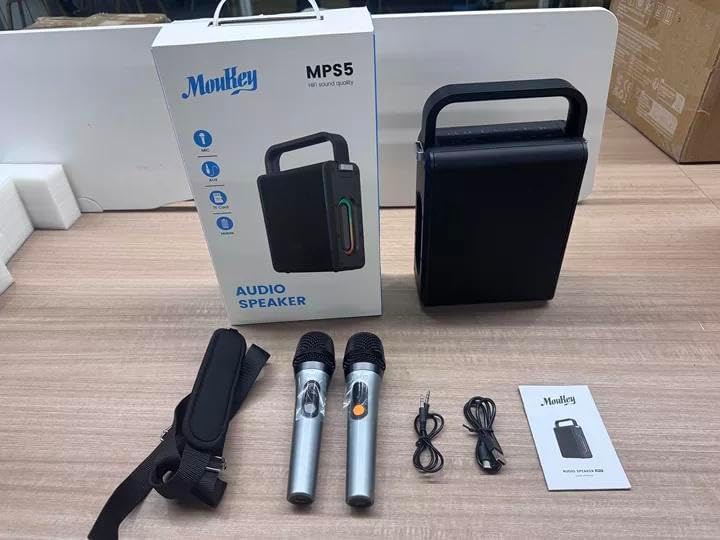
Image: All components included in the Moukey MPS5 package.
3. Producte acabatview
The Moukey MPS5 is a compact yet powerful portable karaoke machine. It features a robust design with integrated LED lighting on the sides, enhancing the user experience. A sturdy handle and an included shoulder strap provide convenient portability.
Imatge: Frontal view of the Moukey MPS5 speaker.

Imatge: Lateral view of the Moukey MPS5, showing the LED lighting.
4. Característiques clau
- Excellent Sound Output: The MPS5 delivers 200W peak power (RMS 60W) through a 4-inch woofer and two 2-inch tweeters, providing full-range stereo sound with enhanced bass.
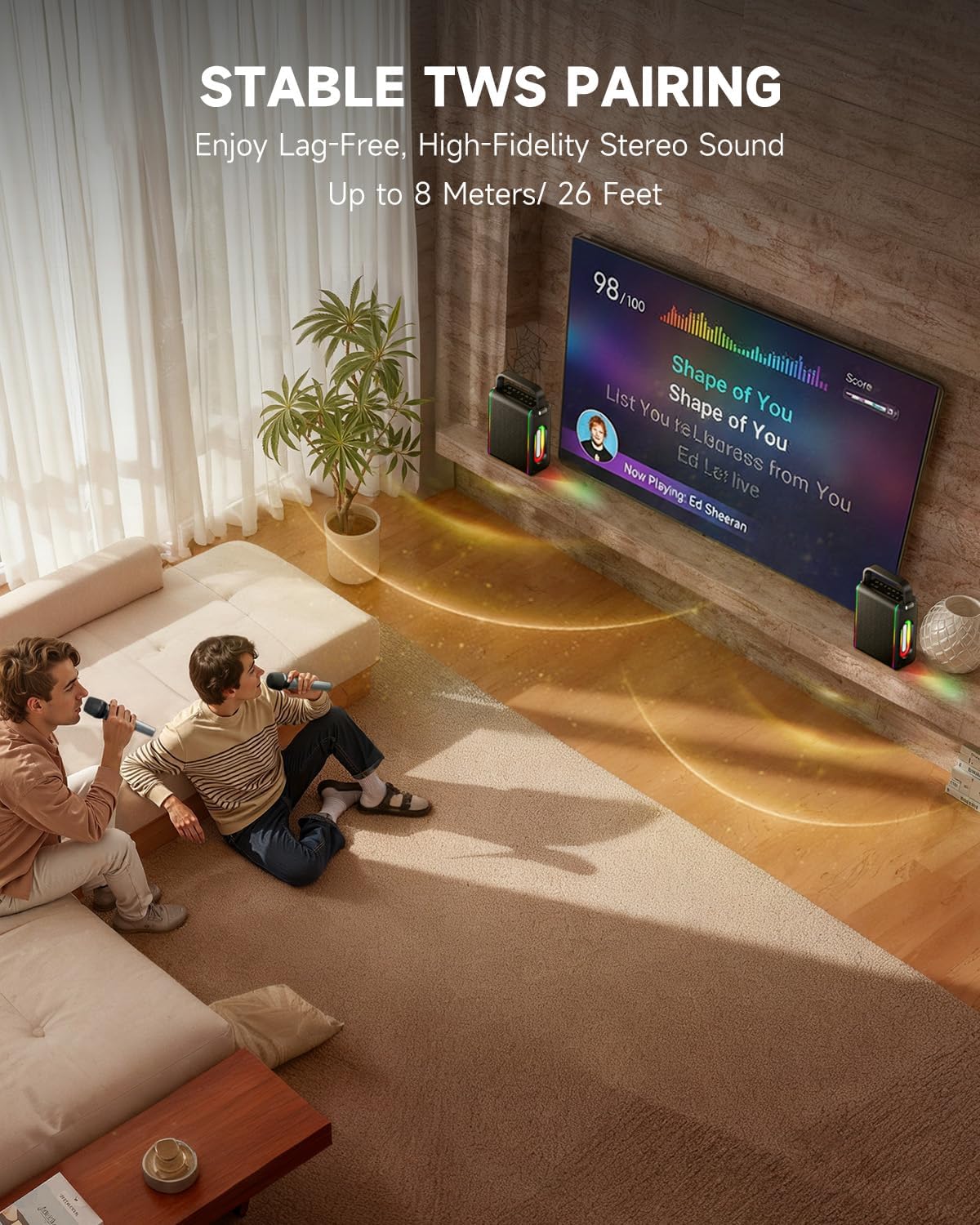
- Funcionalitat potent: Supports Bluetooth 5.3 for wireless connection to various devices. Also includes Micro TF card, Flash USB, MP3, and AUX IN playback options. Features stable TWS (True Wireless Stereo) pairing for connecting two MPS5 units for a wider stereo soundstage.
- Durada de la bateria ultrallarga: The rechargeable battery provides up to 8 hours of continuous music playback on a 2-hour charge, suitable for extended use indoors or outdoors.
- Disseny lleuger i portàtil: Weighing only 2kg, the MPS5 is designed for easy transport. It can be carried by hand using the integrated handle or with the included shoulder strap.
- Micròfons sense fil duals: Includes two 2.4Ghz rechargeable microphones with a connection range of up to 60 feet and up to 8 hours of use time per charge (2-3 hours charging time). Features one-tap connectivity for effortless pairing.

Image: Internal speaker components of the MPS5.

Image: MPS5 connected to multiple devices via Bluetooth.

Image: Battery life and charging details for the MPS5.

Image: Demonstrating the portability of the MPS5 with hand and shoulder strap options.

Image: The two wireless microphones for the MPS5.
5. Configuració
5.1 Charging the Speaker and Microphones
Before first use, fully charge the MPS5 speaker and both wireless microphones.
- Ponent: Connect the provided USB Type-C cable to the charging port on the speaker and to a compatible USB power adapter (not included). The charging indicator light will show charging status. A full charge takes approximately 2 hours.
- Micròfons: Each microphone has a charging port. Connect them to a USB power source using the provided USB cable. Charging time for microphones is 2-3 hours.
5.2 Encès/Apagat
- Per encendre l'altaveu, premeu i manteniu premut el botó d'engegada (U) on the top panel for 2 seconds.
- To power off, press and hold the power button (U) de nou durant 2 segons.
5.3 Vinculació Bluetooth
- Ensure the MPS5 speaker is powered on and in Bluetooth mode (indicated by a blue LED). If not, press the 'M' (Mode) button to switch to Bluetooth mode.
- Al dispositiu mòbil (telèfon intel·ligent, tauleta, etc.), activeu el Bluetooth i cerqueu els dispositius disponibles.
- Select 'Moukey MPS5' from the list of devices to pair. A voice prompt will confirm successful connection.
5.4 TWS (True Wireless Stereo) Emparellament
To achieve stereo sound, you can pair two Moukey MPS5 speakers together.
- Ensure both MPS5 speakers are powered on and in Bluetooth mode, but not connected to any other device.
- On one of the speakers, double-press the 'M' (Mode) button. The speaker will enter TWS pairing mode.
- The two speakers will automatically connect to each other. A voice prompt will confirm successful TWS pairing.
- Once TWS is established, connect your mobile device to one of the MPS5 speakers via Bluetooth as described in section 5.3. Both speakers will then play audio in stereo.
Vídeo: Una passada ràpidaview of the MPS5 Karaoke Machine, demonstrating TWS pairing and other features.
6. Instruccions de funcionament
6.1 Controlsview
The top panel of the MPS5 speaker features several buttons for controlling playback, volume, and microphone settings.
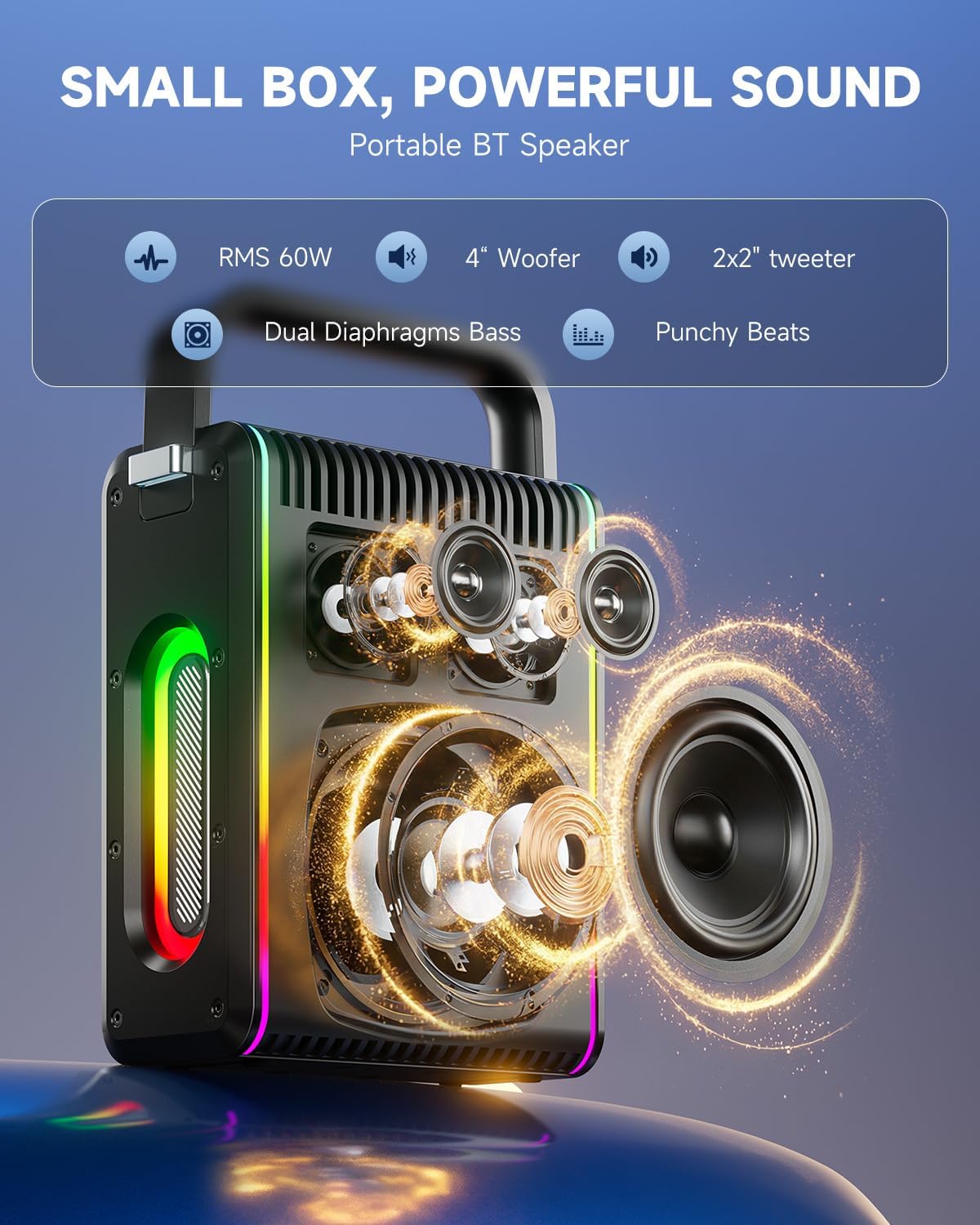
Image: Top control panel of the MPS5.
- Botó d'encendre (U): Manteniu premut durant 2 segons per encendre/apagar.
- Botó de mode (M): Short press to cycle through input modes (Bluetooth, AUX, USB, TF Card). Double-press to initiate TWS pairing.
- Microphone Volume (Mic - / Mic +): Ajusta el volum dels micròfons connectats.
- Echo Adjustment (R- / R+): Adjusts the echo effect for the microphones.
- Reproduir/Pausa (▶): Reprodueix o posa en pausa la pista actual.
- Baixar volum (-): Decreases the main speaker volume.
- Pujar volum (+): Increases the main speaker volume.
- EQ A/E: Short press to switch between EQ modes. Long press to toggle between original sound and accompaniment elimination.
6.2 Ús del micròfon
The MPS5 comes with two wireless microphones for karaoke and vocal performances.
- Encès/apagat: Press and hold the power button on the microphone to turn it on or off.
- Maridatge: The microphones are pre-paired with the speaker. If re-pairing is needed, ensure the speaker is on, then power on the microphone. They should connect automatically.
- Microphone Disconnect/Reconnect: Press the dedicated microphone button on the speaker's control panel to quickly disconnect or reconnect the microphones.
6.3 Modes d'entrada d'àudio
In addition to Bluetooth, the MPS5 supports several wired and local storage input options.

Image: Input ports on the MPS5 speaker.
- Entrada AUX: Connect an external audio device using the 3.5mm AUX cable. Select AUX mode using the 'M' button.
- Reproducció USB: Inseriu una unitat flash USB que contingui àudio MP3 files al port USB. L'altaveu canviarà automàticament al mode USB i començarà la reproducció.
- Reproducció de la targeta TF: Insert a Micro TF card containing MP3 audio files a la ranura de la targeta TF. L'altaveu canviarà automàticament al mode de targeta TF i començarà la reproducció.
6.4 Il·luminació LED
The MPS5 features dynamic LED lighting on its sides. Use the dedicated LED button (if available, or refer to the 'M' button for light control if combined) to cycle through different light modes or turn them off.
7. Manteniment
- Neteja: Feu servir un drap suau i sec per netejar l'exterior de l'altaveu. No utilitzeu netejadors líquids ni materials abrasius.
- Emmagatzematge: Guardeu el dispositiu en un lloc fresc i sec, allunyat de la llum solar directa i de temperatures extremes.
- Cura de la bateria: Per allargar la durada de la bateria, eviteu descarregar-la completament amb freqüència. Carregueu el dispositiu regularment, fins i tot si no l'utilitzeu durant períodes prolongats.
8. Solució De Problemes
If you encounter issues with your Moukey MPS5, refer to the following common problems and solutions:
| Problema | Causa possible | Solució |
|---|---|---|
| Sense poder | La bateria està esgotada. | Charge the speaker using the provided USB Type-C cable. |
| No hi ha so de l'altaveu | El volum és massa baix o silenciat. S'ha seleccionat un mode d'entrada incorrecte. | Increase volume using the '+' button. Press 'M' to cycle through input modes. |
| S'ha produït un error en l'aparellament de Bluetooth | L'altaveu no està en mode d'emparellament. El dispositiu és massa lluny. | Ensure speaker is in Bluetooth mode. Move device closer to speaker. Try restarting both devices. |
| El micròfon no funciona | Microphone is off or uncharged. Microphone is disconnected. | Ensure microphone is charged and powered on. Press the microphone button on the speaker to reconnect. |
| L'aparellament de TWS ha fallat | Speakers are already connected to another device. | Ensure both speakers are not connected to any other Bluetooth device before initiating TWS pairing. |
9. Especificacions
- Marca: Moukey
- Número de model: MPS5
- Potència de sortidatage: 200 watts (pic)
- Tecnologia de connectivitat: Bluetooth 5.3
- Entrada d'àudio: Bluetooth, TF card, USB, MP3, AUX, Wired microphones
- Nombre de canals: 2
- Font d'alimentació: Funciona amb bateria
- Tipus de connector: USB tipus C
- Dimensions de l'article (L x A x A): 2.36 x 6.3 x 12.2 polzades
- Pes de l'article: Aproximadament 2 kg
- Dispositius compatibles: Smartphone, Tablet, Laptop, MP3 Player, Microphone
- Color: Black with Silver Accents
10. Garantia i assistència
The Moukey MPS5 Portable Karaoke Machine comes with a 1 anys de garantia des de la data de compra. Aquesta garantia cobreix els defectes de fabricació i la mà d'obra en condicions d'ús normal. Si us plau, conserveu el comprovant de compra per a reclamacions de garantia.
For technical support, troubleshooting assistance, or warranty inquiries, please contact Moukey customer service through the retailer where the product was purchased or visit the official Moukey weblloc per obtenir informació de contacte.