
Introducció
Aquest manual proporciona instruccions detallades per a la configuració, el funcionament i el manteniment del vostre EMEET C60E 4K. Webcam and EMEET HS50 Wired Headset. Please read this manual thoroughly before using the devices to ensure optimal performance and longevity.
Producte acabatview
EMEET C60E 4K Weblleva
The EMEET C60E is a high-performance 4K webcam designed for clear video communication. It features advanced imaging and audio capabilities for professional and personal use.
- Resolució 4K Ultra HD: Delivers crisp 3840x2160 video at 30 frames per second.
- PDAF Autofocus: Ensures sharp focus even with movement.
- Correcció automàtica de la llum: Adjusts to various lighting conditions for optimal image quality.
- Dual Noise-Cancelling Microphones: Captures clear audio up to 8 feet, reducing background noise.
- Camp de 73° View (FOV): Provides a balanced perspective for individual or small group use.
- Plug & Play per USB: No calen controladors per a la instal·lació.
- Cobertura de privadesa: Integrated cover for enhanced privacy when not in use.

Image: The EMEET C60E 4K Webcam provides superior image quality, as shown by the clear 4K resolution compared to a blurred standard image.
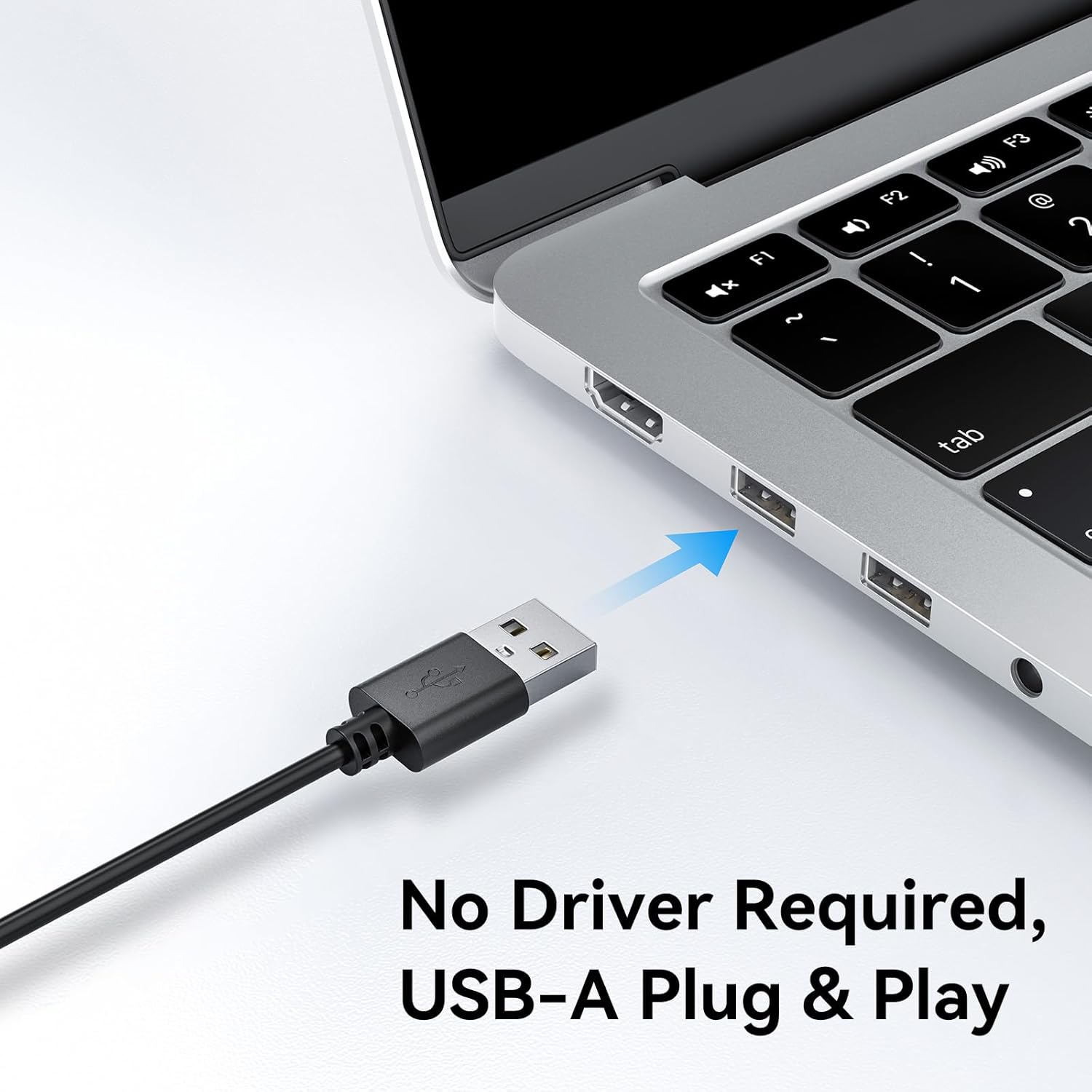
Image: A user on a video call demonstrating the effectiveness of the dual noise-cancelling microphones on the EMEET C60E webcam, showing a waveform before and after noise cancellation.
EMEET HS50 Wired Headset
The EMEET HS50 is a comfortable and versatile wired headset designed for extended use in various communication environments.
- Disseny lleuger: Weighs approximately 0.27 lb for all-day comfort.
- Adjustable Headband and Earpads: Customizable fit for various head sizes with 10° earpad adjustment.
- 270° Flexible Microphone: Allows for precise positioning and can be rotated out of the way.
- Controls en línia: Easy access to volume adjustment, microphone mute, and speaker mute.
- Connectivitat USB: Simple plug-and-play connection.

Image: The EMEET HS50 Wired Headset, highlighting its lightweight and comfortable design with feather illustrations.

Imatge: Detallada view of the EMEET HS50 headset's adjustable headband and the 10-degree swivel capability of its earpads for a customized fit.

Image: The EMEET HS50 headset's microphone demonstrating its 270-degree flexible rotation for optimal positioning.
Guia de configuració
EMEET C60E 4K WebConfiguració de la càmera
- Connecteu el Weblleva: Plug the USB-A cable from the EMEET C60E webcàmera a un port USB disponible de l'ordinador.
- Instal·lació automàtica: El webcam is plug-and-play. Your operating system (Windows, macOS) will automatically detect and install the necessary drivers. No manual driver installation is typically required.
- Col·loca el Weblleva: Muntar el webcam securely on top of your monitor or place it on a flat surface. Adjust the angle as needed.
- Verifica la connexió: Open a video conferencing application (e.g., Zoom, Skype, Google Meet) or your computer's camera application to confirm the webLa càmera es reconeix i mostra vídeo.
- Adjust Resolution (Optional): The default video resolution may be 1080P. To switch to 4K, use your built-in camera software or applications like PotPlayer/OBS.

Imatge: L'EMEET C60E webcam's USB-A cable being connected to a laptop, illustrating its plug-and-play functionality.
EMEET HS50 Wired Headset Setup
- Connecteu els auriculars: Plug the USB cable from the EMEET HS50 headset into an available USB port on your computer.
- Instal·lació automàtica: The headset is plug-and-play. Your operating system will automatically detect and configure the audio device.
- Ajusteu per a la comoditat:
- Ajusteu la diadema perquè s’adapti còmodament al cap.
- Rotate the earpads up to 10° to ensure a snug fit over your ears.
- Posició del micròfon: Rotate the flexible microphone boom to position the microphone near your mouth for optimal voice pickup. It can rotate 270° to be used on either side or moved out of the way when not needed.
- Verifica la configuració d'àudio: In your computer's sound settings or communication application, ensure the EMEET HS50 is selected as the input (microphone) and output (speaker) device.
Instruccions de funcionament
EMEET C60E 4K WebFuncionament de la càmera
- Ús amb aplicacions: Select the EMEET C60E as your video and audio device within your preferred video conferencing software (e.g., Zoom, Microsoft Teams, Google Meet, Skype).
- EMEETLINK Software: Download and install the EMEETLINK software from the official EMEET website for advanced settings. This software allows you to:
- Ajusta la brillantor, el contrast i la saturació.
- Activate backlight compensation for improved visibility in challenging lighting.
- Actualitza el firmware.
- Cobertura de privadesa: Slide the integrated privacy cover over the lens when the webcam is not in use to ensure your privacy.
EMEET HS50 Wired Headset Operation
The HS50 headset features convenient in-line controls for managing your audio during calls or media playback.
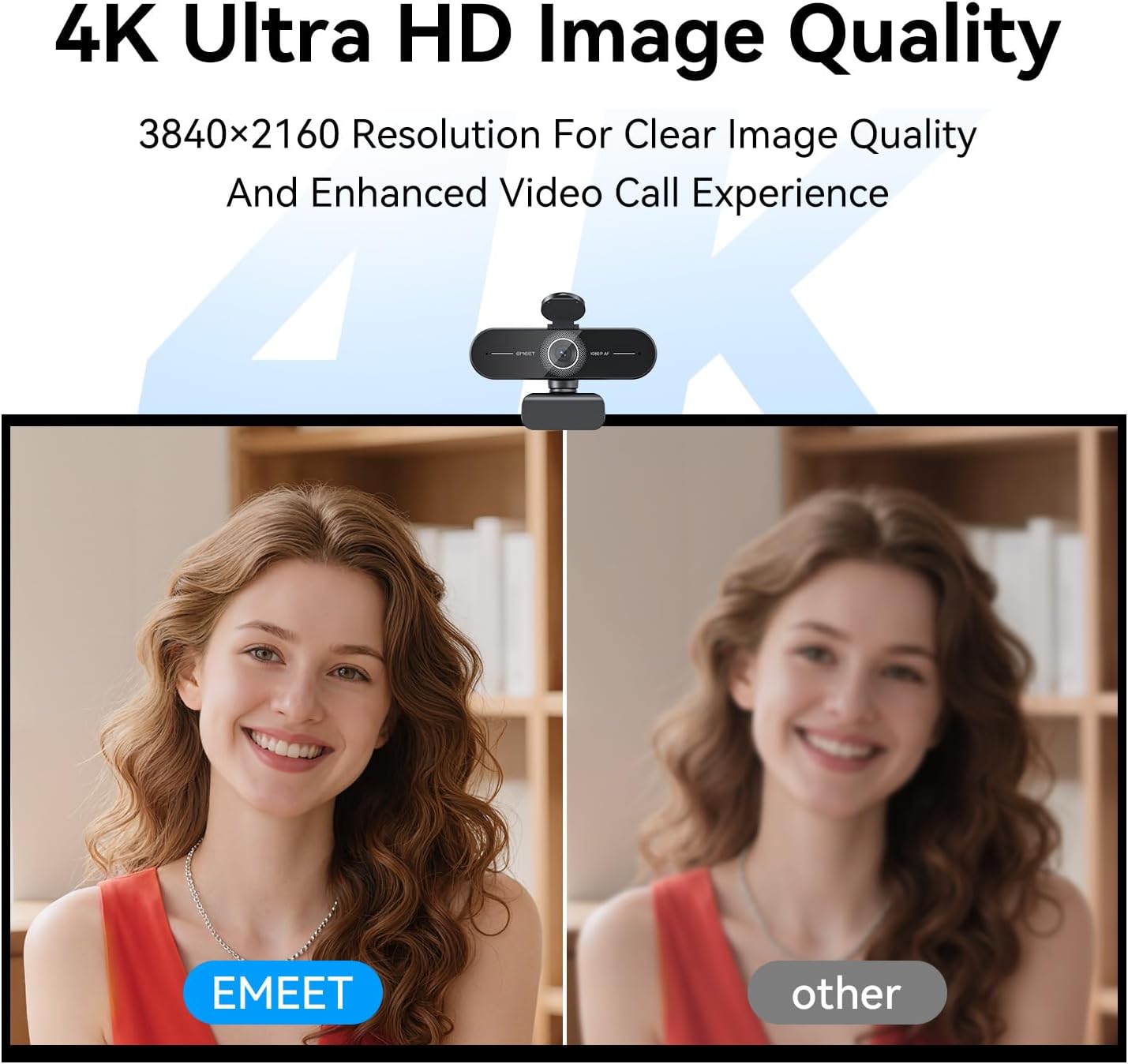
Image: Close-up of the EMEET HS50 headset's in-line control unit, showing buttons for microphone mute, volume up/down, and speaker on/off, along with LED indicators.
- Control de volum: Utilitza el + i - buttons on the in-line control unit to adjust the speaker volume.
- Silència del micròfon: Premeu el botó icona de micròfon button to mute or unmute your microphone. An LED indicator will show the mute status.
- Speaker Mute/On-Off: Premeu el botó icona de l'altaveu button to turn the speaker audio on or off. An LED indicator will show the speaker status.
- Posicionament del micròfon: Adjust the 270° flexible microphone boom to ensure the microphone is optimally positioned for your voice.
Manteniment
- Neteja: Use a soft, dry cloth to clean the exterior surfaces of both the webcam and headset. For the webcam lens, use a lens cleaning cloth.
- Eviteu líquids: Do not use liquid cleaners or aerosols directly on the devices.
- Emmagatzematge: When not in use, store the devices in a clean, dry place away from extreme temperatures.
- Cura del cable: Eviteu doblegar bruscament o estirar excessivament els cables USB per evitar danys.
Resolució de problemes
Webcam Troubleshooting
- Webcàmera no detectada:
- Assegureu-vos que el cable USB estigui connectat correctament a tots dos webla càmera i el teu ordinador.
- Proveu de connectar el webcam a un port USB diferent.
- Reinicieu l'ordinador.
- Consulteu el gestor de dispositius del vostre sistema operatiu per veure si el webLa càmera està a la llista.
- No Video or Poor Video Quality:
- Assegureu-vos que la coberta de privacitat estigui oberta.
- Check lighting conditions; ensure adequate front lighting.
- Comproveu que sigui correcte webcam is selected in your application's settings.
- Use EMEETLINK software to adjust video settings like brightness and contrast.
- Ensure your computer meets the system requirements for 4K video streaming.
- Sense àudio de Webcam Microphones:
- Ensure the EMEET C60E is selected as the microphone input device in your computer's sound settings and your application.
- Check application-specific mute settings.
Headset Troubleshooting
- Headset Not Detected:
- Ensure the USB cable is securely connected to both the headset and your computer.
- Prova de connectar els auriculars a un port USB diferent.
- Reinicieu l'ordinador.
- No Audio from Headset Speakers:
- Check the in-line control unit to ensure the speaker is not muted and volume is turned up.
- Verify that the EMEET HS50 is selected as the audio output device in your computer's sound settings and your application.
- Adjust the volume on your computer.
- Microphone Not Working on Headset:
- Check the in-line control unit to ensure the microphone is not muted.
- Verify that the EMEET HS50 is selected as the microphone input device in your computer's sound settings and your application.
- Assegureu-vos que el braç del micròfon estigui col·locat correctament.
Especificacions
EMEET C60E 4K Weblleva
| Resolució | 4K Ultra HD (3840 x 2160) |
| Velocitat de fotogrames | 30 FPS |
| Tipus de sensor | CMOS |
| Tipus d'enfocament | PDAF Autofocus |
| Camp de View (FOV) | 73° |
| Micròfons | Dual Noise-Cancelling Mics (up to 8 ft range) |
| Connectivitat | USB-A Plug & Play |
| Compatibilitat | Windows, macOS, Android TV, major conferencing platforms |
EMEET HS50 Wired Headset
| Pes | Aprox. 0.27 lliures (122 g) |
| Micròfon | 270° Flexible Microphone |
| Controls | In-line: Volume +, Volume -, Mic Mute, Speaker Mute |
| Connectivitat | USB-A |
| Earpad Adjustment | Ajust d'angle de 10° |
Garantia i Suport
EMEET products are designed for reliability and performance. For detailed warranty information, please refer to the warranty card included with your product or visit the official EMEET website. If you encounter any issues or require technical assistance, please contact EMEET customer support through their official channels. You can typically find support contact information on the EMEET weblloc web o dins de l'embalatge del producte.
Official EMEET Weblloc: www.emeet.com


