
1. Introducció i finalview
This manual provides detailed instructions for setting up and using your Rapoo Blade-Series E9310M Wireless Keyboard and M300G Silent Mouse Combo. This combo offers multi-device connectivity and a compact design for enhanced productivity across various operating systems.
Característiques principals:
- Compact Wireless Combo: Features a 99-key layout with number pad and arrow keys, paired with a silent mouse with side buttons. This design optimizes typing and browsing efficiency while occupying 20% less space.
- Multi-Device and Multi-OS Support: Connects to up to 4 devices across Windows, Mac OS, and Linux via Bluetooth 5.0/4.0 and a plug-and-play USB receiver.
- Experiència en la tipificació de fluids: Laptop-like profile with incurve rounded keys ensures a fast, fluid, precise, and quiet typing experience.
- 5-DPI Adjustable Silent Mouse: The M300G mouse offers good portability and ergonomics, with 5 preset DPI levels (800/1000/1200/1600/2400) for smooth tracking.
- Tecles multimèdia: Supports Windows and Mac OS dual system shortcuts for 12 common functions like play/pause and volume control.
- Disseny estètic i durador: Constructed with an aluminum alloy frame and a matte antioxidant finish for a delicate texture and enhanced durability.
- Refined Details: Includes device and capitalization indicator lights for improved user awareness and an upgraded Bluetooth 5.0/4.0 for extended battery life.
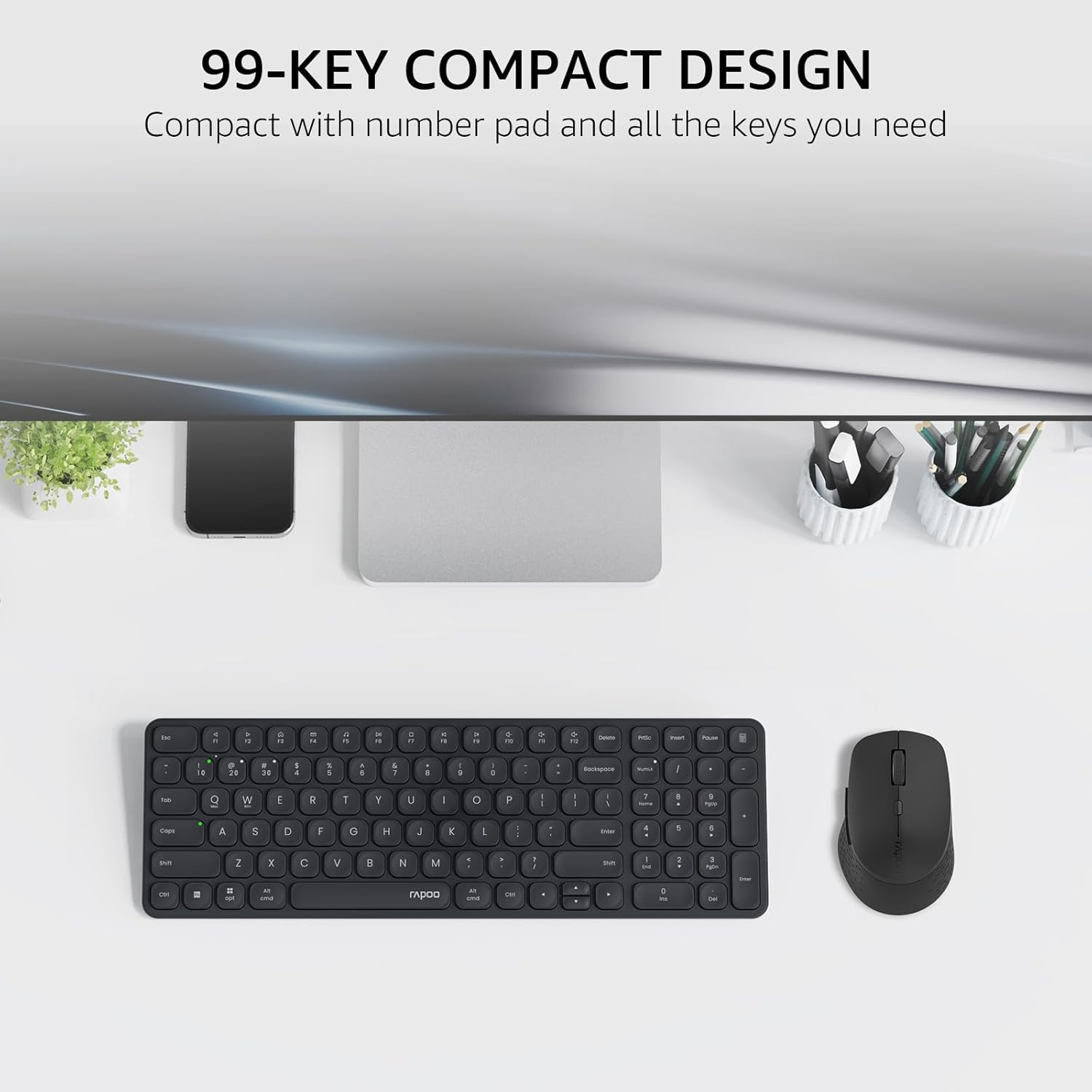
Image: The Rapoo E9310M keyboard and M300G mouse combo, showcasing its compact design on a desk.
2. Instruccions de configuració
2.1 Instal·lació de la bateria
The keyboard and mouse require AAA batteries. Two AAA batteries are included with the product.
- Localitzeu el compartiment de la bateria a la part inferior del teclat i del ratolí.
- Obriu la tapa del compartiment de la bateria.
- Introduïu les piles AAA, assegurant-vos de la polaritat correcta (+/-).
- Tanqueu bé la tapa del compartiment de la bateria.
2.2 Connexió a dispositius
Your Rapoo combo supports connection via 2.4GHz USB receiver or Bluetooth 5.0/4.0, allowing connection to up to 4 devices (3 via Bluetooth, 1 via 2.4GHz).
Connexió del receptor USB de 2.2.1 i 2.4 GHz
- Locate the USB receiver, typically stored within the mouse's battery compartment.
- Connecteu el receptor USB a un port USB disponible de l'ordinador.
- Engegueu el teclat i el ratolí utilitzant els seus respectius interruptors d'alimentació.
- The devices should automatically connect to your computer. If not, press the 2.4G pairing button on the keyboard/mouse (refer to device for exact button location).
2.2.2 Bluetooth Connection (for up to 3 devices)
- Enceneu el teclat i el ratolí.
- On the keyboard, press and hold one of the Bluetooth pairing keys (e.g., Fn + 1, Fn + 2, or Fn + 3) until the indicator light flashes, indicating pairing mode.
- On your device (PC, tablet, phone), go to Bluetooth settings and search for new devices.
- Select the Rapoo keyboard from the list and follow any on-screen prompts to complete pairing.
- Repeat steps 2-4 for the mouse, pressing its Bluetooth pairing button (usually on the underside) until its indicator flashes.
- To switch between paired Bluetooth devices, simply press the corresponding Bluetooth key (Fn + 1/2/3) on the keyboard or the Bluetooth switch on the mouse.
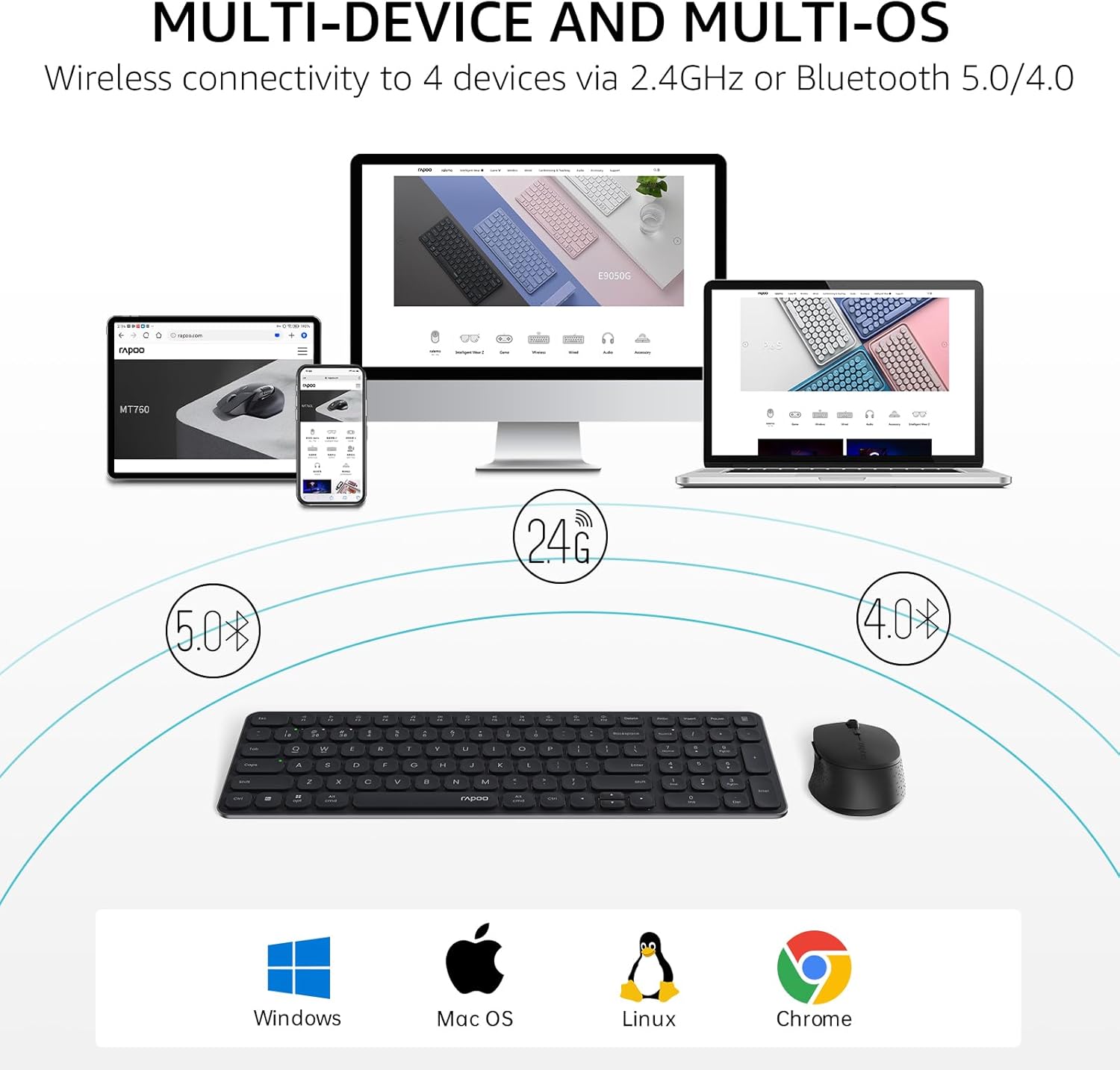
Image: The Rapoo keyboard and mouse combo connected to a desktop, laptop, tablet, and smartphone, illustrating its multi-device capability.
3. Instruccions de funcionament
3.1 Funcions del teclat
The E9310M keyboard features a 99-key layout, including a number pad and dedicated arrow keys, designed for efficient input.
3.1.1 Tecles multimèdia
Access 12 widely used function keys by pressing the Fn key in combination with the corresponding F-keys (F1-F12). These shortcuts are compatible with both Windows and Mac OS.
- Fn+F1: Reproduir/Pausa
- Fn+F2: Atureu-vos
- Fn+F3: Pista anterior
- Fn+F4: Pista següent
- Fn+F5: Silenciar
- Fn+F6: Baixa el volum
- Fn+F7: Puja el volum
- Fn+F8: Cerca
- Fn+F9: Casa
- Fn+F10: Correu
- Fn+F11: El meu ordinador
- Fn+F12: Preferits
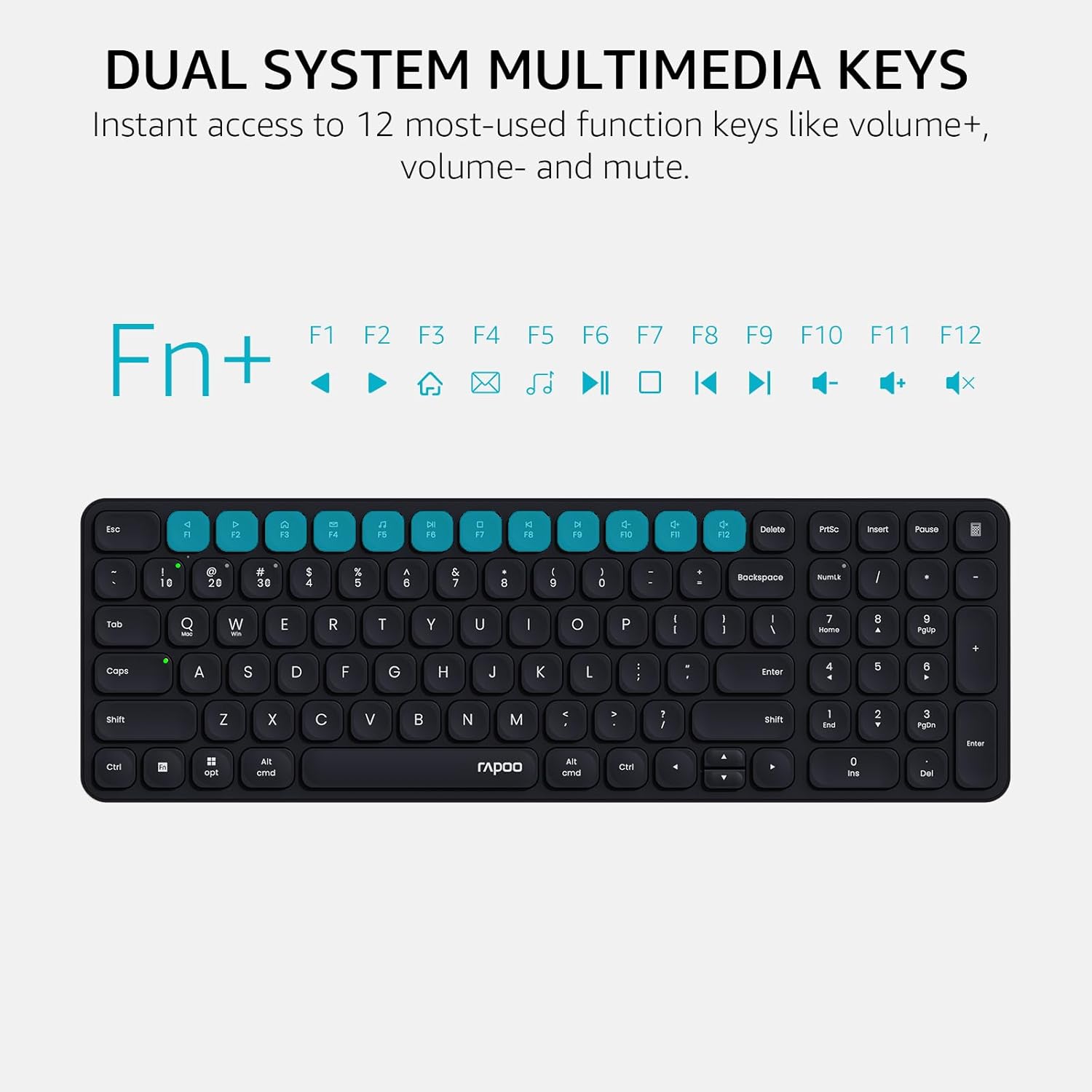
Image: Close-up of the Rapoo E9310M keyboard highlighting the multimedia function keys (F1-F12) and their corresponding icons.
3.1.2 Device and Capitalization Indicator Lights
The keyboard includes indicator lights to show which device is currently active and the status of the Caps Lock key.
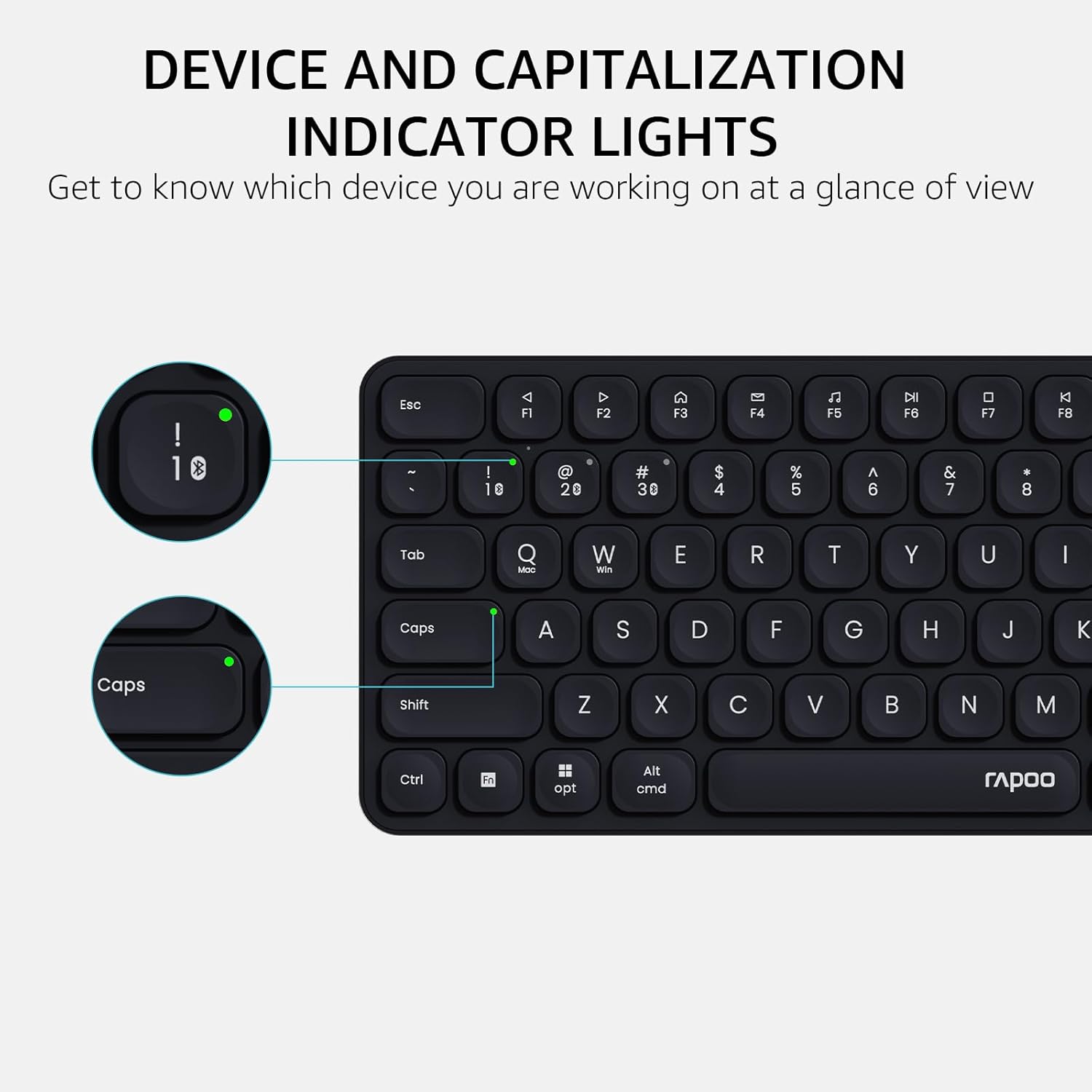
Imatge: Una imatge detallada view of the Rapoo E9310M keyboard, pointing out the indicator lights for device connection and Caps Lock status.
3.2 Funcions del ratolí
The M300G Silent Mouse provides precise control with adjustable DPI settings and a quiet click design.
3.2.1 Ajust de DPI
The mouse features 5 adjustable DPI levels (800/1000/1200/1600/2400) to suit different screen resolutions and user preferences. Press the DPI button (usually located near the scroll wheel) to cycle through the settings.
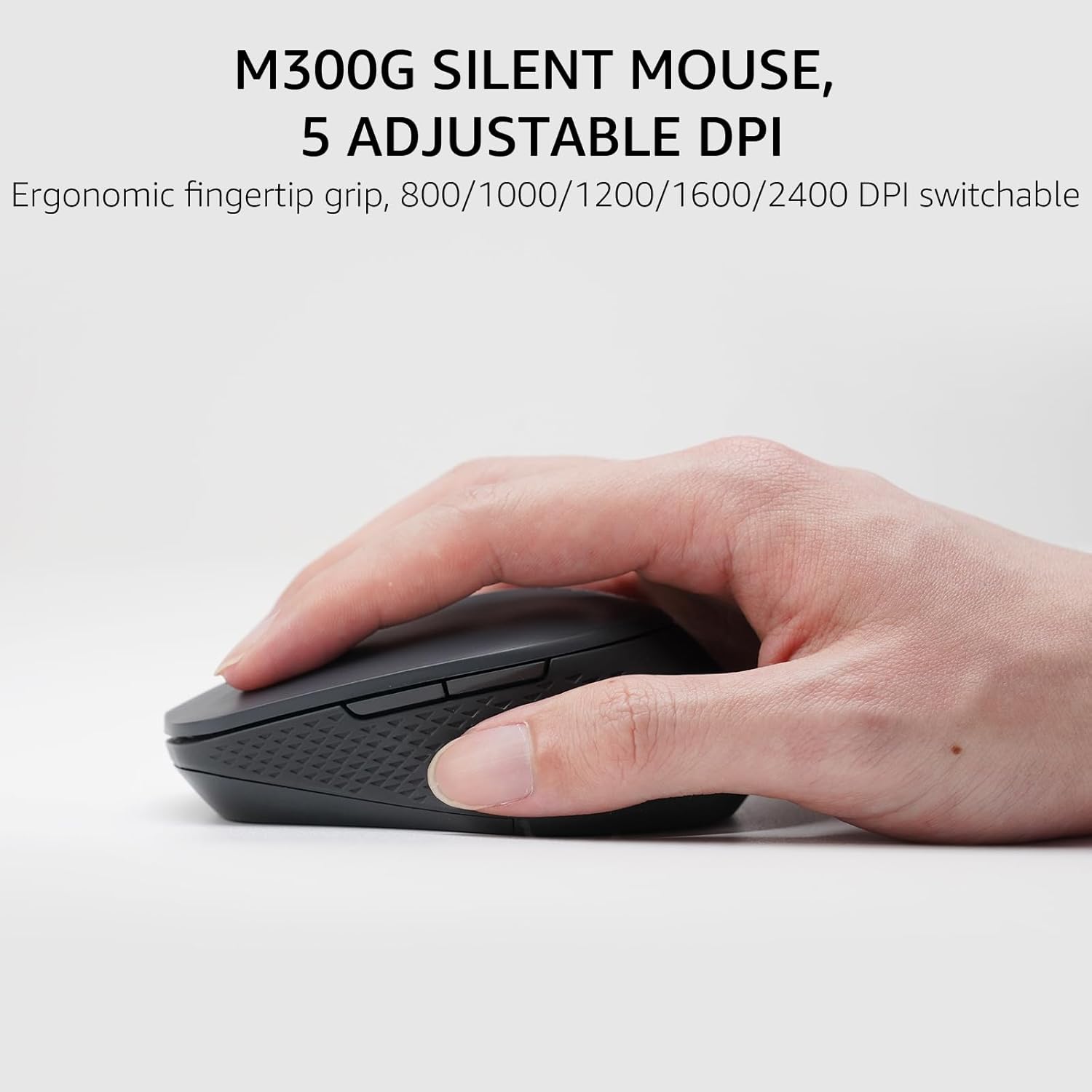
Image: The Rapoo M300G Silent Mouse, highlighting its ergonomic design and the DPI adjustment button.
4. Manteniment
4.1 Neteja
- Feu servir un drap suau i sec per netejar les superfícies del teclat i del ratolí.
- Per a la brutícia persistent, lleugerament dampNetegeu el drap amb aigua o una solució de neteja suau. Eviteu l'excés d'humitat.
- No utilitzeu netejadors abrasius, dissolvents ni aerosols.
4.2 Substitució de la bateria
When the battery indicator light flashes or performance degrades, replace the batteries. The upgraded Bluetooth 5.0/4.0 technology extends battery life up to 12 months.
- Apagueu el dispositiu.
- Obriu el compartiment de la bateria.
- Traieu les piles velles i llenceu-les d'acord amb la normativa local.
- Insert new AAA batteries, observing correct polarity.
- Tanqueu el compartiment.
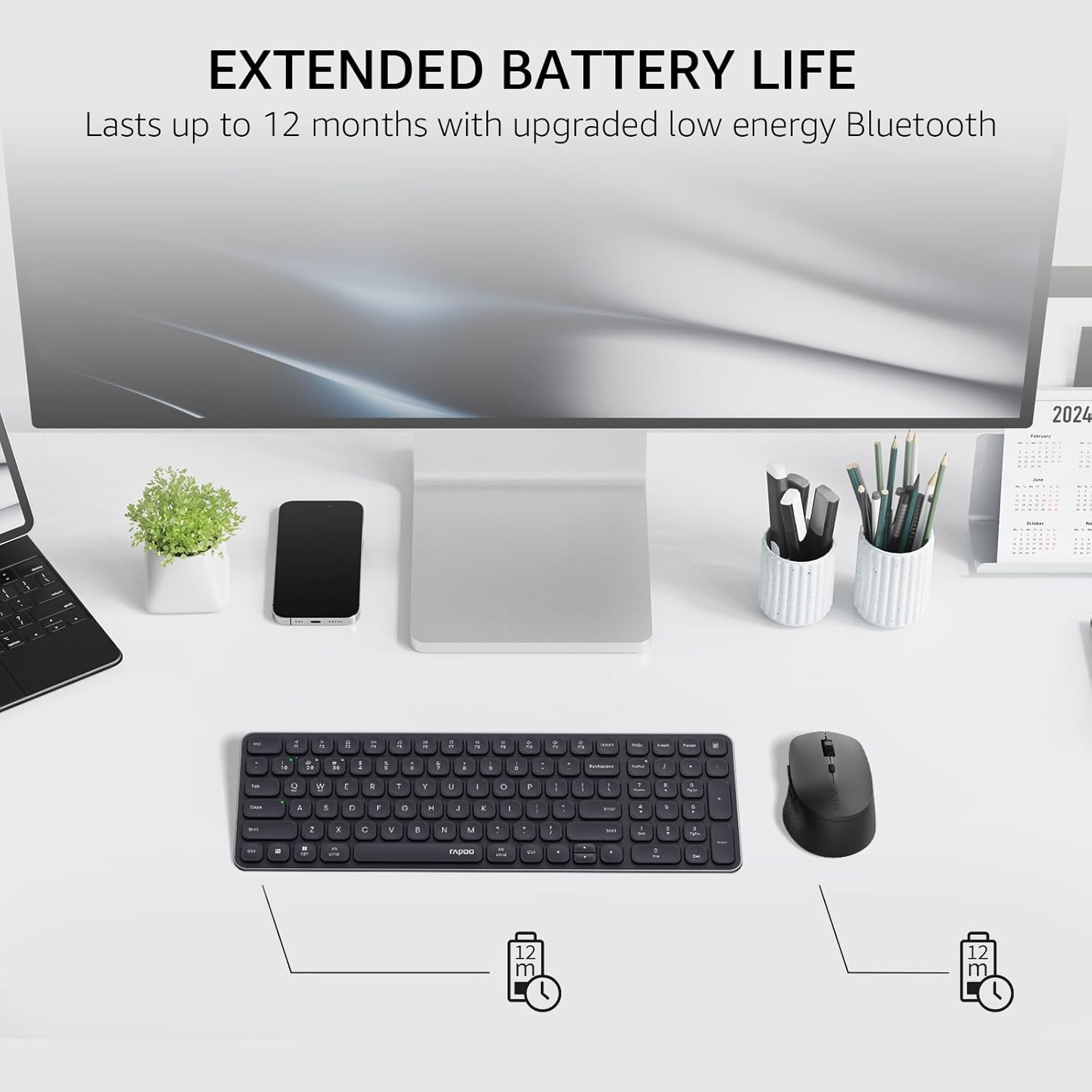
Image: The Rapoo keyboard and mouse on a desk, with an overlay indicating an extended battery life of up to 12 months.
5. Solució De Problemes
5.1 Problemes de connexió
- El dispositiu no es connecta: Ensure the keyboard/mouse is turned on and in pairing mode (indicator light flashing). Check your device's Bluetooth settings to ensure Bluetooth is enabled and the correct Rapoo device is selected.
- Connexió de 2.4 GHz inestable: Ensure the USB receiver is securely plugged into a working USB port. Try a different USB port. Ensure no other wireless devices are causing interference.
- Bluetooth connection dropping: Ensure the devices are within the effective range (typically 10 meters/33 feet). Check battery levels. Remove and re-pair the device if issues persist.
5.2 Keyboard/Mouse Not Responding
- No input: Check battery levels and replace if necessary. Ensure the correct connection mode (2.4GHz or Bluetooth channel) is selected on the keyboard/mouse.
- Les claus no funcionen: Netegeu els voltants de les tecles afectades per eliminar qualsevol residu.
- Cursor del ratolí erràtic: Clean the mouse sensor. Ensure the mouse is used on a suitable surface. Adjust DPI settings if sensitivity is an issue.
6. Especificacions
| Característica | Detall |
|---|---|
| Marca | Rapoo |
| Model (teclat) | E9310M |
| Model (ratolí) | M300G |
| Color | Negre |
| Tecnologia de connectivitat | Bluetooth (5.0/4.0), Radio Frequency (2.4GHz) |
| Dispositius compatibles | Laptop, Personal Computer (Windows, macOS, Linux, Chrome OS) |
| Disposició del teclat | QWERTY, 99-Key with Number Pad |
| DPI del ratolí | 800/1000/1200/1600/2400 (Adjustable) |
| Font d'alimentació | Funciona amb piles (2 piles AAA incloses) |
| Pes de l'article | 393.2 grams |
| Fabricant | Shenzhen Rapoo Technology Co., Ltd. |
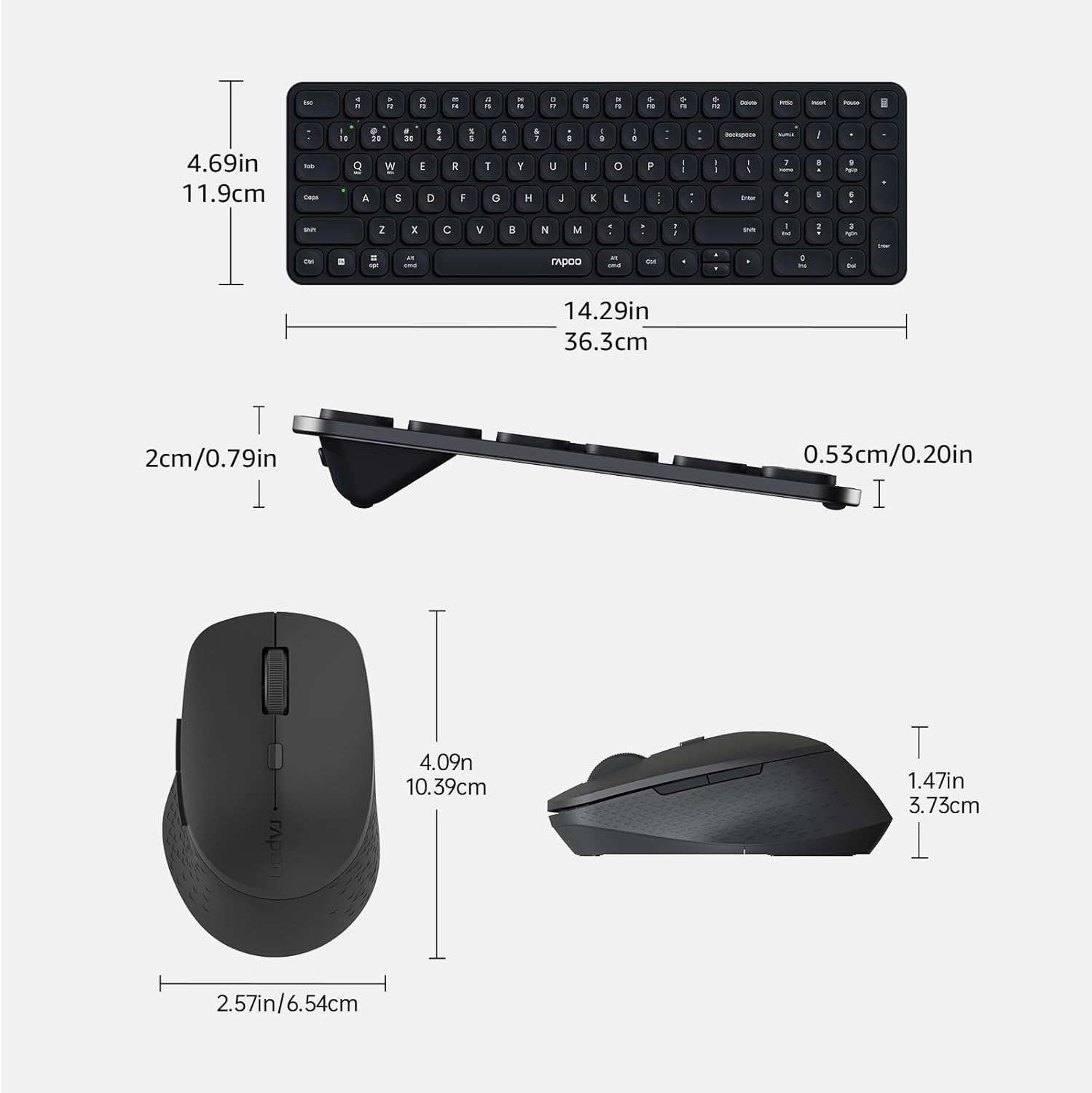
Image: Technical drawing showing the dimensions of the Rapoo E9310M keyboard and M300G mouse in inches and centimeters.
7. Garantia i Suport
7.1 Informació de la garantia
Aquest producte ve amb un 1 any de garantia des de la data de compra. Si us plau, conserveu el comprovant de compra per a reclamacions de garantia. La garantia cobreix defectes de fabricació i avaries en condicions d'ús normals.
7.2 Atenció al client
For technical assistance, troubleshooting, or warranty inquiries, please contact Rapoo customer support. Refer to the official Rapoo weblloc web o l'embalatge del producte per obtenir la informació de contacte més actualitzada.