
Introducció
Thank you for choosing the TMEZON C680 Indoor Window Security Camera. This manual provides essential information for setting up, operating, and maintaining your camera. Please read it thoroughly before use and retain it for future reference.
Informació de seguretat
- Utilitzeu només l'adaptador d'alimentació subministrat.
- Do not expose the camera to extreme temperatures or humidity.
- Aquesta càmera està dissenyada només per a ús en interiors.
- Mantenir fora de l'abast dels nens.
Contingut del paquet
Verifiqueu que tots els articles siguin presents al vostre paquet. Si falta algun article o hi ha algun malmès, poseu-vos en contacte amb l'atenció al client.
- TMEZON C680 Indoor Window Security Camera
- Adaptador d'alimentació
- Cable d'alimentació USB
- Kit de muntatge (cargols, ancoratges)
- Manual d'usuari
Producte acabatview
Familiarize yourself with the components of your TMEZON C680 camera.
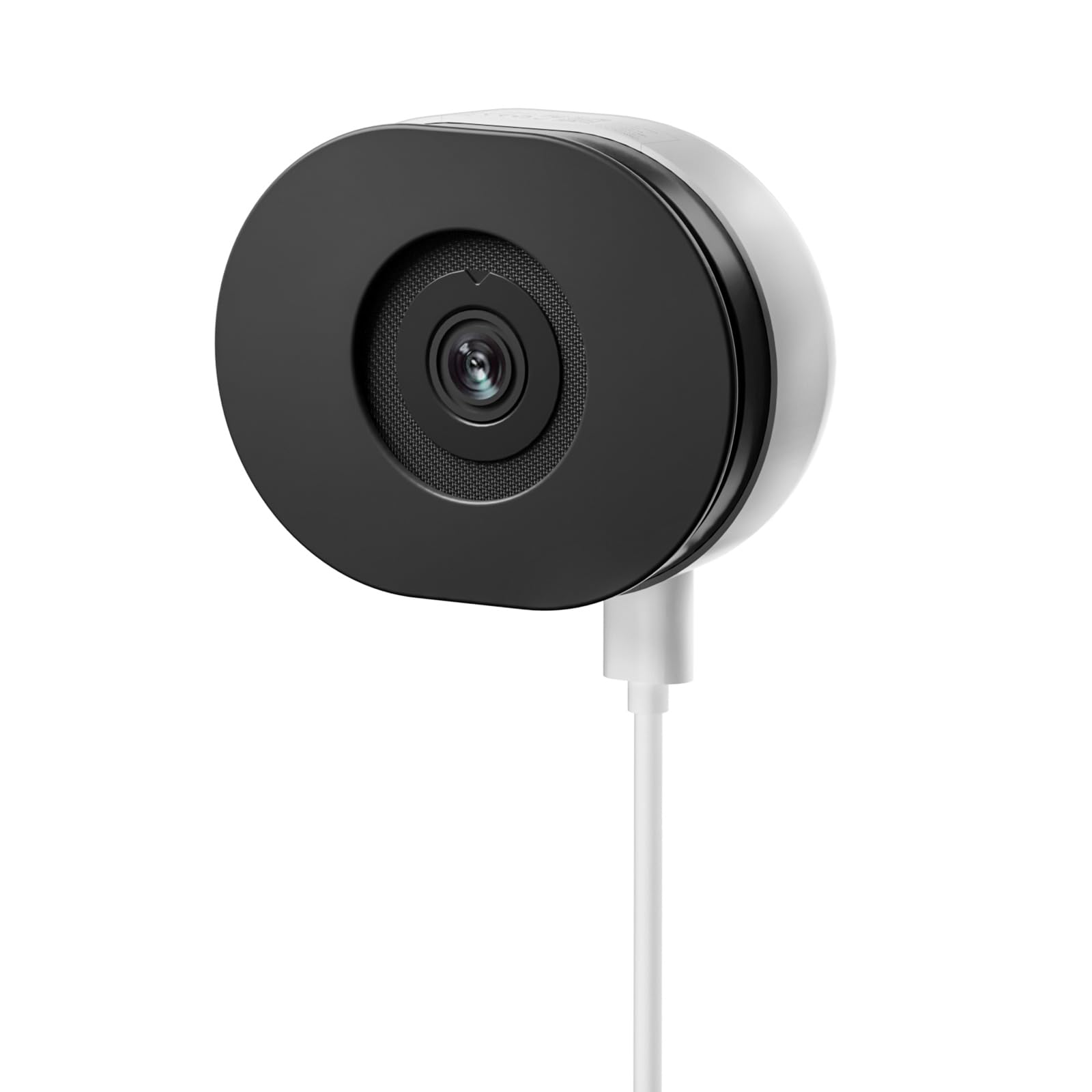
Image: The TMEZON C680 Indoor Window Security Camera. This image displays the camera's compact, circular form factor, highlighting the main lens and overall design.
Components de la càmera
- Lent de la càmera: Captures 4MP 2.5K video.
- Llum indicador d'estat: Indicates camera status (e.g., solid blue for connected, flashing red for disconnected).
- Micròfon: For audio input and two-way audio communication.
- Ponent: For audio output and two-way audio communication.
- Port d'alimentació: Es connecta a l'adaptador de corrent.
- Botó de restabliment: Press and hold for 5 seconds to reset the camera to factory settings.
- Ranura per a targeta MicroSD: For local storage (card not included).
Configuració
Pas 1: Baixeu l'aplicació
Cerca the "TMEZON Smart" app (or similar, as specified in your product documentation) in your mobile device's app store (App Store for iOS, Google Play Store for Android). Download and install the app.
Pas 2: engegueu la càmera
Connect the USB power cable to the camera's power port and plug the power adapter into a wall outlet. The camera's status indicator light will turn on. Wait for it to flash red, indicating it's ready for pairing.
Pas 3: Afegeix un dispositiu a l'aplicació
- Open the TMEZON Smart app and create an account or log in.
- Tap the "+" icon (or "Add Device") to add a new camera.
- Select "Security Camera" or "Smart Camera" from the device list.
- Follow the on-screen instructions to connect the camera to your 2.4GHz Wi-Fi network. Ensure your phone is connected to the same 2.4GHz Wi-Fi network.
- The app will display a QR code. Position your camera to scan this QR code from your phone screen. You will hear a confirmation sound from the camera once scanned successfully.
- Un cop connectat, el llum indicador d'estat es tornarà blau fix.
Step 4: Window Mounting
The TMEZON C680 is designed for easy window mounting.
- Choose a clean, flat window surface for optimal viewing.
- Use the provided mounting kit to secure the camera to the window frame or a nearby wall, ensuring the lens faces outwards.
- Adjust the camera angle to cover your desired surveillance area.
Instruccions de funcionament
Viu View
Open the TMEZON Smart app and select your camera from the device list to access the live video feed.
Enregistrament i reproducció
The camera supports 24/7 continuous recording to a local MicroSD card (not included).
- Inseriu la targeta MicroSD: Power off the camera, insert a MicroSD card (up to 128GB, Class 10 or higher recommended) into the slot, then power on.
- View Enregistraments: En directe de l'aplicació view, tap the "Playback" or "History" icon to access recorded footage.
Àudio bidireccional
En directe view interface, tap the microphone icon to speak through the camera's speaker. Tap the speaker icon to listen to audio from the camera's microphone.
Visió nocturna en color
The camera automatically switches to color night vision in low-light conditions, providing clear, vivid footage up to 32 feet. No manual adjustment is typically required.
Detecció de moviment i alertes
The camera features motion-only alert type.
- In the app, navigate to the camera settings.
- Find "Motion Detection" or "Alert Settings."
- Enable motion detection and customize sensitivity levels and alert schedules as needed.
- You will receive push notifications on your mobile device when motion is detected.
Manteniment
Neteja
Netegeu suaument la lent i el cos de la càmera amb un drap suau i sec. No utilitzeu netejadors líquids ni materials abrasius.
Actualitzacions de firmware
Periodically check the TMEZON Smart app for available firmware updates to ensure optimal performance and security. Follow the in-app instructions for updating.
Emmagatzematge
When not in use for extended periods, store the camera in a cool, dry place, away from direct sunlight.
Resolució de problemes
| Problema | Solució |
|---|---|
| La càmera no s'encén. | Ensure the power adapter is securely connected to both the camera and a working power outlet. Try a different outlet. |
| No es pot connectar a la Wi-Fi. |
|
| No recording to MicroSD card. |
|
| Poca qualitat de vídeo. |
|
Especificacions
- Model: C680
- Resolució: 4MP (2.5K)
- Visió nocturna: Color Night Vision, up to 32 feet
- Connectivitat: Wi-Fi de 2.4 GHz
- Emmagatzematge: Targeta MicroSD (fins a 128 GB, no inclosa)
- Àudio: Àudio bidireccional (micròfon i altaveu integrats)
- Potència: Corded Electric, 5W
- Ús interior / exterior: Només interior
- Viewangle: 120 graus
- Dimensions: Aproximadament 3.5 x 3.5 x 3.5 polzades
- Material: Plàstic
- Tipus d'alerta: Només moviment
Garantia i Suport
TMEZON products are designed for reliability and performance. For warranty information, technical support, or customer service inquiries, please refer to the contact information provided on the product packaging or visit the official TMEZON weblloc.
You can also visit the TMEZON store on Amazon for additional product information and support: TMEZON Amazon Store.


