
Introducció
This manual provides detailed instructions for the safe and effective use of your Hangrui D102 Instant Print Children's Camera. Please read this manual thoroughly before operating the device and retain it for future reference. The Hangrui D102 is designed to allow children to capture photos and print them instantly without ink, offering a fun and interactive photography experience.
Producte acabatview
Característiques clau
- Instant ink-free black and white photo printing.
- 2.4-inch display screen.
- 1080P video recording capability.
- Zoom digital 10x.
- Time-lapse and continuous shooting functions.
- MP3 playback function.
- Integrated fun comic frames, mirror effects, and color filters.
- Includes a 32GB memory card for digital storage.
- Built-in 1300 mAh rechargeable battery with USB-C fast charging.
Components de la càmera
Familiarize yourself with the camera's main components as shown in the diagram below.
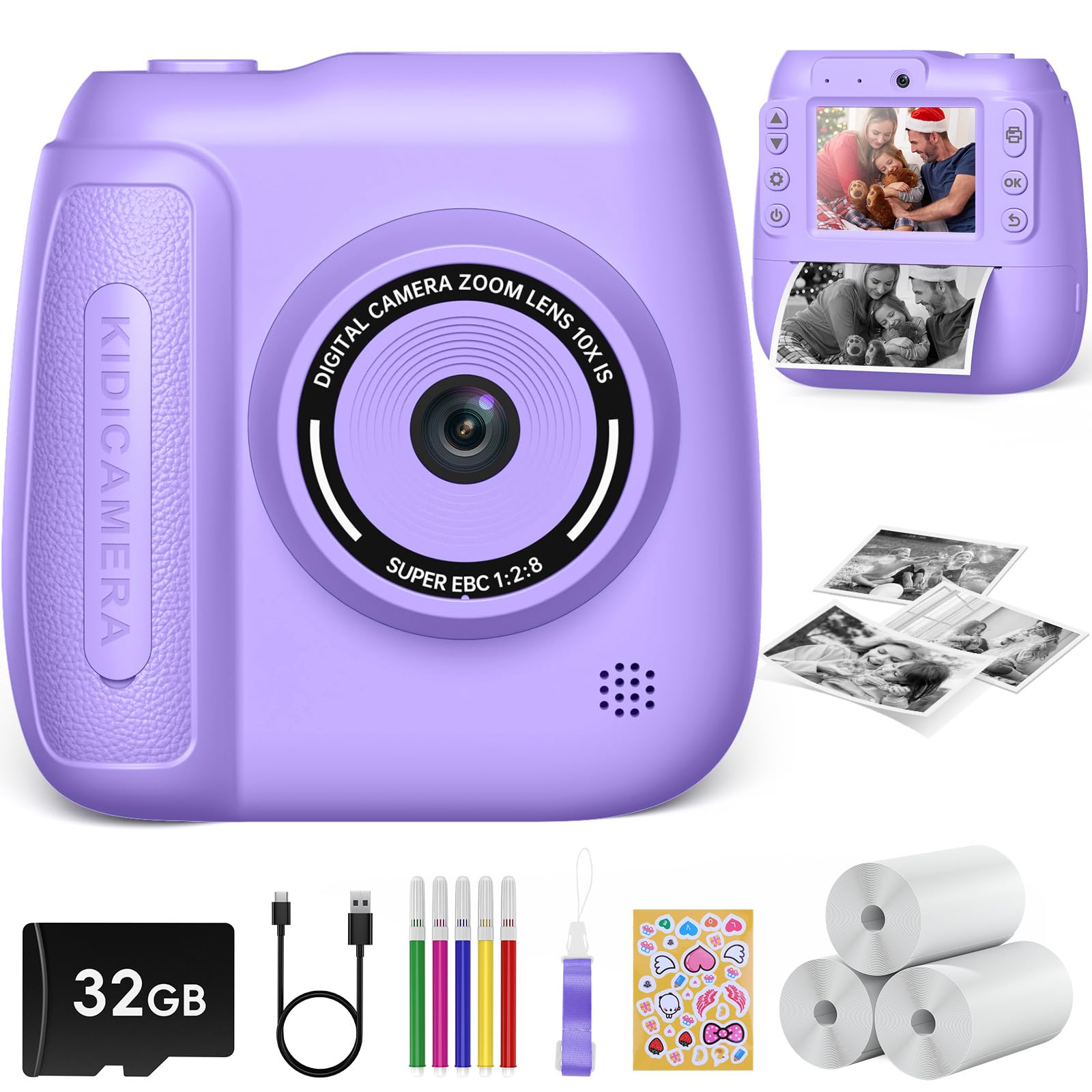
Imatge: Més deview of the Hangrui D102 Instant Print Children's Camera, highlighting its features and dimensions.
- Botó d'encesa: Encén/apaga la càmera.
- Botó de l'obturador/OK: Takes photos, confirms selections.
- Botons de navegació (amunt/avall/esquerra/dreta): Used for menu navigation and zoom control.
- Botó de menú: Accesses camera settings and modes.
- Print Output Slot: On emergeixen les fotos impreses.
- Lent: Camera lens for capturing images and videos.
- Pantalla de visualització: Pantalla de 2.4 polzades per a viewing photos, videos, and menus.
- Port USB-C: Per a càrrega i transferència de dades.
- Ranura per a targeta MicroSD: Per inserir la targeta de memòria.
Configuració
1. Càrrega de la càmera
Before first use, fully charge the camera battery. Connect the included USB-C cable to the camera's USB-C port and the other end to a compatible USB power adapter (not included) or a computer's USB port. The charging indicator light will typically show the charging status and turn off or change color when fully charged. A full charge provides hours of operation.
2. Inserció de la targeta MicroSD
The camera comes with a 32GB MicroSD card. Locate the MicroSD card slot on the camera. Gently insert the MicroSD card with the gold contacts facing down until it clicks into place. To remove, push the card in again until it springs out.
3. Loading Printing Paper
The camera uses special thermal printing paper. Follow these steps to load a new roll:
- Open the paper compartment cover on the camera.
- Introduïu un rotlle nou de paper d'impressió, assegurant-vos que el paper surti per la part superior del rotlle.
- Pull a small length of paper out of the compartment and close the cover, making sure the paper protrudes through the print output slot.
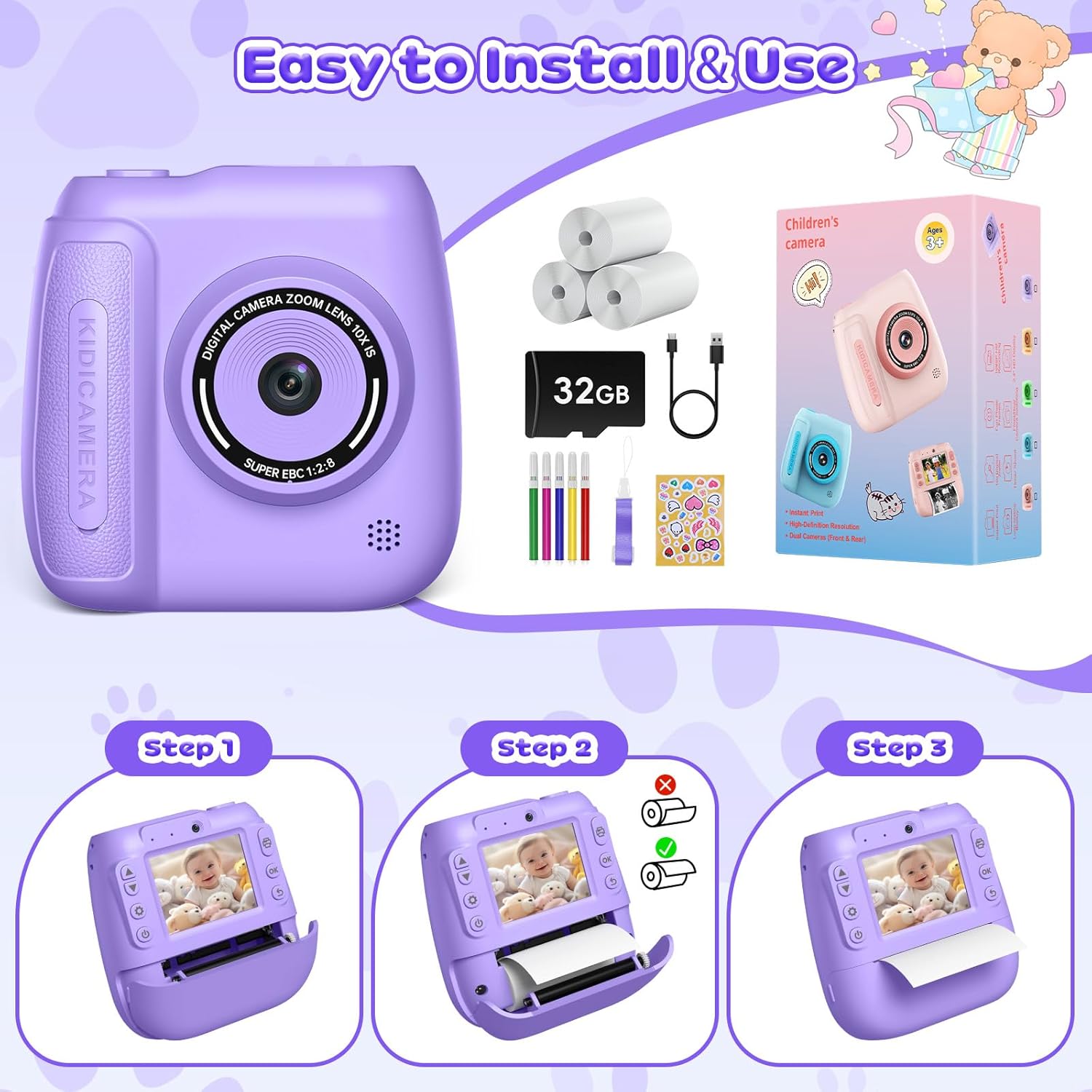
Image: Step-by-step guide for loading printing paper into the camera.
Instruccions de funcionament
1. Encendre/apagar
Press and hold the Power button for a few seconds to turn the camera on or off.
2. Taking Photos and Instant Printing
- Turn on the camera. It will typically start in photo mode.
- Enquadra la teva foto utilitzant la pantalla.
- Premeu el botó Obturador/D'acord per fer una foto.
- The camera will automatically print the photo immediately after capture.
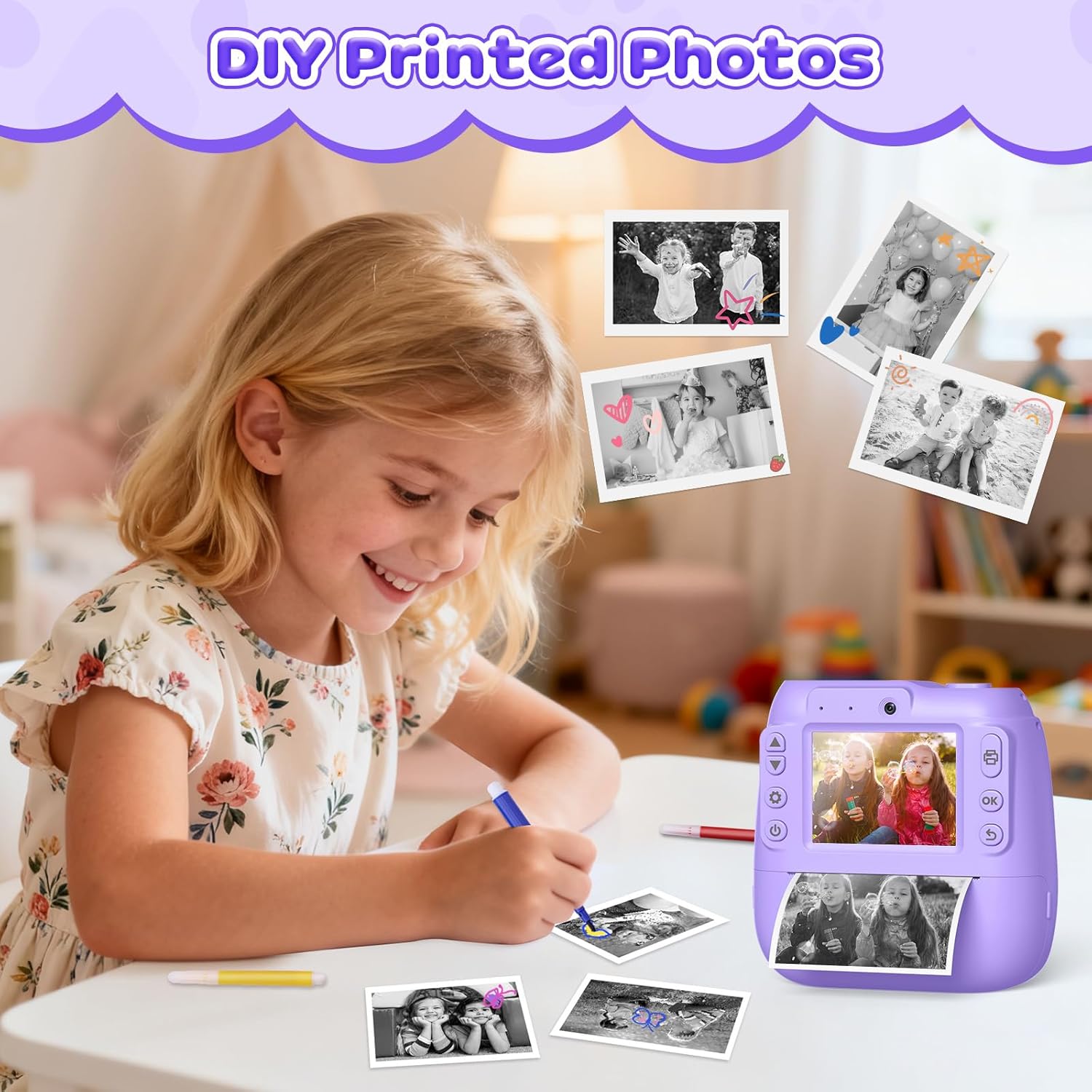
Imatge: Example of printed photos from the camera, ready for coloring or decoration.
3. Gravació de vídeo
- Navigate to video mode using the Menu button and navigation controls.
- Press the Shutter/OK button to start recording. A recording indicator will appear on the screen.
- Premeu el botó Obturador/OK de nou per aturar l'enregistrament.
4. Zoom digital
In photo or video mode, use the Up/Down navigation buttons to adjust the digital zoom level (up to 10x).
5. Time-Lapse and Burst Shooting
- Access these functions through the camera's menu settings.
- Time-lapse: Set a delay (e.g., 3s, 5s, 10s) before a photo is taken, allowing time to get into position.
- Tirs en ràfega: Capture multiple photos in quick succession with a single press of the shutter button.

Image: Demonstrations of video recording, time-lapse, 10x zoom, and burst shooting features.
6. Mode selfie
The camera supports a selfie mode, allowing users to easily take self-portraits. Use the front-facing lens and the display screen to compose your shot.

Image: The camera being used in selfie mode, highlighting its front lens and instant print capability.
7. Frames and Filters
Enhance your photos with various built-in comic frames, mirror effects, and color filters. These options can be selected through the camera's menu before taking a photo.

Imatge: Examples of creative frames and filters that can be applied to photos.
8. MP3 Function
The camera supports MP3 playback. Transfer MP3 files to the MicroSD card. Access the MP3 player through the camera's main menu to play music.
Manteniment
Neteja de la càmera
- Feu servir un drap suau i sec per netejar el cos de la càmera.
- For the lens and screen, use a specialized lens cleaning cloth to avoid scratches. Do not use liquid cleaners directly on the lens or screen.
- Assegureu-vos que la càmera estigui apagada abans de netejar-la.
Cura de la bateria
- Charge the camera regularly, even if not in frequent use, to maintain battery health.
- Avoid exposing the camera to extreme temperatures, which can affect battery performance and lifespan.
Emmagatzematge
When not in use, store the camera in a cool, dry place away from direct sunlight and moisture. Use the included lanyard to prevent accidental drops.
Resolució de problemes
| Problema | Causa possible | Solució |
|---|---|---|
| La càmera no s'encén. | La bateria està esgotada. | Charge the camera using the USB-C cable. |
| Photos are too dark or unclear. | Condicions d'il·luminació insuficients. | Ensure adequate lighting when taking photos. The camera performs best in well-lit environments. |
| Les fotos no s'imprimeixen. | No printing paper loaded or paper jam. | Check if printing paper is correctly loaded. Open the paper compartment and ensure there are no obstructions. |
| "Card Full" error message. | MicroSD card storage is full. | Transfer photos/videos to a computer and delete them from the card, or replace the MicroSD card. |
| La càmera es bloqueja o deixa de respondre. | Error de programari. | Press and hold the Power button for 10-15 seconds to force a restart. If the issue persists, ensure the battery is charged. |
Especificacions
| Nom del model | D102 |
| Marca | Hangrui |
| Pantalla de visualització | 2.4 polzades |
| Resolució de vídeo | 1080P |
| Zoom digital | 10x |
| Capacitat de la bateria | 1300 mAh |
| Emmagatzematge | Targeta MicroSD (32 GB inclosa) |
| Dimensions del producte (L x A x A) | 5.5 x 10 x 10 cm (aproximadament 2.17 x 3.94 x 3.94 polzades) |
| Pes de l'article | 380 grams |
| Característiques especials | Time-lapse, Continuous Shooting, MP3 Function |
| Components inclosos | Camera Body, 32GB MicroSD Card, 3 Printing Paper Rolls, USB-C Cable, Lanyard, 5 Color Pens |
Garantia i Suport
Specific warranty information is not provided in the product details. For warranty claims or technical support, please contact the retailer or the manufacturer, Hangrui, directly. Please retain your proof of purchase for any warranty-related inquiries.