
1. Introducció
This manual provides detailed instructions for the setup, operation, maintenance, and troubleshooting of your GMKtec Nucbox G10 Mini PC. The Nucbox G10 is a compact and powerful desktop computer designed for various applications, from office tasks to multimedia entertainment, featuring an AMD Ryzen 5 3500U processor, 16GB DDR4 RAM, and a 1TB NVMe SSD.
2. Contingut del paquet
Verifiqueu que tots els elements que s'enumeren a continuació siguin presents al vostre paquet:
- GMKtec Nucbox G10 AMD Ryzen 5 3500U Mini PC Computer
- Power Supply & Cable
- Cable HDMI
- VESA Mount and Screws
- Manual d'usuari (aquest document)

Image: Retail Boxed Packaging. This image displays the GMKtec Nucbox G10 Mini PC, power supply, HDMI cable, VESA mount, screws, and user manual, illustrating the complete contents of the product package.
3. Producte acabatview
3.1 Característiques clau
- Processador: AMD Ryzen 5 3500U (4 Cores, 8 Threads, up to 3.70GHz Turbo Boost)
- Gràfics: Integrated AMD Radeon Vega 8 Graphics (1200 MHz)
- Memòria: 16GB Dual Channel DDR4 RAM (expandable up to 64GB)
- Emmagatzematge: 1TB M.2 2280 NVMe SSD (expandable up to 16TB via dual M.2 2280 PCIe 3.0 slots)
- Xarxa: 2.5GbE Ethernet, WiFi 5, Bluetooth 5.0
- Sortida de visualització: Triple 4K display support via HDMI 2.1, DisplayPort 1.4, and Full Function USB-C
- Refrigeració: Silent Turbo Cooling Fan system

Image: Nucbox G10 Feature Overview. This image provides a visual summary of the mini PC's core components including the AMD Ryzen 5 3500U CPU, Radeon Vega 8 Graphics, DDR4 RAM, M.2 SSD, 2.5GbE LAN, WiFi 5, Bluetooth 5.0, triple display support, and cooling system.
3.2 Ports i connectors
The Nucbox G10 features a comprehensive set of ports for connectivity:
- Davant: 1x CTIA Audio Jack, 2x USB 3.2 (5Gbps), 1x Power Button
- posterior: 1x Type-C (PD Only), 1x USB 2.0, 1x 2.5G Giga LAN, 1x HDMI 2.1 (4K@60Hz), 1x DP 1.4 (4K@60Hz), 1x Full Function USB-C (PD/DP/Data), 1x Kensington Lock slot

Image: Front Panel Ports. This image shows the front of the Nucbox G10, highlighting the power button, two USB 3.2 ports, and the CTIA audio jack.

Image: Rear Panel Ports. This image illustrates the rear of the Nucbox G10, detailing the USB-C (PD Only), USB 2.0, 2.5G LAN, HDMI 2.1, DisplayPort 1.4, Full Function USB-C, and Kensington Lock slot.
4. Guia de configuració
4.1 Connexió de perifèrics
- Monitor: Connect your monitor(s) to the Mini PC using the HDMI, DisplayPort, or USB-C ports. The Nucbox G10 supports up to three 4K displays simultaneously.
- Teclat i ratolí: Connect your USB keyboard and mouse to the available USB ports.
- Xarxa: For a wired connection, connect an Ethernet cable from your router/modem to the 2.5GbE LAN port. For wireless, ensure your WiFi network is available.
- Àudio: Connect speakers or headphones to the 3.5mm audio jack on the front panel if needed.
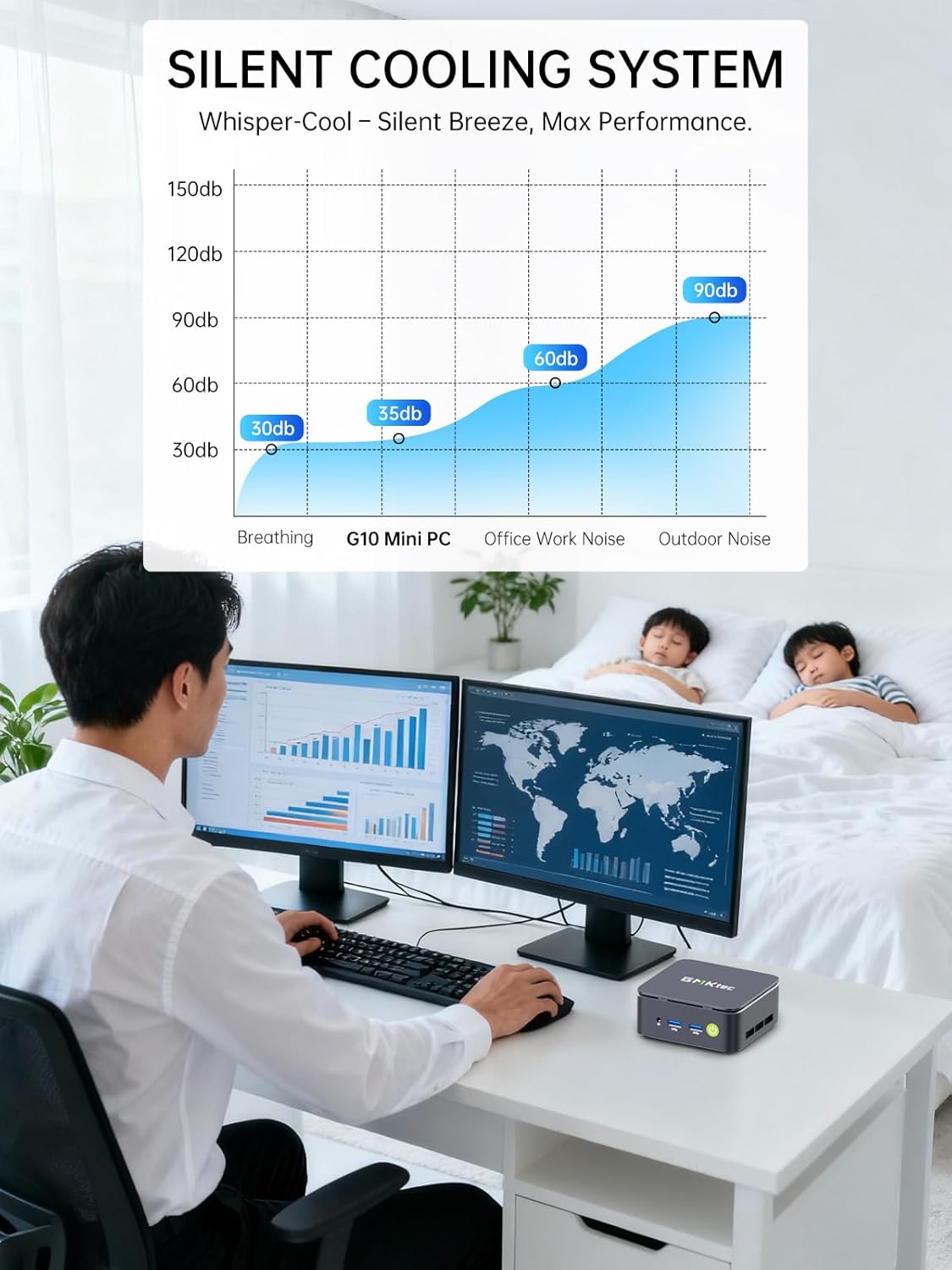
Image: Triple Display Setup. This image demonstrates the Nucbox G10 connected to two vertical monitors and a tablet, showcasing its triple display capability for enhanced productivity.
4.2 Connexió d'alimentació
Connect the provided power adapter to the DC-in port on the Mini PC, then plug the power cable into a wall outlet. The Mini PC is designed for low power consumption.
4.3 Arrencada inicial
Press the power button on the front panel. The Mini PC will boot into the pre-installed Windows 11 Pro operating system. Follow the on-screen instructions for initial Windows setup.
5. Instruccions de funcionament
5.1 Encès/Apagat
- Encès: Premeu el botó d'encesa una vegada.
- Apagar: From Windows, go to Start > Power > Shut down. Alternatively, press and hold the power button for 5 seconds to force a shutdown (use only when necessary).
5.2 Sistema operatiu
Your Nucbox G10 comes with Windows 11 Pro pre-installed. Ensure you keep your operating system updated for optimal performance and security.
5.3 Connectivitat de xarxa
- Cablejat (Ethernet): Once the Ethernet cable is connected, the system should automatically detect the network.
- Sense fil (Wi-Fi): In Windows, click the Wi-Fi icon in the taskbar, select your network, enter the password, and connect.
- Bluetooth: To connect Bluetooth devices, go to Windows Settings > Bluetooth & devices, and pair your device.
6. Manteniment
6.1 Neteja
Regularly clean the exterior of the Mini PC with a soft, dry cloth. Ensure ventilation openings are free from dust to maintain optimal cooling performance. Do not use liquid cleaners directly on the device.

Image: Ultra Efficient Cooling System. This image provides an internal view of the Nucbox G10, highlighting the silent turbo cooling fan designed for efficient heat dissipation.
6.2 Actualitzacions de programari
Keep your Windows operating system and drivers updated to ensure system stability, security, and performance. Windows Update can be accessed via Settings > Windows Update.
6.3 Expansió d'emmagatzematge i memòria
The Nucbox G10 supports memory expansion up to 64GB DDR4 RAM and storage expansion up to 16TB via its dual M.2 2280 PCIe 3.0 slots. Consult a qualified technician for hardware upgrades to avoid voiding your warranty or damaging the device.
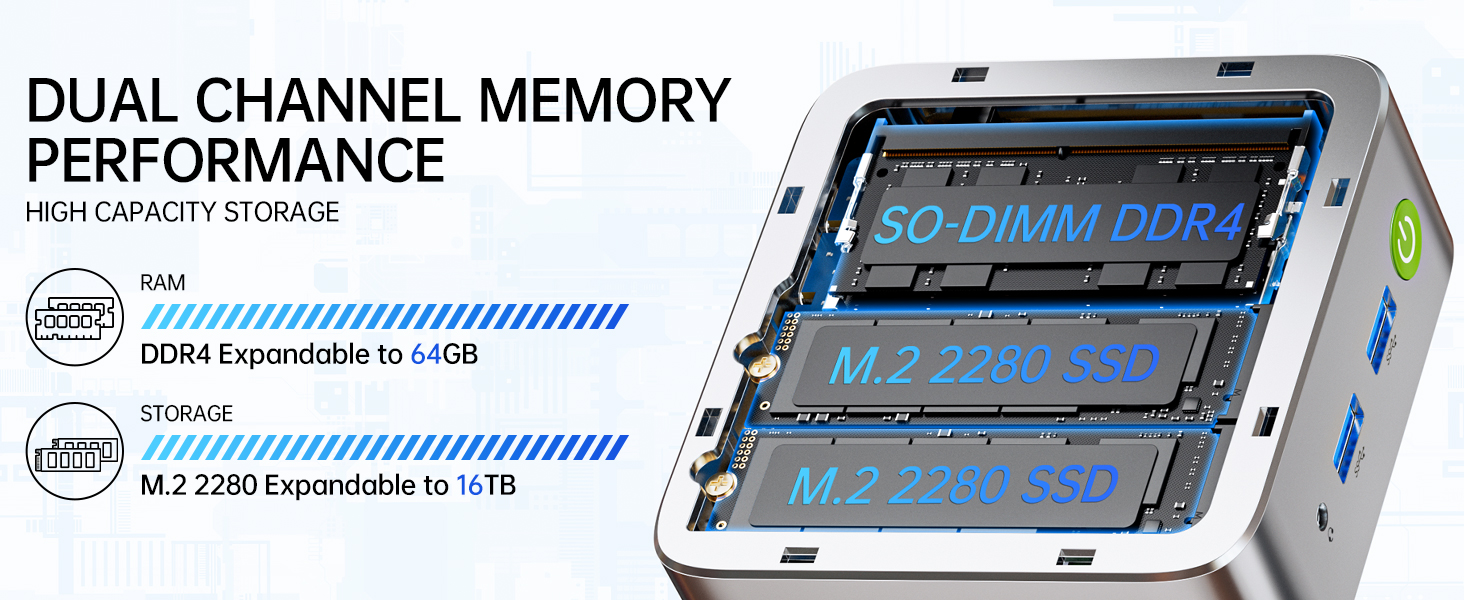
Image: Dual Channel Memory Performance and High Capacity Storage. This diagram illustrates the internal layout for SO-DIMM DDR4 RAM and M.2 2280 SSDs, indicating their expandability.
7. Solució De Problemes
If you encounter issues with your Mini PC, refer to the following common problems and solutions:
- Sense energia:
- Assegureu-vos que l'adaptador de corrent estigui connectat correctament tant al Mini PC com a una presa de corrent que funcioni.
- Verifiqueu que la presa de corrent funciona connectant-hi un altre dispositiu.
- Sense pantalla:
- Check that the HDMI, DisplayPort, or USB-C cable is firmly connected to both the Mini PC and the monitor.
- Assegureu-vos que el monitor estigui encès i configurat a la font d'entrada correcta.
- Prova de connectar-te a una pantalla diferent o utilitzar un cable diferent.
- Problemes de connectivitat de xarxa:
- Amb cable: Comproveu la connexió del cable Ethernet. Reinicieu el vostre encaminador/mòdem.
- Sense fil: Ensure Wi-Fi is enabled in Windows settings. Verify your Wi-Fi password. Restart your router.
- Rendiment lent:
- Tanca les aplicacions innecessàries que s'executen en segon pla.
- Assegureu-vos que el sistema tingui una ventilació adequada i que no s'escalfi massa.
- Comproveu i instal·leu les actualitzacions de Windows o els controladors pendents.
- Executeu un netejador de disc per alliberar espai d'emmagatzematge.
8. Especificacions
| Característica | Especificació |
|---|---|
| Marca | GMKtec |
| Nom del model | G10 |
| Sistema operatiu | Windows 11 Pro |
| Model de CPU | AMD Ryzen 5 3500U |
| Velocitat de la CPU | 3.7 GHz (Boost) |
| Recompte de processadors | 4 |
| Coprocessador gràfic | AMD Radeon Vega 8 Graphics 1200 MHz |
| Memòria RAM instal·lada | 16 GB DDR4 |
| Mida màxima de la memòria RAM | 64 GB |
| Velocitat de memòria | 2400 MT/s |
| Capacitat d'emmagatzematge de memòria | SSD NVMe de 1 TB |
| Descripció del disc dur | Dual Slot M.2 2280 PCIE Max. 16TB |
| Tecnologia de connectivitat | HDMI 2.1, RJ45 2.5GbE LAN, USB 3.2, USB-C (DP/DATA/PD), WIFI5/ BT 5.0 |
| Compatibilitat sense fils | 802.11a/b/g/n/ac (WiFi 5), Bluetooth 5.0 |
| Sortida de vídeo | HDMI 2.1, DisplayPort, Type-C (Triple Display) |
| Resolució de pantalla màxima | 4096 × 2160 Pixels (4K) |
| Ports USB totals | 4 (2x USB 3.2, 1x USB 2.0, 1x USB-C Full Function) |
| Consum d'energia | 25 watts (típic) |
| Dimensions de l'article | 4.1 x 3.8 x 1.7 polzades |
| Pes de l'article | 0.95 quilos |
| Mètode de refrigeració | Dual Cooling Fan |
| Característiques addicionals | RTC Wake, Auto Power On, Wake On LAN, PXE Boot |
9. Garantia i Suport
9.1 Informació de la garantia
GMKtec offers a Garantia limitada d'1 any for each Mini PC, starting from the date of purchase. This warranty covers defects due to design and workmanship. Please retain your proof of purchase for warranty claims.
9.2 Atenció al client
For technical assistance, warranty claims, or any questions regarding your GMKtec Nucbox G10 Mini PC, please contact GMKtec customer support. You can typically find contact information on the official GMKtec website or through the seller's contact page where you purchased the product (e.g., GMKtec-Direct on Amazon).