Introducció
The Jungle Leopard JM-V1 PC Fan is a 120mm case fan designed for efficient computer cooling with advanced features. It incorporates a daisy-chain design for simplified installation, 5V ARGB lighting with an infinity mirror effect for customizable aesthetics, and PWM intelligent temperature control for optimized performance and noise reduction. This manual provides detailed instructions for the proper setup, operation, and maintenance of your JM-V1 PC Fan.
Configuració i instal·lació
1. Daisy-Chain Connection
The JM-V1 fans feature a unique slide-in/PIN-to-PIN interlocking mechanism, allowing multiple fans to be connected in a daisy-chain. This design significantly reduces cable clutter, requiring only one cable for each fan cluster. Ensure the fans are securely interlocked before connecting the main cable.

Image: Magnetic power supply and interlocking mechanism for daisy-chaining fans.
2. Motherboard ARGB Synchronization (5V 3-Pin)
To enable customizable lighting effects, connect the fan's 5V 3-pin ARGB interface to a compatible motherboard header. The JM-V1 supports divine light synchronization with major motherboard manufacturers such as ASUS, MSI, Gigabyte, and ASRock, allowing you to program and customize 16 million colors through your motherboard's software.
3. PWM Power Connection
Connect the fan's 4-pin PWM cable to a 4-pin PWM header on your motherboard. This enables intelligent temperature control, allowing the fan speed to automatically adjust between 800 and 2000 RPM based on your CPU temperature, optimizing cooling performance while minimizing noise.

Image: Multiple fans installed in a computer case, showcasing cable management and ARGB lighting.
Funcionament
1. Direcció del flux d'aire
The JM-V1 fans are available in both forward and reverse airflow versions. The forward version inhales air from the front and exhausts it from the back. The reverse version draws air from the north side of the fan and blows it out from the front. Choose the appropriate version to ensure the most aesthetically pleasing side of the fan faces the interior of your case while maintaining optimal airflow.
2. Control d'il·luminació ARGB
Once connected to a compatible 5V 3-pin ARGB motherboard header, the fan's lighting can be controlled via your motherboard's dedicated software (e.g., ASUS Aura Sync, MSI Mystic Light Sync, Gigabyte RGB Fusion, ASRock Polychrome Sync). This allows for programmable customization of 16 million colors and various lighting effects, including the unique infinity mirror effect.

Image: Close-up of the fan displaying the infinity mirror effect and ARGB lighting.
3. Control de velocitat del ventilador
With the PWM connection, the fan speed will automatically adjust between 800 and 2000 RPM based on the CPU temperature detected by your motherboard. This intelligent control ensures efficient cooling when needed and reduces noise during lighter loads.
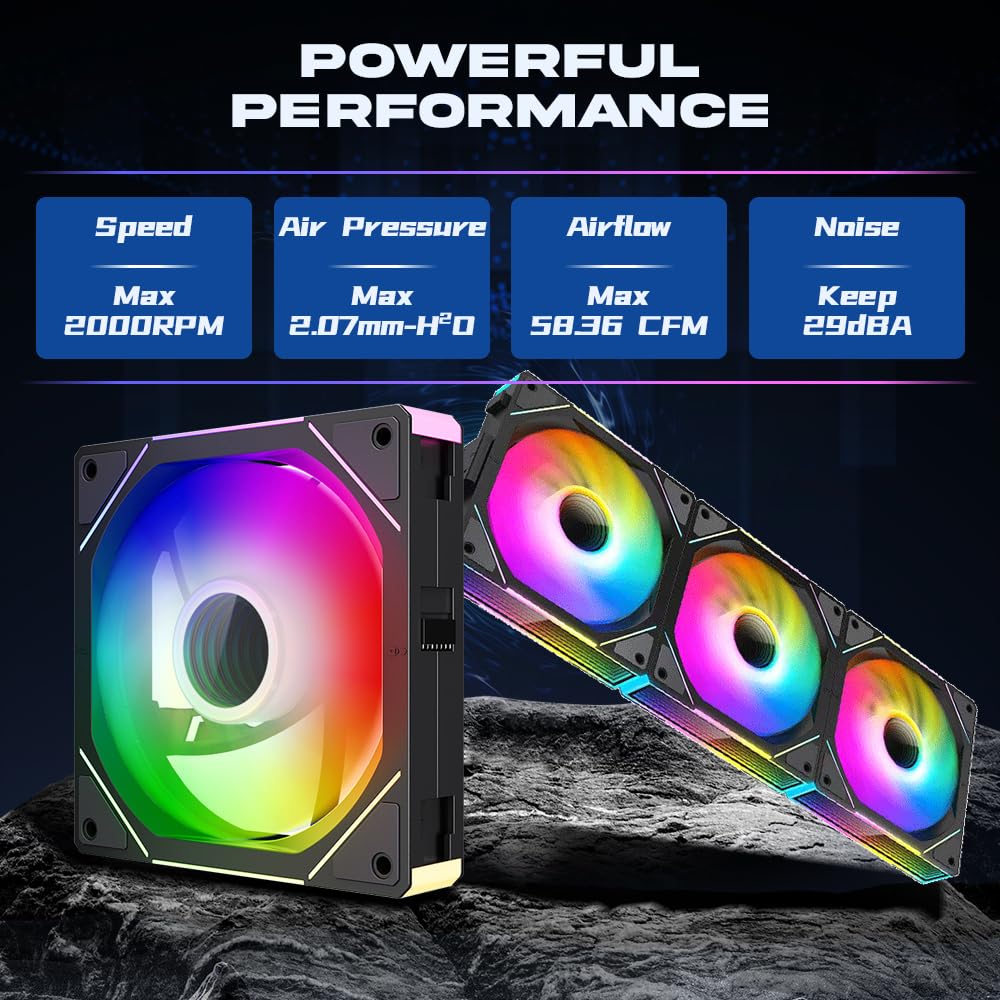
Image: Fan performance metrics: Max Speed 2000RPM, Max Air Pressure 2.07mm-H²O, Max Airflow 58.36 CFM, Noise ≤29dBA.
Manteniment
To ensure optimal performance and longevity of your Jungle Leopard JM-V1 PC Fan, regular maintenance is recommended:
- Eliminació de pols: Periodically clean the fan blades and housing to prevent dust buildup, which can impede airflow and increase noise. Use compressed air or a soft brush.
- Inspecció: Check for any loose cables or obstructions around the fan blades.
- Cargols de muntatge: Ensure all mounting screws are secure to prevent vibrations and noise.
Resolució de problemes
- El ventilador no gira:
- Check if the 4-pin PWM power connector is securely plugged into the motherboard.
- Ensure the fan header on the motherboard is enabled in the BIOS/UEFI settings.
- Comproveu que la font d'alimentació funcioni correctament.
- ARGB Lights Not Working:
- Confirm the 5V 3-pin ARGB connector is correctly attached to the motherboard's ARGB header.
- Check your motherboard's ARGB software to ensure lighting effects are enabled and configured.
- Ensure the ARGB header on the motherboard is receiving power.
- Soroll excessiu:
- Inspect for any cables or objects obstructing the fan blades.
- Ensure the fan is securely mounted and screws are tightened to prevent vibration.
- Netegeu qualsevol acumulació de pols a les aspes del ventilador.
Especificacions

Image: Product parameters graphic.
| Característica | Detall |
|---|---|
| Dimensions del producte | 4.7"L x 4.7"W x 0.98"H (120x120x25mm) |
| Marca | Jungle Leopard |
| Tipus de connector d'alimentació | 4-Pin (PWM) |
| Voltage | 12 volts (CC) |
| Wattage | 2.29 watts |
| Mètode de refrigeració | Aire |
| Dispositius compatibles | Ordinadors d'escriptori |
| Nivell de soroll | ≤29 Decibels |
| Material | Plàstic, cautxú |
| Velocitat de rotació màxima | 2000 RPM |
| Capacitat de cabal d'aire | 58.36 peus cúbics per minut (CFM) |
| Número de model de l'article | JM-V1 3IN1 |
Informació de la garantia
Jungle Leopard products typically come with a limited warranty. Please refer to the product packaging or the official Jungle Leopard website for specific warranty terms and conditions applicable to your JM-V1 PC Fan. Retain your proof of purchase for warranty claims.
Atenció al client
For further assistance, technical support, or inquiries regarding your Jungle Leopard JM-V1 PC Fan, please visit the official Jungle Leopard website or contact their customer service department. Contact details can usually be found on the product packaging or the brand's online presence.