
Producte acabatview
The DIERYA DK68 is a 60% compact mechanical keyboard designed for versatility and performance. It features triple-mode connectivity, allowing seamless switching between Bluetooth 5.0, 2.4GHz wireless, and USB-C wired connections. Equipped with clicky blue mechanical switches and vibrant RGB backlighting, it offers a responsive and customizable typing experience for both gaming and office use.

Figure 1: DIERYA DK68 Wireless Mechanical Keyboard showcasinpel seu disseny compacte i la il·luminació RGB.
Contingut del paquet
Assegureu-vos que tots els elements siguin presents al paquet:
- DIERYA DK68 Wireless Mechanical Keyboard
- Cable USB-C a USB-A
- Extractor de tecles
- 2.4GHz USB Receiver (stored in the keyboard's back compartment)
- Manual d'usuari (aquest document)
Configuració i connectivitat
The DK68 keyboard supports three connection modes: USB-C wired, 2.4GHz wireless, and Bluetooth 5.0. Choose the mode that best suits your needs.
1. USB-C Wired Mode
- Connecteu el cable USB-C proporcionat al port USB-C del teclat.
- Connecteu l'extrem USB-A del cable a un port USB disponible de l'ordinador.
- El teclat es reconeixerà automàticament i estarà llest per al seu ús.
2. Mode sense fil de 2.4 GHz
- Locate the 2.4GHz USB receiver in the compartment on the back of the keyboard.
- Traieu el receptor i connecteu-lo a un port USB disponible de l'ordinador.
- Turn on the keyboard using the switch located on the back.
- The keyboard should automatically connect to the receiver. If not, press Fn + G (labeled '2.4G' on the key) to activate 2.4GHz pairing mode.

Figure 2: Triple-mode connectivity options including 2.4GHz wireless.
3. Mode Bluetooth 5.0
El teclat es pot connectar a un màxim de tres dispositius Bluetooth.
- Turn on the keyboard using the switch on the back.
- Mantén premut Fn + Z (labeled 'BT1'), Fn + X (labeled 'BT2'), or Fn + C (labeled 'BT3') for 3-5 seconds until the corresponding key's backlight flashes rapidly. This indicates pairing mode.
- On your device (PC, laptop, tablet, phone), enable Bluetooth and search for "DIERYA DK68".
- Select the keyboard to pair. The key's backlight will stop flashing once connected.
- Per canviar entre dispositius Bluetooth emparellats, només cal que premeu Fn + Z/X/C.

Figura 3: Connectivitat Bluetooth per a diversos dispositius.
Instruccions de funcionament
Control de retroil·luminació RGB
The DK68 features 20 built-in RGB lighting effects and 16.8 million customizable colors. Use the following key combinations to control the lighting:
- Fn + Retrocés: Turn backlighting On/Off.
- Fn + Shift: Switch light colors.
- Fn + Intro: Switch light modes (20 dynamic RGB modes).
- Fn + Fletxa amunt: Augmenta la brillantor.
- Fn + Fletxa avall: Decrease brightness.
- Fn + Fletxa esquerra: Decrease light speed.
- Fn + Fletxa dreta: Increase light speed.

Figure 4: RGB lighting control key combinations for the DK68 keyboard.
Personalització de tecles i macros
The DIERYA DK68 supports full key anti-ghosting and N-Key Rollover (NKRO) for accurate input. For advanced customization, including key remapping, macro programming, and additional lighting effects, dedicated software is available. Please refer to the official DIERYA weblloc web per a descàrregues de programari i instruccions.

Figure 5: Full N-Key Rollover and software customization capabilities.
Interruptors blaus mecànics
The keyboard is equipped with clicky blue mechanical switches, providing a distinct tactile bump and an audible click with each keystroke. These switches are ideal for users who prefer clear feedback and a satisfying typing experience. They feature a medium 60gf actuation force (±15gf) and 2.3mm travel (±0.6mm), with a lifespan of 50 million clicks.

Figura 6: Detallada view of mechanical blue switches and their specifications.
Manteniment
Gestió de la bateria
The keyboard is powered by a 3000mAh lithium battery. To charge, connect the keyboard via the USB-C cable to a power source. The keyboard can be used while charging.
- Usage Time (Backlighting On): Fins a 12 hores.
- Usage Time (Backlighting Off): Fins a 333 hores.
- Mode de repòs automàtic: The keyboard enters auto-sleep mode after 3 minutes of inactivity to conserve power.
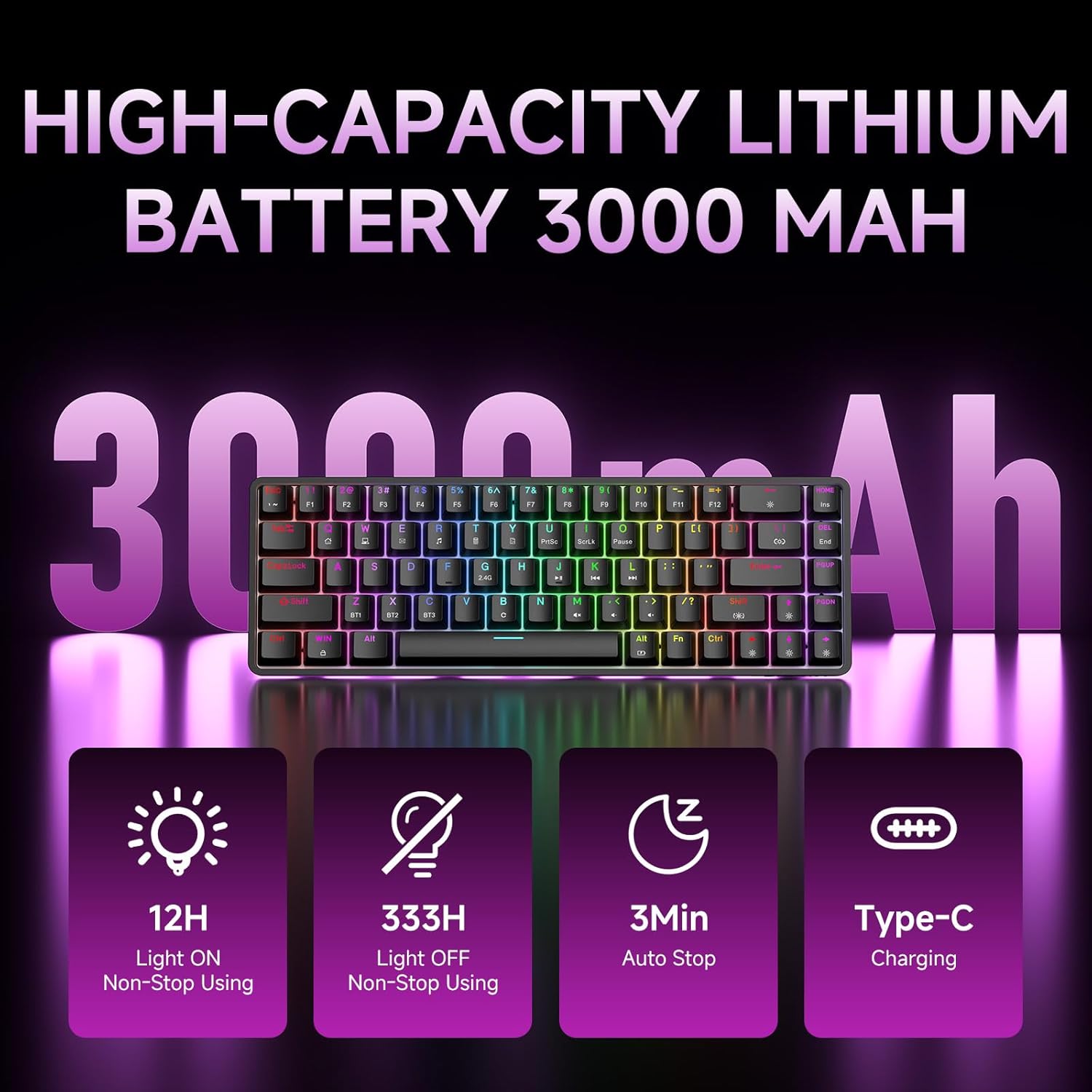
Figure 7: Battery capacity and power-saving features of the DK68.
Neteja i cura
- Use the provided keycap puller to carefully remove keycaps for cleaning.
- Clean the keyboard surface with a soft, damp drap. Eviteu la humitat excessiva.
- No utilitzeu productes químics ni productes de neteja abrasius.
- Assegureu-vos que el teclat estigui apagat abans de netejar-lo.
Resolució de problemes
- El teclat no respon:
- Check the power switch on the back of the keyboard.
- Ensure the correct connection mode (wired, 2.4GHz, or Bluetooth) is selected.
- Per a 2.4 GHz, assegureu-vos que el receptor USB estigui ben connectat.
- Per al Bluetooth, assegureu-vos que el teclat estigui emparellat i seleccionat al dispositiu. Intenteu tornar a emparellar si cal.
- If using wired mode, try a different USB port or cable.
- La retroiluminació no funciona:
- Premeu Fn + Retrocés to toggle the backlighting.
- Check battery level; low battery may disable backlighting.
- Claus que no es registren:
- Ensure the keyboard is properly connected and powered on.
- If specific keys are not working, try removing and re-seating their keycaps.
Especificacions
| Característica | Detall |
|---|---|
| Número de model | DK68 |
| Tecnologia de connectivitat | Sense fil de 2.4 GHz, Bluetooth 5.0, USB-C amb cable |
| Tipus de canvi | Clicky Blue Mechanical Switches |
| Disseny de claus | 68 tecles (60% de disseny) |
| Il·luminació de fons | RGB (16.8 Million Colors, 20 Effects) |
| Capacitat de la bateria | Polímer de liti de 3000 mAh |
| Dispositius compatibles | Gaming Console, Laptop, PC, Tablet |
| Anti-fantasma | Full Key Anti-Ghosting & NKRO |
| Material | Plàstic |
| Pes de l'article | 1.76 lliures (aprox. 800 g) |
| Dimensions del paquet | 14.33 x 4.37 x 1.73 polzades |

Figure 8: Keyboard dimensions and compact 68-key layout.
Garantia i Suport
For warranty information and technical support, please refer to the documentation included with your product or visit the official DIERYA website. Amazon's return policy for this product is 30 days from the date of receipt.


