
1. Introducció
Thank you for choosing the JYX T13 Portable Bluetooth Karaoke Machine. This device combines a powerful 40W speaker with a 5.25" woofer, two wireless microphones, and vibrant RGB lights to deliver an immersive audio experience. Designed for ease of use and portability, it is suitable for various occasions, from home parties to outdoor events. This manual provides detailed instructions for setup, operation, maintenance, and troubleshooting to ensure you get the most out of your karaoke machine.

Image: JYX T13 Portable Bluetooth Karaoke Machine with two wireless microphones and RGB lights, showcasing its compact design and vibrant lighting.
2. Què hi ha a la caixa
En desempaquetar, assegureu-vos que tots els elements que s'enumeren a continuació hi siguin presents i estiguin en bon estat:
- 1 x JYX T13 Karaoke Machine
- 2 x micròfons sense fil
- 1 x comandament a distància
- 1 x cable de càrrega (USB-C)
- 1 cable d'àudio (AUX)
- 1 x corretja d'espatlla
- 1 x Manual d'usuari

Image: A visual representation of the JYX T13 package contents, including the main unit, two wireless microphones, remote control, and various cables.
3. Instruccions de configuració
- Charging the Karaoke Machine: Connect the provided USB-C charging cable to the machine's charging port and a suitable power adapter (not included). The power indicator will show charging status. A full charge provides approximately 8-20 hours of playtime, depending on volume and light usage. The device supports play-while-charging.
- Inserting Batteries into Microphones: Each wireless microphone requires 2 AA batteries (not included). Open the battery compartment at the bottom of the microphone and insert the batteries, ensuring correct polarity.
- Encès: Press and hold the 'LED ON/OFF' button on the control panel or the power button on the remote control to turn on the karaoke machine.
- Vinculació de micròfons: Turn on both wireless microphones. They should automatically pair with the karaoke machine. A successful connection is usually indicated by a steady light on the microphone.
- Fixació de la corretja de l'espatlla: For portability, attach the included shoulder strap to the designated loops on the sides of the karaoke machine.

Image: The JYX T13 Karaoke Machine with its two wireless microphones and charging cable, illustrating the components for initial setup.
4. Instruccions de funcionament
4.1 Tauler de control acabatview
The top panel of the JYX T13 features intuitive controls for easy operation:
- Control de volum mestre: Adjusts the overall sound output.
- Botó d'eco del micròfon: Controls the echo effect for the microphones.
- Botó de volum del micròfon: Adjusts the volume of the microphones independently.
- LED ON/OFF Button: Toggles the RGB lights on/off and cycles through light modes.
- Botó MODE: Switches between input sources (Bluetooth, AUX, USB, TF Card).
- Botó REC: Initiates or stops recording (requires USB drive or TF card).
- PREV/PLAY/PAUSE/NEXT Buttons: Controla la reproducció multimèdia.
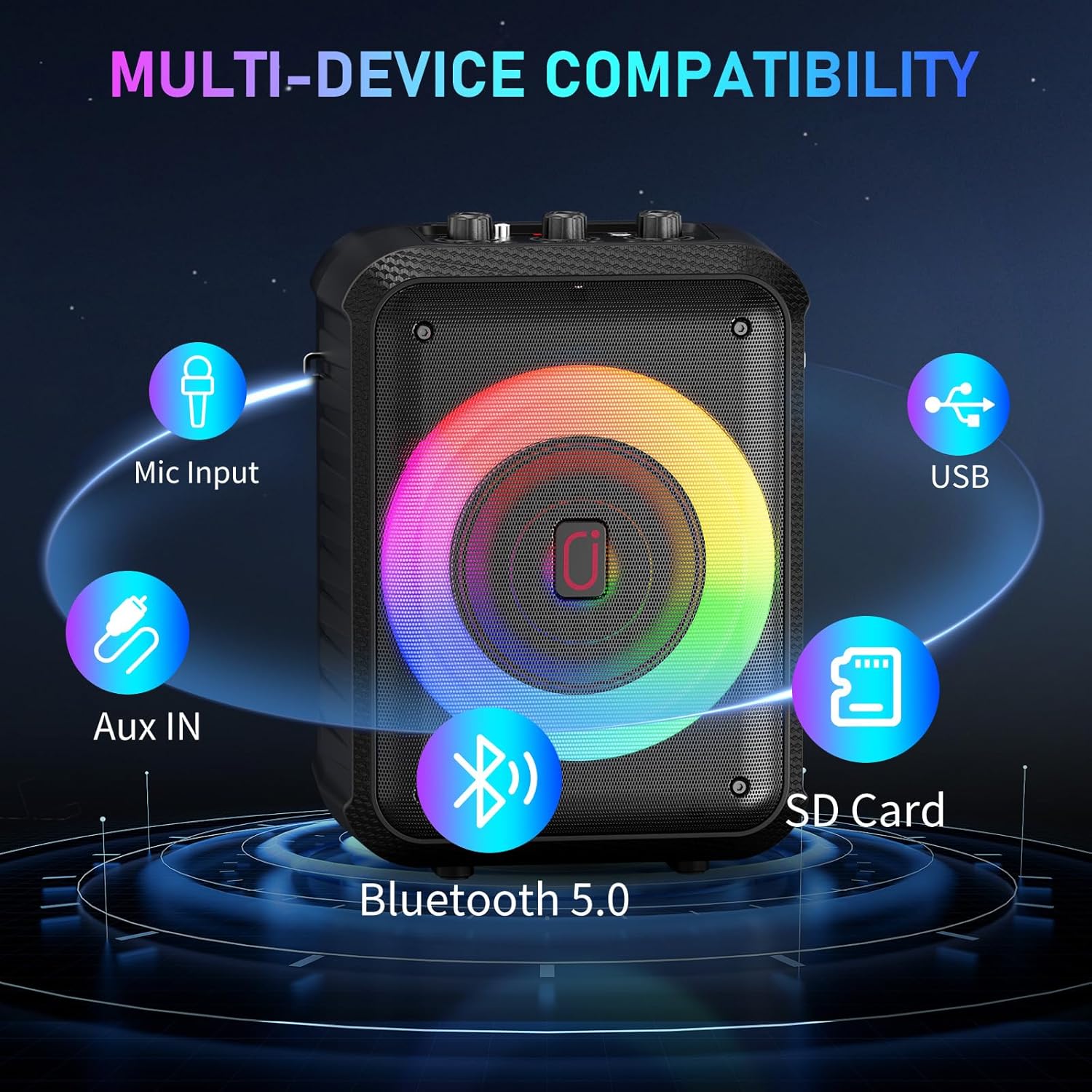
- Ports d'entrada: USB, SD Card, 5V/1A (USB-C charging), MIC (6.35mm wired mic input), AUX.
- Titular del dispositiu: A slot to securely hold your smartphone or tablet for lyric display.
Imatge: Una imatge detallada view of the JYX T13 control panel, highlighting the master volume, microphone echo, microphone volume knobs, and various function buttons.
4.2 Modes de connectivitat
The JYX T13 offers multiple ways to connect your audio source:
- Bluetooth 5.0: Press the 'MODE' button until 'BT' appears on the display. Enable Bluetooth on your device (smartphone, tablet, TV) and select 'JYX-T13' from the list of available devices to pair.
- Entrada AUX: Connect your audio device using the provided 3.5mm audio cable to the 'AUX' port. Press the 'MODE' button to select AUX input.
- Targeta USB/TF: Insert a USB drive or TF card into the respective port. The machine will automatically detect and play compatible audio files (MP3, WMA). Use the playback control buttons to navigate tracks.
- Entrada de micròfon amb cable: For a wired microphone, connect it to the 6.35mm 'MIC' input port.

Image: The side panel of the JYX T13, illustrating the USB, SD Card, and AUX input ports for diverse connectivity options.
4.3 Ús dels micròfons
The two wireless microphones are designed for clear vocal performance:
- Ensure microphones are powered on and paired.
- Adjust 'MIC VOL' knob on the machine for microphone volume.
- Adjust 'MIC ECHO' knob for desired echo effect.
4.4 llums RGB
Enhance your experience with dynamic RGB lighting:
- Press the 'LED ON/OFF' button to turn the lights on or off.
- Repeatedly press the 'LED ON/OFF' button to cycle through different light modes, including beat-synced patterns and steady glows.

Image: The JYX T13 Karaoke Machine with its front speaker illuminated by vibrant, multi-colored RGB LED lights, creating a party atmosphere.
5. Especificacions
| Característica | Especificació |
|---|---|
| Número de model | T13 |
| Potència de sortida | 40W |
| Mida del woofer | 5.25 polzades |
| Tecnologia de connectivitat | Bluetooth 5.0, AUX, USB, targeta TF |
| Micròfons | 2 micròfons sense fils |
| Capacitat de la bateria | 5000 mAh (integrada) |
| Hora de joc | 8-20 hours (volume/lights dependent) |
| Temps de càrrega | 3-6 hores |
| Dimensions (L x A x A) | 7.87 x 6.38 x 10.85 polzades |
| Pes de l'article | 5.28 lliures (2.4 quilograms) |
| Material | Acrilonitril butadiè estirè (ABS) |
| Entrada d'àudio | Microphone, Bluetooth, AUX IN, TF Card, USB |

Imatge: Una explosió view of the JYX T13 speaker, illustrating its internal components including the 5.25-inch woofer and DSP chip for superior sound.
6. Manteniment
To ensure the longevity and optimal performance of your JYX T13 Karaoke Machine, follow these maintenance guidelines:
- Neteja: Use a soft, dry cloth to clean the exterior of the machine and microphones. Avoid using harsh chemicals or abrasive cleaners.
- Emmagatzematge: Guardeu la màquina en un lloc fresc i sec, allunyat de la llum solar directa i de temperatures extremes.
- Cura de la bateria: If not used for extended periods, charge the machine and microphones periodically to maintain battery health.
- Manejar amb cura: Avoid dropping the machine or microphones, as this can damage internal components.
7. Solució De Problemes
If you encounter any issues with your JYX T13, refer to the following common problems and solutions:
| Problema | Causa possible | Solució |
|---|---|---|
| No hi ha so de l'altaveu | Volum massa baix; mode d'entrada incorrecte; dispositiu no connectat. | Increase master volume; press 'MODE' to select correct input; re-pair Bluetooth or re-connect AUX/USB/TF. |
| El micròfon no funciona | Microphone off; low battery; not paired; mic volume too low. | Turn on microphone; replace batteries; re-pair microphones; increase 'MIC VOL' knob. |
| Connexió Bluetooth inestable | Dispositiu massa lluny; interferències; bateria baixa. | Move device closer to machine; avoid obstacles; ensure machine and device are charged. |
| Els llums LED no funcionen | Lights turned off; low battery. | Press 'LED ON/OFF' button; charge the machine. |
8. Integració de mitjans
8.1 Vídeos de productes
Watch these official seller videos for a demonstration of the JYX T13 Karaoke Machine's features and performance:
Video: JYX Karaoke Machine in Action - Party Test & Sound Demo. This video demonstrates the karaoke machine's sound quality, microphone performance, and LED lights during a party setting.
Video: JYX Karaoke Machine Full Function Review & Performance. This video provides a comprehensive review of the karaoke machine's functions, controls, and overall performance.
9. Garantia i Suport
JYX stands behind the quality of its products. The JYX T13 Karaoke Machine comes with a Servei de garantia de 360 dies. Additionally, we offer suport tècnic de per vida to assist you with any questions or issues you may encounter.
For professional and timely assistance, please contact our customer support team:
Correu electrònic: service@jyxspeaker.com


