
1. Introducció
This manual provides detailed instructions for the safe and effective use of your NBD 5K 64MP Digital Camera, Model K100C. Please read this manual thoroughly before operating the camera and retain it for future reference.
2. Informació de seguretat
- No exposeu la càmera a l'aigua ni a la humitat.
- Eviteu deixar caure la càmera o sotmetre-la a impactes forts.
- Mantingueu la càmera allunyada de temperatures extremes i de la llum solar directa.
- Use only NBD-approved accessories and power adapters.
- No intenteu desmuntar ni reparar la càmera vosaltres mateixos. Poseu-vos en contacte amb el servei d'atenció al client per obtenir ajuda.
- Mantingueu les piles fora de l'abast dels nens.
3. Contingut del paquet
Verifiqueu que tots els elements siguin presents al vostre paquet:
- NBD 5K 64MP Digital Camera (Model K100C)
- 2 x Rechargeable Lithium-Ion Batteries (1500mAh)
- Carregador de bateria
- Targeta TF de 64 GB
- Cable USB
- Corretja per al coll de la càmera
- Manual d'usuari (aquest document)

Figure 3.1: Included accessories with the NBD K100C Digital Camera.
4. Càmera acabadaview
4.1 Davant View
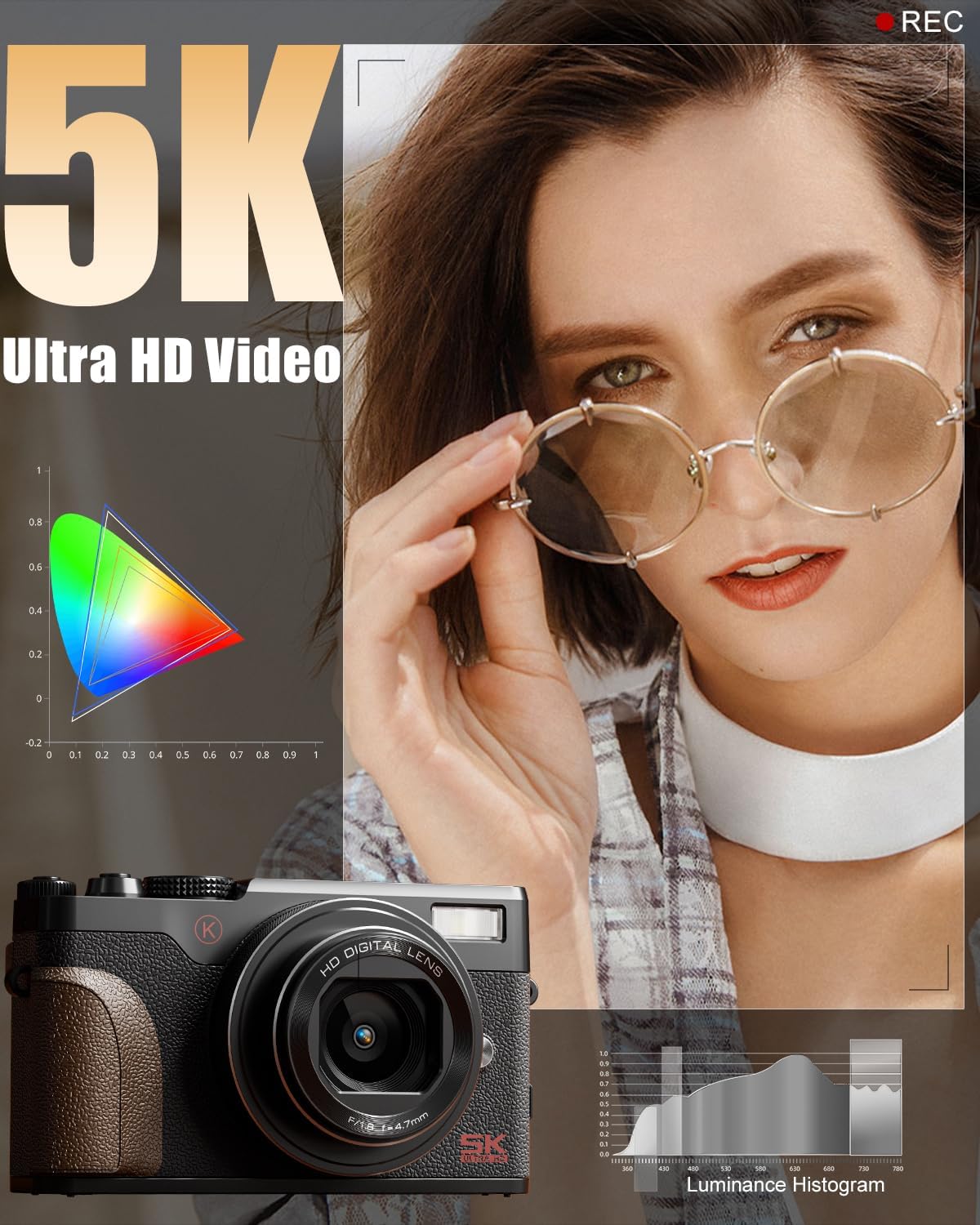
Figura 4.1: Frontal view of the camera, highlighting the lens and built-in flash.
- Lent: 18X Digital Zoom Lens (F/1.8 f=5.04mm Macro 52mm)
- Flash incorporat: Proporciona il·luminació en condicions de poca llum.
- Agarre: Textured surface for secure handling.
4.2 Darrera View i Controls

Figura 4.2: posterior view of the camera with the LCD screen and control layout.
- Pantalla giratòria de 180°: Rotates for vlogging and selfies.
- Pad direccional (botó OK al centre): Navega pels menús i selecciona opcions.
- Botó de menú: Accedeix a la configuració de la càmera.
- Botó DISP: Changes display information on the screen.
- Zoom Buttons (T/W): Controls 18X digital zoom.
4.3 Amunt View i dial de mode

Figura 4.3: superior view of the camera, featuring the physical mode dial for quick setting changes.
- Botó de l'obturador: Captures photos.
- Botó de gravació: Inicia i atura la gravació de vídeo.
- Physical Mode Dial: Allows quick selection between Photo, Video, Time-lapse, Slow-motion, Macro, Scene, and Filter modes.
4.4 Side Ports
- Port USB: Per a càrrega i transferència de dades.
- Entrada de micròfon: Per a la connexió de micròfon extern.
5. Configuració
5.1 Càrrega de la bateria
- Insert a rechargeable battery into the provided battery charger.
- Connecteu el carregador a una font d'alimentació mitjançant el cable USB.
- The indicator light on the charger will show charging status. A full charge typically takes approximately 2-3 hours.
5.2 Inserting the Battery and TF Card
- Open the battery/TF card compartment cover on the bottom of the camera.
- Introduïu la bateria carregada a la ranura de la bateria, assegurant-vos que l'orientació sigui correcta.
- Insert the 64GB TF card into the TF card slot until it clicks into place.
- Tanqueu la coberta del compartiment de manera segura.
6. Funcionament bàsic
6.1 Encès/Apagat
Press and hold the Power button (usually located on the top or side) to turn the camera on or off.
6.2 Fer fotos
- Turn the Physical Mode Dial to the Photo mode icon.
- Frame your shot using the 180° Flip Screen.
- Press the Shutter button halfway to activate autofocus. The focus frame will turn green when focused.
- Press the Shutter button fully to capture the photo.

Figure 6.1: Precision autofocus ensures sharp images.
6.3 Gravació de vídeos
- Turn the Physical Mode Dial to the Video mode icon.
- Press the Record button to start recording. A red indicator will typically appear on the screen.
- Torneu a prémer el botó Grava per aturar la gravació.

Figure 6.2: The camera is capable of capturing 5K Ultra HD video.
6.4 Ús del zoom
Use the T (Telephoto) and W (Wide) buttons on the rear of the camera to adjust the 18X digital zoom.

Figure 6.3: The 18X digital zoom allows for detailed close-ups.
6.5 Activating the Flash
Press the flash release button (if available) or navigate through the menu to activate the built-in flash for additional lighting.

Figure 6.4: The built-in smart flash enhances photos in low-light conditions.
6.6 Using the 180° Flip Screen
Gently pull the screen outwards and rotate it 180 degrees to face forward for self-recording or vlogging. Adjust the angle as needed.

Figure 6.5: The 180° flip screen is ideal for vlogging and self-portraits.
7. Funcions avançades
7.1 Shooting Modes and Filters
The Physical Mode Dial allows quick access to various shooting modes including:
- Mode de fotografia: Captura d'imatges fixes estàndard.
- Mode de vídeo: Gravació de vídeo estàndard.
- Gravació de lapse de temps: Captures a series of images over time to create a sped-up video.
- Slow-motion Recording: Captures video at a higher frame rate for slow-motion playback.
- Mode macro: For close-up photography of small subjects.
- Modes d'escena: Pre-set modes optimized for specific shooting conditions (e.g., Portrait, Landscape).
- Modes de filtre: Apply various creative filters directly to your photos and videos.

Figure 7.1: Explore various photo modes for creative expression.

Figure 7.2: Utilize different video modes for diverse recording needs.
Video 7.1: Demonstration of various built-in filters available on the NBD K100C camera.
7.2 Anti-Shake Stabilization
The camera features anti-shake technology to minimize blur in handheld shots, especially useful in telephoto, macro, and low-light scenes.

Figure 7.3: Anti-shake feature helps in capturing clear images and videos.
7.3 WebMode de càmera
Connect the camera to your PC via the USB cable and select "PC Camera Mode" to use it as a webcàmera per a videotrucades o transmissió en directe.

Figure 7.4: The camera can be used as a webcam for interactive sessions.
8. Manteniment
- Neteja de la lent: Use a soft, lint-free cloth specifically designed for camera lenses. Do not use abrasive materials.
- Neteja de la pantalla: Wipe the screen gently with a microfiber cloth. Avoid pressing too hard.
- Emmagatzematge: When not in use, store the camera in a cool, dry place, away from dust and direct sunlight. Remove the battery if storing for extended periods.
- Cura de la bateria: Fully charge batteries before first use. Avoid completely draining batteries regularly to prolong their lifespan.
9. Solució De Problemes
| Problema | Causa possible | Solució |
|---|---|---|
| La càmera no s'encén. | Battery is drained or incorrectly inserted. | Carregueu la bateria completament. Assegureu-vos que la bateria estigui inserida amb la polaritat correcta. |
| Les imatges són borroses. | Autofocus not engaged, camera shake, or low light. | Press the shutter button halfway to focus. Enable Anti-Shake. Use flash in low light. |
| No es pot gravar vídeo. | TF card is full or not inserted. | Check TF card storage. Insert TF card correctly. |
| Problemes de connexió Wi-Fi. | Configuració incorrecta o interferències. | Ensure Wi-Fi is enabled on camera and device. Check for interference. Refer to the app's instructions. |
10. Especificacions
| Marca | NBD |
| Nom del model | K100C |
| Resolució de fixes efectius | 64 MP |
| Resolució de vídeo | 5K Ultra HD |
| Zoom digital | 18X |
| Tecnologia del sensor fotogràfic | CMOS |
| Mida del sensor fotogràfic | 1/2.3 polzades |
| Admet File Format | MOV (Video) |
| Característica especial | 180° Flip Screen, Autofocus, Anti-Shake, Built-in Flash, WebMode de càmera |
| Bateries | 2 Lithium Ion batteries (1500mAh each) |
| Pes de l'article | 1.28 lliures |
| Dimensions del paquet | 6.02 x 4.92 x 3.23 polzades |
11. Garantia i Suport
For warranty information or technical support, please refer to the contact details provided with your purchase or visit the official NBD weblloc web. Conserveu el comprovant de compra per a reclamacions de garantia.
You can visit the NBD Store for more information: NBD Official Flagship Store