1. Introducció
This manual provides detailed instructions for the installation, operation, and maintenance of your XTRONS TX123GS Autoradio. Please read this manual thoroughly before using the product to ensure proper functionality and to prevent damage. Keep this manual for future reference.
The XTRONS TX123GS is an advanced 2 DIN car multimedia system featuring a 10.1-inch touch display, powered by Android 14. It offers comprehensive connectivity options including WiFi, 4G, Bluetooth, and USB, along with integrated Apple CarPlay and Android Auto support for seamless smartphone integration. The unit also includes a built-in GPS navigator and a Digital Signal Processor (DSP) for enhanced audio quality.
2. Producte acabatview
2.1 Característiques clau
- Visualització: 10.1-inch touch screen with Android 14 operating system.
- Connectivitat: Integrated Wi-Fi, Bluetooth, 4G support, and USB ports.
- Integració del telèfon intel·ligent: Supports both Apple CarPlay and Android Auto.
- Potència d'àudio: 180-watt audio system with integrated DSP for superior sound quality.
- Navegació: GPS integrat.
- Processador: Octa-core 2.2 GHz 12nm Processor.
- Memòria: 4GB RAM + 64GB ROM.
- Vídeo: Supports 2K video playback, H.264, MPEG-4 encoding.
- Reproducció multimèdia: Capable of reading CD/DVDs.
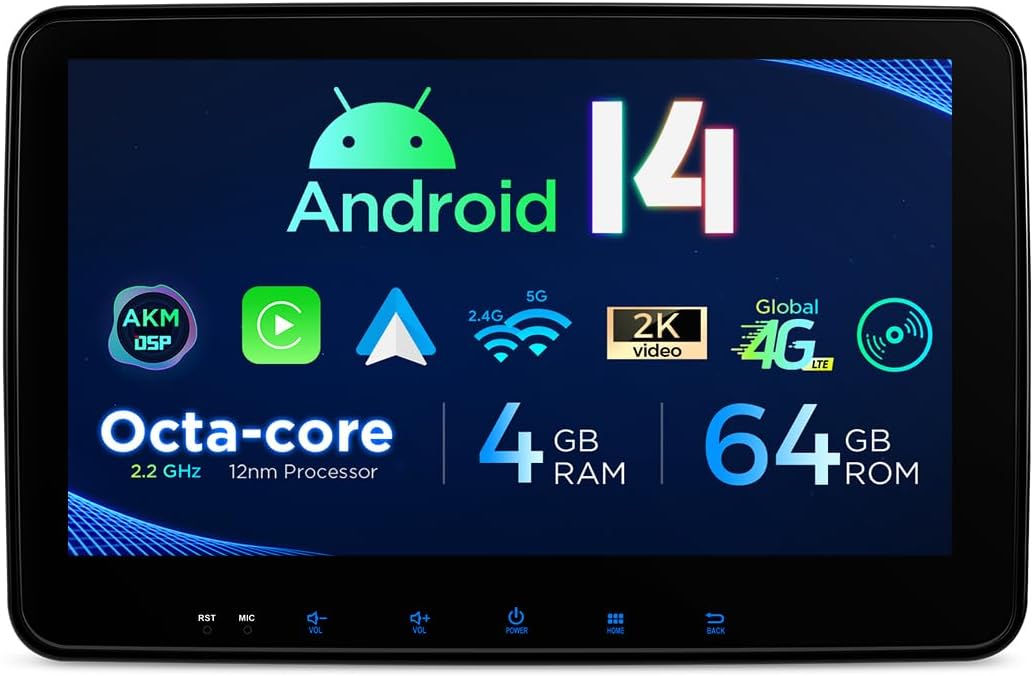
Figura 2.1: Frontal view of the XTRONS TX123GS display highlighting key specifications like Android 14, Octa-core processor, memory, and connectivity.

Figure 2.2: The 10.1-inch adjustable screen of the TX123GS, displaying the main user interface with media playback and radio functions.
2.2 Què hi ha a la caixa
El paquet inclou els components següents:
- XTRONS TX123GS Autoradio Unit
- Complete Wiring Harness Set
- Antena GPS
- Cables USB
- Micròfon
- Suports i cargols de muntatge
- Manual d'usuari
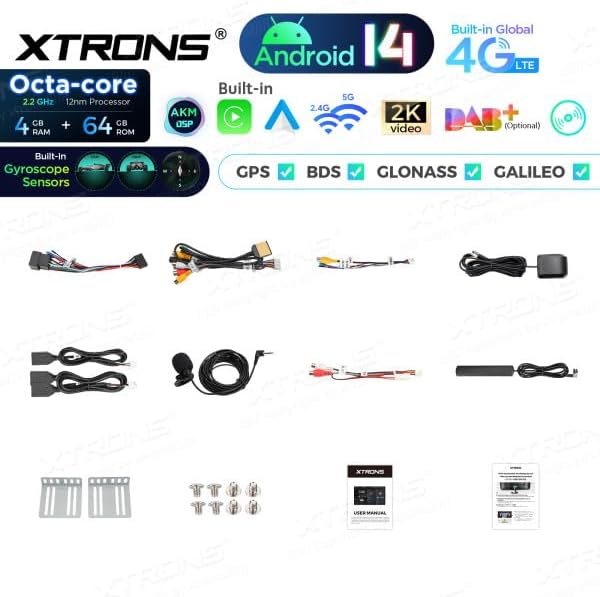
Figure 2.3: All components included in the XTRONS TX123GS package, including the head unit, wiring, and accessories.
3. Configuració i instal·lació
Proper installation is crucial for the optimal performance of your XTRONS TX123GS Autoradio. If you are unsure about any steps, it is recommended to seek professional assistance.
3.1 Precaucions de seguretat
- Desconnecteu la bateria del vehicle abans de començar la instal·lació per evitar curtcircuits.
- Ensure all wiring is correctly connected according to the wiring diagram. Incorrect wiring can damage the unit or the vehicle's electrical system.
- No obstruïu els airbags ni altres elements de seguretat durant la instal·lació.
- Securely mount the unit to prevent movement during driving.
3.2 Dimensions i muntatge
The XTRONS TX123GS is a 2 DIN unit with a 10.1-inch adjustable display. Ensure your vehicle's dashboard opening is compatible with the unit's dimensions.

Figure 3.1: Dimensional drawing of the TX123GS unit, indicating width, height, and depth for installation planning.
- Carefully remove the existing car stereo and dashboard trim.
- Attach the provided mounting brackets to the sides of the TX123GS unit using the supplied screws.
- Slide the unit into the dashboard opening and secure it using the mounting brackets.
3.3 Connexions de cablejat
Connect the wiring harness to the corresponding ports on the TX123GS unit and to your vehicle's wiring. Refer to your vehicle's specific wiring diagram if necessary.
- Cables d'alimentació: Connect the yellow (constant 12V), red (accessory 12V), and black (ground) wires.
- Cables de l’altaveu: Connect the speaker wires to the vehicle's speakers, ensuring correct polarity.
- Antena: Connect the radio antenna and the GPS antenna. Position the GPS antenna in a location with a clear view del cel.
- USB/Auxiliary: Connect any external USB or auxiliary input cables.
- Connexions opcionals: Connect reverse camera input, steering wheel control wires, or external amplifier outputs as required.
Once all connections are made, reconnect the vehicle's battery and test the unit's functionality.
4. Instruccions de funcionament
The XTRONS TX123GS operates on Android 14, providing a familiar and intuitive user experience.
4.1 Funcionament bàsic
- Encès/apagat: Premeu i manteniu premut el botó d'engegada de la unitat o feu servir el contacte del vehicle.
- Control de volum: Ajusta el volum amb els botons físics o els controls en pantalla.
- Pantalla tàctil: Navegueu per la interfície tocant, lliscant i pessigant a la pantalla tàctil de 10.1 polzades.
- Pantalla d'inici: Access various applications and widgets from the customizable home screen.
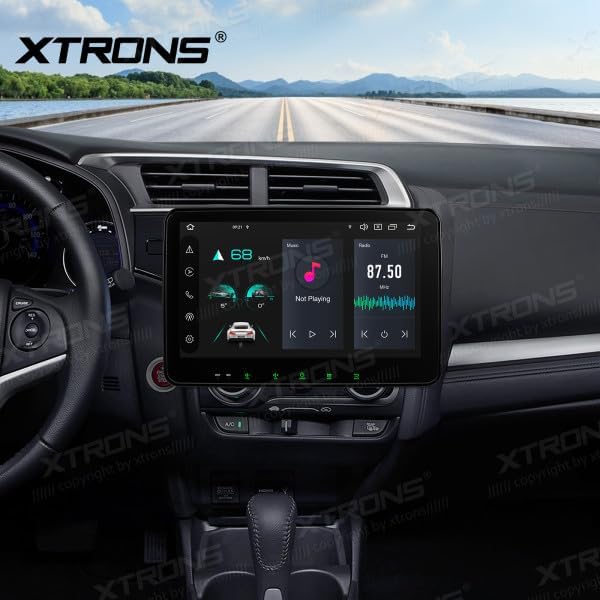
Figure 4.1: The TX123GS unit integrated into a car's dashboard, showing the main media playback screen.
4.2 Característiques d'Android 14
- Instal·lació de l'aplicació: Baixeu i instal·leu aplicacions des de Google Play Store.
- Configuració: Access system settings for Wi-Fi, Bluetooth, display, sound, and more.
- Multitasca: Utilize split-screen mode to run two applications simultaneously.
4.3 Connectivity (Wi-Fi, 4G, Bluetooth)
- Wi-Fi: Connect to available Wi-Fi networks for internet access, app updates, and online services.
- 4G: Insert a compatible SIM card (if supported by the unit's specific variant) for mobile data connectivity.
- Bluetooth: Pair your smartphone for hands-free calling, audio streaming, and contact synchronization.
4.4 Apple CarPlay i Android Auto
The TX123GS supports both wireless Apple CarPlay and Android Auto for seamless smartphone integration.
- Activa el Bluetooth: Ensure Bluetooth is enabled on both your smartphone and the TX123GS.
- Parella el dispositiu: Pair your smartphone with the TX123GS via Bluetooth.
- Launch CarPlay/Android Auto: Select the CarPlay or Android Auto icon on the unit's home screen. Follow on-screen prompts to complete the connection.

Figure 4.2: Demonstration of Apple CarPlay and Android Auto functionality on the TX123GS, showing wireless connection options.
4.5 Navegació GPS
The unit comes with a built-in GPS module. Ensure the GPS antenna is properly installed for optimal signal reception.
- Navigation App: Use the pre-installed navigation application or download your preferred app from the Google Play Store.
- Actualitzacions de mapes: Keep your maps updated for accurate navigation.

Figure 4.3: The TX123GS displaying a navigation map and media player simultaneously.

Figure 4.4: Detailed navigation map view on the TX123GS, with a picture-in-picture video window.
4.6 Àudio i DSP
The integrated Digital Signal Processor (DSP) allows for advanced audio customization.
- Equalitzador: Ajusteu les bandes de freqüència per adaptar la sortida de so a les vostres preferències.
- Efectes de so: Explore various sound presets and effects.
- Balanç/Fader: Adjust audio distribution between speakers.
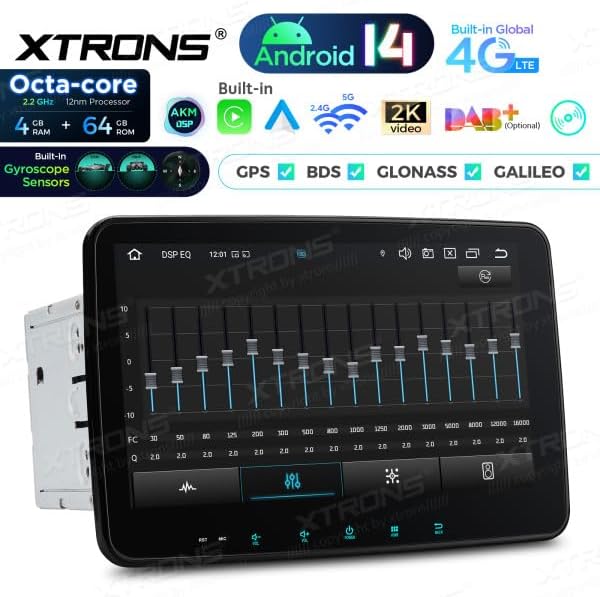
Figure 4.5: The DSP equalizer interface on the TX123GS, allowing fine-tuning of audio output.
5. Manteniment
Regular maintenance helps ensure the longevity and optimal performance of your XTRONS TX123GS Autoradio.
- Neteja de pantalla: Feu servir un drap suau i sense borrissol per netejar suaument la pantalla tàctil. Eviteu productes de neteja o dissolvents abrasius.
- Actualitzacions de programari: Periodically check for and install system and application updates to ensure security and performance.
- Condicions ambientals: Eviteu exposar la unitat a temperatures extremes, a la llum solar directa durant períodes prolongats o a una humitat excessiva.
- Connexions de cable: Reviseu periòdicament totes les connexions del cablejat per assegurar-vos que estiguin ben fixades.
6. Solució De Problemes
This section addresses common issues you might encounter with your XTRONS TX123GS Autoradio.
6.1 Problemes comuns i solucions
- Sense energia:
- Check all power connections (yellow, red, black wires) for proper contact.
- Verify the vehicle's fuse for the stereo is not blown.
- Sense so:
- Assegureu-vos que el volum no estigui silenciat ni al mínim.
- Comproveu les connexions dels cables de l'altaveu.
- Verify audio output settings in the system.
- Pèrdua de senyal GPS:
- Ensure the GPS antenna is installed in a location with a clear view del cel.
- Check the GPS antenna connection to the unit.
- Problemes de connexió Bluetooth:
- Assegureu-vos que el Bluetooth estigui habilitat als dos dispositius.
- Suprimeix els emparellaments anteriors i torna a emparellar els dispositius.
- Restart both the unit and the smartphone.
- CarPlay/Android Auto no es connecta:
- Ensure your smartphone is compatible and the app is updated.
- Verifiqueu que la connexió Bluetooth sigui estable.
- Try restarting the unit and your phone.
If problems persist, consult the XTRONS support weblloc o contacteu amb el servei d'atenció al client.
7. Especificacions
| Característica | Especificació |
|---|---|
| Marca | XTRONS |
| Model | TX123GS |
| Dimensions del producte | 18 x 25.4 x 15.5 cm |
| Pes de l'article | 2.5 quilos |
| Dispositius compatibles | Smartphone |
| Característiques addicionals | Android Auto, Apple CarPlay |
| Components inclosos | Ràdio automàtic, cablejat |
| Nombre d'articles | 5 (referring to main components) |
| Mode de sortida d'àudio | estèreo |
| Configuració envoltant | 2.0, 4.0 |
| Wattage | 180 watts |
| Tecnologia de connectivitat | Wi-Fi, Bluetooth, 4G, USB |
| Tipus de controlador | Android |
| Codificació de vídeo | H.264, MPEG-4 |
| Color | Negre |
8. Garantia i Suport
The XTRONS TX123GS Autoradio is covered by a 2 any de garantia des de la data de compra. Aquesta garantia cobreix defectes de fabricació i avaries en condicions d'ús normal.
For warranty claims, technical support, or further assistance, please contact XTRONS customer service through their official website or the retailer where the product was purchased. Please have your proof of purchase and product model number (TX123GS) ready when contacting support.