
Introducció
The iLive Cinema Pop-up Movie Kit is a comprehensive portable entertainment solution designed to transform any space into a personal cinema. This kit includes a 720p projector, a 120-inch ultra-bright projector screen, an adjustable tripod, and a powerful Bluetooth 5.0 speaker system. Enjoy crisp images and rich audio for both indoor and outdoor movie nights.
Què s'inclou
- Projector 720p
- 120-inch Anti-Wrinkle Polyester Projector Screen (16:9 aspect ratio, 1.3 gain)
- Professional-Grade Tripod with integrated bubble level (360-degree pan, ±180-degree tilt, 41.73-inch max height, 4 kg capacity)
- Bluetooth 5.0 Speaker System (dual 4-inch full-range speakers, 16W peak output, LED light effects, rechargeable battery)
- Control remot
- Cable d'alimentació
- Cable HDMI
- Cable d'àudio de 3.5 mm
- Cable USB
- Maleta de transport
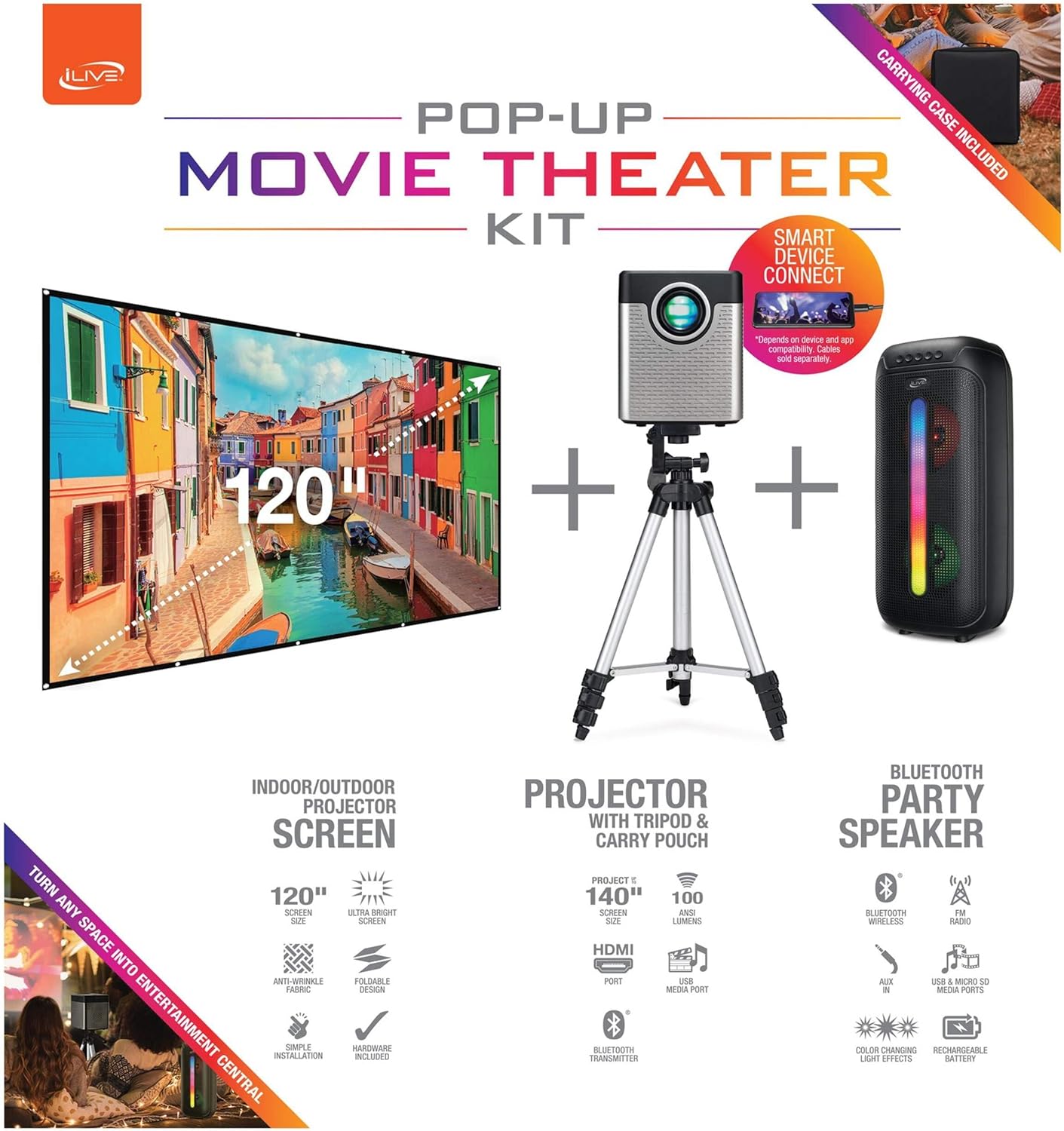
Figure 1: Diagram of the iLive Cinema Pop-up Movie Kit components.

Figure 2: The complete kit packed in its carrying case.
Configuració
- Desempaquetar components: Carefully remove all items from the carrying case.
- Muntatge del trípode: Extend the legs of the tripod and secure them. Adjust the height to your desired viewing level. The integrated bubble level assists in ensuring a stable and level base.
- Mount Projector: Securely attach the projector to the tripod mount. Ensure it is stable and facing the desired projection area.
- Set Up Screen: Unfold the 120-inch anti-wrinkle screen. If using the tripod, attach the screen to the tripod frame using the provided fasteners. Ensure the screen is taut and wrinkle-free for optimal viewing. For alternative mounting, use the grommets along the screen's edges with appropriate wall hooks (not included).
- Position Speaker: Place the Bluetooth speaker in a location that provides optimal sound distribution for your viewzona d'ing.
- Connectar l'alimentació: Connect the power cable to the projector and a suitable power outlet.
- Connectar dispositius (opcional): Connect your media source (e.g., laptop, gaming console, Blu-ray player) to the projector using an HDMI or USB cable. For external audio, use the 3.5mm audio input or connect wirelessly via Bluetooth to the speaker.

Figure 3: Projector mounted on the tripod.

Figura 4: Example outdoor setup with the projector and screen.
Instruccions de funcionament
Funcionament del projector
- Encès/apagat: Press the power button on the projector or remote control to turn the unit on or off.
- Font d'entrada: Use the remote control to select the desired input source (HDMI, USB, etc.).
- Ajust del focus: Ajusteu l'anell d'enfocament de la lent del projector fins que la imatge sigui nítida.
- Correcció Keystone: If the projected image appears trapezoidal, use the keystone correction feature (manual or automatic, if available) to adjust the image to a rectangular shape. The projector supports vertical keystone correction.
- Relació d'aspecte: Select between 16:9 and 4:3 aspect ratios based on your content and preference.
- Distància de projecció: The projector has a flexible projection range of 2.6 to 12.5 feet. Adjust the distance to achieve the desired screen size.
Funcionament dels altaveus Bluetooth
- Encès/apagat: Press and hold the power button on the speaker to turn it on or off.
- Emparellament Bluetooth: Activeu el Bluetooth al vostre dispositiu (per exemple, un telèfon intel·ligent o una tauleta). Cerca the iLive speaker in the list of available devices and pair.
- Control de volum: Ajusteu el volum mitjançant els controls de l'altaveu o del dispositiu connectat.
- Efectes de llum LED: The speaker features LED light effects. Refer to the speaker's specific controls for adjusting or disabling these effects.
- True Wireless Stereo (TWS): If you have two iLive Bluetooth speakers, you can pair them together for a True Wireless Stereo experience. Follow the instructions provided with the speaker for TWS pairing.
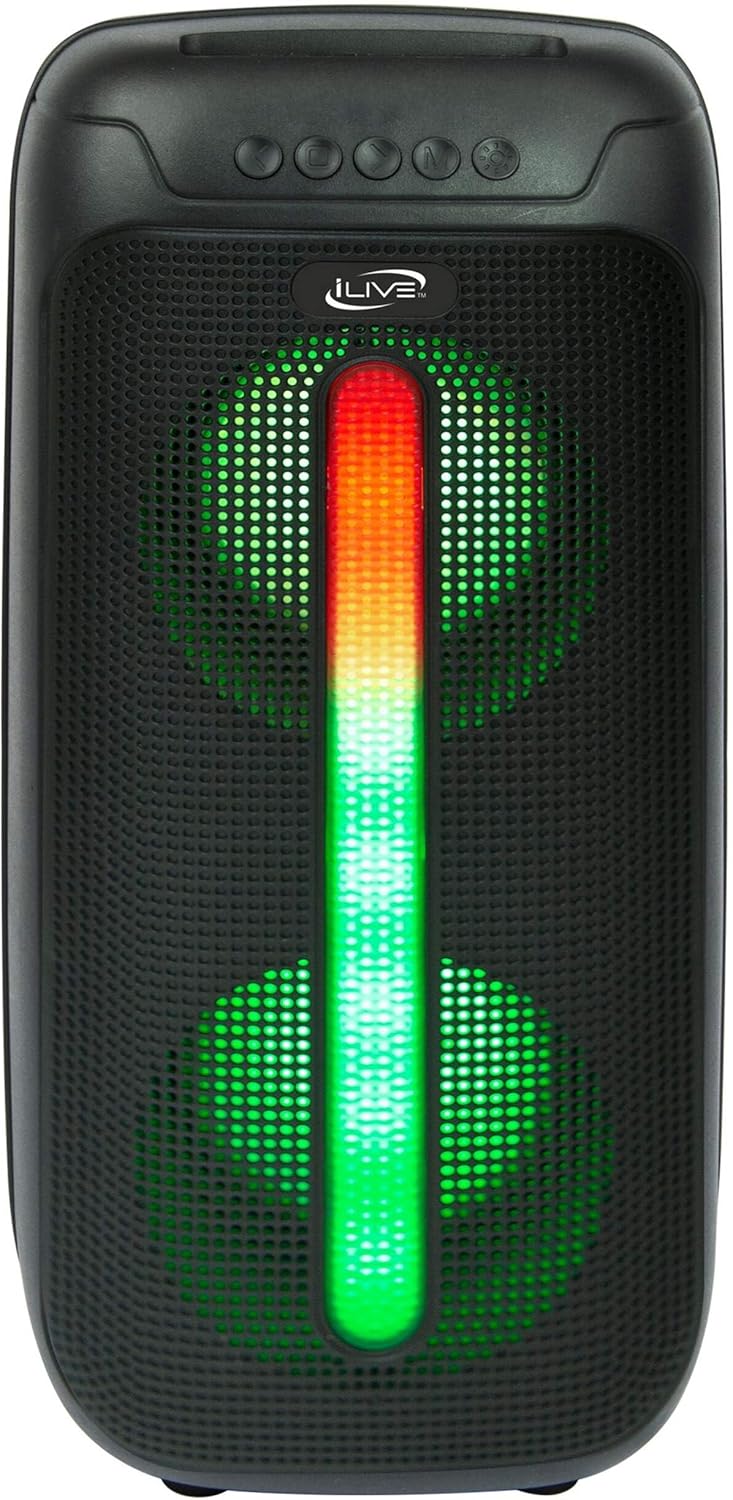
Figure 5: iLive Bluetooth 5.0 Speaker.
Manteniment
- Lent del projector: Use a soft, lint-free cloth to gently clean the projector lens. Avoid abrasive materials or harsh chemicals.
- Projector Vents: Ensure the projector's ventilation openings are clear of dust and debris to prevent overheating.
- Neteja de pantalla: The anti-wrinkle polyester screen can be gently wiped with a damp cloth if necessary. Allow it to air dry completely before folding or storing.
- Atenció a l'altaveu: Keep the speaker dry and clean. Avoid exposing it to extreme temperatures or direct sunlight.
- Emmagatzematge: When not in use, store all components in the provided carrying case in a cool, dry place to protect them from dust and damage.
Resolució de problemes
- Sense imatge a la pantalla:
- Assegureu-vos que el projector estigui engegat i que la tapa de l'objectiu estigui treta.
- Verify the correct input source is selected on the projector.
- Check all cable connections (HDMI, USB) are secure.
- Imatge borrosa:
- Ajusteu l'anell de focus de la lent del projector.
- Ensure the projection distance is within the recommended range (2.6-12.5 ft).
- Distorted Image (Trapezoidal):
- Use the keystone correction feature to adjust the image geometry.
- Ensure the projector is placed on a level surface or the tripod is properly adjusted.
- No hi ha so de l'altaveu:
- Assegureu-vos que l'altaveu estigui encès i carregat.
- Verify Bluetooth pairing or 3.5mm audio cable connection.
- Check volume levels on both the speaker and the connected device.
- Problemes de vinculació de Bluetooth:
- Assegureu-vos que l'altaveu estigui en mode de vinculació.
- Acosta l'altaveu al dispositiu.
- Desconnecta i torna a emparellar el dispositiu.
Especificacions
| Característica | Especificació |
|---|---|
| Número de model | EL2024BDL |
| Resolució de visualització | 1280 x 720 (720p) |
| Tipus de visualització | LED |
| Brillantor | 3000 lumens |
| Relació de contrast | 1000:1 |
| Relacions d'aspecte | 16:9, 4:3 |
| Vida de la font de llum | 20,000 hores |
| Interval de projecció | 2.6 - 12.5 Feet |
| Mida màxima de la imatge | 120 polzades |
| Connectivitat | HDMI, USB, 3.5mm Audio, Bluetooth 5.0 |
| Sortida de l'altaveu | 16W Peak (Dual 4-inch drivers) |
| Speaker Battery Life | Fins a 4 hores (amb un 50% de volum) |
| Característiques del trípode | Integrated bubble level, 360-degree pan, ±180-degree tilt, 41.73-inch max height, 4 kg capacity |
| Suport de codificació de vídeo | H.264, H.265 |
| Mètode de control | Control remot |
Vídeos oficials de productes
Actualment no hi ha vídeos oficials del venedor disponibles per a aquest producte.
Garantia i Suport
For warranty information or technical support, please contact iLive customer service at 1-888-999-4215. Please have your model number (THE2024BDL) and proof of purchase ready when contacting support.