
Introducció
This manual provides essential information for setting up, operating, and maintaining your Roku 32-Inch Select Series 1080p Full HD Smart TV. Designed for a delightful streaming experience, this TV offers excellent picture quality, clear sound, and automatic updates. Please read this manual thoroughly before using your television.
Què hi ha a la caixa
Verifiqueu que tots els components siguin presents a l'embalatge:
- Roku 32-Inch Select Series 1080p Full HD Smart TV
- Control remot
- Suport (2 peces)
- Stand Screws (4 pieces)
- Cable d'alimentació
- Manual d'usuari (aquest document)

Image: Contents of the Roku TV box, showing the television, remote control, two stand pieces, and four screws.
Instruccions de configuració
1. Fixació del suport de TV
- Carefully place your TV face-down on a soft, clean surface to prevent damage to the screen.
- Alineeu les peces del suport amb els forats dels cargols de la part inferior del televisor.
- Secure each stand piece with two screws using a Phillips head screwdriver. Do not overtighten.
2. Connexió de l'alimentació i dels dispositius
- Connecteu el cable d'alimentació a l'entrada d'alimentació del televisor i després a una presa de corrent.
- Connect your external devices (e.g., cable box, gaming console, Blu-ray player) to the available HDMI ports on the back of the TV. This model features 3 HDMI ports.
- For older devices, use the AV input ports (yellow, white, red).
- An optical audio output is available for connecting to soundbars or home theater systems.
- A USB port is provided for media playback.

Imatge: Part posterior view of the Roku TV displaying HDMI, AV, Antenna, USB, Optical, and Headphone ports.
3. Engegada inicial i connexió de xarxa
- Premeu el botó d'engegada del comandament a distància o del televisor.
- Follow the on-screen instructions to select your language and connect to your Wi-Fi network.
- Activate your Roku account or create a new one. This is required to access streaming channels and features.
Instruccions de funcionament
1. Interfície del sistema operatiu Roku
The Roku OS provides a simple and intuitive home screen for accessing all your entertainment. Easily navigate between streaming apps, live TV, and connected devices.

Image: The Roku TV home screen with a menu on the left and app icons on the right, including Netflix, Disney+, Apple TV, and Roku Channel.
2. Voice Remote
Your Roku TV comes with a voice remote for convenient control. Use your voice to search for content, launch apps, and control playback.
- Cerca per veu: Press the voice button and speak your command (e.g., "Find comedies," "Open Netflix").
- Dreceres d'aplicacions: Dedicated buttons provide quick access to popular streaming services.
- Control de volum: Ajusteu el volum amb els botons laterals.
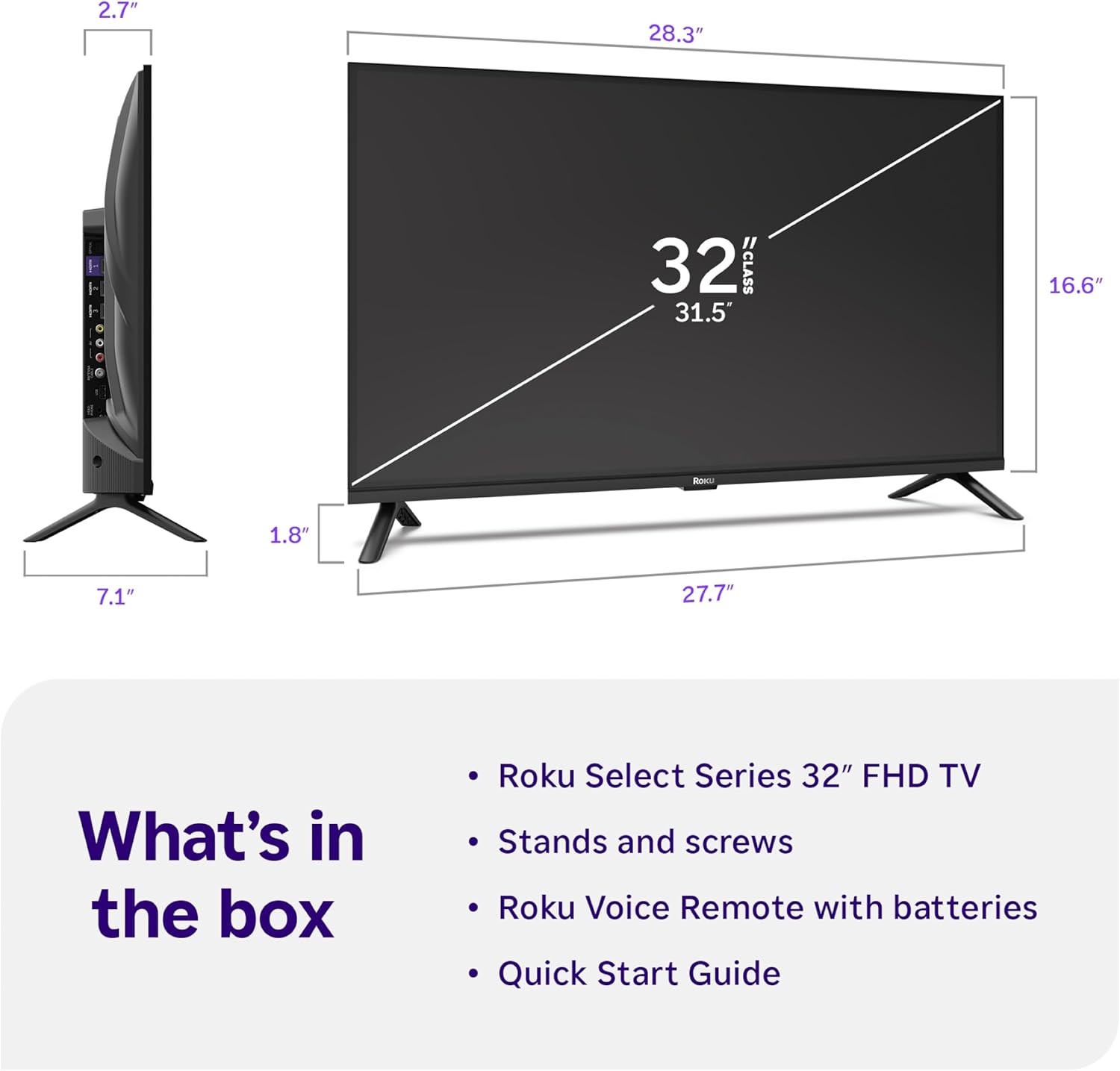
Image: Close-up of the Roku Voice Remote, highlighting buttons for TV power, volume, mute, voice search, instant replay, options, and dedicated app shortcuts.
3. Streaming Apps and Live TV
Access thousands of streaming channels, including Netflix, Disney+, Hulu, Prime Video, and Apple TV+. The Roku Channel also offers free live TV and on-demand content.

Image: A vibrant Roku TV home screen displaying a selection of popular streaming applications and recommended shows.
4. Configuració de la imatge
Optimitzeu el vostre viewing experience with various picture settings:
- Roku Smart Picture: Automatically adjusts picture mode for optimal viewing.
- Modes d'imatge: Choose from presets like Movie, Sports, Vivid, Standard, or Low Power.
- Personalització: Adjust brightness, contrast, sharpness, color, and tint for a personalized picture.
5. Configuració de so
Millora la teva experiència d'àudio:
- Dolby Audio: Enjoy clear speech and louder sound.
- Modes de so: Select from Standard, Dialogue, Movie, Music, or Night mode.
- Bluetooth Headphone Mode: Connect your wireless headphones to listen without disturbing others.

Image: A child wearing wireless headphones while watching the Roku TV, demonstrating the Bluetooth Headphone Mode.
6. Integració de la llar intel·ligent
Your Roku TV is compatible with various smart home ecosystems:
- Control de veu: Use Roku Voice, Siri, Alexa, or Google Assistant for hands-free control.
- Apple AirPlay: Effortlessly share videos, photos, and music from your Apple devices.
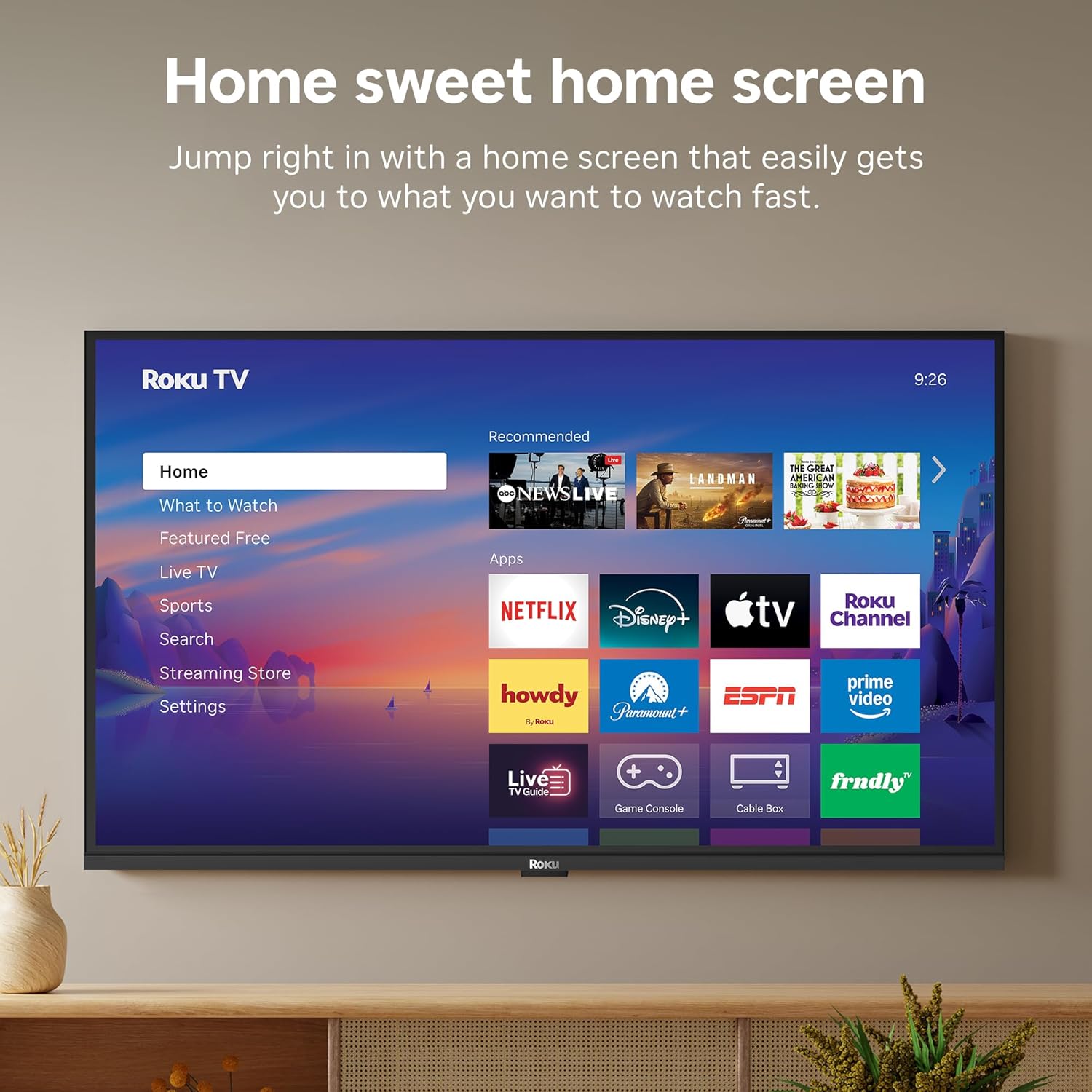
Image: The Roku TV screen displaying smart home compatibility logos for Roku Smart Home, Apple AirPlay, Apple Home, Alexa, and Google Home, with a smart speaker nearby.
7. Controls parentals
Manage content access with built-in parental controls, including V-Chip technology, to ensure a safe viewambient per als nens.
Vídeo oficial del producte
Vídeo: Un overview of the Roku TV OS, demonstrating its user-friendly interface, app selection, and smart features. This video is provided by Roku, Inc.
Especificacions
- Mida de la pantalla:
- 32 polzades
- Resolució:
- 1080p Full HD
- Tecnologia de visualització:
- LED
- Freqüència d'actualització:
- 60 Hz
- Característiques especials:
- Bluetooth Headphone Mode, Dolby Audio, Voice Remote, Roku Smart Picture
- Tecnologia de connectivitat:
- Bluetooth, WiFi
- Interfície de maquinari:
- 3 HDMI Ports, 1 USB Port, S/PDIF (Optical Audio Out)
- Sistema operatiu:
- Roku OS
- Dimensions del producte (P x A x A):
- 7.1 "P x 28.3" W x 18.4" H
- Pes de l'article:
- 7.7 Pounds (with stand)
- Estàndard de muntatge VESA:
- 200 x 200 mm
- Número de model:
- 32R3E5
- UPC:
- 829610009469
Resolució de problemes
If you encounter issues with your Roku TV, please refer to the following common solutions:
- Sense energia: Assegureu-vos que el cable d'alimentació estigui connectat correctament tant al televisor com a una presa de corrent que funcioni. Proveu una altra presa de corrent.
- Sense imatge/so: Verify that the correct input source is selected on your TV. Check all cable connections (HDMI, AV, etc.) for looseness.
- El comandament a distància no respon: Replace the batteries in your remote control. Ensure there are no obstructions between the remote and the TV.
- Problemes de connexió de xarxa: Restart your Wi-Fi router and modem. Go to the TV's Settings > Network > Check connection to diagnose and reconnect.
- App Not Loading: Restart the app. If the issue persists, try removing and reinstalling the app from the Roku Channel Store.
For more detailed troubleshooting, visit the official Roku support weblloc.
Manteniment
To ensure the longevity and optimal performance of your Roku TV, follow these maintenance guidelines:
- Neteja de la pantalla: Netegeu suaument la pantalla amb un drap de microfibra suau i sec. Per a taques difícils, netegeu suaument.ampRenta el drap amb aigua o una solució de neteja de pantalles dissenyada específicament per a electrònica. No ruixis líquid directament sobre la pantalla.
- Neteja de la carcassa del televisor: Use a soft, dry cloth to wipe the exterior of the TV. Avoid abrasive cleaners or solvents.
- Ventilació: Ensure the TV's ventilation openings are not blocked to prevent overheating. Maintain adequate space around the TV for air circulation.
- Actualitzacions de programari: Your Roku TV automatically receives software updates. Ensure your TV is connected to the internet to receive the latest features and performance improvements.
- Gestió d'energia: Desendolleu el televisor de la presa de corrent durant tempestes o quan el deixeu sense vigilància durant llargs períodes.
Garantia i Suport
Informació de la garantia
Roku warrants the hardware of this device against defects in materials and workmanship under normal use for a period of one (1) year from the date of purchase ("Warranty Period"). If Roku determines that the device’s hardware is defective during the Warranty Period, Roku’s sole obligation, and your exclusive remedy, will be to either repair or replace the unit with either a new or rebuilt device, at its option. This warranty applies if the device is used in accordance with the provided documentation.
Important information about warranty returns and replacements is available on the Roku support site. You may also return a device for any reason, subject to the terms of the applicable return policy: 1) Within thirty (30) days from the date of purchase from Roku; or 2) within the applicable return period if purchased from an authorized reseller or distributor. Additional details regarding product returns can be found on the Roku support site.
Atenció al client
For further assistance, technical support, or to access the full range of support resources, please visit the official Roku support weblloc web. Hi podeu trobar preguntes freqüents, guies de resolució de problemes i informació de contacte del servei d'atenció al client.