Introducció
Thank you for choosing the Generic Automatic Sprinkler Controller. This device is designed to simplify your watering tasks, ensuring your garden, lawn, or plants receive optimal hydration. Featuring an intuitive LCD display, flexible operating modes, and rain sensing technology, this controller offers efficient and convenient irrigation management.
Informació de seguretat
- Ensure the controller is installed securely to prevent accidental detachment.
- Do not submerge the device in water. It is designed to be weather-resistant, not submersible.
- Use only AAA batteries. Do not mix old and new batteries or different battery types.
- Mantenir fora de l'abast dels nens.
- Disconnect from the water source during freezing temperatures to prevent damage.
Contingut del paquet
Verifiqueu que tots els components siguin presents:
- 1x Automatic Sprinkler Controller
- 1x Manual d'usuari (aquest document)
- (Batteries not included - requires 2x AAA batteries)
Producte acabatview
The sprinkler controller features a clear LCD display and five control buttons for easy programming. It includes a built-in water filter/strainer to prevent debris buildup.

Imatge: Davant view of the Automatic Sprinkler Controller, highlighting the LCD screen and the five control buttons below it. The device is black with a brass-colored connector at the top.

Imatge: Un detallat view of the controller's LCD display, showing current time (13:00), start time (06:02), and end time (06:08) settings. Various icons for mode, frequency, and battery level are visible.
Configuració
1. Instal·lació de la bateria
- Localitza el compartiment de la bateria a la part posterior del controlador.
- Obriu la coberta del compartiment.
- Introduïu 2 piles AAA noves, assegurant-vos de la polaritat correcta (+/-).
- Tanqueu bé la tapa del compartiment de la bateria.
2. Connexió de la mànega
- Attach the top connector of the sprinkler controller to your outdoor faucet. Hand-tighten only.
- Connect your garden hose or drip irrigation system to the bottom outlet of the controller. Hand-tighten only.
- Assegureu-vos que totes les connexions estiguin ben fixades per evitar fuites.

Imatge: The automatic sprinkler controller connected to a standard outdoor faucet at the top and a garden hose at the bottom, demonstrating proper installation.

Imatge: The sprinkler controller shown installed on a silver faucet, with a green background suggesting a garden or lawn setting.
Instruccions de funcionament
1. Interfície de pantalla LCD
The 2.1-inch LCD display shows current time, watering schedule, battery status, and other settings. Icons indicate the active mode and functions.
2. Funcions del botó
- Left Button (Water Drop Icon): Manual watering / Rain Delay activation.
- Middle Left Button (Gear Icon): Settings / Program adjustment.
- Middle Right Button (M/Clock Icon): Mode selection (Manual/Automatic) / Time setting.
- Right Plus Button (+): Increase value / Navigate forward.
- Right Minus Button (-): Decrease value / Navigate backward.
3. Configuració de l'hora actual
- Premeu el botó M/Clock botó fins que la pantalla de l'hora parpellegi.
- Utilitza el + i - botons per ajustar l'hora.
- Premeu M/Clock de nou per passar a minuts i després ajusteu amb + i -.
- Premeu M/Clock to confirm and exit time setting.
4. Programming Automatic Watering Schedule
This controller allows customization of start time, watering duration, and frequency.
- Premeu el botó Engranatge button to enter programming mode. The display will show options for Start Time, Duration, and Frequency.
- Ús + i - to adjust the flashing value (e.g., hour for Start Time).
- Premeu el botó Engranatge button to move to the next setting (e.g., minutes for Start Time, then Duration, then Frequency).
- Hora d'inici: Set the desired time for watering to begin.
- Durada: Set how long the watering cycle will last (e.g., minutes).
- Freqüència: Set how often watering occurs (e.g., every X hours or days).
- Un cop ajustats tots els paràmetres, premeu el botó Engranatge button repeatedly until the display returns to the main screen, saving your program.
5. Mode de reg manual
To initiate watering outside of the programmed schedule:
- Premeu el botó Gota d'aigua botó.
- Ús + i - per configurar la durada de reg manual desitjada.
- Premeu el botó Gota d'aigua button again to start manual watering. The display will show a countdown.
- To stop manual watering prematurely, press the Gota d'aigua botó de nou.
6. Funció de retard per pluja
The rain delay function temporarily pauses your watering schedule to conserve water during rainy periods.
- While on the main screen, press and hold the Gota d'aigua botó durant uns segons.
- The display will show options for rain delay duration (e.g., 24h, 48h, 72h).
- Ús + i - to select the desired delay period.
- Premeu el botó Gota d'aigua button to confirm. The schedule will resume automatically after the delay.
- To cancel rain delay, press and hold the Gota d'aigua button again until the delay icon disappears.
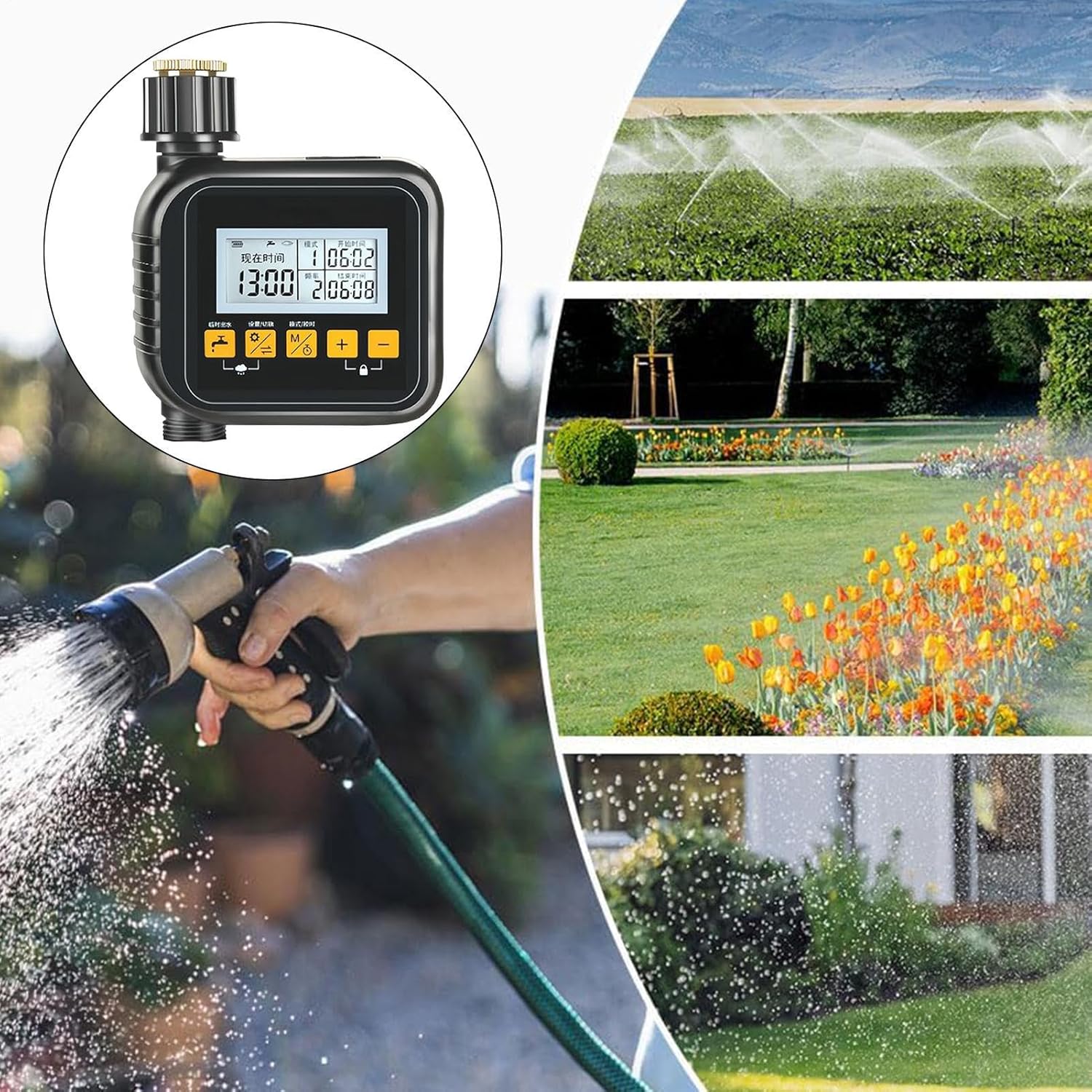
Imatge: A collage showing the sprinkler controller in the foreground, with background images depicting different watering methods like overhead sprinklers, garden beds being watered, and a person using a hose nozzle, illustrating its versatile application.
Manteniment
- Neteja: Periodically wipe the controller with a damp tela. No utilitzeu netejadors abrasius.
- Manteniment del filtre: The built-in water filter/strainer should be checked and cleaned regularly to prevent debris buildup and ensure proper water flow. Unscrew the inlet connection, remove the filter, rinse it under running water, and reinsert.
- Substitució de la bateria: Replace batteries when the low battery indicator appears on the LCD. Remove old batteries promptly to prevent leakage.
- Emmagatzematge d'hivern: Before the first frost, disconnect the controller from the faucet and hose. Remove batteries and store the unit indoors in a dry, frost-free location.
Resolució de problemes
| Problema | Causa possible | Solució |
|---|---|---|
| El controlador no s'encén. | Piles gastades o instal·lades incorrectament. | Canvieu les piles per piles AAA noves, assegurant-vos de la polaritat correcta. |
| L'aigua no flueix. | Faucet is off; filter is clogged; low battery; incorrect programming. | Ensure faucet is fully open. Clean the water filter. Replace batteries. Check programming for start times and duration. |
| Fuites de les connexions. | Loose connections; worn washer. | Tighten connections by hand. Check and replace rubber washers if damaged. |
| Watering schedule not activating. | Incorrect time setting; program not saved; rain delay active. | Verify current time and programmed schedule. Ensure program is saved. Check if rain delay is active and cancel if necessary. |
Especificacions
- Model: SQ7S7FA9SDPOAO6C
- Material del producte: ABS + Copper
- Dimensions del producte: Approximately 15cm x 12cm x 6cm (5.91 x 4.72 x 2.36 inches)
- Pes de l'article: Aproximadament 350 g (13.6 unces)
- Visualització: LCD de 2.1 polzades
- Font d'alimentació: 2x piles AAA (no incloses)
- Modes de funcionament: Manual, Automatic, Rain Delay

Imatge: A diagram illustrating the physical dimensions of the sprinkler controller: 15cm (5.90 inches) in height, 12cm (4.72 inches) in width, and 6cm (2.36 inches) in depth.
Garantia i Suport
This product is manufactured by Generic. For specific warranty information or technical support, please refer to the retailer's return policy or contact the seller directly through your purchase platform. Keep your purchase receipt for warranty claims.