
Introducció
This manual provides comprehensive instructions for the installation, operation, and maintenance of your PGST Home Security Alarm System, Model 108E+T53. This system is designed to provide reliable 24/7 protection for your home through a combination of a control panel, camera, and various sensors, utilizing both WiFi and GSM/4G connectivity.
Contingut del paquet
Verifiqueu que tots els components que s'enumeren a continuació s'inclouen al paquet:
- 1 x Control Panel (Alarm Host)
- 1 x càmera de seguretat
- 4 x Motion Sensors
- 8 sensors de porta/finestra
- 3 x Targetes RFID
- 3 x comandaments a distància
- 1 sirena
- Power Adapter and Mounting Hardware (not explicitly listed in source, but implied)

Image: All components of the PGST Home Security Alarm System, including the control panel, camera, motion sensors, door/window sensors, RFID cards, remote controls, and siren.
Producte acabatview
The PGST Home Security Alarm System offers comprehensive protection with its integrated features:
- Tauler de control: The central unit with a 2.4-inch TFT color display for clear operation, keypad, and RFID reader.
- Security Camera: A 2MP (1920x1080) HD camera with night vision, motion detection, two-way audio, video replay, ultra-wide view, livestreaming, and cloud/SD card storage options.
- Sensors de moviment: Detect movement within a 32ft (10m) range and 110° field of view.
- Sensors de porta/finestra: Trigger an alarm immediately when protected doors or windows are opened.
- Comandaments a distància: Provide convenient arming, disarming, home mode, and SOS functions.
- Targetes RFID: Allow for quick arming and disarming without needing a password.
- Sirena: Emits a loud 120dB alarm to deter intruders.
- Connectivitat: Supports dual WiFi (2.4GHz only) and GSM/4G cellular networks for reliable alerts.
- Control de l'aplicació: Compatible with Smart Life and Tuya apps for remote management.
- Control de veu: Integrates with Amazon Alexa and Google Assistant for hands-free operation.
- Expandabilitat: Supports connection of up to 99 additional sensors.
- Sense quotes mensuals: The system operates without requiring a subscription.

Image: The PGST control panel centrally displayed with various accessories like motion sensors, door sensors, remote controls, RFID tags, and a siren, illustrating complete system control.

Image: The PGST security camera with icons representing its features: motion detection, day/night HD view, app control, 2-way audio, video replay, ultra-wide view, livestream video, and cloud/SD card storage.
Configuració
- Desembalatge i inspecció: Carefully remove all components from the packaging. Verify that all items listed in the 'Package Contents' section are present and undamaged.
- Power the Control Panel: Connect the provided power adapter to the control panel and plug it into a standard electrical outlet. The panel will power on automatically.
- Connexió de xarxa:
- Configuració WiFi: Access the system settings on the control panel or via the Smart Life/Tuya app to connect to your 2.4GHz WiFi network. Note: 5GHz networks are not supported.
- GSM/4G Setup (Optional): Insert a compatible 4G SIM card (not included) into the designated slot on the control panel. This enables cellular alerts and calls if WiFi is unavailable.

Image: Illustration of the PGST alarm system's dual connectivity, showing a WiFi router for 2.4GHz connection and a smartphone indicating 4G/GSM network usage with a SIM card slot.
- Download and Configure App: Download the 'Smart Life' or 'Tuya Smart' app from your smartphone's app store. Register an account and follow the in-app instructions to add your PGST alarm system and camera.
- Sensors de vinculació:
- Sensors de moviment: Follow the control panel or app instructions to pair each motion sensor. Install them in key areas, typically 1.8 to 2.2 meters high, ensuring a clear line of sight within their 110° field of view.
- Sensors de porta/finestra: Pair each sensor and install them on doors and windows. Ensure the two parts of the sensor are aligned and within 1cm of each other when the door/window is closed.

Image: A PGST motion sensor mounted on a wall, illustrating its 110-degree field of view and 32ft (10m) detection range for comprehensive home coverage.
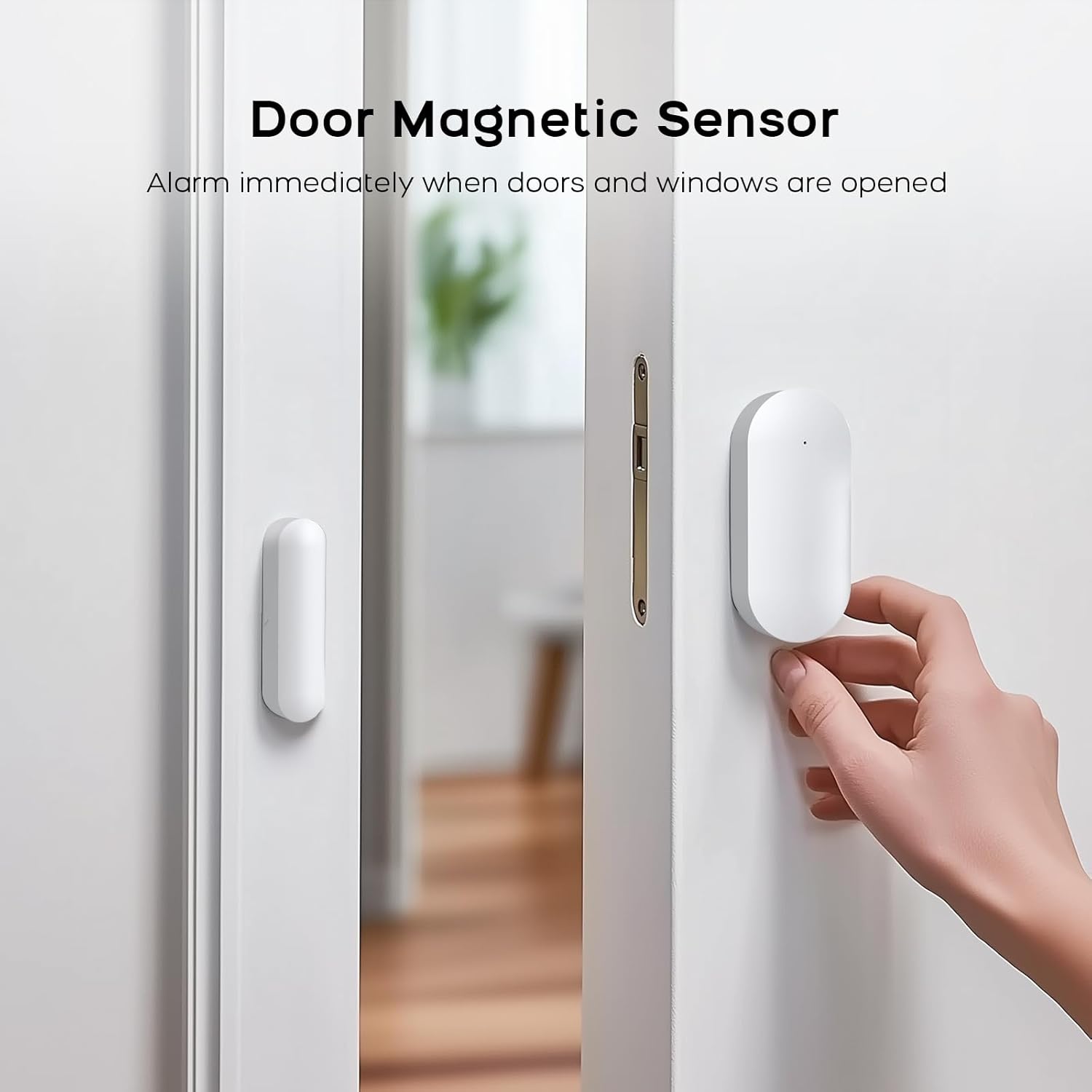
Image: A PGST door magnetic sensor installed on a door frame, showing how the two parts separate when the door opens, triggering an alarm.
- Pairing Remote Controls and RFID Cards: Follow the system's instructions to pair the remote controls and RFID cards with the control panel.
- Siren Placement: Position the siren in a central location where its 120dB alarm can be heard effectively throughout the property.
Instruccions de funcionament
- Armar el sistema:
- Mode fora: Activates all sensors. Use when leaving the property.
- Mode d'inici: Activates perimeter sensors (e.g., door/window sensors) while allowing movement within the home.
- Mètodes: Use the control panel keypad, remote control, RFID card, or the Smart Life/Tuya app.
Image: Two PGST remote controls, each featuring buttons for arming, disarming, home mode, and SOS, providing instant safety control.
Image: Two PGST RFID cards on a wooden desk, demonstrating their use for simple, code-free arming and disarming of the security system.
- Desarmament del sistema: Deactivates all sensors. Use the control panel keypad (with password), remote control, RFID card, or the Smart Life/Tuya app.
- Funció SOS d'emergència: Press the SOS button on the control panel, remote control, or dedicated SOS button (if included) to trigger an immediate alarm and send alerts to pre-programmed contacts.
- Control de l'aplicació: Use the Smart Life or Tuya app to remotely arm/disarm the system, view camera feeds, receive real-time notifications, and manage settings. The app supports family sharing for up to 5 phone numbers.
- Control de veu: Link your PGST system to Amazon Alexa or Google Assistant for convenient voice commands such as "Alexa, arm my home" or "Hey Google, disarm the alarm system."
- Alertes i notificacions: When an alarm is triggered, the system will activate the siren, send real-time notifications to your smartphone via the app, and if a SIM card is installed, send SMS messages and make phone calls to pre-set numbers.

Image: A smartphone displaying the Smart Life or Tuya app interface, showing an active alarm notification, indicating compatibility and remote control capabilities of the PGST system.

Image: Two children interacting with voice assistants (Amazon Alexa and Google Assistant) to control the PGST alarm system, demonstrating hands-free operation.

Image: An intruder attempting to enter a home, with the PGST alarm system detecting the activity and sending an immediate alert to a smartphone, which displays a live camera feed.
Manteniment
- Substitució de la bateria: Sensors are battery-powered (Lithium Ion, included). The control panel will indicate low battery status for individual sensors. Replace batteries promptly to ensure continuous protection.
- Neteja: Use a soft, dry cloth to clean the control panel, camera, and sensors. Avoid using abrasive cleaners or solvents.
- Actualitzacions de firmware: Periodically check the Smart Life/Tuya app for available firmware updates for your system. Updates can improve performance and add new features.
Resolució de problemes
- System Not Arming/Disarming: Ensure the control panel is powered on and connected to a network. Check battery levels of remote controls and sensors. Verify correct password or RFID card.
- Sense notificacions d'aplicacions: Check your phone's notification settings for the Smart Life/Tuya app. Ensure the app has necessary permissions and your phone has internet connectivity.
- Problemes de connectivitat Wi-Fi: Confirm your WiFi network is 2.4GHz. Restart your router and the alarm control panel. Ensure the control panel is within range of your WiFi router.
- GSM/4G Not Working: Verify the SIM card is correctly inserted and has an active plan with sufficient credit/data. Check for network signal strength on the control panel.
- Falses alarmes: Check sensor placement. Motion sensors should not be aimed at heat sources or areas with pets if pet-immune settings are not enabled. Ensure door/window sensors are securely mounted and not affected by vibrations.
- Physical Anti-Tamper alarma: If the control panel is forcibly removed, an alarm will trigger. Enter the correct password to stop the alarm.
Especificacions
| Marca | PGST |
| Número de model | PG108-US4G-E+T53 |
| Control Panel Dimensions (L x W x H) | 8 x 3 x 5 polzades |
| Control Panel Weight | 2 lliures |
| Font d'alimentació | Alimentat per bateria (bateria de ions de liti inclosa) |
| Tecnologia de connectivitat | WiFi (2.4GHz), GSM/4G |
| Resolució de la càmera | 2MP (1920x1080) HD |
| Volum de sirena | 120 dB |
| Interval del sensor de moviment | 32 peus (10 m) |
| Camp del sensor de moviment de View | 110° |
| Max. Number of Sensors Supported | 99+ |
Garantia i Suport
For warranty information, please refer to the documentation provided with your purchase or contact PGST customer support directly. If you encounter any issues or require assistance with your PGST Home Security Alarm System, please visit the official PGST website or contact their customer service department for technical support.
PGST Store Link: https://www.amazon.com/stores/PGST/page/13821DDC-90B4-4ACF-B531-A007AF62999C