
1. Introducció
The DOOGEE BoneBeat Swim Lite IP68 waterproof bone conduction headphones are designed for comfort and versatility. Featuring Bluetooth and MP3 dual modes, an open-ear design, and extended playtime, these headphones deliver sound for various activities, including swimming, fitness, and outdoor use.
Les característiques clau inclouen:
- Tecnologia de conducció òssia: Delivers audio through your cheekbones, keeping your ears open to ambient sounds for situational awareness.
- Classificació impermeable IP68: Suitable for use in water, including swimming, running, cycling, and other outdoor sports.
- Bluetooth 5.4 & MP3 Dual Modes: Offers wireless music streaming via Bluetooth or direct playback from internal storage.
- Disseny d'orella oberta: Provides a lightweight, secure fit for comfort during extended wear.

Image 1.1: DOOGEE BoneBeat Swim Lite headphones in blue, shown partially submerged in water. The image highlights key features such as IP68 waterproof, Bluetooth+MP3 dual modes, open-ear design, and 10-hour battery life.
2. Contingut del paquet
Verifiqueu que tots els elements siguin presents al paquet:
- 1 x BoneBeat Swim Lite Headphones
- 1 x cable de càrrega magnètic
- 1 x Silicone Swimming Earplugs
- 1 x Sponge Swimming Earplugs
- 1 x banda elàstica
- 1 x bossa d'emmagatzematge
- 1 x Manual d'usuari
- 1 x Targeta de servei

Image 2.1: All items included in the BoneBeat Swim Lite package, laid out next to the product box.
3. Configuració
3.1 Càrrega dels auriculars
- Connecteu el cable de càrrega magnètic al port de càrrega dels auriculars.
- Connecteu l'altre extrem del cable a un adaptador de corrent USB (no inclòs) o al port USB d'un ordinador.
- The LED indicator on the headphones will show the charging status. A full charge typically takes approximately 1.5-2 hours.
- A 10-minute charge can provide up to 2 hours of music playback.
3.2 Engegada/apagada
- Per encendre: Press and hold the Power button for 3 seconds until the LED indicator flashes.
- Per apagar: Manteniu premut el botó d'engegada durant 5 segons fins que l'indicador LED s'apagui.
3.3 Vinculació Bluetooth
- Assegureu-vos que els auriculars estiguin apagats.
- Premeu i manteniu premut el botó d'engegada durant 5-7 segons fins que l'indicador LED parpellegi alternativament en vermell i blau, cosa que indica el mode d'emparellament.
- Al dispositiu (telèfon intel·ligent, tauleta, etc.), activeu el Bluetooth i cerqueu els dispositius disponibles.
- Select "BoneBeat Swim Lite" from the list of devices.
- Un cop connectat, l'indicador LED parpellejarà en blau periòdicament.
3.4 MP3 Mode and Music Transfer
The headphones feature 32GB of internal storage for MP3 playback, allowing you to store approximately 8,000 songs.
- Connecteu els auriculars a l'ordinador amb el cable de càrrega magnètic.
- Els auriculars apareixeran com una unitat de disc extraïble a l'ordinador.
- Arrossega i deixa anar l'àudio MP3 files a la carpeta d'emmagatzematge dels auriculars.
- Expulseu els auriculars de l'ordinador de manera segura abans de desconnectar el cable.

Image 3.1: Illustration of Bluetooth and MP3 dual modes, showing 32GB storage for approximately 8,000 songs. It also notes that MP3 mode is recommended for underwater use as Bluetooth signals do not transmit through water.
4. Instruccions de funcionament
4.1 Com posar-se els auriculars
Col·loca els auriculars amb els transductors recolzats als pòmuls, just davant de les orelles. La banda ha d'envoltar la part posterior del cap. Ajusteu-los per a un ajust còmode i segur.
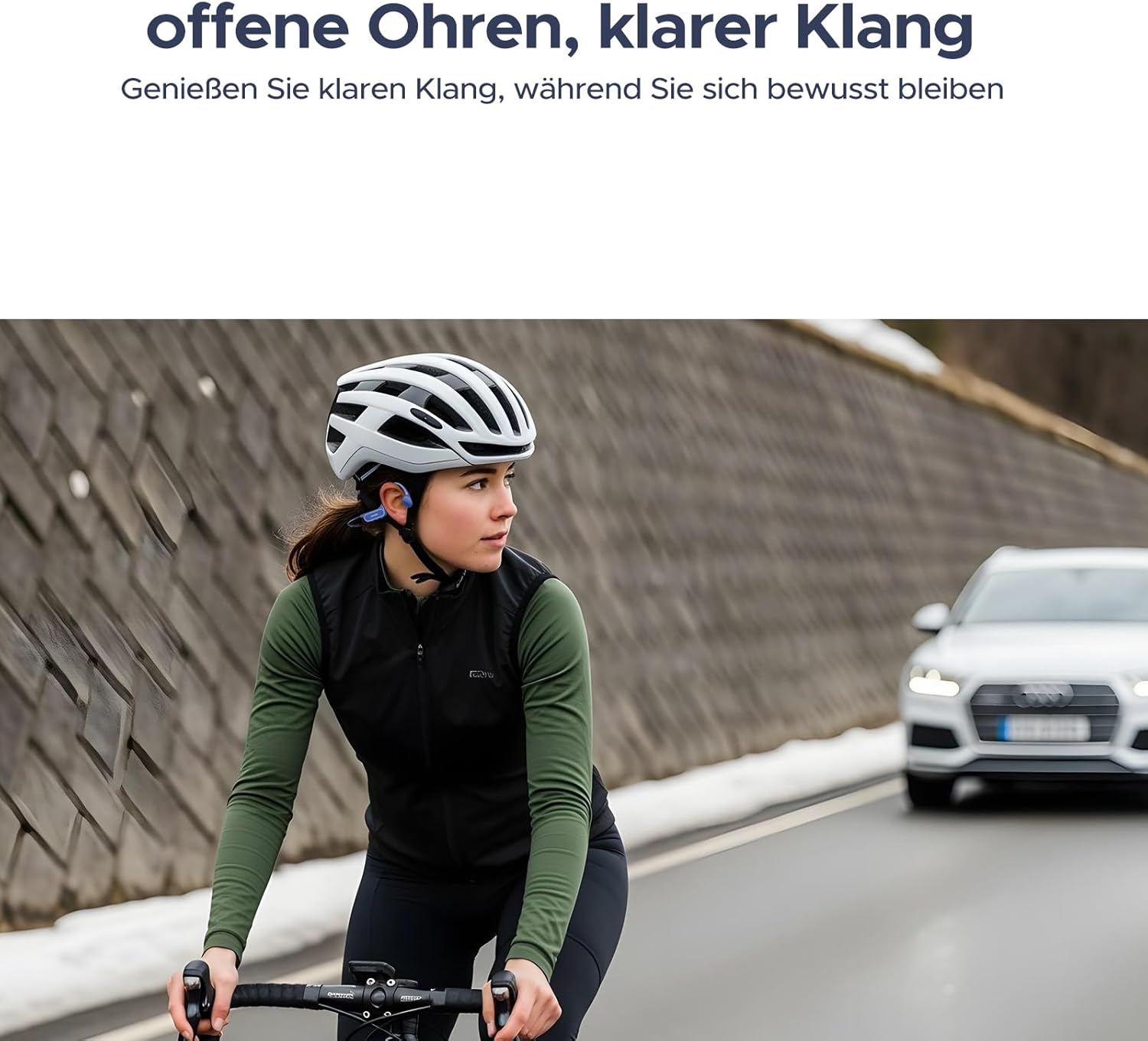
Image 4.1: A person cycling with the headphones, illustrating the open-ear design that allows for environmental awareness.
4.2 Canvi entre els modes Bluetooth i MP3
Press the Mode button (usually combined with the Power button or a dedicated button) to switch between Bluetooth and MP3 playback modes. An audible prompt will indicate the current mode.
Nota: For underwater use, always switch to MP3 mode. Bluetooth signals do not transmit effectively through water.

Image 4.2: A person swimming while wearing the BoneBeat Swim Lite headphones, highlighting their IP68 waterproof rating and dual-seal protection for depths up to 2 meters.
4.3 Controls bàsics
- Reproduir/pausa: Premeu el botó Reproduir/Pausa una vegada.
- Pujar el volum: Premeu el botó Volum +.
- Baixar el volum: Premeu el botó de volum -.
- Pista següent: Press and hold the Volume + button (or a dedicated button, refer to product diagram).
- Pista anterior: Press and hold the Volume - button (or a dedicated button, refer to product diagram).
- Respondre/Finalitzar la trucada: Press the Play/Pause button once during an incoming call.
- Rebutja la trucada: Mantingueu premut el botó Reproduir/Pausa durant una trucada entrant.
5. Manteniment
5.1 Neteja
- After use, especially after swimming or heavy sweating, rinse the headphones with clean fresh water.
- Wipe the headphones dry with a soft, clean cloth.
- Do not use abrasive cleaners or harsh chemicals, as these can damage the waterproof seals and materials.
- Assegureu-vos que el port de càrrega estigui sec abans de connectar el cable de càrrega.
5.2 Emmagatzematge
- Guardeu els auriculars a la funda d'emmagatzematge proporcionada quan no els feu servir per protegir-los de la pols i les ratllades.
- Avoid storing in extreme temperatures (hot or cold) or in direct sunlight for prolonged periods.
5.3 Cura de la bateria
- Carregueu els auriculars regularment, fins i tot si no els feu servir amb freqüència, per mantenir la bateria en bon estat.
- Eviteu esgotar completament la bateria abans de tornar-la a carregar.
6. Solució De Problemes
- Els auriculars no s'encenen: Assegureu-vos que la bateria estigui carregada. Connecteu-la al cable de càrrega i torneu-ho a provar al cap d'uns minuts.
- No es pot emparellar per Bluetooth:
- Ensure the headphones are in pairing mode (LED flashing red and blue).
- Assegureu-vos que el Bluetooth estigui activat al dispositiu i que estigui dins del seu abast.
- Oblida el dispositiu de la llista de Bluetooth del telèfon i intenta emparellar-lo de nou.
- Sense so o so baix:
- Ajusteu el volum tant dels auriculars com del dispositiu connectat.
- Ensure the headphones are correctly placed on your cheekbones.
- If in MP3 mode, ensure music files are properly loaded and not corrupted.
- Sound quality issues underwater: Ensure you are in MP3 mode. Bluetooth signals do not transmit well through water.
- Problemes de càrrega: Ensure the magnetic cable is securely connected and the USB power source is functional. Clean the charging contacts if necessary.
7. Especificacions
| Marca | DOOGEE |
| Número de model | BONEBETAIRSWIM |
| Color | Negre |
| Factor de forma | Behind-the-neck, Open-ear |
| Tecnologia de connectivitat | Bluetooth 5.4, MP3 (Internal Storage) |
| Tipus de controlador d'àudio | Controlador de conducció òssia |
| Nivell de resistència a l'aigua | IP68 (Waterproof up to 2m) |
| Emmagatzematge intern | 32 GB (aprox. 8,000 cançons) |
| Durada de la bateria (mode Bluetooth) | Fins a 10 hores |
| Durada de la bateria (mode MP3) | Fins a 6 hores |
| Material de tancament | Silicone + Memory Wire |
| Usos específics | Sport (Cycling, Exercising, Running, Swimming) |
| Dispositius compatibles | Dispositius compatibles amb Bluetooth |
| Descripció del rang d'edat | Adult, Adolescent |

Image 7.1: Battery life details, indicating 10 hours in Bluetooth mode and 6 hours in MP3 mode. Testing conditions are noted as 75% volume for Bluetooth and 100% volume for MP3.
8. Garantia i Suport
8.1 Informació de la garantia
The DOOGEE BoneBeat Swim Lite headphones come with a Garantia del fabricant de 1 anys des de la data de compra. Aquesta garantia cobreix els defectes de materials i fabricació en condicions d'ús normal. No cobreix els danys causats per un mal ús, accidents, modificacions no autoritzades o desgast normal.
Conserveu el vostre comprovant de compra per a reclamacions de garantia.
8.2 Atenció al client
For technical assistance, warranty claims, or any questions regarding your DOOGEE BoneBeat Swim Lite headphones, please contact DOOGEE customer support through the official website or the contact information provided on your service card.
Please visit the official DOOGEE weblloc web per obtenir la informació d'assistència més actualitzada.