
1. Introducció
Thank you for choosing the ganopterygon TK09 Smart Watch. This device is a 1.85-inch HD fitness tracker designed for both men and women, offering features such as call answering and making, over 100 sports modes, sleep monitoring, heart rate monitoring, and IP68 waterproof rating. It is compatible with Android and iOS devices. This manual provides essential information for setting up, operating, and maintaining your smart watch.
2. Contingut del paquet
Si us plau, verifiqueu que tots els elements siguin presents al vostre paquet:
- ganopterygon TK09 Smart Watch
- Cable de càrrega
- Manual d'usuari (aquest document)
3. Producte acabatview
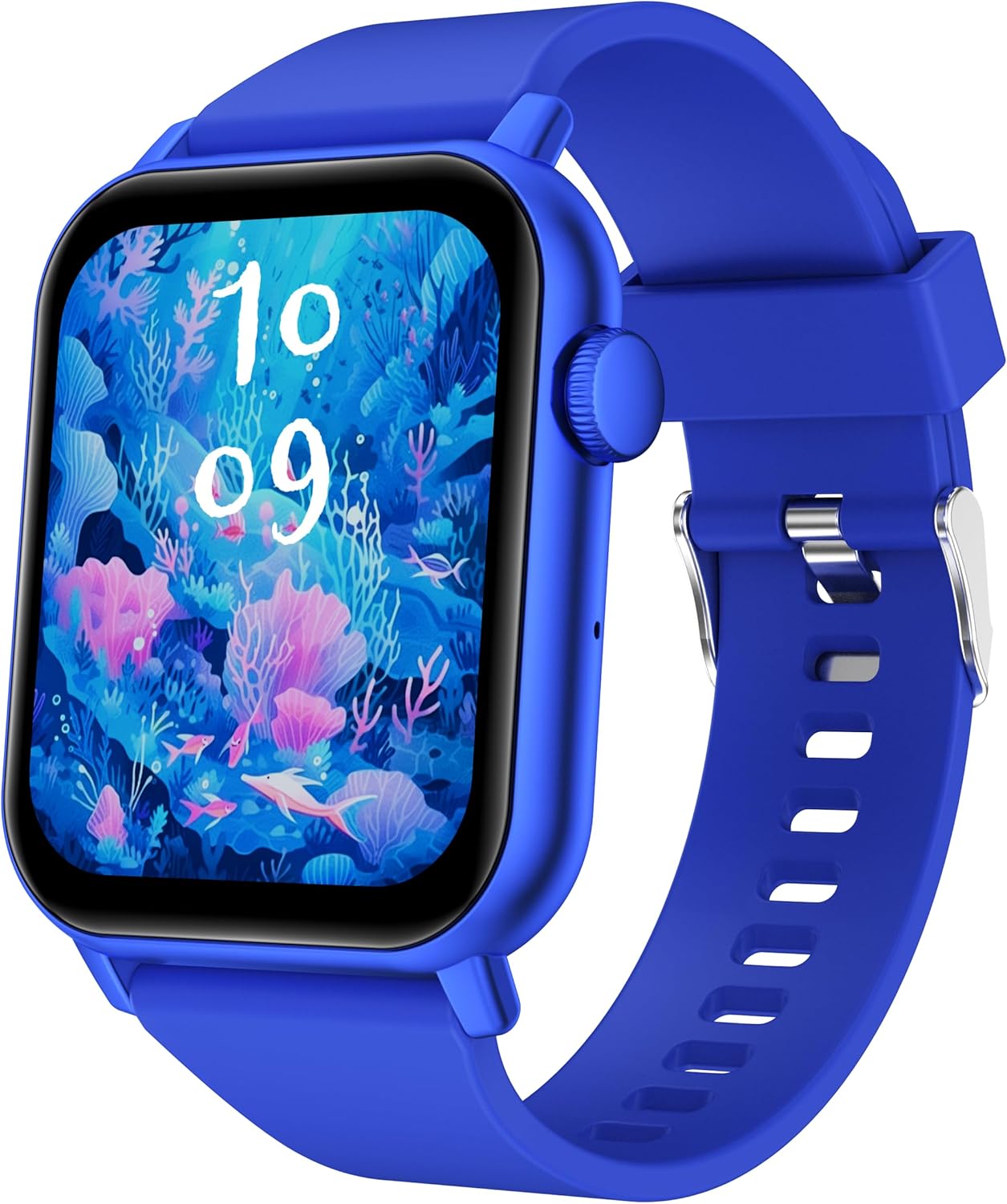
This image displays the ganopterygon TK09 Smart Watch. It features a rectangular screen with a vibrant digital watch face depicting an underwater scene with coral and fish. The watch has a blue silicone strap with a silver buckle. A circular button is visible on the right side of the watch casing.
The ganopterygon TK09 Smart Watch features a 1.85-inch HD display for clear visuals. It includes a side button for navigation and control. The watch is equipped with sensors on the back for health monitoring. The durable silicone strap ensures comfortable wear.
4. Configuració
4.1 Càrrega del dispositiu
Before first use, fully charge your smart watch. Connect the magnetic charging cable to the charging contacts on the back of the watch and plug the USB end into a standard USB power adapter (not included) or a computer USB port. The watch display will indicate charging status.
4.2 Baixada de l'aplicació complementària
To unlock all features, download the dedicated companion app on your smartphone. Scan the QR code provided in the quick start guide or search for the app name (usually found in the quick start guide or on the watch packaging) in the Apple App Store (for iOS) or Google Play Store (for Android).
4.3 Emparellament amb el telèfon intel·ligent
- Ensure your smart watch is charged and powered on.
- Activa el Bluetooth al teu telèfon intel·ligent.
- Obriu l'aplicació complementària i seguiu les instruccions que apareixen a la pantalla per crear un compte o iniciar la sessió.
- In the app, navigate to the device pairing section and select your TK09 Smart Watch from the list of available devices.
- Confirma la sol·licitud d'emparellament tant al rellotge com al telèfon intel·ligent.
5. Instruccions de funcionament
5.1 Navegació bàsica
- Pantalla tàctil: Llisca esquerra/dreta, amunt/avall per navegar pels menús i les funcions. Toca per seleccionar.
- Botó lateral: Press to wake up the screen, return to the main watch face, or access the app menu. A long press may power on/off the device or activate a specific function.
5.2 Canviar les esferes del rellotge
From the main watch face, long-press the screen to enter the watch face selection menu. Swipe left or right to browse available watch faces and tap to select your preferred one. More watch faces can be downloaded and customized via the companion app.
5.3 Notificacions
Once paired with your smartphone, the watch can display notifications for calls, messages, and various apps. Ensure notification permissions are enabled in both your phone's settings and the companion app.
6. Característiques
6.1 Vigilància de la salut
- Monitorització de la freqüència cardíaca: The watch continuously or periodically monitors your heart rate. View dades en temps real al rellotge o tendències detallades a l'aplicació.
- Monitorització del son: Tracks your sleep patterns, including deep sleep, light sleep, and wake times. Access sleep analysis in the companion app.
6.2 modes esportius
The TK09 Smart Watch supports over 100 sports modes. Navigate to the 'Sports' or 'Workout' section on your watch, select your activity, and start tracking. Data such as duration, calories burned, and heart rate will be recorded.
6.3 Funcionalitat de trucada
With its built-in microphone and speaker, the watch allows you to answer and make calls directly from your wrist when connected to your smartphone via Bluetooth. Ensure Bluetooth calling is enabled in the app settings.
6.4 Classificació d'impermeabilitat IP68
The device is IP68 rated, meaning it is resistant to dust and can withstand immersion in water up to 1.5 meters for up to 30 minutes. It is suitable for daily use, hand washing, and light rain. Avoid hot water, steam, or prolonged immersion in deep water.
7. Manteniment
- Neteja: Netegeu regularment el rellotge i la corretja amb un drap suau i sec. Si cal, utilitzeu un drap lleugerament sec.amp drap i sabó suau, després esbandiu i assequeu bé.
- Eviteu productes químics: No utilitzeu productes químics agressius, dissolvents de neteja ni detergents forts, ja que poden danyar l'acabat i els segells del rellotge.
- Cura de la bateria: To prolong battery life, avoid extreme temperatures. Charge the watch regularly and do not let the battery completely drain for extended periods.
8. Solució De Problemes
| Problema | Possible solució |
|---|---|
| El rellotge no s'encén | Ensure the watch is fully charged. Connect to the charger and wait a few minutes before attempting to power on again. |
| No es pot emparellar amb el telèfon intel·ligent | Check if Bluetooth is enabled on your phone. Ensure the watch is within range. Restart both the watch and your phone. Clear the app's cache or reinstall the app. |
| Dades de salut inexactes | Assegureu-vos que el rellotge estigui ben ajustat al canell, ni massa ajustat ni massa fluix. Netegeu el sensor de la part posterior del rellotge. Eviteu un moviment excessiu durant les mesures. |
| No s'ha rebut cap notificació | Verify that notification permissions are granted for the companion app in your phone's settings. Check app settings to ensure specific app notifications are enabled. Ensure the watch is connected via Bluetooth. |
| La funció de trucada no funciona | Confirm that the watch is properly connected for Bluetooth calls (often a separate Bluetooth connection in phone settings). Check volume levels on both watch and phone. |
9. Especificacions
| Característica | Detall |
|---|---|
| Número de model | TK09 |
| Mida de la pantalla | 1.85 polzades |
| Tipus de visualització | HD |
| Sistema operatiu | Android Wear 2.0 |
| Tecnologia de connectivitat | Bluetooth |
| Comunicació sense fils estàndard | Bluetooth |
| Capacitat d'emmagatzematge de memòria | 128 MB |
| Mida instal·lada de la memòria RAM | 128 MB |
| Tipus de bateria | Lithium Polymer (1 A battery included) |
| Classificació de resistència a l'aigua | IP68 |
| Característiques especials | Activity Tracker, Heart Rate Monitoring, Sleep Monitoring, Call Functionality, 100+ Sports Modes |
| GPS | GPS mitjançant Smartphone |
| Pes de l'article | 2.5 unces |
| Dimensions del paquet | 6.4 x 3.5 x 0.75 polzades |
10. Garantia i Suport
For warranty information and customer support, please refer to the documentation included with your purchase or contact ganopterygon customer service through their official website or the contact information provided in the companion app. Please retain your proof of purchase for warranty claims.